Hello, I’m currently working on some Cactus for my personal project and i can’t figured it out how the IMM bounding box and axis is controlled by ZB to orient and aligned the Mesh onto the Surface.
Have a look at this:I’ ve made some different Pine element in Modo and loaded them inside Zbrush as different subtool.
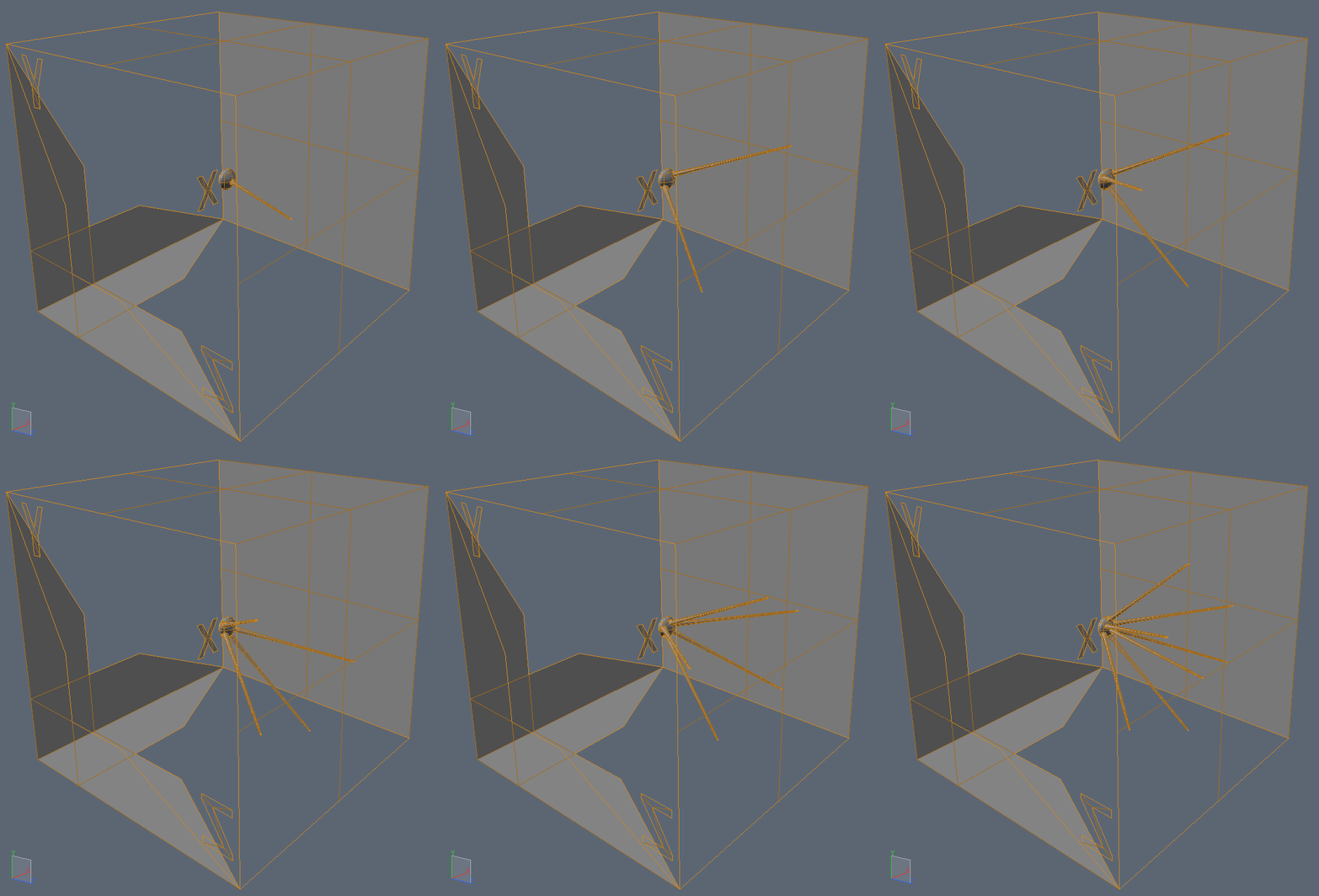
So at this time the Pine element are just different by the number of pine. The general scale didn’t change. I’ve integrated polygon parts in order to see on what axis Zbrush orient those element on the Curve.
So here you can see that the Curve Size modifier didn’t preserve the proportion of the Mesh on X Y and Z. It look that the Y is preserved, but X and Z are stretched using this curve modifier.
I want to preserve a proportion on all axis, and also introduce an empty space between those mesh that can be up than 100 % of the mesh scale (Overlaping set to -0.5 look’s like one mesh in two); At this time, if overlapping is set to -0.5, it stretch the mesh on Y axis locally. so that’s not really cool
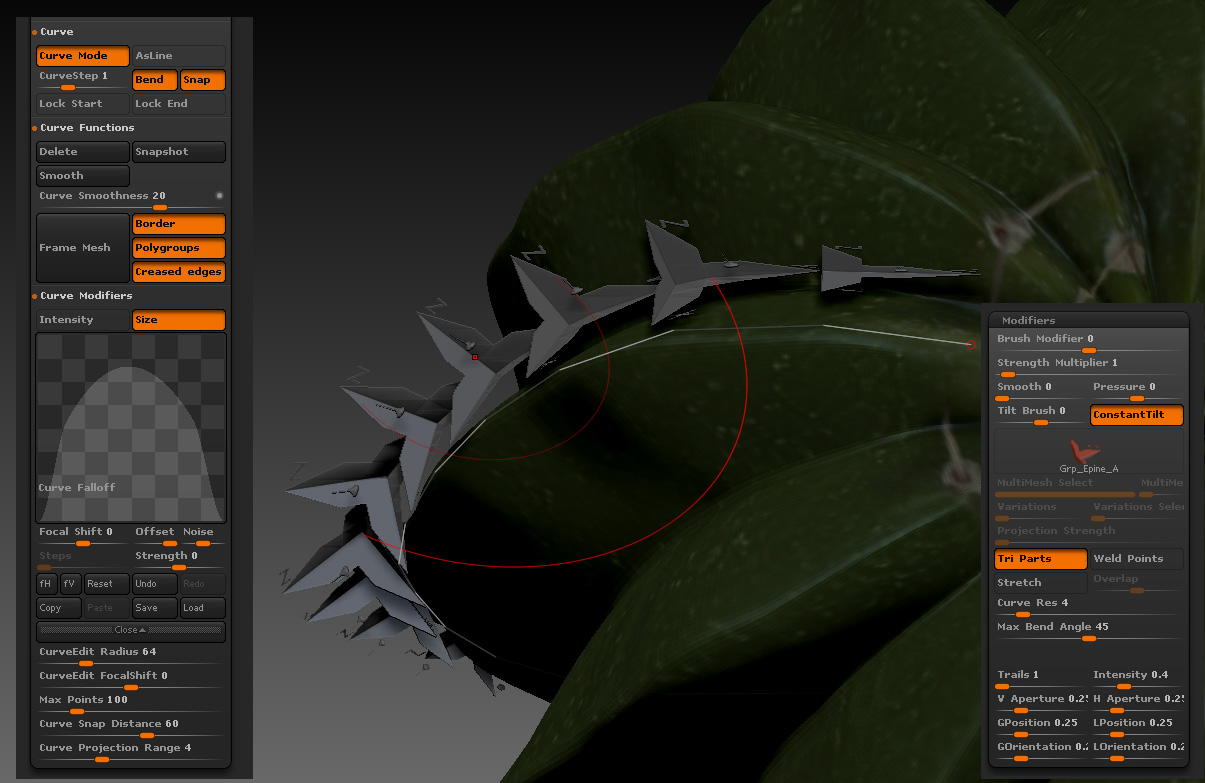
here without the Overlap setting.
here the Deph value change a lot the way your mesh is inside or outside of the Surface shape. But the random Mesh insert still didn’t work here.
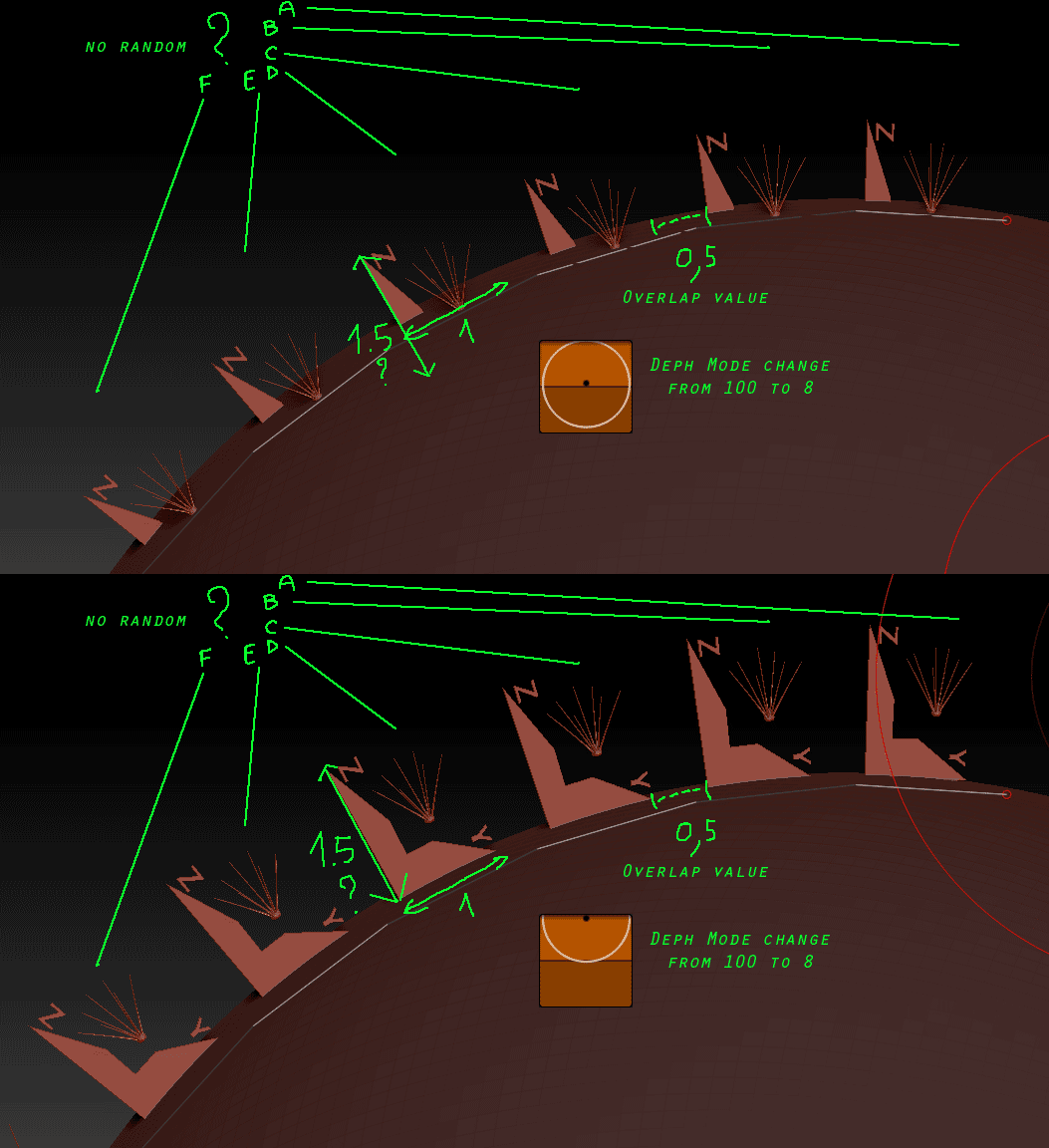
So the question are there:
How to lock the proportion for the curve size mode in all the 3 axis ?
How to add more space between copy than 50 % of the mesh insert and without changing his own proportion ?
How to add a random mesh copy in this curve ? Cause i got 8 different subtool in this Multi Mesh Insert, and i want to spread them out randomly on this line.
Attachments