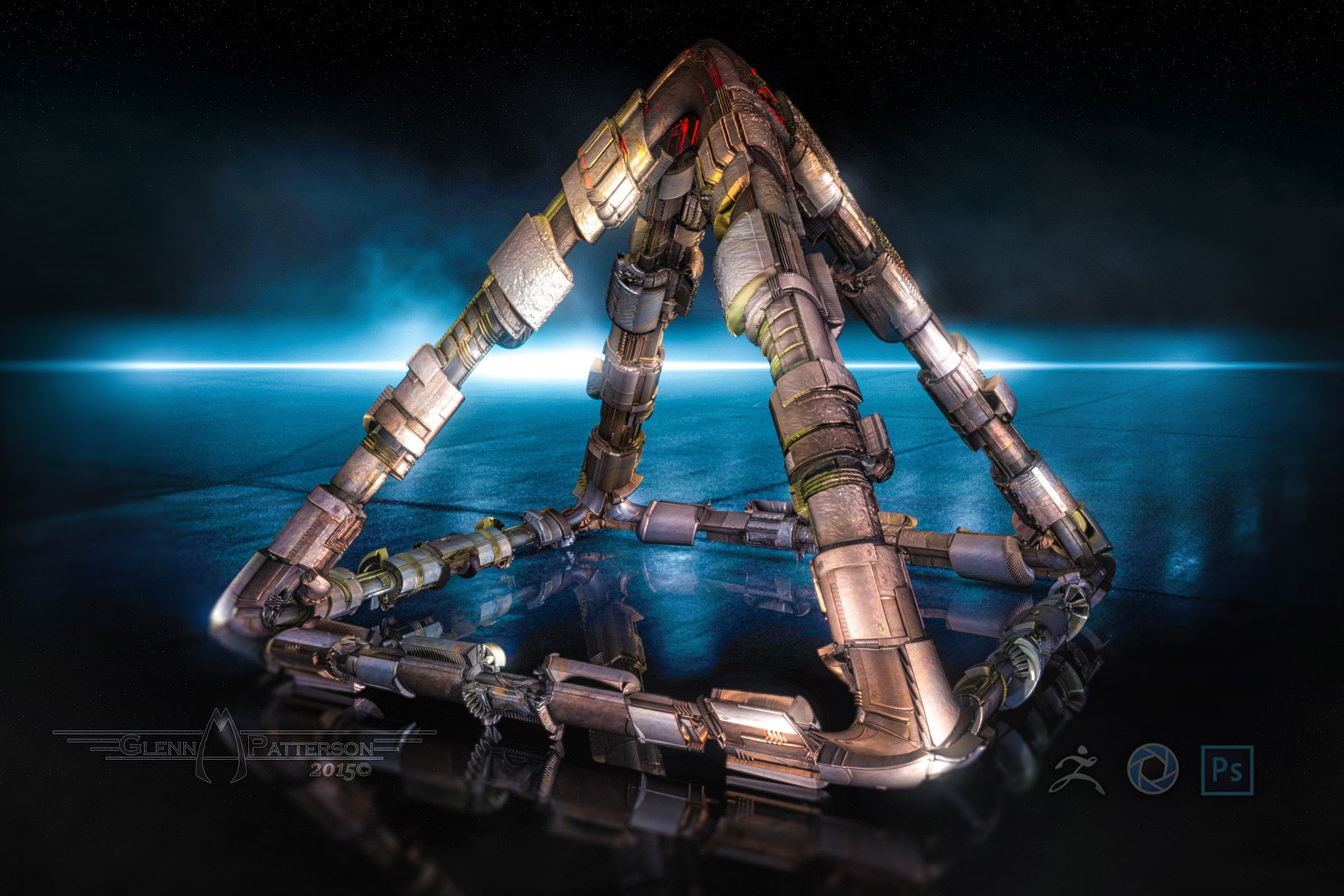
Just some more Texture Experimentation Inside Zbrush and Render in Keyshot. Enjoy 
Attachments
Just some more Texture Experimentation Inside Zbrush and Render in Keyshot. Enjoy
nice textures on the last one.
keyshot is a nice renderer,
fast, and easy to learn.
BTW: thnx for your great tutorials.
this one is rendered in keyshot, and some post in photoshop

grtz p
Just some more Texture Experimentation Inside Zbrush and Render in Keyshot. Enjoy
Nice, Glenn!
You’re having WAY too much fun, whereas I have chores to do! I’m retired, and STILL don’t seem to have enough time to do things I wanna. What’s up wit’ dat!?
AFTER I get my stupid chores done, I’m going to play ‘Glenn-style’ in ZB today, and GoZ straight to Modo and see what I end up with!
Take that!  You….you……too talented guy you!
Btw, got hold of my friend in Sweden, and he’s doing a short tutorial for me. He actually doesn’t GoZ, but PREFERS to export .obj files and import them in Modo - so that’s perfect! He mentioned something about losing information sometimes when GoZ’ing, or some such thing. Anyway, should be interesting.
this one is rendered in keyshot, and some post in photoshop
VERY nice work! Love the camera angle. Sweet!
thnx
“I’m retired, and STILL don’t seem to have enough time to do things I wanna. What’s up wit’ dat!?”
Known problem, as i am also retired.
Great modeling & rendering, Glenn & Patpotlood. :)
What are your system specs & render times in KeyShot?
Morbius,
re: your friend in Sweden,
He actually doesn’t GoZ, but PREFERS to export .obj files and import them in Modo
Me, too…haven’t needed GoZ. Though I can see how it would be a great time saver if you needed to
export/import/export/import…
Sorry haven’t had anything to show yet, but am tweeking an animation, and am enjoying seeing what
you all are doing. 
Me, too…haven’t needed GoZ. Though I can see how it would be a great time saver if you needed to
export/import/export/import…
And… if I may, how do you export polypaint information in modo?
michalis,
how do you export polypaint information in modo?
sorry, I’m not using MODO (yet)…I use Blender, C4D, VUE, & Carrara, and am just
exporting the mesh so far.
Morbius,
is the problem you were having with ZB > MODO with just the mesh, or the
mesh with polypaint info?
Did you try it without using GoZ?
Did you finish your chores first???
Just kidding, LOL! I’m in the same boat. :lol:
Patpotlood nice textures on the last one.
keyshot is a nice renderer,
fast, and easy to learn.
BTW: thnx for your great tutorials.
this one is rendered in keyshot, and some post in photoshop
I like that Shot. Kind of a Looking up at some Sci-Fi Urban Cityscape
megacal Great modeling & rendering, Glenn & Patpotlood. :)
What are your system specs & render times in KeyShot?
I think it was a hour and half to 2 hours. Intel i7 4470 @ 3.4Ghz and 16GB of RAM Render size 2500x1666 32 Samples
Beautiful posts!!!
@megacal
exporting to blender. Your best option is the GoB (Zapplink plugin) Try it. It will transfer polypaint as well.
In blender, under Object data, you’ll find a v-color set waiting for you. Col as default name. You can use attribute node in cycles render engine (write Col there - be careful, it’s case sensitive) and plug it to color of any shader node.
Glenn,
it was a hour and half to 2 hours. Intel i7 4470 @ 3.4Ghz and 16GB of RAM Render size 2500x1666 32 Samples
Great system, but surprised it took so long…what about in E3D?
What does it look like with 16 samples? How many polys? Great render though. ;)
michalis,
thanks for the ZB to Blender workflow! :)small_orange_diamondsmall_orange_diamond
Short WIP clip.
Great system, but surprised it took so long…what about in E3D?
What does it look like with 16 samples? How many polys? Great render though. ;)
Love the Animation, looking Awesome! Didnt try to render in E3d, Render times little high because of samples as well as 4 area lights with 32 samples each. Like to keep the samples high especially when Im putting lights in my models for a glow effect, reduces fireflys
Hey Glenn,
re: animation…glad you liked it!
It will eventually be maybe 1.5-2min using different cameras, and terrains,
skimming the surface, through canyons, etc.
While it’s rendering (~1hr15min /500 frames in Carrara), I’ll work on new models,
more greebles, and try michalis’s ZB GoB method on a different computer.
While it’s rendering (~1hr15min /500 frames in Carrara), I’ll work on new models,
more greebles, and try michalis’s ZB GoB method on a different computer.
Greeble On my Friend! 
re: your friend in Sweden,
He actually doesn’t GoZ, but PREFERS to export .obj files and import them in Modo
Me, too…haven’t needed GoZ. Though I can see how it would be a great time saver if you needed to
export/import/export/import…
The point of GoZ for me is, if I need a model at real world scale, obviously you can’t do that in ZBrush alone. BUT, I can build the base mesh in Modo at the proper scale, and GoZ to ZB to sculpt and what have you - especially in the case of an organic character.
Then, when I GoZ back to Modo for rigging / animating, the model is still at the proper scale in Modo.
Almost sounds like I know what I’m talking about, don’t it!? :lol: That’s the way I understand it anyway.
Morbius,
is the problem you were having with ZB > MODO with just the mesh, or the
mesh with polypaint info?
Did you try it without using GoZ?
Did you finish your chores first???
Just kidding, LOL! I’m in the same boat. :lol:
I didn’t actually go from ZB to Modo. I was following Glenn’s tutorial, outputs and all. And then wanted to import the .obj file and related maps generated in SP into Modo. Didn’t work out so well, but I’m sure it’s mostly because I have no idea what I’m doing.
Next test, I’m going back to my ZB files and try GoZ to Modo. It’s supposed to bring in all the maps, etc. We’ll see.
Yes, I finished my bloody chores. Wasted my day. Irritated myself. You got oars on your boat, or an outboard?
Nice animation, my friend! That thing is just crying out for some audio!
Hmmmmmm. I wonder who might be able to do something like that!? Maybe some guy with a big recording studio
and lots of fancy sound effects generators and such. 
Hi Morbius,
Nice animation, my friend! That thing is just crying out for some audio!
Thanks! I was thinkin’ the same thing.
I’m extremely audio challenged, as far as picking the right soundtrack for
a particular video. Any help would be very appreciated! ;)
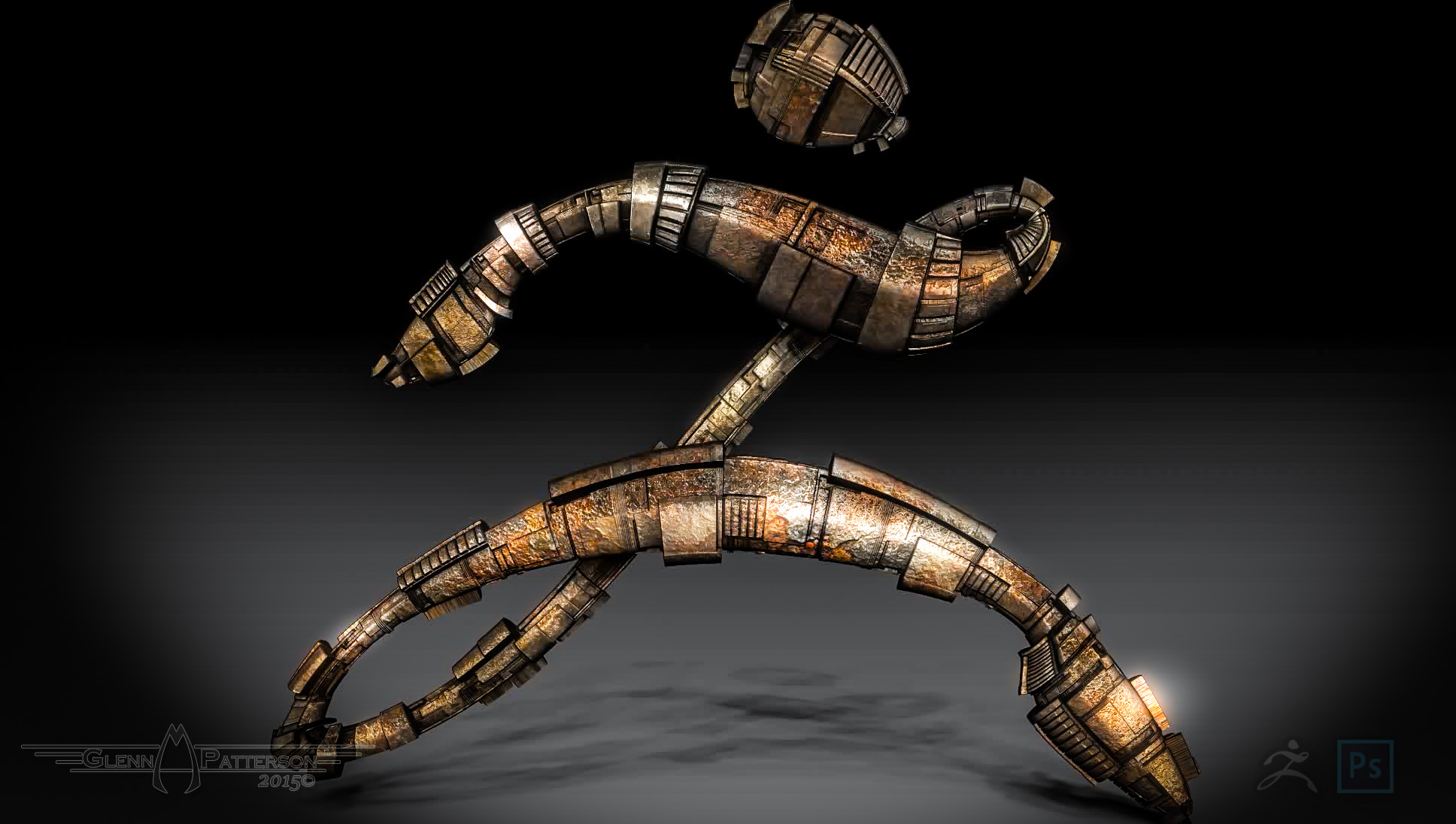
Playing around today. Created the Zbrush Logo and thought to myself what it would look like with some Greebles, then went to town on UVing and Texturing using alot of masking and Spotlight. The Video below shows the Highlights of my Venture, all done in Zbrush. Enjoy
Thanks! I was thinkin’ the same thing.
I’m extremely audio challenged, as far as picking the right soundtrack for
a particular video. Any help would be very appreciated! ;)
Drop me a line when you get the animation wrapped up, and we’ll collaborate on the audio!
Not a problem! I can do some sfx, and maybe some music tracks. Who knows what evil lurks!?