ZBrushCentral

Greeble Pack for Zbrush 4R7

Cool Stuff Gang!
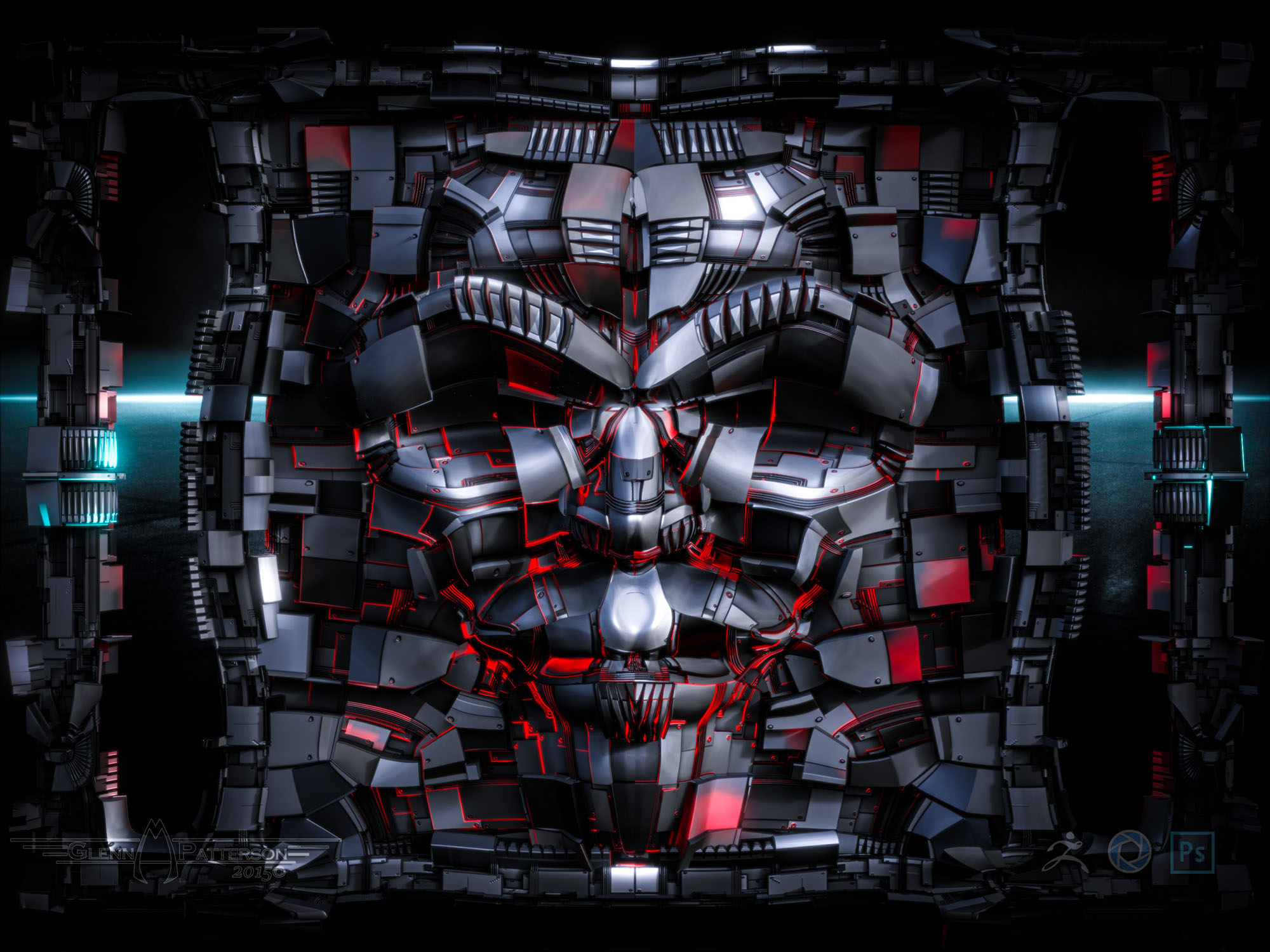
Here’s my take on Michalis’s Edge Spinning Madness.

Plane 3d at 9x9 I think
Edge spin a bit
Smooth
Apply PUV
Apply Texture
Tile a bit
Weld on x axis
Thats interesting looks like some eyes
Divide up a bit
Clay build up around eyes, pull out shapes for rest of face
Export/import to hold tiling
Divide it up
Displace
and Viola Greeble Face :sunglasses:

Greeble Face.jpg

Attachments

Greeble Face.jpg

@patrotlood
Hey, that’s cool. An artifact rather than a SciFi scene, love it.
@gmp1993
Impressive, great render.
Spinning madness, ha ha, indeed. Love it. A well known decease, you can’t resist.
Some madness then. Spin, extrude, polygroups, GUVs, export-import, etc etc :lol:
All done in zb, except the maps.
(maps generated in blender, yeah, long time now I organized my auto greeble generator. Very similar to gmp’s engine)
mechLoopsQmod.jpg

Glenn,

re:Greeble Face …awesome!

What a great idea! :):+1:

Glenn! Very cool Greeble Wall-Face Creature thingie! :slight_smile:

Warning, Will Robinson! Perpare for stupid question! Warning! Warning!

I’ve been doing some searching, but haven’t turned up a clear answer. Probably not looking in the right place.

I’ve never worked with exporting .obj files. Is it possible to export subtools as a single object? That’s probably not the question I’m trying to ask!

I’m not doing this, but for the sake of discussion - in the instance of the Alien Artifact, let’s say I wanted to animate the upper half of the model rotating while the bottom remains stationary.

I want to take it into SP first for texturing, and then into Modo for animating and rendering.

So, if I had the two halves as subtools, could I export them together and still have them remain ‘separate’. Does that make any sense? I know what I"m trying to ask, but it ain’t always easy gettin’ it out of my headbone. :wink:

Morbius:

Yep!

  • In the SubTool Palette under Merge use Merge Down after selecting the top SubTool.
  • Say "yes, and go away" to the error/warning message. Thats not what it says but I cant be botherd to check what it does say.
  • Do your export.
  • Back in Subtool palette under Split hit the Split to Parts button, and POOF you will have subtools again.

One thing about that:
It can scramble the order of your subtools, make a copy if this could screw you up.

In the SubTool Palette under Merge use Merge Down after selecting the top SubTool.
Say “yes, and go away” to the error/warning message. Thats not what it says but I cant be botherd to check what it does say.
Do your export.
Back in Subtool palette under Split hit the Split to Parts button, and POOF you will have subtools again.

Okay, I get that. Thanks, Mealea!

BUT, if I merge down the model, it will export as 1 piece, right? Or will the subtools be separate in the exported object? I mean, will there be 2 separate tools in the SINGLE exported object? THAT is what I need to end up with. OR, would I just export the 2 subtools as separate objects, and re-assemble them in my animation app? I don’t want to if I don’t have to. I’d rather have the single .obj export contain the 2 separate parts of the model?

“I know you think you understand what you think you thought you heard me say, but I’m not sure you understand that what you think you thought you heard me say is not what I meant!” :wink:

I don’t think I’m asking this question properly. :frowning:

So heres what I am doing, and no matter what the object is I crash, but it will give an example.
I am using a 9x9 plane like you did:

  • Select ZModeler brush.
  • >
  • Hover Mouse over an edge.
  • >
  • Right Click to bring up the menu.
  • >
  • Select Spin.
  • >
  • Click on an edge.
  • >
  • CRASH.
  • >

Im going to post this in the troubleshooting forum unless Im doing it wrong some how.

EDIT: I use right clicking instead of the space bar, the spacebar is something I would love to disable.

It does crash here as well

Yes pc,
for me it did not crash in 32 bit for now.

next week there’s an update for zmodeler brush,
maybe its fixed with it

grtz p

I thought it will be for Zremesher, where did you see the info about zmodeler brush update?

Morbius,

“I know you think you understand what you think you thought you heard me say, but I’m not sure you understand that what you think you thought you heard me say is not what I meant!” :wink:

Bill Clinton? Nixon? LOL!

I know that sometimes when I export an obj, e.g. ones I did using grouploops, it exports as a bunch (>100) of parts…which is very cool as it allows me
to add different materials to each one (or the whole thing), and animate them individually if I want. But not sure why it happens sometimes, and not all.

Bill Clinton? Nixon? LOL!

I know that sometimes when I export an obj, e.g. ones I did using grouploops, it exports as a bunch (>100) of parts…which is very cool as it allows me
to add different materials to each one (or the whole thing), and animate them individually if I want.

Alan Greenspan, with a little added extra by me just to confuse it further. :wink:

What you mentioned is what I think I’m asking. I’m thinking, if you sculpted a creature, it’s all one piece, and you export it and texture it, etc., and then biped rig it in whatever app, and animate away! But, if you have something mechanical - like the Alien Artifact - and you want to animate PARTS of it, how would you export the whole ‘artifact’ BUT have the individual pieces so you can rig them and parent them, etc.

All I can think is, if you can’t export the mechanical object - like a MECH or whatever - as individual pieces in one export, then you’d have to take the model into your animation app, and spend a lot of time re-selecting the poly sets, and separating the whole thing out all over again to rig it.

And now I’m not making any sense even to myself.

Thank you and goodnight! :wink:

Just wanted to add my two cents in the sense that spin edge crashes here too.
Not sure about the new update though. Haven’t tried it yet.

Mahlikus The BlackJust wanted to add my two cents in the sense that spin edge crashes here too.
Not sure about the new update though. Haven’t tried it yet.

Patch 2 did not resolve that issue.

@Nikosis:
I need to take some more sleep, it’s indeed zremesher that gets updated:o

grtz p

I know that sometimes when I export an obj, e.g. ones I did using grouploops, it exports as a bunch (>100) of parts….which is very cool as it allows me

On the Tool properties panel, the last one down, “export”. Grp is checked by default. Uncheck to export as a whole object.
Alternatively, you may assign polygroups as needed and split them by export, or split them in subtools pallet in zbrush.
IMO, splitting an objects as you model the basics is your best option. Before UV unwrapping, before displacing.
You may like to export one object at a time. You may like to merge all in subtool pallet and export as one object, or, you may ask for auto polygroups after merging and export obj (Grp ON)
Zbrush handles such operations very well.

About the Qmodeler issue (crashes), you better report the bug. It is a very useful modeling tool.
(not happening in OSX builds though, 64bit)

All I can think is, if you can’t export the mechanical object - like a MECH or whatever - as individual pieces in one export, then you’d have to take the model into your animation app, and spend a lot of time re-selecting the poly sets, and separating the whole thing out all over again to rig it.

To seperate your Alien artifact, like having the Dish a seperate piece. Open up your base mesh you exported back into Zbrush, hide everything but your dish and do Split Hidden in your Subtool Pallet. Export each Subtool individually, Your UV’s will still remained intacted so you can still use the maps already created in SP.

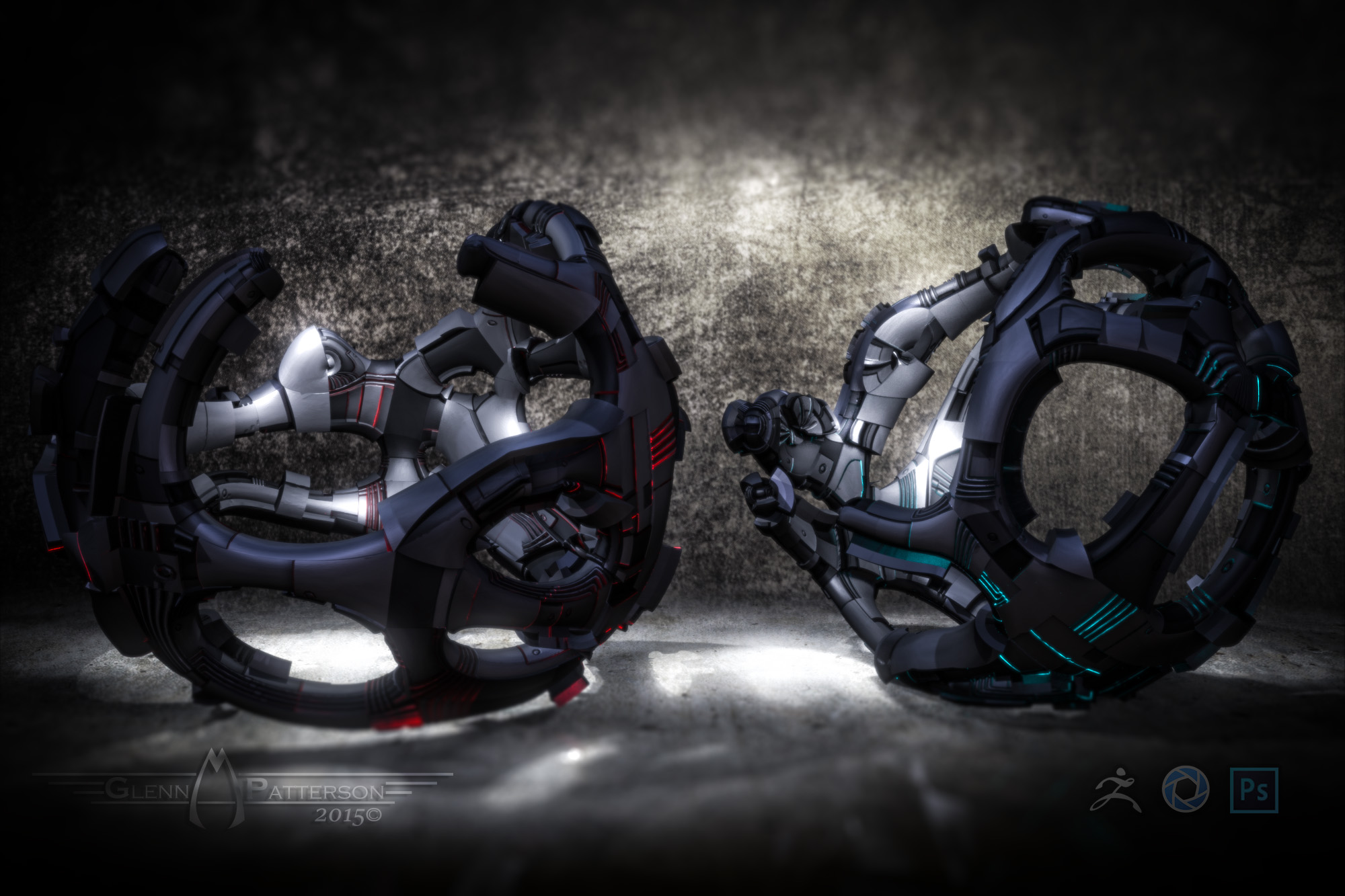
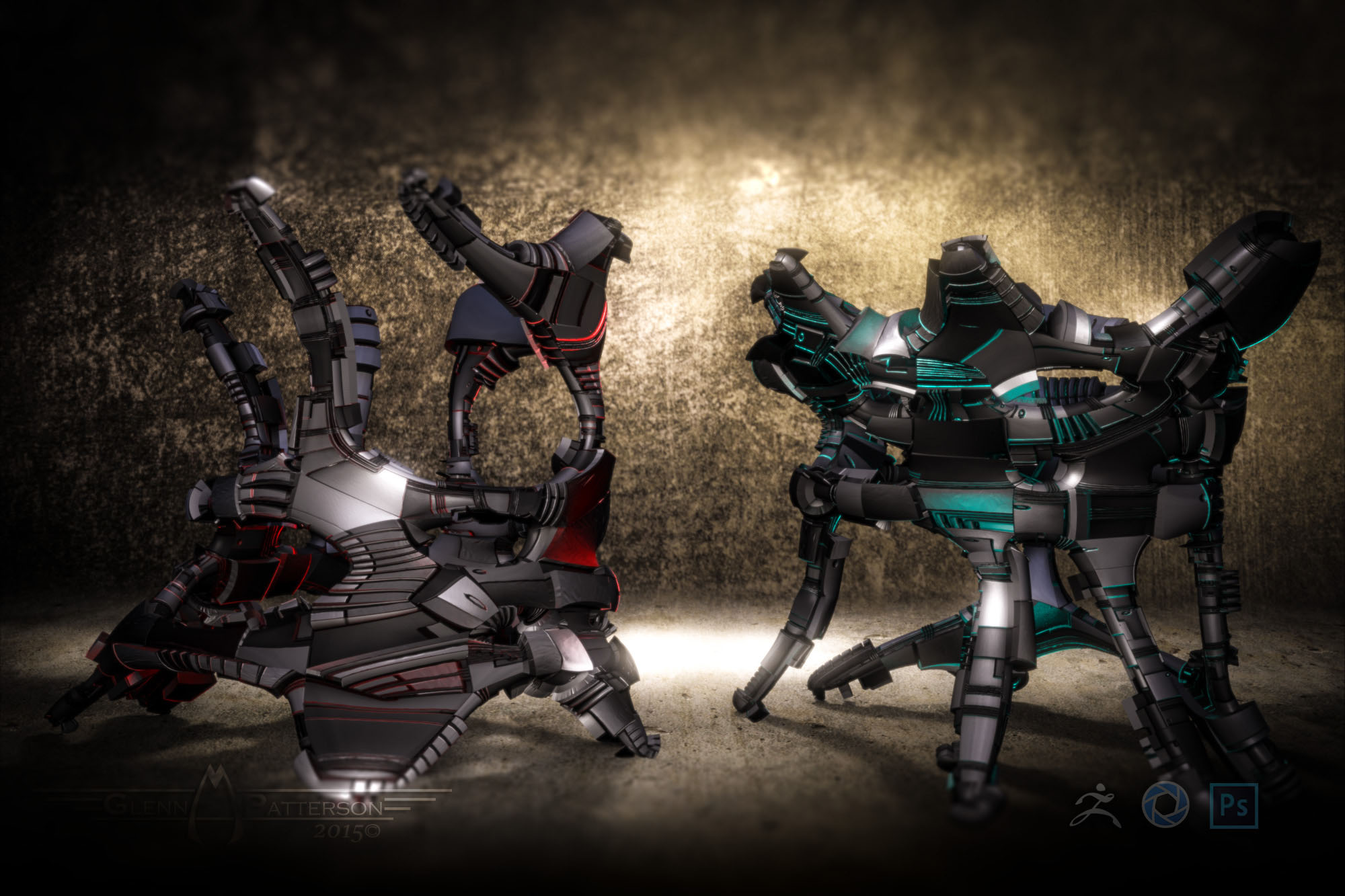
Here’s another example of the Spin Edges used on a couple different Spheres. Deleted the Caps off and added couple Split Points to get some interesting Edge flow.

GreebleSphere.jpg
GreebleSphere2.jpg

Attachments

GreebleSphere.jpg

GreebleSphere2.jpg

@Glenn
Awesomeness !!!

@Morbius:

That should help.

If not…
It totally depends on your software.
If I do what I explained and import the results into Blender I get exactly what I want.
If I turn OFF Grp in the Export Pallet at the bottom of Tools BEFORE EXPORT then it will be one, rather annoying, object.
If I leave it on, all the polygroups, which is what each subtool now are, will be individual objects (the first option).
If I turn on Physics in with all of my exported objects selected in Blender and hit Play they will plummet.

@Morbius:
https://www.youtube.com/watch?v=dQw4w9WgXcQ

That should help.

Thanks, Mealea!
Rick Astley’s “Never Gonna Give You Up”? While I certainly appreciate the sentiment, I don’t think it helps me much! :wink: LOL!

Seriously though, thanks for taking the time! Things are becoming a bit clearer to me now. What I want to do apparently isn’t possible, and I can’t explain it very well anyway.

Thanks for the help!

Thanks, Glenn!

Very cool on those Spin Edges models!

To seperate your Alien artifact, like having the Dish a seperate piece. Open up your base mesh you exported back into Zbrush, hide everything but your dish and do Split Hidden in your Subtool Pallet. Export each Subtool individually, Your UV’s will still remained intacted so you can still use the maps already created in SP.

Ah, okay! I was concerned that the separately exported subtools wouldn’t remain in the correct position. I thought maybe they would be centered on the ‘Y’, and would be a pain to realign with the rest of the model.

Still working in SP, but hope to take it in to Modo soon! I’ll post how things go with that.

Looking forward to Part 3, but still lots of work I want to do in SP yet!

Many thanks!

IMO, splitting an objects as you model the basics is your best option. Before UV unwrapping, before displacing.
You may like to export one object at a time. You may like to merge all in subtool pallet and export as one object, or, you may ask for auto polygroups after merging and export obj (Grp ON)

Thanks for the info, michalis! Auto polygroups after merging MAY be what I’m trying to ask, in my usual weird fashion!

I’ll experiment more with these things after I get the current project wrapped up. I’m sure it will become clearer to me how to handle this.