Good stuff michalis!  small_orange_diamond I just downloaded a tutorial that was inspired by your work. It’s for Blender and it’s called “Displacement & Uvs Sculpting - Create an Alien Spaceship” by Blendtuts.
Just Exploring some new Shapes to Displace. Came up with this little Greeble Fighter. Enjoy
Way too cool, Glenn! 
You all noticed 4R7 Patch 2 now available top of ZBC splash page, right!?
Already downloaded and installed, and now downloading Substance Painter!
michalis 1. Subdivide a plane as needed
2. Zmodeler / edge mode / spin. This changes the flow of a possible face loop.
2a. deformation panel, smooth as needed. Now you have the flow of these loops.
3. Select loops / extrude / hold ctrl to split them. Extrude them. Split into a new subtool.
4. Start the usual workaround with displacement and AO maps.
If is a little cryptic, (lol) I’ll post a small tut soon.
All done in zbrush, except the AO baking
Looks Interesting. Cant wait to see the Workflow.
Way too cool, Glenn!
You all noticed 4R7 Patch 2 now available top of ZBC splash page, right!?
Already downloaded and installed, and now downloading Substance Painter!
Thanks! I’ll probably download this Weekend.
Finally got to the end of Part 1 today!
UVing was considerably easier than I’m use to. Different, for sure.
Decimation took my system about 20 minutes! Why the resulting tri’s when we start with polys? Is this strictly a gaming asset requiring tri’s, or will we get back to polys at some point?
I’m planning on lighting and animating in Modo, which I don’t believe supports PBR atm. So, I’m going to have to do alittle research as to what textures I can get away with in Modo.
Interesting stuff! Got the SP trial loaded up and ready to go, and I’m off! (I certainly am!)
- Subdivide a plane as needed
- Zmodeler / edge mode / spin. This changes the flow of a possible face loop.
2a. deformation panel, smooth as needed. Now you have the flow of these loops.- Select loops / extrude / hold ctrl to split them. Extrude them. Split into a new subtool.
- Start the usual workaround with displacement and AO maps.
If is a little cryptic, (lol) I’ll post a small tut soon.
All done in zbrush, except the AO baking
Thanks michalis!
Yeah, a little cryptic. :lol:
Yeah, a little cryptic. :lol:
Not to worry, michalis. Pretty much EVERYTHING in ZBrush is ‘cryptic’ to me. I’m basically just starting! I’m slooooooow.
megacal is plowin’ the road though! 
Good times, gentlemen!
Decimation took my system about 20 minutes! Why the resulting tri’s when we start with polys? Is this strictly a gaming asset requiring tri’s, or will we get back to polys at some point?
The Decimated one will be used as the High Geo Reference to Generate all the Maps in Substance Painter, youll still be using the SubD 3 that you exported to work with. So you’ll be keeping all your Quads in SP and eventually Modo.
I’m planning on lighting and animating in Modo, which I don’t believe supports PBR atm. So, I’m going to have to do alittle research as to what textures I can get away with in Modo.
Ive never used Modo, so I dont know about their Material set-up. May look on their Forums to see if someone figured it out.
UVing was considerably easier than I’m use to. Different, for sure.
Once you know how it operates its pretty easy in Zbrush, not a lot of control, but you can make a UV pretty quick.
The Decimated one will be used as the High Geo Reference to Generate all the Maps in Substance Painter, youll still be using the SubD 3 that you exported to work with. So you’ll be keeping all your Quads in SP and eventually Modo.
Good to know. Thanks!
Ive never used Modo, so I dont know about their Material set-up. May look on their Forums to see if someone figured it out.
After digging around at The Foundry/Modo forums, it appears they are working on it. They had a plugin for v701, and are working on one for the latest version 801. It’s looking like I can use pretty much anything I want.
Once you know how it operates its pretty easy in Zbrush, not a lot of control, but you can make a UV pretty quick.
I’ve done some fairly insane UVing in Modo, and their UV mapping is pretty cool. All kinds of control over it. Sometimes it’s a breeze, and sometimes a nightmare. But once you get use to the ins and outs, in goes pretty smooth. I think I’ll catch on to ZBrush all right. Just takes a little time.
I’ve watched your tutorial on SP twice now (I always watch them once or twice before jumping in), and have downloaded all the SP tutorials from Allegorithmic, and have been watching those too, just to get a better handle on things.
Looking forward to getting that Alien Artifact in there tomorrow!
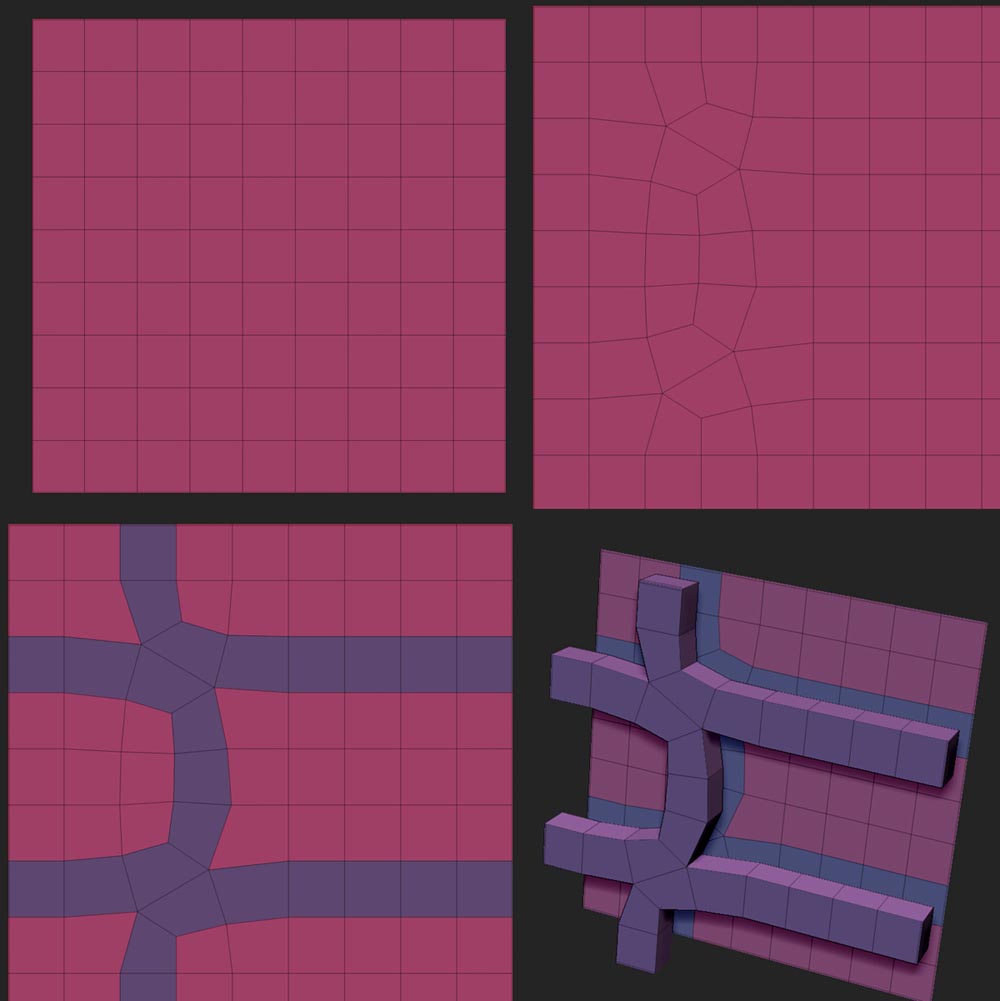
Here’s a small tutorial on basic principles of loops.
- A plane
- Zmodeler, edge mode, spacebar menu spin. ([ALT] alternative spin)
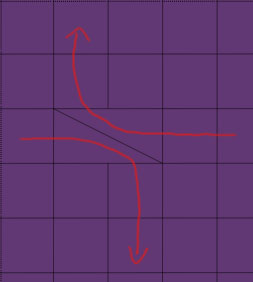
- Smooth brush
- Zmodeler, face mode, spacebar menu, polygroup / loopselect
- Zmodeler, face mode, Qmesh, polygroupAll, extrude (hold ctrl) to split, extrude again.
Have fun.
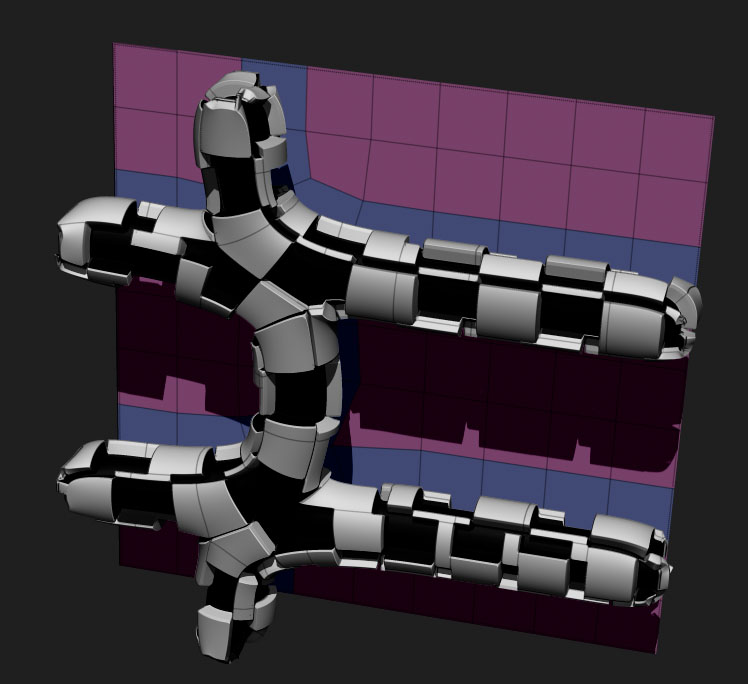
nice stuff going on here.
tried michalis tutorial.
here in zbrush 4 r7 p2 - 64bit “edge spin” crashes zbrush, 32bit works fine.
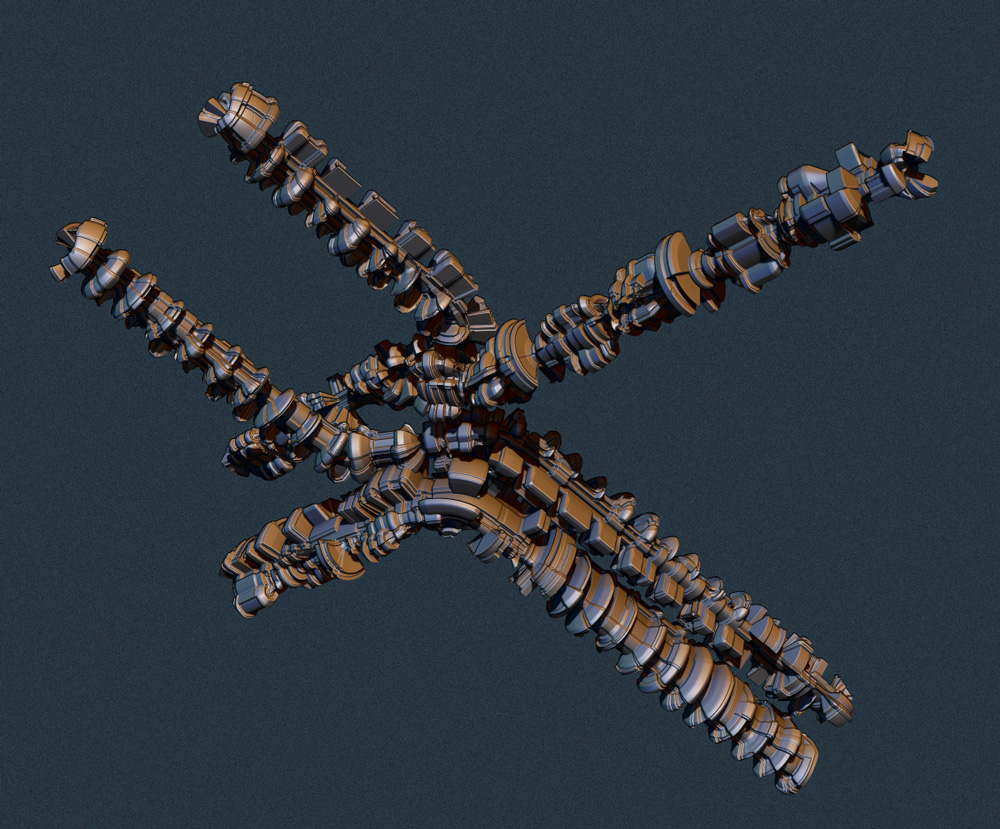
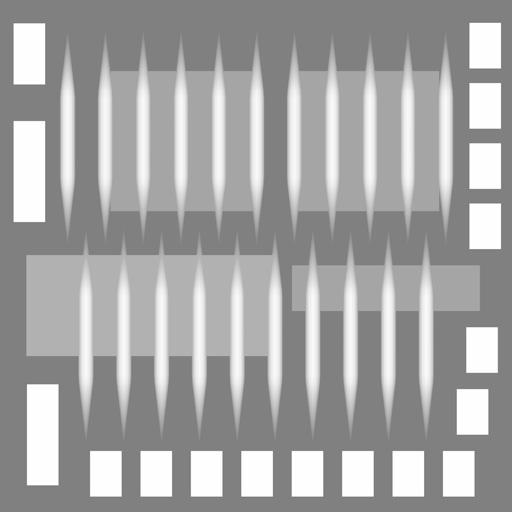
I used this experimental heightmap for displacement. (but 16bit and 2k)
grz p
This is interesting, spinning an edge crashes ZBrush instantly…
Sorry to hear this. No issues on OSX r7 p2 64 bit. Not yet I mean LOL
@Patrotlood
Nice one.
However, the idea is to create a deferent flow and curves on a horizontal vertical distributed surface.
It always surprises me what a horizontal vertical pattern can do, by just altering the topology.
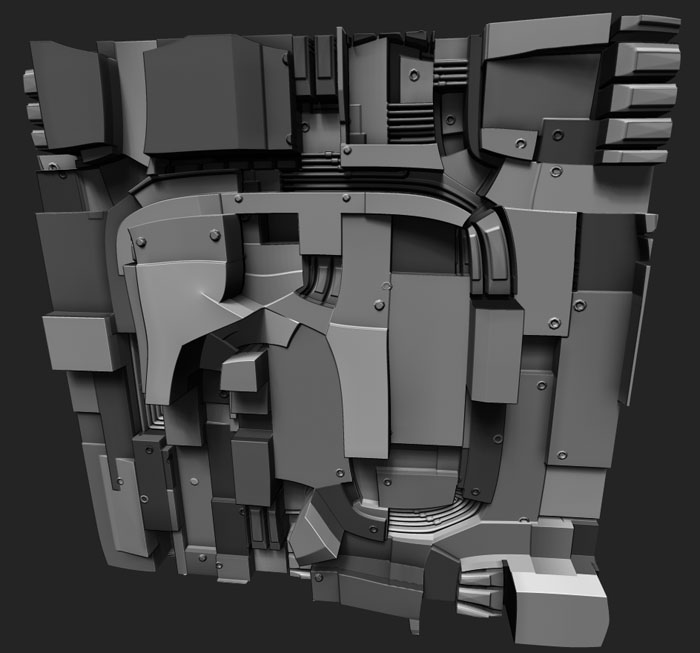
So heres what I am doing, and no matter what the object is I crash, but it will give an example.
I am using a 9x9 plane like you did:
- Select ZModeler brush.
- Hover Mouse over an edge.
- Right Click to bring up the menu.
- Select Spin.
- Click on an edge.
- CRASH.
Im going to post this in the troubleshooting forum unless Im doing it wrong some how.
EDIT: I use right clicking instead of the space bar, the spacebar is something I would love to disable.
It doesn’t matter,
right click or spacebar,
instand crash, but only in 64 bit.
so i spin the edges in 32 bit, save the project and reopen in 64 bit for further editing.
grtz p
Oh???
You are on a PC?
I will try the 32 bit version, I had already forgotten it exists!
Ok, I tried it with the 32 bit version and it worked a little (three times), then crashed.
Yes pc,
for me it did not crash in 32 bit for now.
next week there’s an update for zmodeler brush,
maybe its fixed with it
grtz p
And for ZRemesh, I CANT WAIT for that!
Once again great work, the color schemes seem to get better at every iterations.
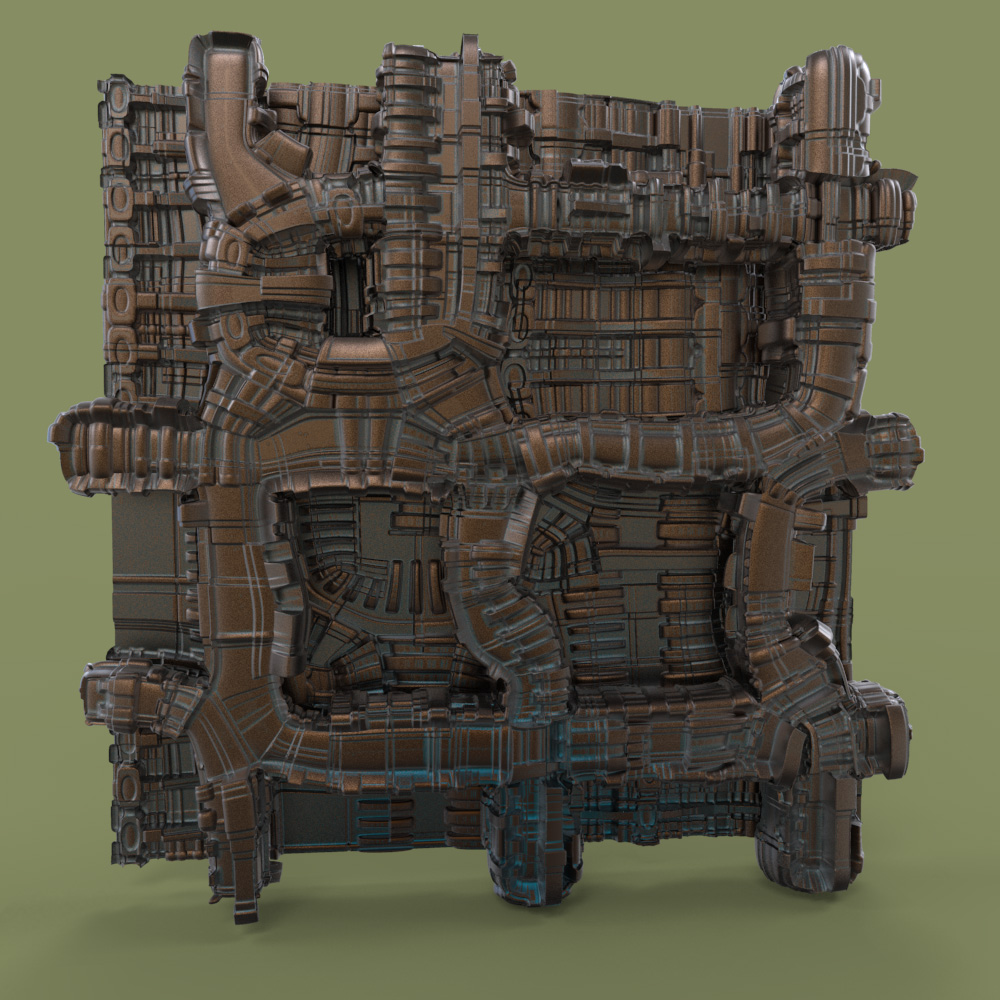
2 displacements one above an other
i rendered this one in keyshot
tried to make an old copper material
grtz p