Thanks!!! didn’t notice that!
yeah, that was my question about “right click navigation” Very handy.
Texture painting and Texture map new work separately
Also, New Line feature on brushes also help alot
Do any of you guys find out what Zcut do?
Decimation master doesn`t work,
How are the other plug-ins doing?
First impression is Amazing tool. I think I need more time with it to learn all the ins and outs of what the tools are capable of. I used it for 6 hours yesterday no crashes. I tried to dump all my plug-ins for Z3 into the 3.5 plugs folder and 3.5 would not start. Other than that I’m a happy camper.
Maybe I didn’t do something right, but the render speed in 3.5 seems to be way slower than 3.0.
I just installed 3.5 and haven’t made any changes to the default installation. I loaded the figure I’ve been working on and first thing I noticed was that the materials used became totally out of whack. The eyeballs became black, for example. It was easy enough to reassign the proper materials though, and the new skin material looks really good. However, when I moved the figure around I noticed the rendering speed is much slower than before. Just to confirm my observation I ran 3.0 and the tool loads fine, and the speed is indeed much faster on 3.0.
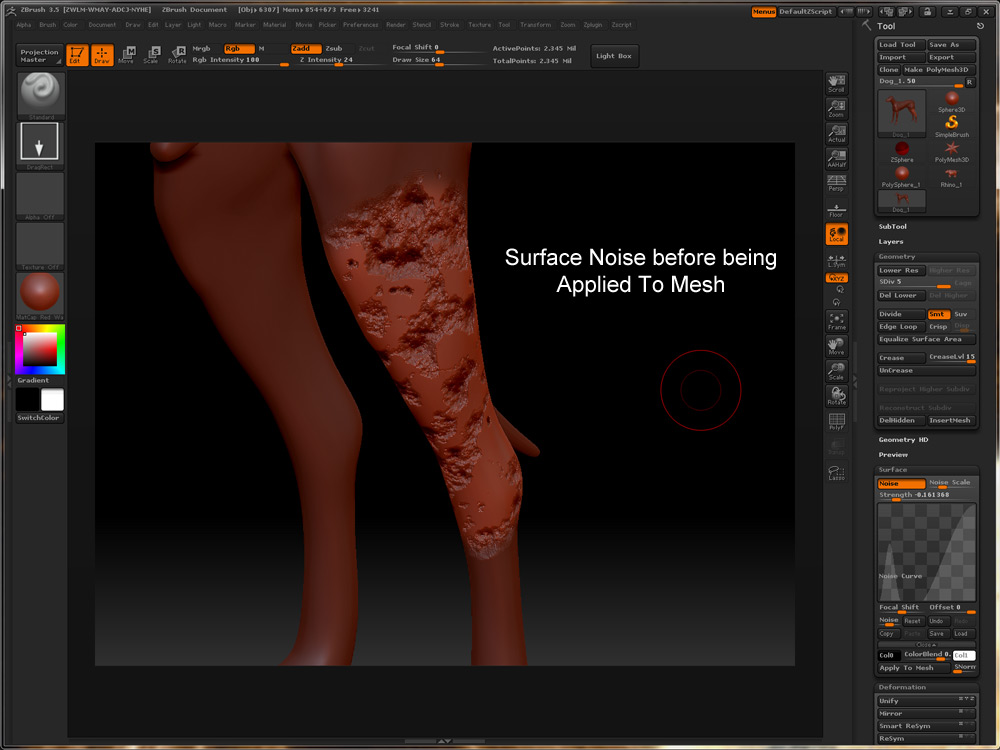
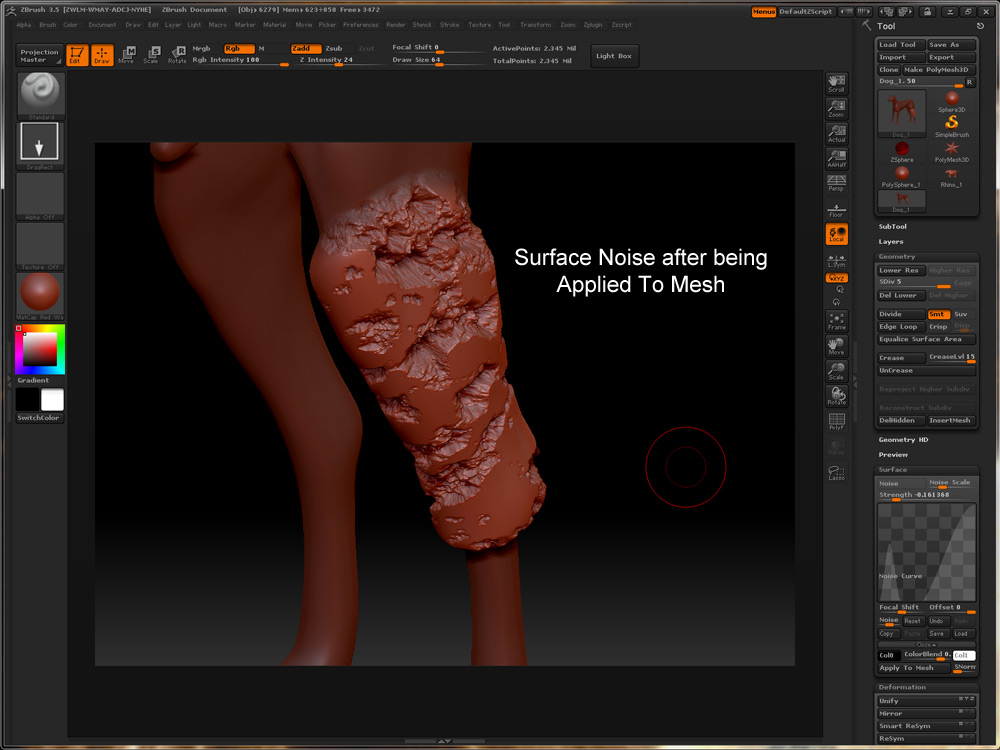
So far I’m loving everything about 3.5 except I’m starting to think surface noise is glitched. The strength value either sucks in or blows out the model. Anyone else had this issue?
Attachments
When I turn on ‘Draw Polyframe’, many of the frames are missing. 3.0 didn’t behave like that. Is there anything I need to do differently? I’ve attached the same tool in 3.0 and 3.5 to show what I mean.
BTW, how do I insert images into the body of the text rather than as an attachment?
Attachments
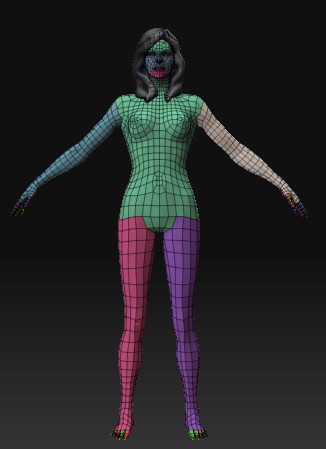
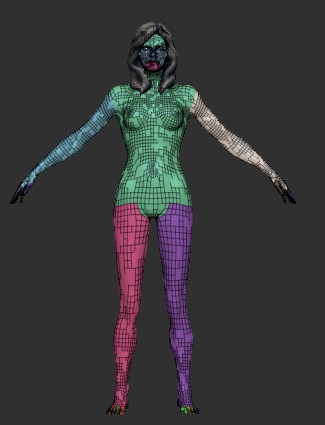
Seems it’s just a draw issue, the poligons should be there.
As for the attachement, just drag and drop the code in.
i’ve seen this behaviour before when you reconstruct a tool down to a lower level.
you might want to try cloning it?
also i think the material issue you were having probably is from them changing the material order, each mat occupies a slot. although i’m not sure.
The bad thing is doing the exact same steps in 3.0 do not exhibit these problems.
How do I invoke the zSpheres II stuff I saw in the demo? I have been dying to try this.
neilford
ERDIT: Found it, thanks!
Another ‘problem’ I noticed: with perspective turned on, if I zoom in, then as I rotate the model, the brush size changes in a way that doesn’t make sense to me. It would be nice if the brush size changes so that the actual 3D size stays the same. But that’s not what it does.
Also, the model itself changes size significantly as I rotate it.
Again, the behavior is not like this in 3.0.
Is there a way to suppress this behavior?
This was used to be in every version of zbrush.
(if i remember correctly, when you “zoom in” you are actually changing the size of the 3d object, not navigating in 3d space. so the brush size stay the same)
Well this is exactly the way perspective works, when you rotate some parts of your object are near and some far away from you…
And if you turn perpective on in 3.0 it will react just like this.
Select subdiv level 1, mask the mesh and switch to higher subdiv. Polyframing will be re-evaluated and should look as expected.
My first impressions of 3.5 were good but now I am starting to find little things that really annoy me such as smart resym does not seem to work as well on meshes it worked 100% on in 3.1. There is still the random switching of subtools when I enter numerical values in option boxes. The biggest problem, and to me this is a real problem, is the change of scale and world positional co-ordinates when I export meshes back to maya to a rigged model. I have tried obj. and ma. export options and both have the same problem. I have been using this workflow: model base meshes in maya> export obj. from maya> import obj. in zbrush> apend all the required obj. files as subtools (at this stage in 3.5 the export option box has a world scale and xyz values dependant on the mesh)> store a morph target> divide and start sculpting > resym if required> generate maps> export base mesh and import back into maya. Somewhere from dividing and exporting the basemesh out of zbrush the scale and xyz values seem to default to 0.
I would be interested to know if this is just an issue I have, because if it isn’t it could cause real problems in a studio pipeline especially where models are already rigging.
This was used to be in every version of zbrush.
(if i remember correctly, when you “zoom in” you are actually changing the size of the 3d object, not navigating in 3d space. so the brush size stay the same)
I have 3.1 and 3.5 running side by side so I can say for sure that 3.1 does not behave the same. Also, what I said was the brush size stay the same (in 2D) in 3.1, but changes in 3.5. It’s ok if the change in 2D corresponds to a change in 3D size because of the distance from the viewer. But that’s not what it does.
Well this is exactly the way perspective works, when you rotate some parts of your object are near and some far away from you…
And if you turn perpective on in 3.0 it will react just like this.
Again, 3.1 does not behave the same in this regard either. I found the problem in 3.5 happens only when you hide part of your mesh. It’s most noticeable when you hide most of the mesh and show only a tiny portion. If you do that, and perspective is on, then the first thing you’d notice is that when you click the ‘frame’ button to fit the visible mesh to the screen, the mesh is not centered and can be so far away that your screen becomes blank. Then, if you just rotate the model round and round, the mesh will become smaller and smaller indefinitely.
Hello
I do not seem to be having this Maya issue that you are speaking about. I am using Maya 2009, what version are you using? What tool do you have selected when you are importing the models into ZBrush?
I took three models that I just made from start in Maya into ZBrush with no xyz or scale issue. Do you have the Maya model that you are using so that maybe I can test here?
Thank you for the post.
Paul
coffeeham, Do you think the mesh needs to be “unified” first?
Deformations> Unify
I have not received my ZB3.5 email yet  just thinking size issues seemed to be corrected with Unify sometimes.
Plug-ins are not updated for 3.5 yet.
Paul