Vista 64 bit to PS CS4 w/ custom startup document, zApp link does not work. If I delete the custom document and it works fine. If I leave my custom document in the startup folder, initialize ZBrush before zApp linking, it works fine. This is a pretty horrendous bug much like the scale issues described in the scale thread started by NickZ. I love the program but it has it’s quirks.
ZApplink is really wired in ZB 3.5.
I am fighting with this since a few days.
With Marcus Civis’ Makro-solution, it finally works.
But it can hardly handle 4096er Documents for high-res textures (mostly only one view works in the export) and forgetting to deactivate the ‘fade’-checkbox at the reimport-dialog drived me almost insane, as ZApplink bakes the all ZB light into the polypaint/Texture and makes all hard work totally useless, as you will get such a trash like this: :mad:

This, along with instability, should be urgently corrected as it limits the usability of this important feature a lot.
Ok, looks like it is dependant on screen resolution in relation to the document size…
I did a test and every document using 16:9 ratio worked.
I get the error when the document size ratio is different from the screen resolution ratio.
No, got it working now.
The trick is to deactivate the fade-checkbox in the dialog for the front- and back-projections. Also, when working with big map-sizes, you should only export one view at a time.
Im also getting this non projection bug after a few projections on different subtools. usually the first 2-3 work then it all starts falling apart and not projecting. Is there a update for zapplink in the works to resolve this?
it seems that if i can get my texture to be on the one uvset and hence only use one mesh/subtool it all works … multiple subtools and textures seems to break it for me…
Starting with new Doc.zbr and not saving Doc work for me. Windows 7 64bit, CS5. Its still very anoying though. Hope Zbrush 4 fixes issues.
I’m having same issues. No startupdoc(anymore) and Photoshop crashes when it opens via Zapplink.
I got it to open with Flash, however haha(Useless) as I can’t bring it back in.
Attachments
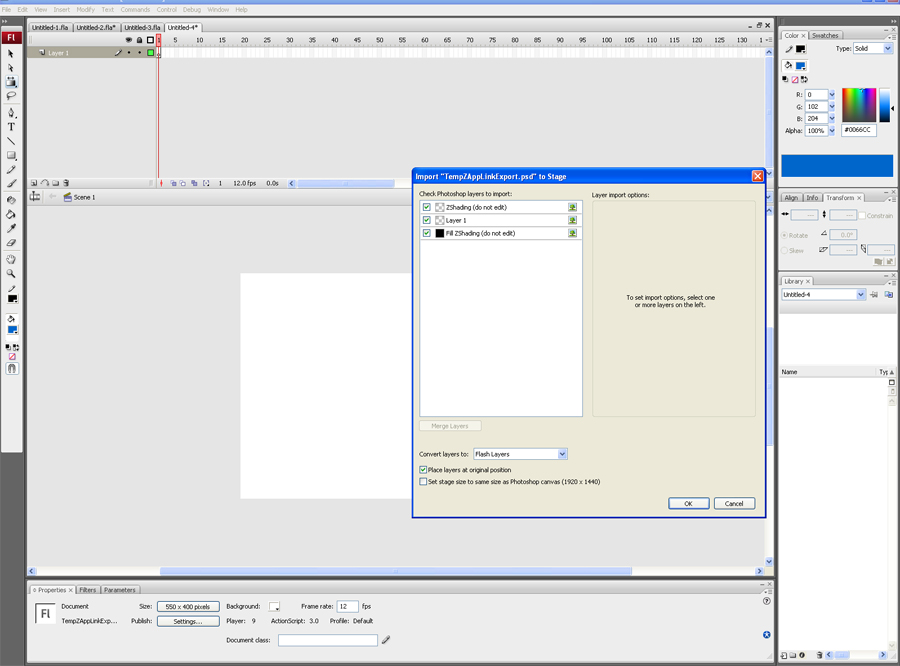
What ever doc you start with in zbrush, Just write over it with a new doc, make sure your running as admin and choose photoshop as as the software to open the zapplink too. Mine kept crashing too until i started to use a new doc before using zapplink. Hope it works for you. 
I installed Photoshop CS5 and things are working now(aside from the startup document).
JEEEEEZ! thanks I found this statement!
I gave up on custom anything in ZB3.5 
deleting the startup file gave Zapplink the kick in the pants it needed.
It will be nice when all these cool features play nice.
Hello,
Somebody might have any direction for making Zapplink work with PS and ZB4 (MAC)?
I have tried with CS2, CS4, CS5 and when the app tries to open the layers it crashes. I tried to open the temp psd file directly and Photoshop crashes too!!!
I can make the link with Corel Painter and works more or less ok because it doesn’t recognize a layer effect (?) but it can open the file and send it back to ZB4.
It seems that the psd temp file has some characteristic that makes Photoshop to open the file and when is reading the layers it crashes.
Thanks
Billy

I just had the same exact problem, and I spent all afternoon trying, I even reinstaled ZB, and ZappLink, and it didn’t work. The problem, I figured out was not the plug in, it was the model, because I tried with a ZB default .ztl, and tried ZappLink and it did work.
I think the problem was on the GoZ, we were trying to use the plugin with a Maya Model, and that was the problem, when we exported an .obj, and then imported it in ZB, ZappLink worked just fine.
Hope that helps.
ZBrush 3.5 is no longer supported. There is now ZAppLink 4 for ZBrush 4. A thread for Q&T regarding ZAppLink 4 is found here: http://www.zbrushcentral.com/showthread.php?t=95890
In order to prevent confusion, I am closing this thread.