ZBrushCentral

Z Brush 4r7 tips ,,(Zmodeler)(nan mesh)(array mesh)(zremesher2.0)

I honestly think that’s the first time I’ve ever read that sentence on ZBC. Finally, I’ve managed to fool someone!

There’s room for everyone to learn from each other here though. I’ve got a little more experience with the tools, but Im going to learn lots of things form you guys too, especially as we get into Nanomesh and Arrays, which I’m not nearly as comfortable with yet.

@Oofnish

That’s a great tutorial, and a great way to show there’s always more than one way to get to the same place.

@Jovon

I hope that comment wasn’t directed at me. Are my tutorials confusing? Unfortunately, Im too shy to post a video on youtube. I communicate mostly via photoshop and tend to be long winded. Is anyone else having trouble following my tutorials?

Thebest12

I know I can delete them and bring them back holding shift…???

Or you can just move them ?? lol … [ Point Action - Move - By Brush Radius ]

FOR SURE YOUR EFFORT IS VERY APRECIATED DONT STOP PLEASE! IF SOMEONE DONT LIKE JUST LET US FUN HERE!:+1:

TheBest12 - Thanks for creating this thread! :wink:

r

A couple more quick ones on the subject of not forgetting to use Zbrush’s traditional tools with ZModeler.

  1. Masking. How great is it that we can just mask a specific group of an polys we want with a touch now, without having to play hide the polygon rodeo lasso?

  1. A situation where masking and clip brushes are useful:

1 Like

First, let me say I haven’t read this whole thread, but the last few comments leave me to believe that not everyone is aware of the new 4r7 videos in the classroom.
Excuse me if I have intruded with already known info.
Dj

blah blah blah

You know, the people that dismiss a new tool because it can only do 75 new things instead of the 100 things they wish it could do depress me too. But I am baffled that someone would take the time to come into this thread, and make not one, but several posts complaining people were here learning and discussing the finer points of specific functions.

The videos are a great resource, I’m sure, and everyone should watch them. They should be linked here. But different people assimilate information better in different ways. And you can’t ask a video a question, or discuss nuance. Personally, I learn best when I’m helping other people explore the issues and questions that they have, which might teach me something. It’s one of the reasons I answer questions on the Q&T board.

I’ve been covering really basic stuff to make sure everyone has the fundamentals for future pieces, but I’m going to ramp it up here shortly.

In short, if the thread doesn’t offer you anything, your time would probably be spent better elsewhere. And what do you care about how other people spend their time? Why does this entire community lose their minds every time a new release happens?

blah blah blah

Spyndel - no your tutorials are just spot on. Keep them coming.

Any addition to the tutorials Joseph is putting out is a bonus. As many have said on here already, we can all learn off each other, even the mistakes. Great community.

Would like to see some experimental examples, similar to MealeaYing’s thread.

I’ll add my 2 bobs worth that I posted on another thread:

Interesting workflow if anyone hasn’t tried it yet. Just experimental and can be kinda abstract.
Select an Alpha>Make 3D. ZRemesh it down to low polygon count and then use Zmodeler. Could give you all kinds of ideas. Especially if you do 3D Under Painting.
Not Nanomeshed or Arraymeshed yet, but could bring even more ideas.

Hats off to Thebest12 for starting this thread. :+1:

Well, I’m sorry that the forum cops are enraged by this thread for some reason. Jovon is correct that everyone should read the documentation, and watch whatever videos Pixologic now has on tap that weren’t available when this thread started.

However, I’m going to keep posting things that occur to me from my experience with the new tools, and people are free ignore them if they dont feel they offer anything.

I wanted to talk about some of the different approaches to beveling edges, and when you might choose to do one thing over the other:

1 Like

Reading is necessary. PDF’s however are a drag from my perspective. Most every program I’ve ever run has had a :slight_smile: Help Menu :slight_smile: which brought up a nice, indexed, searchable Help Entity/dialog box; Some with show me or do that for me included. :rolleyes:

Thebest12

Try the Edge Align tool mate.

Align1.JPGAlign2.JPG

Here’s another tip that might not be in the classrom vids. If it is, don’t tell me. I thought I was terribly clever when I figured this out.

1 Like

Great thread!

Does anyone have any clue as to how they made those nice Cathedral Arches from this page? http://pixologic.com/zbrush/features/ZModeler/
Its the pic above the Repeat Last section.

Thanks!

someone should make a goggle hangout room so we can watch each other.

@Chris3d

It’s tough to say without getting a better look at them, but they could have been either hand modeled or created with an array.

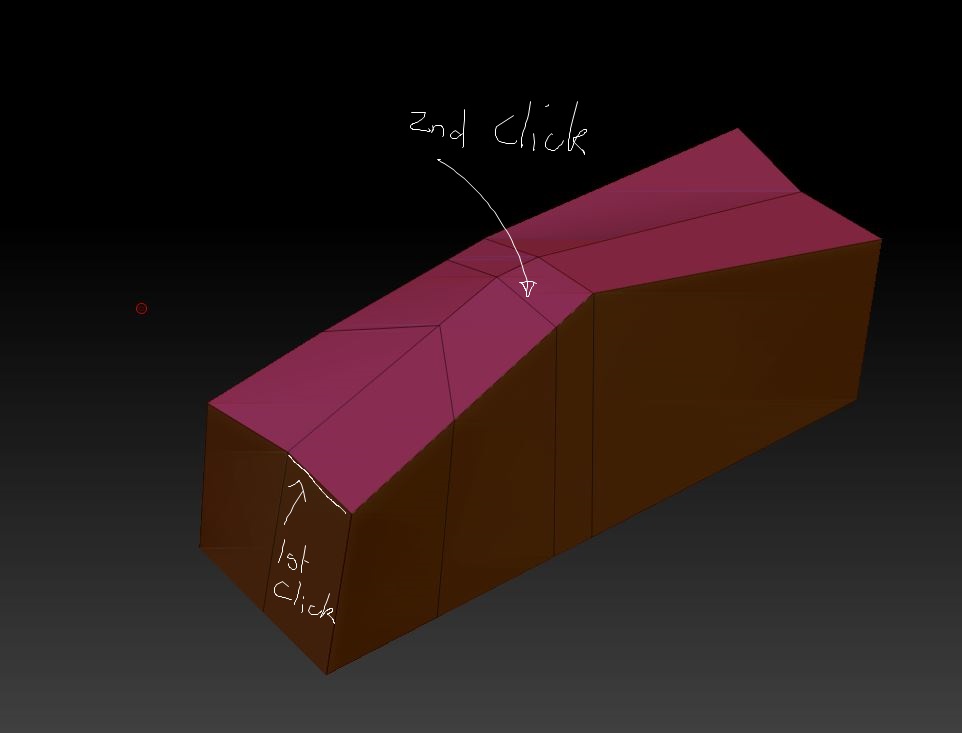
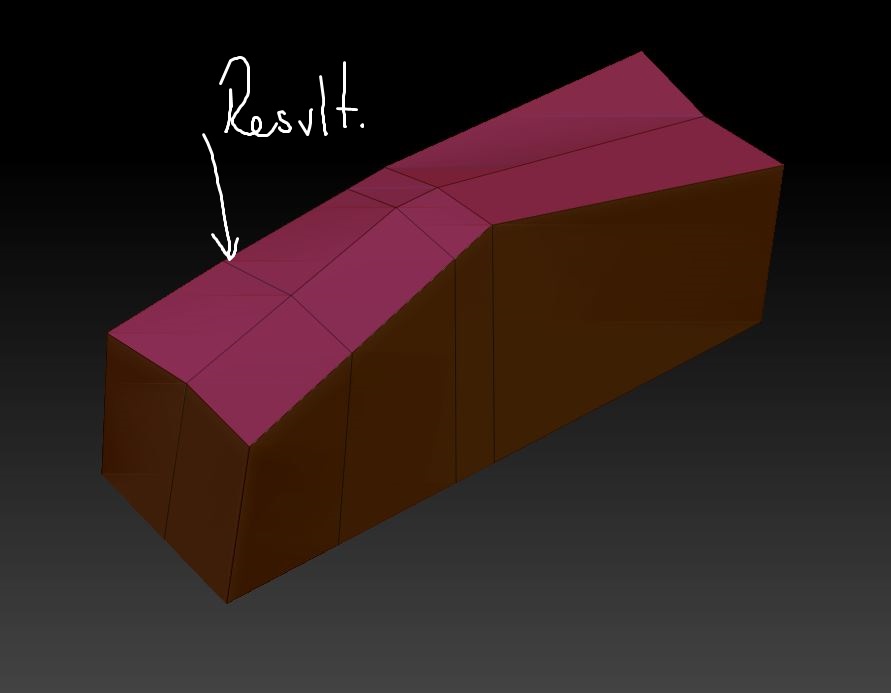
@Spyndel your ClipCurve (stretch Edge) methode works not really.
Watch after the ClipCurve your Backside of your Edge Loop.
The only methode where works good is the Point > transpose (methode). ;o)

And if is for someone helpful:
Preferences > Transpose or also Transpose Units. You can optimize your own transpose tool. ;o) For work more exactly with the transpose tool.

It’s more of a “flatten edge” method, and it’s not my method. Picked it up from a video.

I didn’t fabricate the screenshots. It’s possible you’re not understanding something or other. Would you care to illustrate how it’s not working for you?