ZBrushCentral

WEBINAR RECAP: Array Mesh (Recap in Post 1)

Render Time.

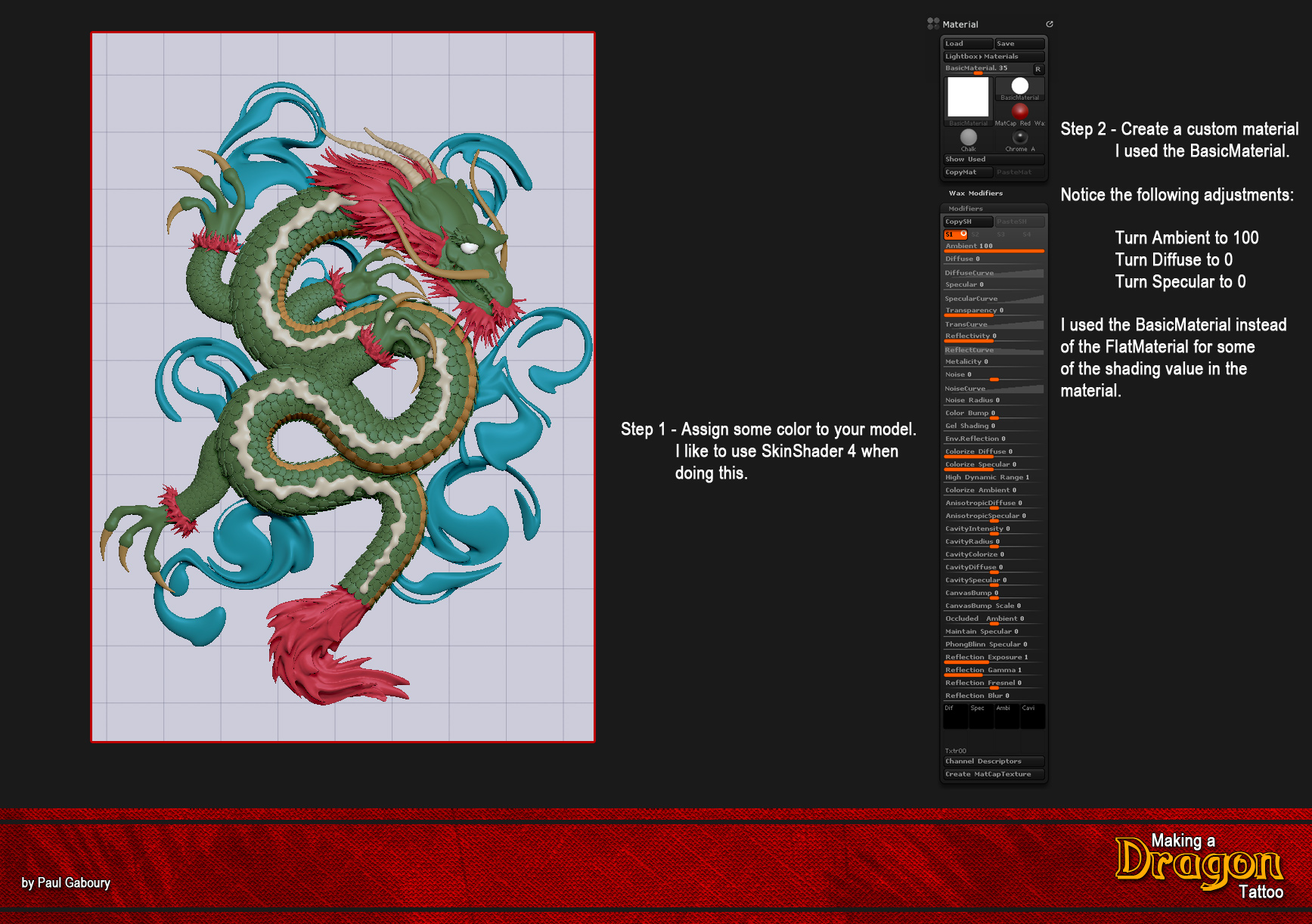
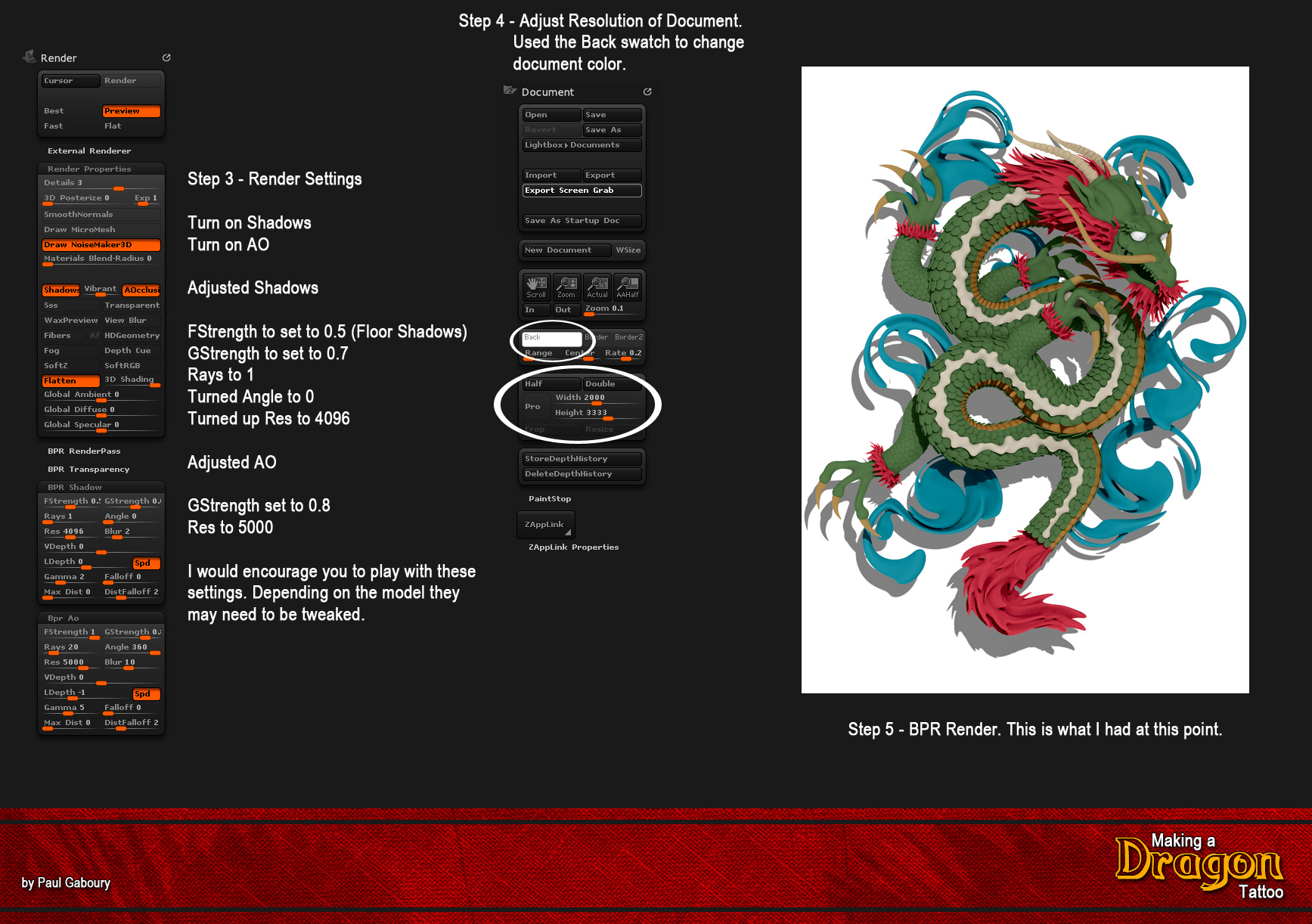
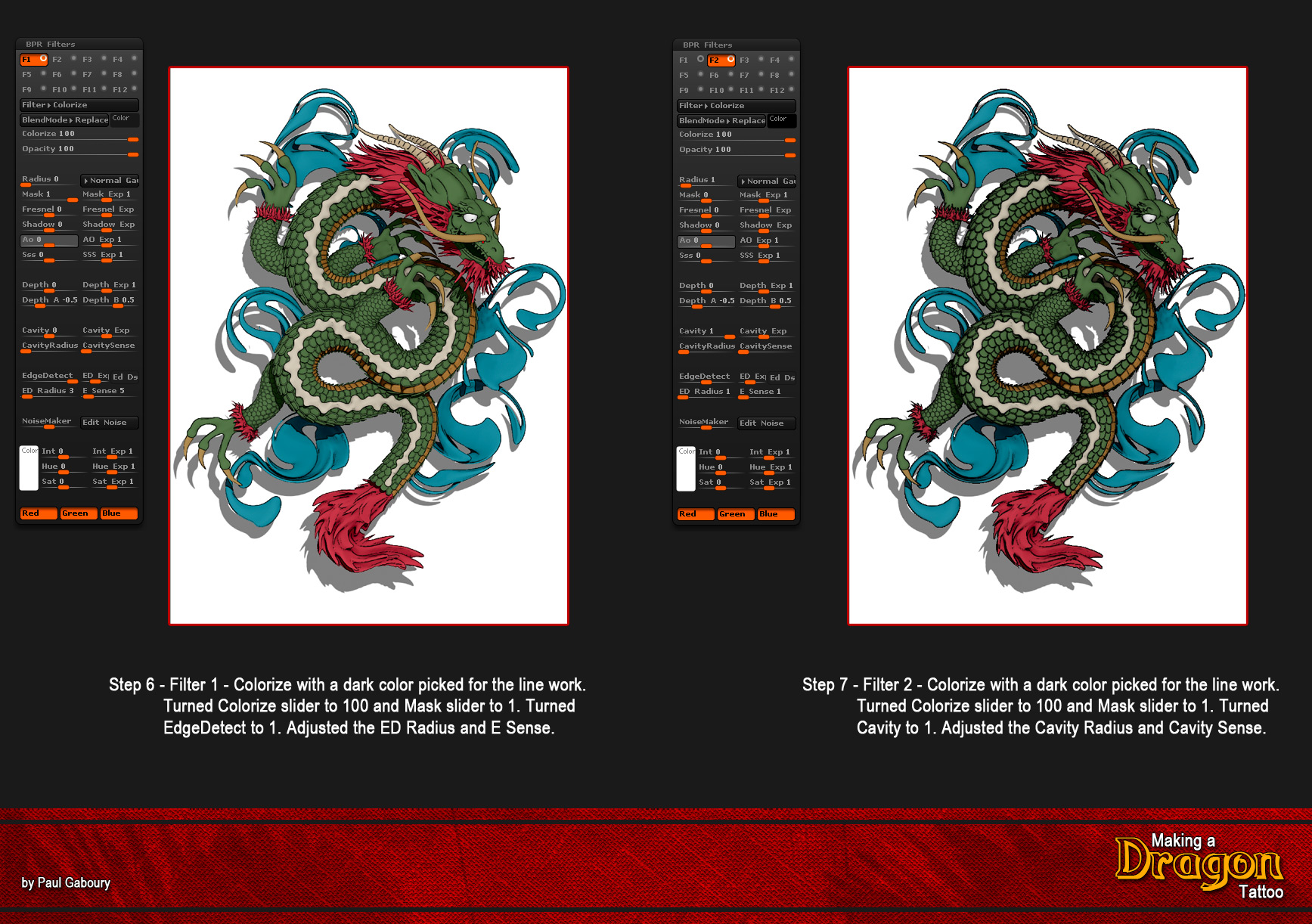
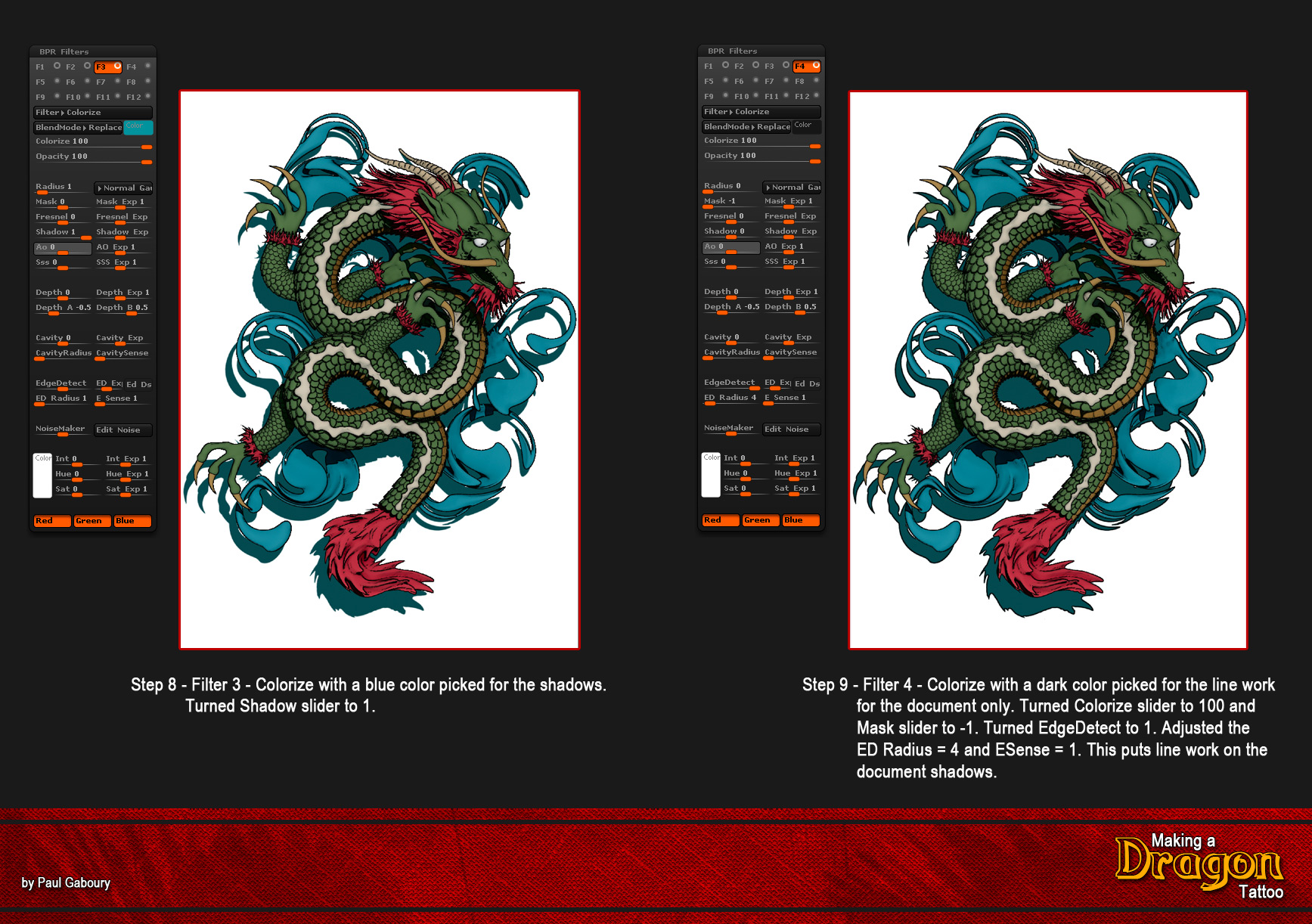
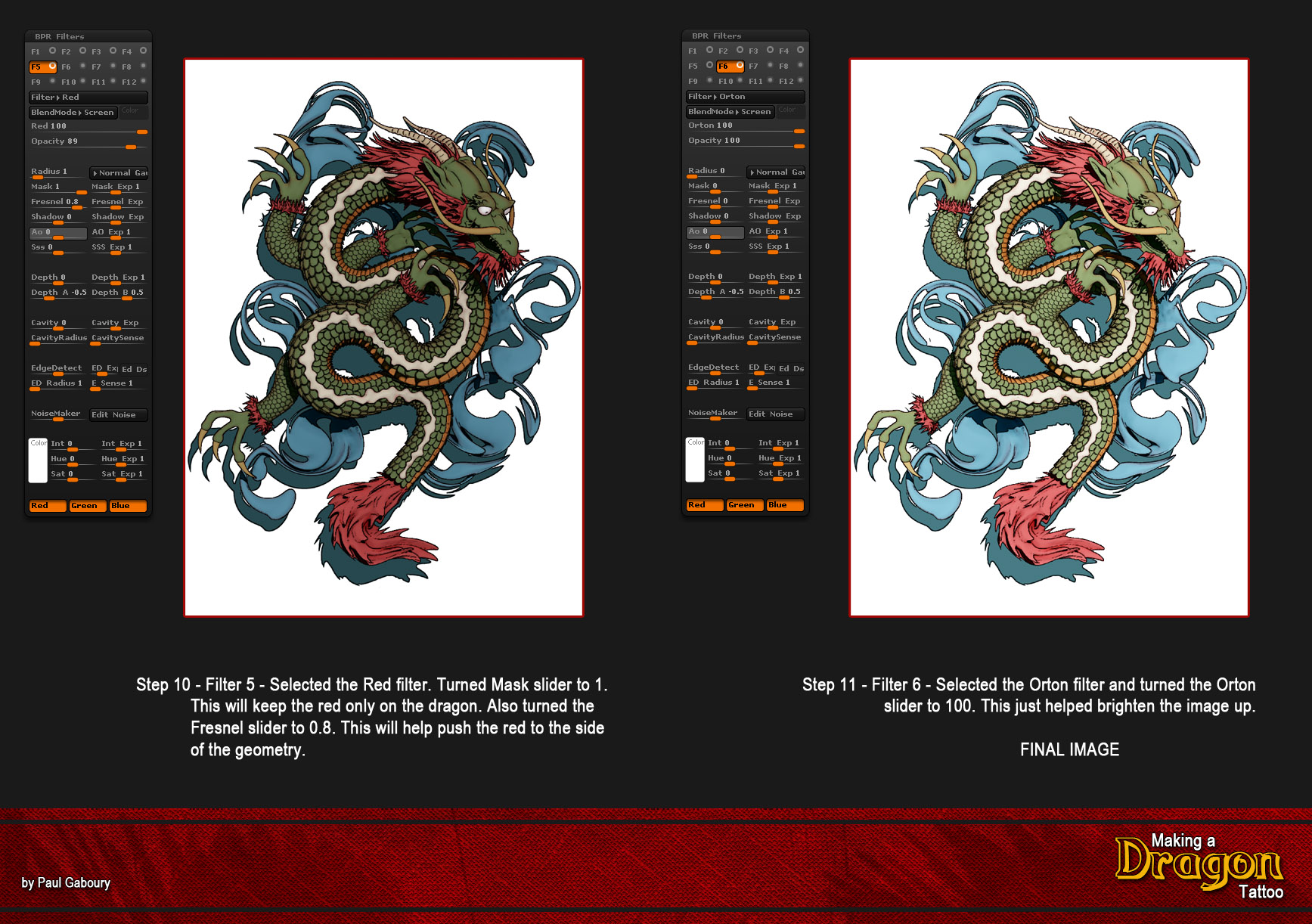
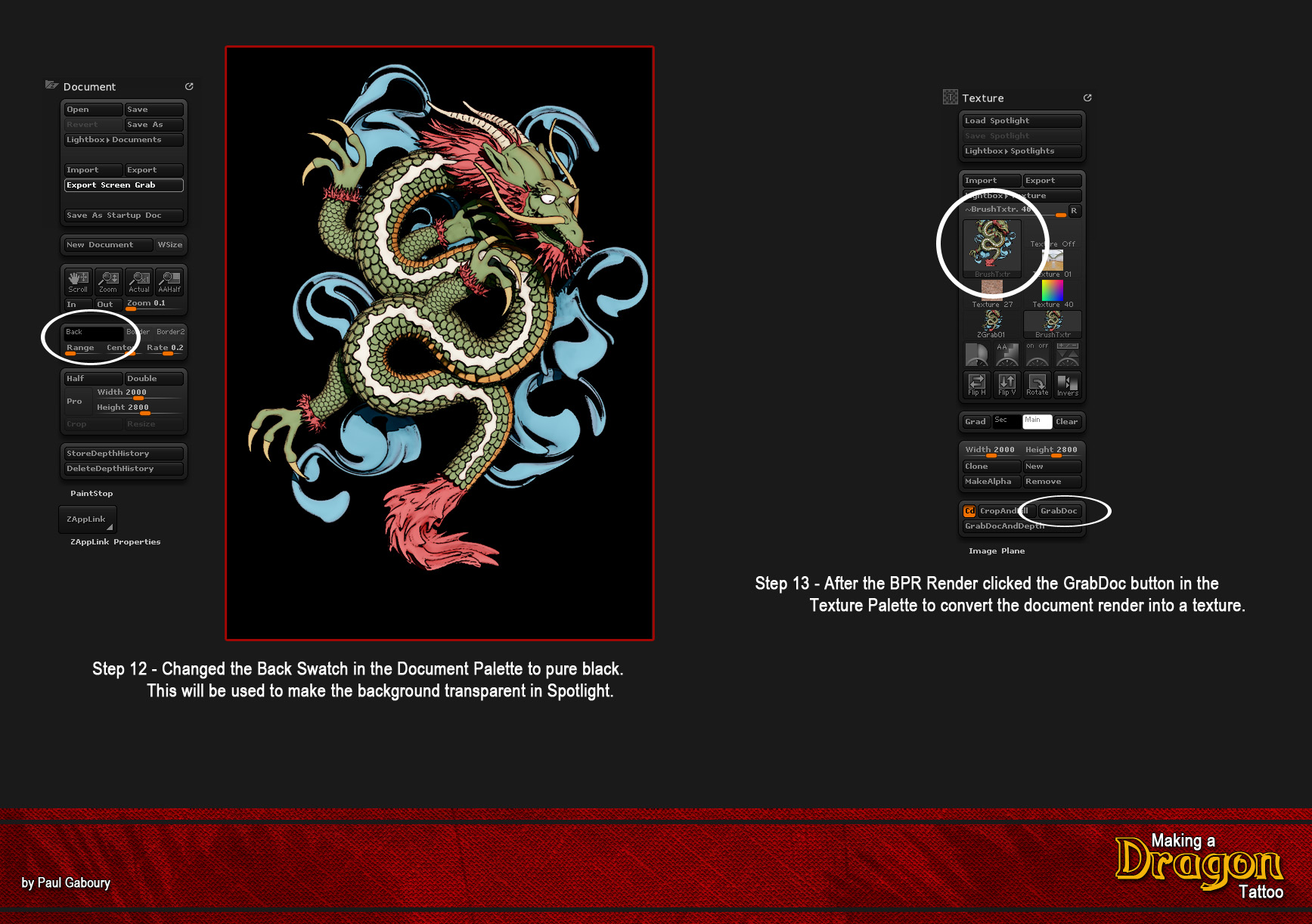
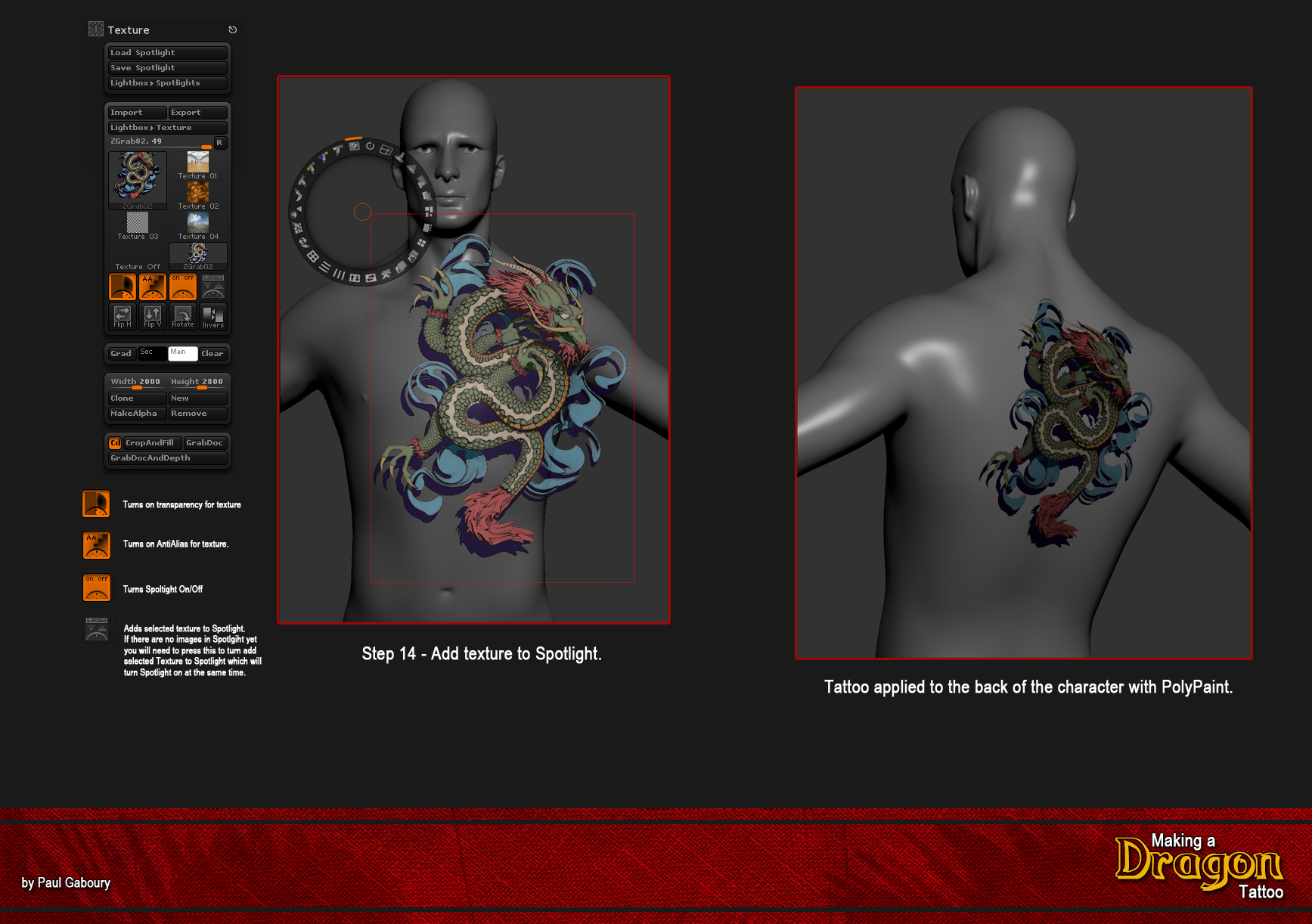
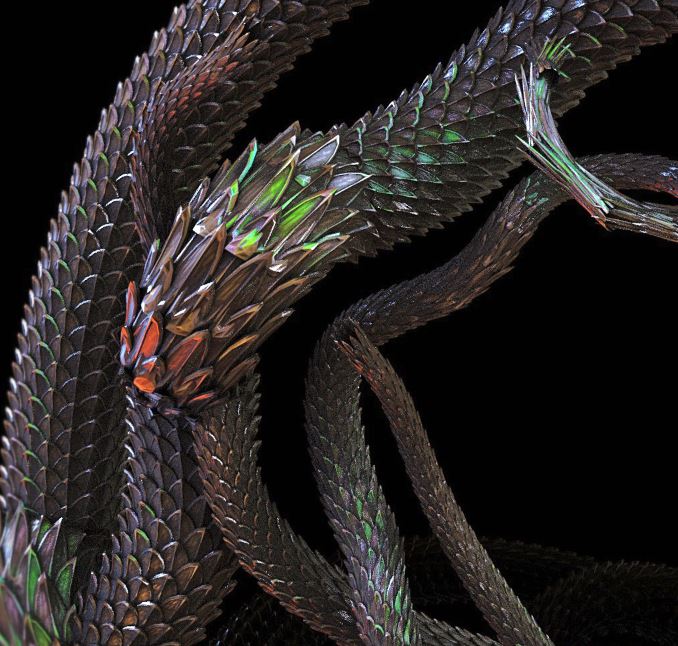
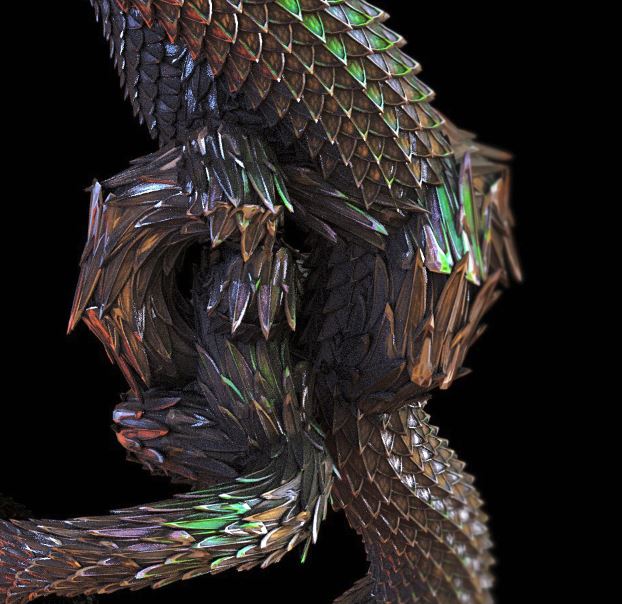
Here are the steps I did to get the render to look more like an illustration with the ZBrush BPR. I then used the image in Spotlight to apply it as a tattoo to a character.

Below you will find a link to download a project with a cube in Edit Mode with all of my render settings used to render the dragon, enjoy. :slight_smile:

DOWNLOAD PROJECT FILE HERE

Image12.jpg

Image13.jpg

Image15.jpg

Image16.jpg

Image17.jpg

1 Like

Wow Paul! great play by play. The webinar was killer! saw most of, hope you guys will post it so I can see the whole thing.
You guys are knocking Zbrush training out of the park!! So many amazing resources, its hard to keep up!
Seriously tho great recap.
** edit 05/10/2016 thnx 4 posting the recap vid. as always u guys rock!! **

thnx:+1:

Thanks a lot Paul for that breakdown. Very much appreciated indeed.
Looking forward to watching the webinar on YT. When it is the same quality as the first one, and I’m shure it will, all I can say is ‘wow’…

great webinar and loads of cool ideas.
thanks guys.
looking forward to the next one.

-r

O man, I learned so much from this webinar, keep it coming !!

Great work & superb workflow, thanx for sharing Paul :+1:small_orange_diamond:+1:small_orange_diamond:+1:small_orange_diamond:+1:small_orange_diamond:+1:

Much appreciated Paul.
What a fabulous walk.

Many thanks,
Boozy

Any chance of getting this webinar into Youtube as well? :slight_smile:

Thank you Gentlemen .
Information pours as honey from a faucet.:+1:

Thank you! There is a lot of information here, and thank you Paul for taking the time and energy to break down all the steps into understandable packets.
These most recent two ZBrush Webinars are extremely helpful and the artworks you both explain are inspiring pieces as well.

Couldn’t attend the webinar but am really looking forward to it being on You Tube. I thoroughly enjoyed watching the YT version of the Modeler webinar and having it on YT allowed me to go over points again and again. This is a great way to teach techniques in ZBrush and I applaud you guys for bringing this to us.

BTW I also enjoy the Ask ZBrush series. These little gems are just the right size. and packed with extremely good info. Keep up the fantastic work.

Hello Olento

It is on YouTube. Here is the link, https://www.youtube.com/watch?v=n-h0gnpcf4Y

Paul

Or see the first post in this thread, which has been updated to have the video. :slight_smile:

Had great fun watching the video again after the webinar… webinars are great but the info comes to quick with all the adrenaline flowing… played around with the process and love it, just not doing something right as see the smaller images I pin point, as things go haywire here… but the best is, i can watch the video again and maybe rectify…

Thanks for the webinars, keep them coming… and Paul you rock with Hard Surface…

Oh… I must add, I had to take this over to KeyShot and it handles 100%…

001_S1.jpg
haywire 02.JPG
haywire 01.JPG

All sorted… its all in the video… once again thanks a million…

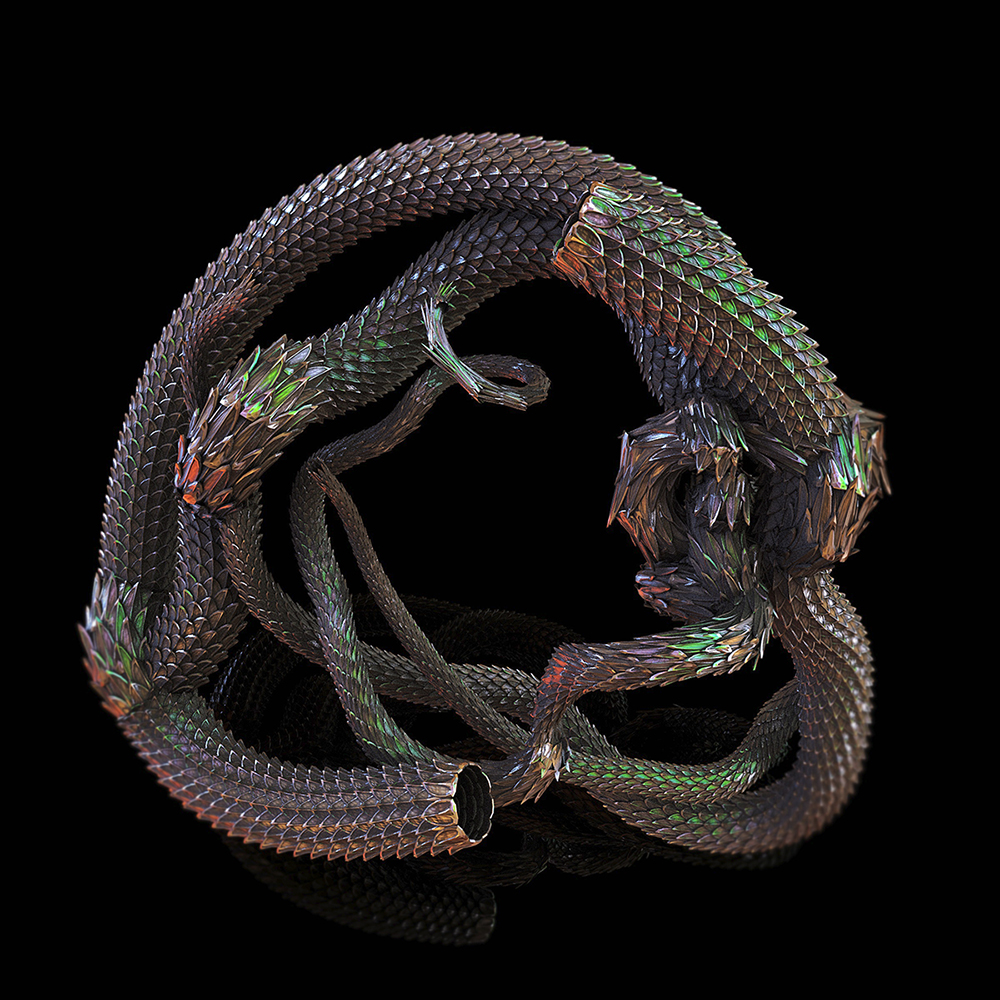
SNAKE 01.jpg

First of all, I’d like to say thank you for the Youtube webinar replay videos. They really are an excellent resource.
Secondly, I was wondering if we could have a series of tips and techniques on the hard surface Zmodeling tools?
Say, for instance, a video on how to model the door panels Paul was demonstrating in the array webinar.
Maybe a series of small technique videos based on the Cathedral model?
Anyway, It’s just a suggestion.

Cheers,
Neil

Thanks for the follow up tute, this is going to be a cool project. Have a nice day.

great guide, thanks again, always so helpful!

@Sigmund Hentze. Great job. That is a great brush.

@Neil What specific portion of the door are you looking for more videos on? The door itself or the architecture over the door?

Have you had a chance to watch the last webinar on ZModeler? http://www.zbrushcentral.com/showthread.php?199267-ZBRUSH-WEBINAR-The-Low-Down-on-ZModeler

Have you had an opportunity to watch the ZModeler videos in ZClassroom? http://pixologic.com/zclassroom/tag/ZModeler

Paul

… thank you for your reply.

In regards to my question about the door panels, I was just curious about the construction of the door panels.
I’m fairly familiar with ZModeler and I have watched all of the classroom videos.
I know there are a lot of ways to skin a cat in ZBrush.

In the particular case of the panels, I was sitting there trying to replicate your process for the three panels that pull apart.
Did the door panel(s) start as one piece (and then split into polygroups) before beveling? Or was there another method?

Sometimes its the deceptively simple stuff that can be perplexing:D
It’s nice to see how people have different perspectives and workflows to solve a problem.

I was just dreaming out loud for a series of tips and techniques for ZModeler, maybe similar to the #AskZBrush videos.

Once more, I’d like to thank you (and Mr Drust) for the webinar vids.

Cheers, Neil