i think if you use ZMapper, it hould be mutch better, i dident used it yet, but for the tutorial i have seen, it’s mutch bether.
Try using Mental Ray or Vray Displacement these will give you the detail your after. With Max’s Displace mod, you very nearly need to have the same amount of subdivision to get the same detail in ZB. Most use bump maps (with Max’s Diplace mod) to give the extra detail like scales. Or you can go for Normal maps as someone else mentioned?
Ben
Is there a way to export a bump map out of zbrush? or would i have to paint it myself?
Good work on the character, he looks complex and unique. Good job.
Im not an expert but feel I may help or have useful info. I think your problem may be from going off the model with brushes. The distortions in your model look like when you use projection master with displace geometry, and paint off the edge and then it tears across the side faces of your model. This happens with colors too, as well as displaced geometry.
I think Masking anything you dont want changed is a good place to start, as it seems to me even when I am not projecting off geometry those tears happen sometimes (?), and that seems to decrease when I mask off the geometry…ODDley enough, it seems to me that those tears may even be created when Geometry is hidden and you are working on the showing piece, and when you reveal hidden…does it sometimes have that tearing?? Anyway, I have converted to use the masking function when the models get more complex.
Anyway, masking, plus working on the model and not painting (projecting) off the edges may help. If you are near the edges use the Fade option. If you are within the middle of the projection, its up to you and you can even choose to leave fade off. There is certainly nothing wrong with using displacement or normalize as you asked, …as long as your not going off the model and telling Zbrush to do its work on small bits of faces that run along those sides of your model that you cant see.
Hope it helps. -8
thanks for the advice!!! and yes sometimes when i hide and unhide geometry i get that tearing as well!! it sucks, i wonder how to prevent it! I’ll try using masks like u said!! thanks again
cheers
very nice character design
thanks E! one of my teachers said it was pretty twisted ahahha! thats what i was going for! ;]
When in 3d edit mode and painting my base texture i keep getting these squares that pop up while i paint! is that because of the material? is it best to paint your color map through projection master? please help!!!
Attachments
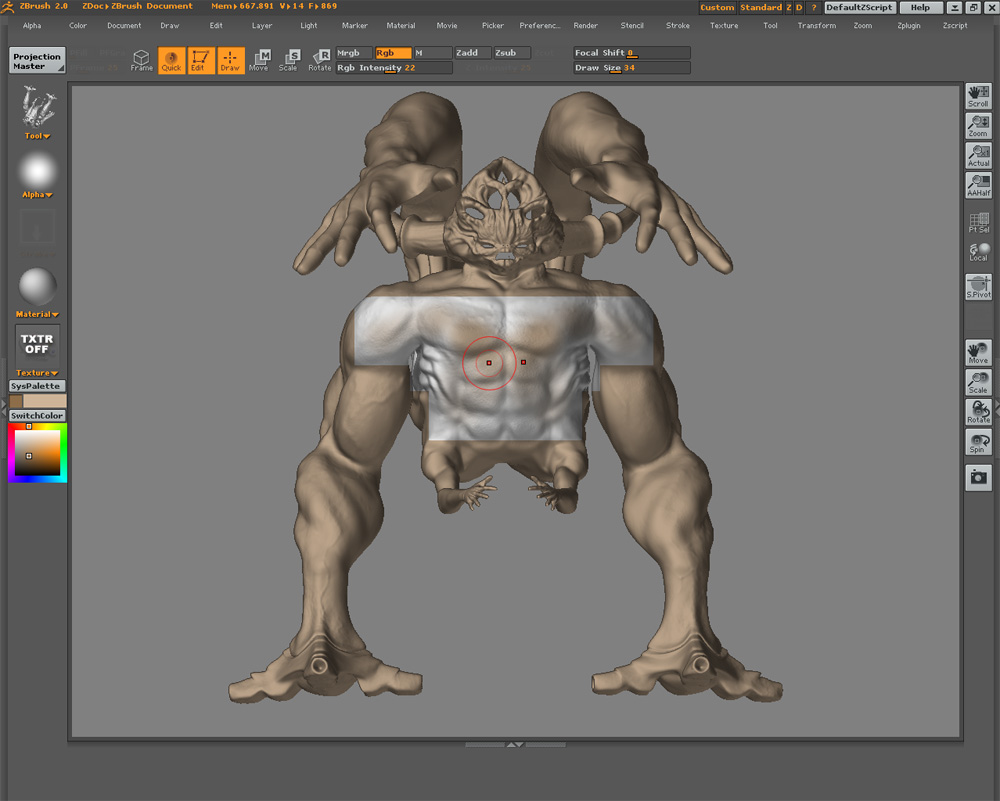
Yeah deff use PM for that
im a little confused on why zbrush does certain things. I clicked make texture under the alpha palette and now my model went back to its original white clored material and now i can just paint rgb information onto it. How come sometimes when you just pick a color the whole model will just change to that color? what setting allows that?
Attachments
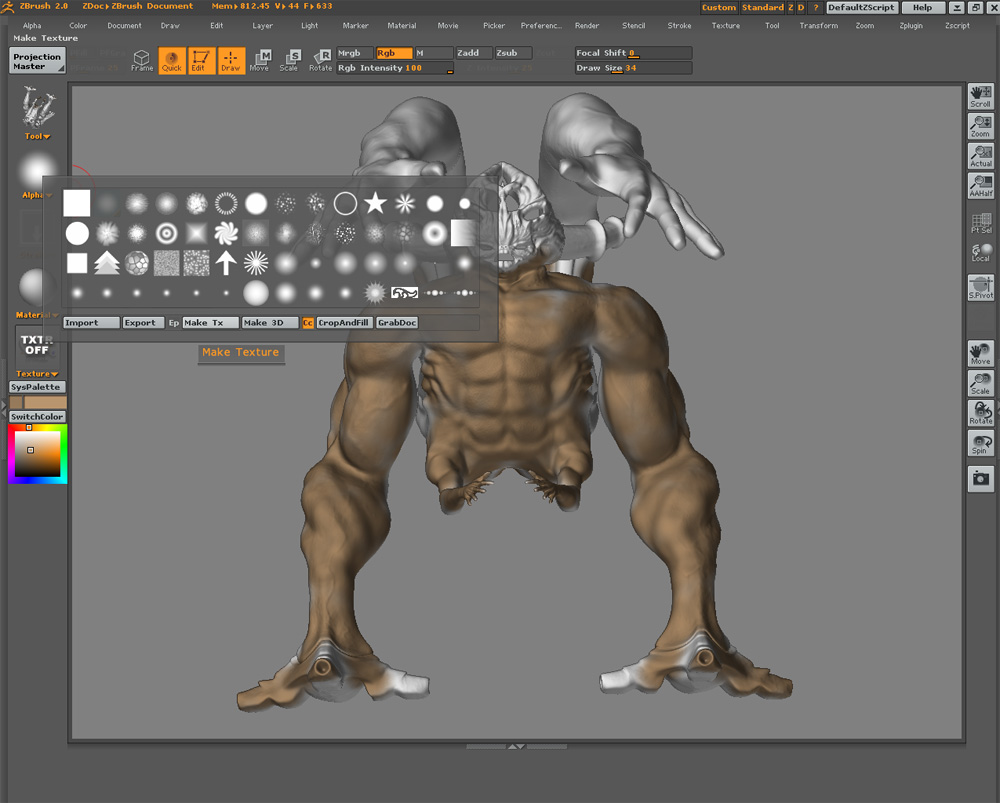
If you don’t have a texture assigned to your object and you change colors, your model will change to that color.
Yeah, in your tumbnail you have no texture applied. BEfore you start painting, go to Texture>> Create…usually at largest size 4096 x 4096. When you have a texture selected you can choose colors without changing the base color of the model.
Before you have a texture selected, Zbrush is giving you the option to change the base color at any time still before locking that base down into a texture. Hope this helps.
gotcha!!! thanks for the info!
so is it a must to go to create texture and choose your size before you ever start texturing?
Can anyone explain to me the proper process in creating a color map or “diffuse” for us max users! I’ve started with a base brown color and then i went to texture > new > and made a 4096X4096 texture to start with. I then clicked projection master and only checked color! I started making a pretty descent looking color map and then when i picked it up, it gave me this bad banding effect!!! is that natural for it to do that once you pick up from projection master? does it have to do with UV coordinates? I dont understand how to fix it or what to do next!!! please help
Attachments
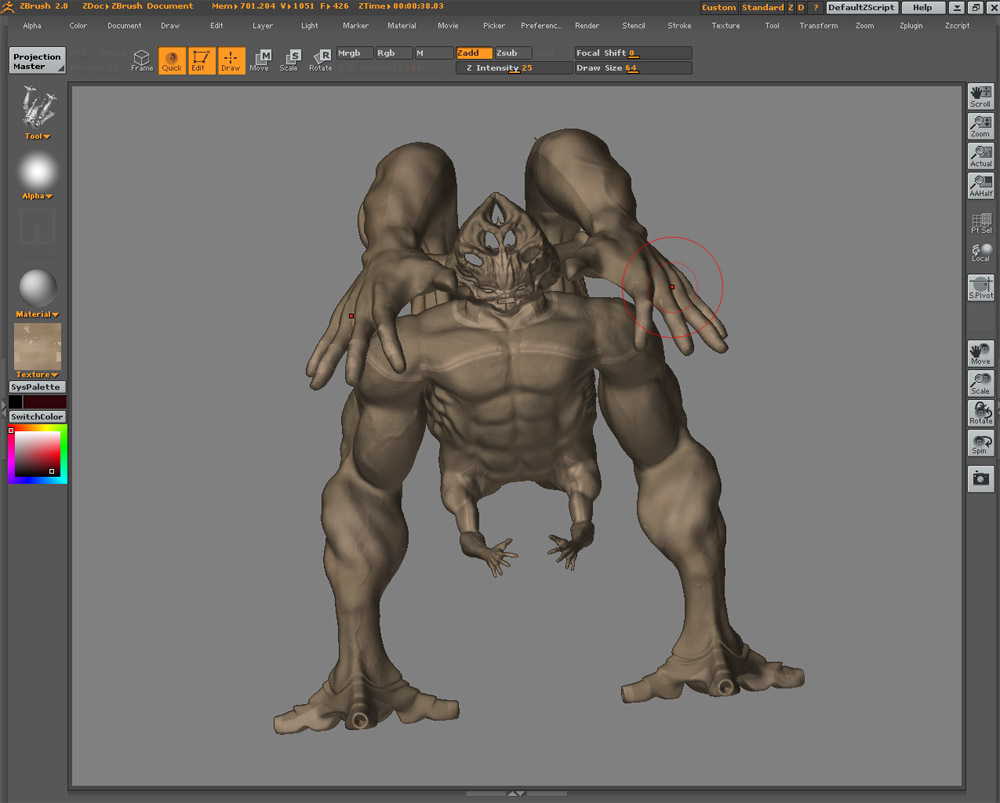
how did you uv it?
My response would be the same advice I gave regarding the geometry distortions you had before, do not paint on the edges of the geometry, dont paint stuff at wierd angles, and use fade if you even get near the edges.
It takes more work in projection master but better to just work on the areas you know will turn out good, the centers and obvious faces, and rotate to a better angle for tricky contours etc.
Also as Frenchy Pilou answered once to my question, you can not undo texture changes so its good to go in and save texture as along the way so you have backups in case you mess up the texture…I did this quite a few times till I am now fairly good and having my textures backed up.
i used guv tiles in zbrush when i exported my displacement for it, but i dont really understand your question aminuts. Are you supposed to click some type of uv button before or after you create a texture???
I have’nt unwrapped the model or anything, i want to figure out a way to texture it without unwrapping it! if possible. I know i could use textporter in max and place uv coordinates on poly selections and then texture it by using a multi/subobject material with masks to blend in the seems but i dont want to use this method! i just want to texture it in zbrush and then export my texture back into max and apply it to my model so i can render it for my demo reel!
was wondering if you used zb for uv
with auv or guv tiles it’s really important to first create a blank texture in the size you are planning to texture or create you maps at first…then click on auv or guv tiles otherwise you could end up with some funky results. Am not sure if this is your problem here but it is the most common thing folks miss when using them.
Zb by default maps an object at 1024x1024 if you don’t create a blank at the size you want first…if you choose a bigger texture size later to texture at…this means that zbrush now has to try and decide what information to keep and what to lose to get that info to fit into that 1024x1024 space which might not always end up in the desired look.
so you’re supposed to create a blank texture at the size you want then click the auv or guv button before you even start painting your texture? Will this prevent the banding effects i had when picking up my model from the projection master?
Ok!!! I made a new texture and then hit the GUV tiles button under the tool > texture rollout before i started any texturing and when i used projection master i didnt have the banding problem once i picked it up!!! hooray!! but this is only the start! I know i will have more problems down the road when trying to export and apply it back onto my model in MAX! If anyone can throw a little tutorial together on a good color texturing process from zbrush to max it would be greatly appreciated! I know there are a lot of displacement and normal map tutorials for zbrush to max on the forum but i haven’t seen any that have to do with color maps! Please direct me to them if anyone knows!
And one more thing! What is the diffrenece between using AUV or GUV tiles?