ZBrushCentral

The Creature named "Orgahn" (WIP)

Yeah, in your tumbnail you have no texture applied. BEfore you start painting, go to Texture>> Create…usually at largest size 4096 x 4096. When you have a texture selected you can choose colors without changing the base color of the model.

Before you have a texture selected, Zbrush is giving you the option to change the base color at any time still before locking that base down into a texture. Hope this helps.
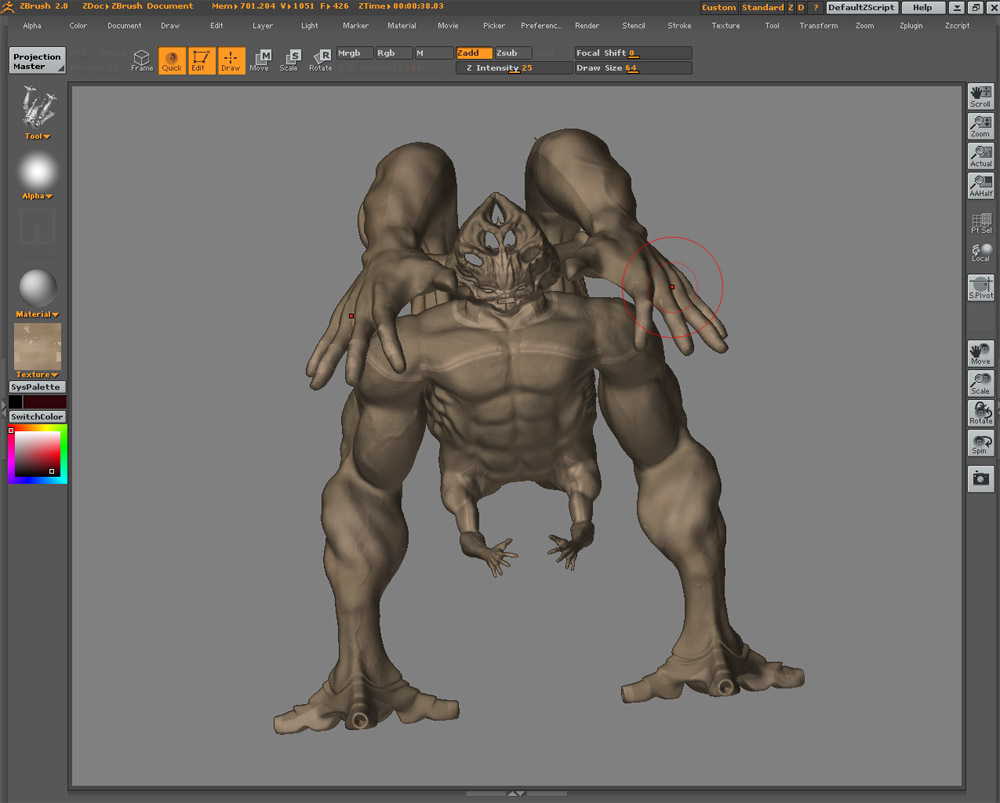
gotcha!!! thanks for the info!

so is it a must to go to create texture and choose your size before you ever start texturing?

Can anyone explain to me the proper process in creating a color map or “diffuse” for us max users! I’ve started with a base brown color and then i went to texture > new > and made a 4096X4096 texture to start with. I then clicked projection master and only checked color! I started making a pretty descent looking color map and then when i picked it up, it gave me this bad banding effect!!! is that natural for it to do that once you pick up from projection master? does it have to do with UV coordinates? I dont understand how to fix it or what to do next!!! please help

Attachments

banding.jpg

how did you uv it?

My response would be the same advice I gave regarding the geometry distortions you had before, do not paint on the edges of the geometry, dont paint stuff at wierd angles, and use fade if you even get near the edges.

It takes more work in projection master but better to just work on the areas you know will turn out good, the centers and obvious faces, and rotate to a better angle for tricky contours etc.

Also as Frenchy Pilou answered once to my question, you can not undo texture changes so its good to go in and save texture as along the way so you have backups in case you mess up the texture…I did this quite a few times till I am now fairly good and having my textures backed up.

i used guv tiles in zbrush when i exported my displacement for it, but i dont really understand your question aminuts. Are you supposed to click some type of uv button before or after you create a texture???

I have’nt unwrapped the model or anything, i want to figure out a way to texture it without unwrapping it! if possible. I know i could use textporter in max and place uv coordinates on poly selections and then texture it by using a multi/subobject material with masks to blend in the seems but i dont want to use this method! i just want to texture it in zbrush and then export my texture back into max and apply it to my model so i can render it for my demo reel!

was wondering if you used zb for uv

with auv or guv tiles it’s really important to first create a blank texture in the size you are planning to texture or create you maps at first…then click on auv or guv tiles otherwise you could end up with some funky results. Am not sure if this is your problem here but it is the most common thing folks miss when using them.

Zb by default maps an object at 1024x1024 if you don’t create a blank at the size you want first…if you choose a bigger texture size later to texture at…this means that zbrush now has to try and decide what information to keep and what to lose to get that info to fit into that 1024x1024 space which might not always end up in the desired look.

so you’re supposed to create a blank texture at the size you want then click the auv or guv button before you even start painting your texture? Will this prevent the banding effects i had when picking up my model from the projection master?

Ok!!! I made a new texture and then hit the GUV tiles button under the tool > texture rollout before i started any texturing and when i used projection master i didnt have the banding problem once i picked it up!!! hooray!! but this is only the start! I know i will have more problems down the road when trying to export and apply it back onto my model in MAX! If anyone can throw a little tutorial together on a good color texturing process from zbrush to max it would be greatly appreciated! I know there are a lot of displacement and normal map tutorials for zbrush to max on the forum but i haven’t seen any that have to do with color maps! Please direct me to them if anyone knows!

And one more thing! What is the diffrenece between using AUV or GUV tiles?

thanks Aminuts!!!!!

your welcome!

another fine tip for ya…if you hit the ctrl button while hovering your mouse over stuff in zb…99% of the time you will get a pop up that explains what it does further. (if you hover over a button that is visible but not currently available you won’t get an explaination til it is)

that should help define the diff between auv and guv for ya.

thanks again!!!

Say you select a material such as the basic shiny material in ZB before you create your texture. Does zbrush imbed that material or are materials a completely separate from textures? Say I exported my texture when i was finished, will it have that shiny reflective material when brought back into 3dmax? or do you have to render out that material as it’s own separate thing?

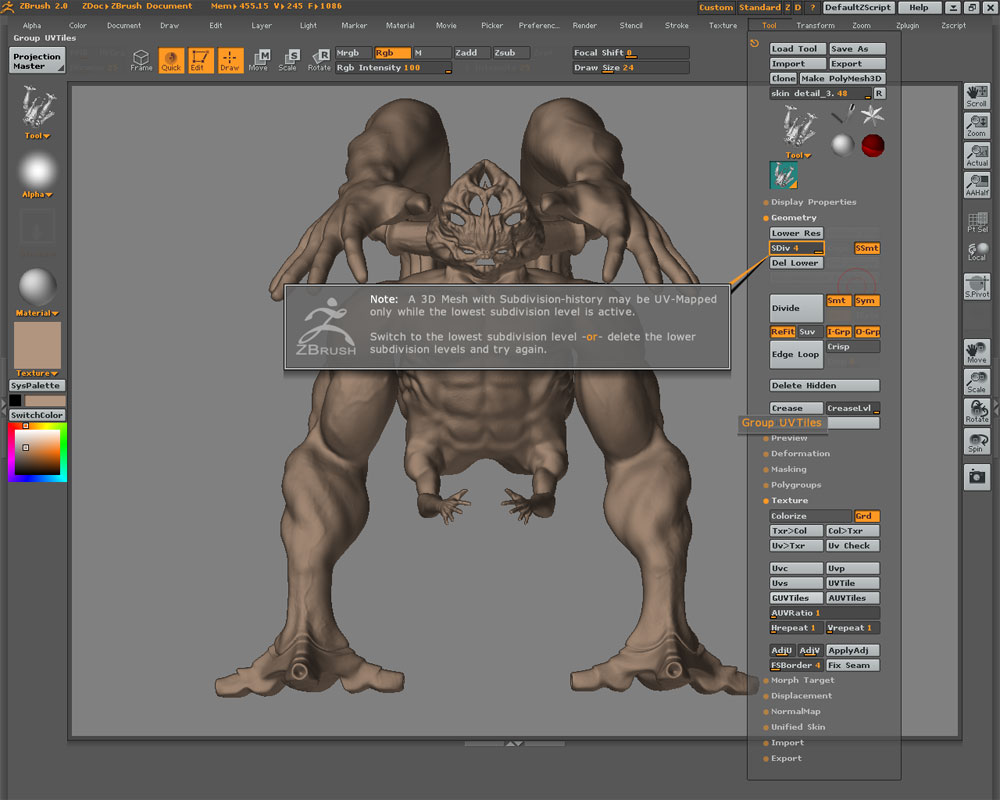
When I chose GUVtiles after I created my new texture it says you have to be at the lowest dubdivision level to generate the uv coordinates. Once you’ve brought your model down to level one and clicked guvtiles, you can then bring it back up to the highest level subdivision and start texturing from there, is that correct? Does anyone ever texture at lower subdivision levels for any reason?

Also, would it be best for me to use GUV or AUV? I don’t have any groups within zbrush on this model so far. I used GUV when i exported the diplacement, would i need to keep using GUV even for the texture? and would it be to my advantage to make groups?

Attachments

4.jpg

Does anyone know about this???

With your character it would probably be best to use Guv tiles. You should texture it at the level you made your displacements from…if you had 6 levels then texture it at level 6…that way when ya get it all working in your other app the texture will have been made for that high rez look. You will also need to use the same uv’s for texturing that ya did for your displacements otherwise your texture won’t look right.

if you are concerned about trying to texture with auv or guv tiles…check out ZAppLink plugin…this will allow you to use any program that can load .psd files like photoshop or paint shop pro that you prefer and use it from within zbrush to texture if you are more comfortable with those.

hope that helped some.

groups are helpful for quickly hiding parts for saving on memory…specially with really high poly models. They also come in handy for keeping say clothing separate from the character so you can have different materials on different parts. They aren’t a necessary thing but you will probably find them very useful.

Thanks for the info!