Here is my test.
Rendered in Renderman.
Renders in less than 10 seconds.
No problems with banding or anything else.
Dave
Here is my test.
Rendered in Renderman.
Renders in less than 10 seconds.
No problems with banding or anything else.
Dave

Pixolator thank you so much for starting this thread.
Here is a test render from Maya 5 with Mental Ray
Settings:
Flip map in photoshop.
Save as a RGB Tif
Create a lambert shader with map in displacment channel.
Turn off feature displacement in attribute editor for the model.
Add Mental Ray subdivision and displacement nodes in the approximation editor
subdivision settings:
Spatial
min 4
max 9
length .100
view dependent
NOTE the min max settings here will increase render time as they are raised but they also seem to govern how much fine detail you get from the map in conjunction with the alpha gain and offset which seem to determine how much overall displacement you get in the pos and neg range.
DisplaceApprox:
Presets: FineViewHighQuality
min 0
max 7
length .250
view dependent
in the render globals set Mental ray to production quality and turn off backfaces under general settings (set to render front)
The most important setting I found was that the alpha depth is 14 and the offset -7 for this model.
Scott
hi
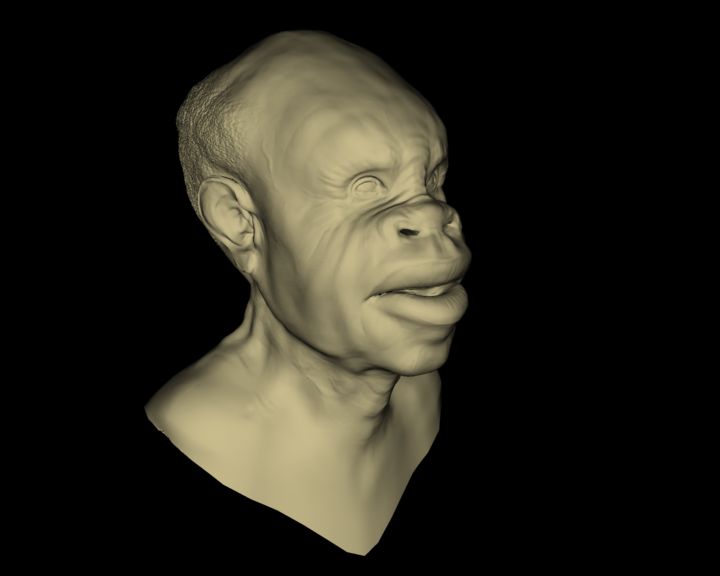
testing with vray
-import obj
skycastle, can you please share with me the maya file you made for rendering with PRMAN? I’m trying to use a slim displacement shader and with no luck.
I assume mailing the file would be less tediuos then giving a somplete walkthru, bu if you can also guide us on the right path… 
thanks,
kobi
fr
Cinema 4D 6 CE:
(Sorry, my english is poor)
I have noticed in a majority of these external render solutions, cinema, turtle, and vray, that there are subtle bloatness of features missing. I would say all of these entries so far, should be re-evaluated and updated to get a much closer match to the post that pixolator posted.
using XSI/MR here:
(hope Pixolator won’t sue me for using a transparent bg hehe)
1st…same steps as Scott used for maya MR for the format:
-Flip map vertically
-Convert to RGB (MR can’t read 16-bit greyscale TIF)
then inside XSI’s render tree,
-convert image texture output to scalar
-subtract 0,627 from that value … this seems to be necessary because “no displacement” does not seem to be 0,5 in the provided texture, but 0,627 instead
-multiply by 10 (this value must be guessed unfortunately. Continuumx— this is also why probably some of the models might look a little bloated to you)
-plug into shader’s displacement. Done
Edit:
make sure before opening the map in PS to turn OFF color management! That’s what caused the shift to 0.627 on my machine.
rray, what are your setting for displacement in xsi ? are you using fine displacement ? i have a lot of trouble getting my disp maps working in xsi  ( a lot of mental ray crash )
[edit] (just see that you said there are the same setting as Scott for mr under maya, guess it’s fine displacement so ^^)
okie i think i got it.
Thanks for the infor Scott.
However, I wonder how anyone would have any clue to the kind of settings that one should insert in those attritbutes …
Cinema 4D CE+. I’m so happy this works!
RRay, your settings are as close as match as I have seen. Very acceptable solution.
Fantastic render!
my test using the findings discovered by our ZB C4D boys. 
There’s some weird banding, if you look at the nose in particular.
Render times are a little high I guess because of the displacement and upped Subdivisions.
Good to see either way…looking like we can use zBrush with some creative workarounds.
Cheers!
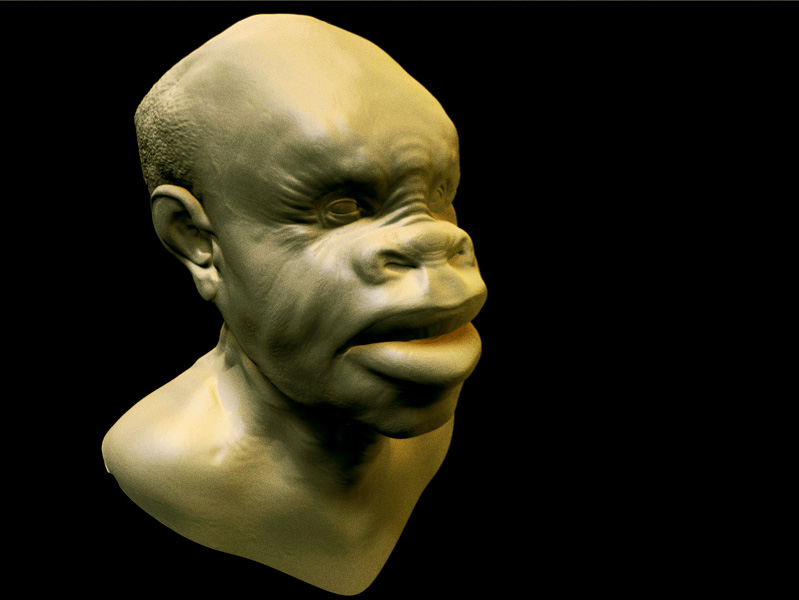
skycastle: Can you post your specs with your Prman settings?? Im doing the same tests but with uhh bad results thnx in advance
MAX 6.0, thats the viewport view…(and a render)
Just a meshsmooth and standard displace modifier, luminance center at 0.5 and strength=17
It just mean that if anything else fails, in MAX, you can still use max displace to get the result you want. But no micropoly displacement here…
Julien
Oh, and by the way… thanks Pixolator for the nice head model
My test render using 2D mapping in Max/Vray. Look ma! No banding! Though I can now make it appear on demand, hehe.
By the way Cornel, I see lots banding in your C4D displacement image. Just thought I’d quickly point it out.
Edit: Don’t know if this matters to anyone but thought I’d add it on to this post for the heck of it. Vray in 3D displacement mode looked pretty much identical to the 2D mode version. Only real difference was time. In 2D mode render time was 0 minutes 11 seconds, and in 3D mode 5 minutes 7 seconds. Quite a difference, and I was using the same fairly conservative render settings for both (very close to defaults, nothing special really).
Julien, do you happen to know if it’s possible to use maxman with max 6 and render the model as SubD?
might be nice (if I can figure out how to do it in maya )
Since no one has tried Max6+MentalRay yet, here is the best I could do. Can’t really do anything about the banding like I can with Vray unfortunately (like lowering the blur setting in the material editor). Mental Ray in Max seems to ignore those settings, so I figure the default 1.0 blur is being applied and can’t be changed. Playing with the various dispalcement settings can mitigate it some what, but also tends to make for a lower quality displacement at the same time (looks less like banding and more like a bumpy orange skin). No big deal to me though, since I don’t really use MR for anything at the moment.
PS: Yeah, could be considered a failure I suppose. Figured I’d post it here anyways though so that no one got mad at Zbrush when trying to use it, hehe. 
<BLOCKQUOTE>quote:</font><HR>
-subtract 0,627 from that value … this seems to be necessary because “no displacement” does not seem to be 0,5 in the provided texture, but 0,627 instead
<HR></BLOCKQUOTE>
This is important, why this value rray how did you derive it ?
Another vray test.
The displacement values here are
13.344 with -6.672 shift
These values are based on the displacment value given by pixolator and the autoscale value in the OBJ (use a text editor to open the file, it is in the header), there should be no need to guess this. I’ll put up a zscript/maxscript combination to do all this automatically once I have put a simple interface on it.