Ctrl/Cmd got sticky…
i also recommend starting completely over with installing plugins…
This is just a reminder to fix something I use ALL the time. I am sculpting sports figures now, highly detailed, and I am absolutely having problems.
If you turn off perspective, turn polyframe on, hold control+shift down, and tap on an edge - a ring of edges will hide. Then I inverse hidden. If the mesh is dense enough it will appear as though a thread has been pulled from the fabric.
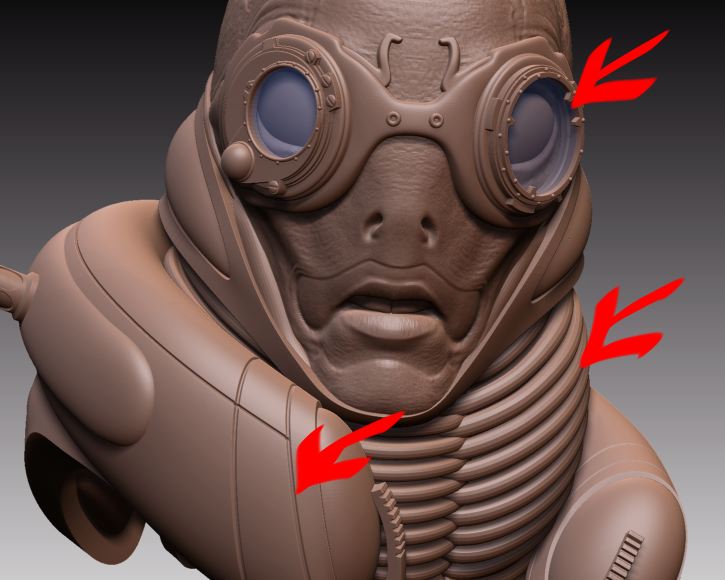
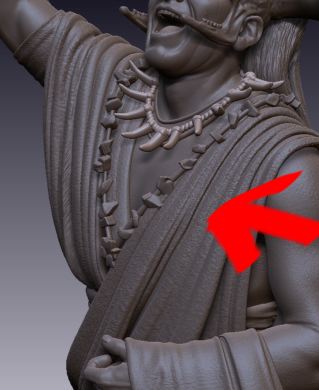
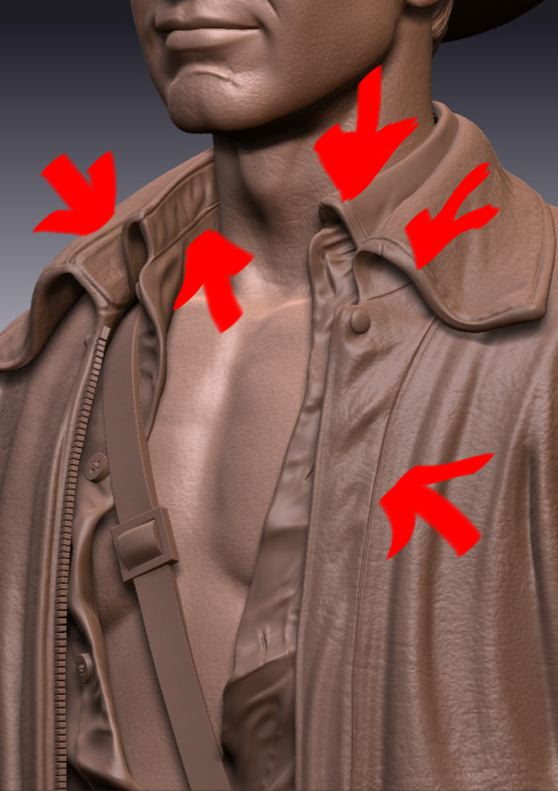
I am having so much trouble doing this with 3.12b. It still works, but it is so hard to do. Now that I am having problems doing it I have come to understand I apparently did it ALL the time when sculpting clothing, armor, and more. Here are examples of where I use this:
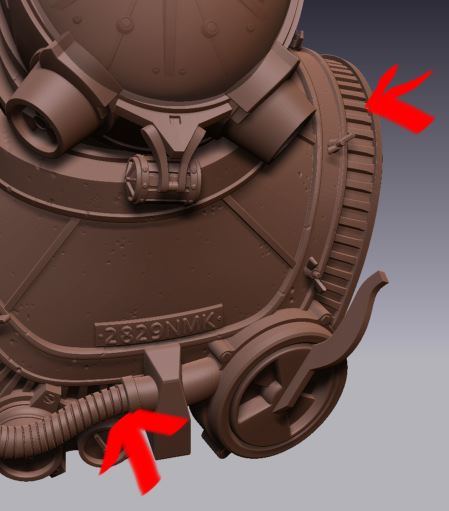
Now with sports figures I need this all the time to do jerseys and uniforms. I need seams and other fabric situations - and its killing me to tap, tap TAP, undo tap, undo tap, tap tap, FINALLY.  Just let me know where to send the check.
Attachments
As I’m trying to create symmetry, the zspheres are spinning erratically. One side stays even and the other side twists. I’ve made a movie to illustrate this point. I don’t recall making any adjustments to any settings that could cause this.
Here’s the link to the movie…
Also, whenever I create a Zsphere it never stays selected in my subtools after creation. The selection always jumps to the next higher subtool in the palette. After creation I always have to re-select zsphere before being able to work with it.
…right, I found the same problem, but only in Z-symmetrie. X and Y work properly.
Same issue here (on MacIntosh) ZB 3.12B
Lets see if I can articulate this.
I have multiple subtools.
I fill one with a color and material.
I then select pure white in the color picker square and I am back to default.
The modified subtool remains colored (red).
I activate a different subtool.
I hover my cursor over the ‘inactive colored’ subtool and press ‘C’.
I then select ‘fill object’ (MRGB on).
The color square reflects the color, but the active subtool does not ‘fill’.
This is the little bug.
To work around I follow the above steps BUT instead of the final ‘fill object’ I touch the empty canvas, slightly rotating model. Then I select ‘fill object’ and the active subtool is correctly ‘filled’ with red and the material.

I have a figure with many subtools.
I activate a bracelet, I hide all other subtools.
I then select ‘F’ to frame.
When perspective is off, it frames nicely.
When perspective is on, the subtool will not center on the canvas.
Attempting to organize many subtools.
Subtool master, Shift Up did not work. Here is my message from Zbrush.

1 I start Zbrush.
2 I open a ztool and it appears framed on the canvas.
3 I hold down alt, touch my pen to the canvas, let go of alt, and drag my pen on the tablet.
My model shoots out of view.
Normally this should scale in our out depending on which direction the pen is moved.
Work around: After step 2, tap the canvas. Then proceed to step 3. Models scales appropriately.
This is a concern in this situation as well:
I select an arm of a character.
I select a zphere.
Under rigging I select mesh and choose the arm from the tray.
Under topology I select ‘edit topology’.
Now when I go to alt, pen to canvas, release alt drag pen (all to scale into the arm so I can draw topology) the arm swings off the canvas.