ZBrushCentral

Questions and Troubleshooting for ZBrush 3.12B

I’m having some frustration over Zsphere’s and using them to create a 3D tool. For example in making a creature I was starting with the head and working down towards the toes anyhow the issue lies with the zsphere’s themselves I’ll use this example: Start with main large zsphere for head then wanting to create 3 more zspheres on that large one one for the neck the other two for the long articulated snout the creature will have. The problem is when I click to create a new zsphere on the large main one it always rotates the main zsphere out of it’s orientation so hitting the “a” key displays a mess that is twisted. So, when adding a zsphere child to a parent it always turns the orientation of the parent causing this twisting. Also, when trying to rotate the zsphere so it untwists the rotation is so fast and uncontrolable that I can’t realign the parent zsphere without some distortion or twisting. Is there someway to adjust the accuracy of the rotation speed when using rotation so it is slower and more controlable? And is there some way to prevent the parent from rotating on it’s axis when I attach a child to it? I hope this confusion makes sense?

Thanx in advance.
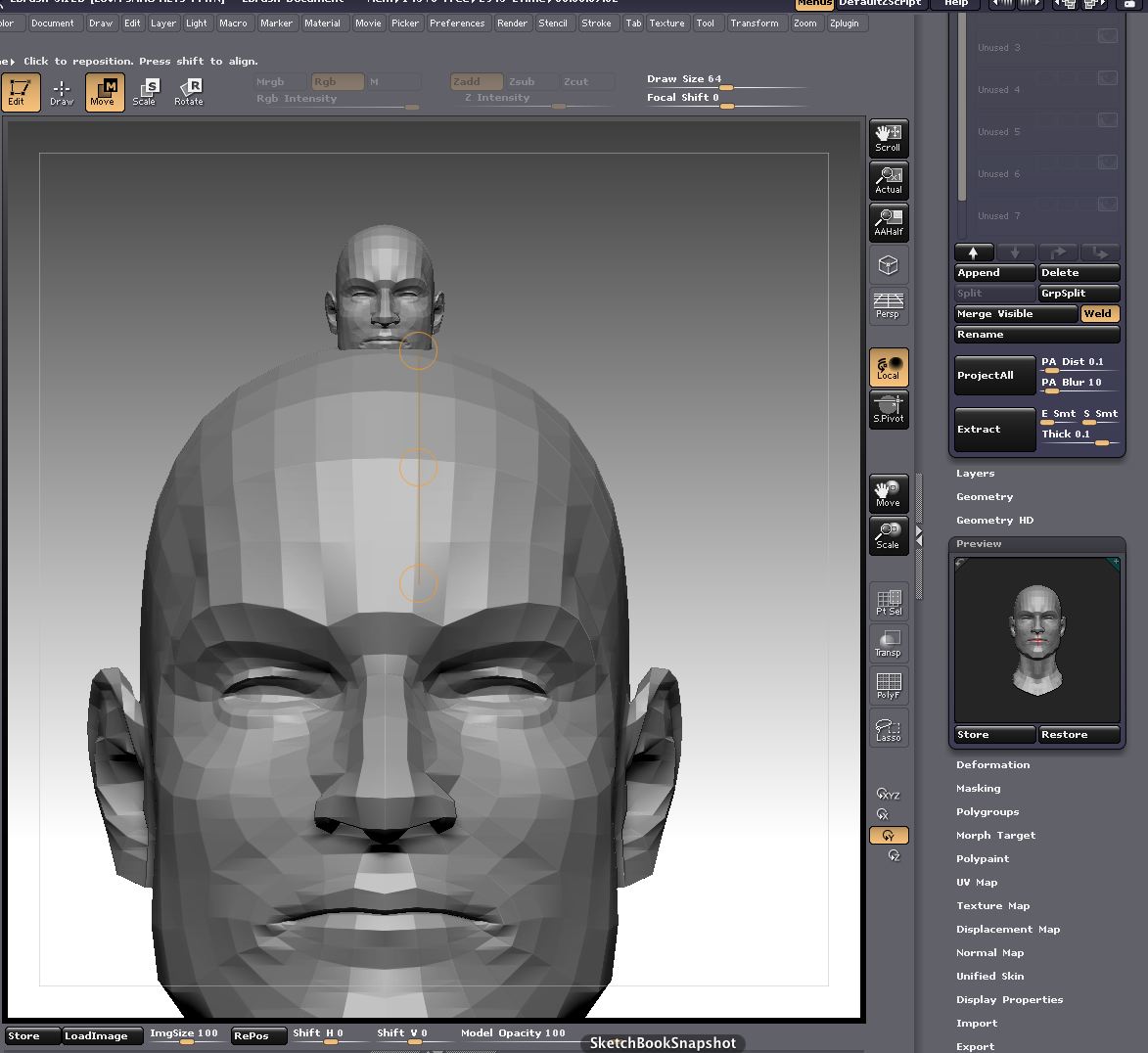
ange321q, have you tried the Unify button in the Deformation palette? if your model is mostly symmetrical it should set the pivot at the center, if its still off then use the Offset slider to get it lined up correctly. To make sure you have it truly centered i suggest appending a poly plane that would bisect the model, you could then eyeball it.

This is regarding my post earlier in this thread, entitled ‘Importing size issue’.

I did a test with ‘unify’ which I normally rarely use.
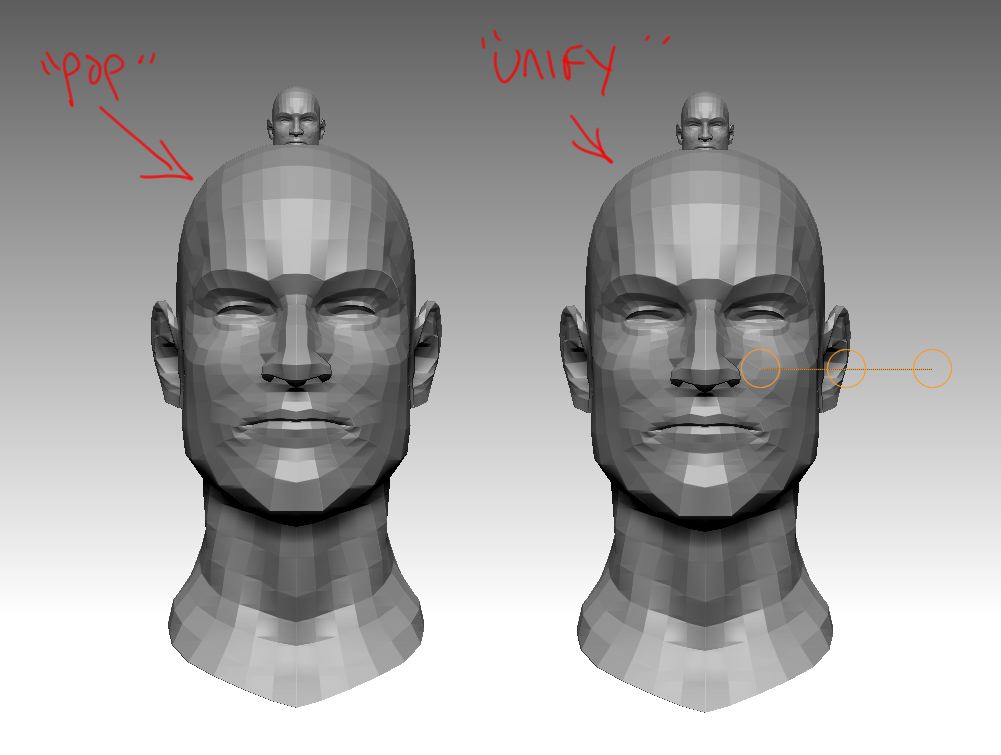
First I took a mesh, exported it, then imported it. Then I appended the import into my original ztool. It lays perfectly on top of he original. But (as I explained earlier) when I use transpose move the mesh ‘pops’ to a large size.

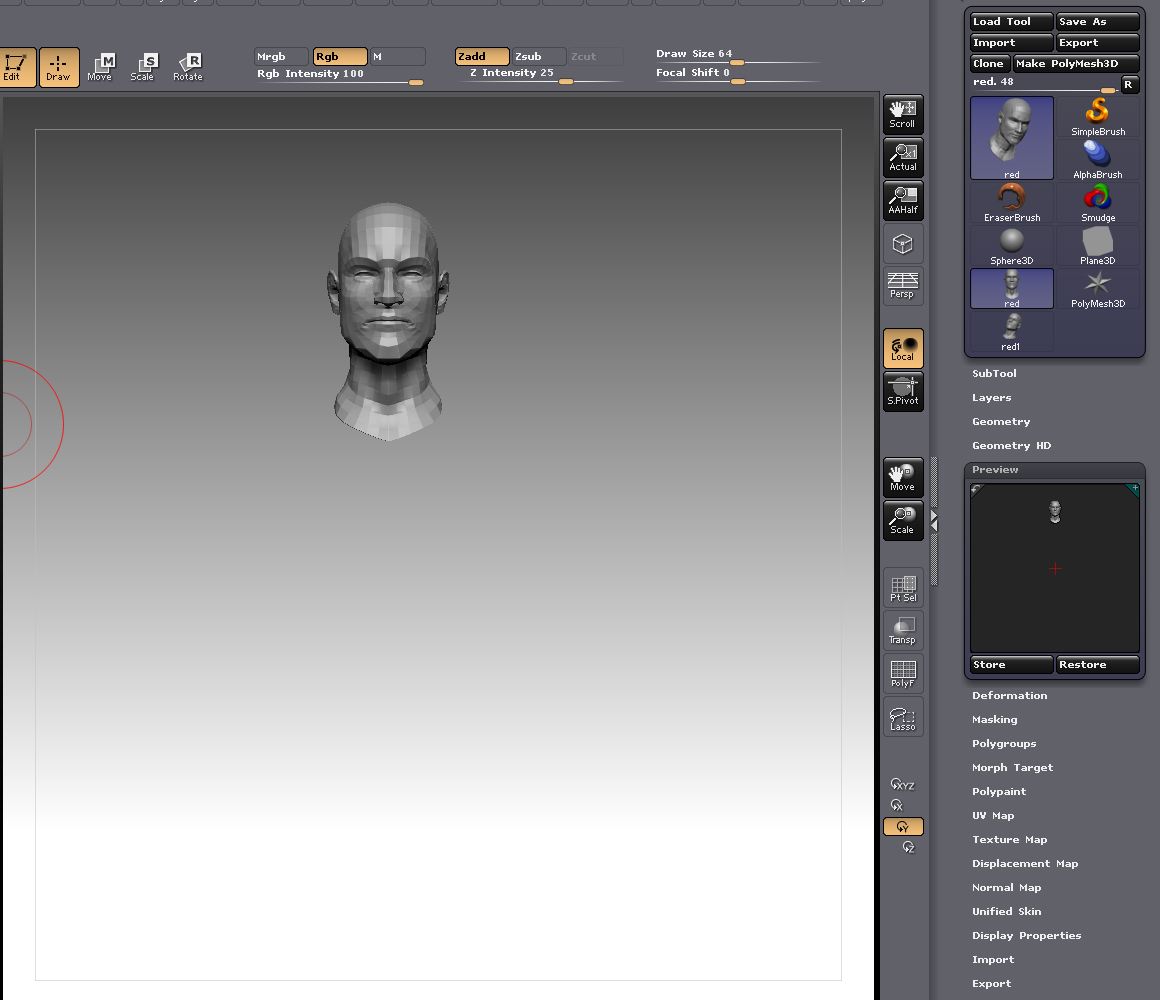
Second I simply opened the ztool and then selected deformations, unify. The mesh ‘popped’ into the exacty same position. Perhaps this will aid in understanding the underlying problem. Here is a picture.

This is the image showing the preview on the side. This ztool is the original mesh and the imported mesh (appended as a subtool) laying on top of each other.

head_test2.jpg

Attachments

head_test1.jpg

head_test2.jpg

head_test3.jpg

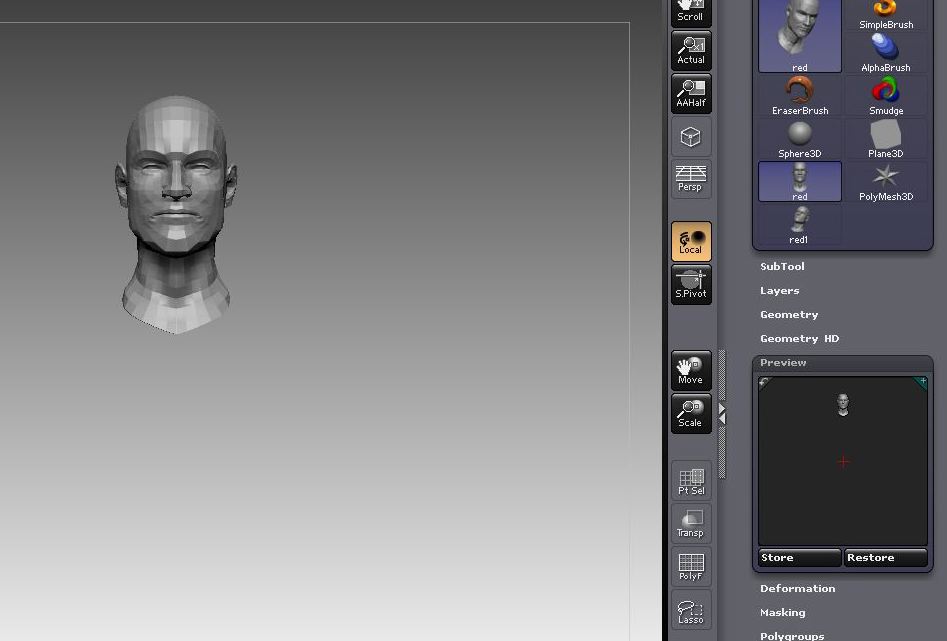
blawless could you update your picture to show what the Tool: Preview window looks like before and after this happens, the popping and the unifying

Updated. The preview seems to change in the same way, whether I select unify or I use transpose move.

Thanx spaceboy412, I’ll definitely give this a try. However, won’t using unify make the tool one poly-group instead of several separate poly-groups? I would like to maintain the ability to hide and un-hide the poly groups as I work?

Thanx for your help.

I just took a mesh with two polygroups, hit unify, and the polygroups did not change.

Thanx bLawless,
I’m intrigued by what you were talking about when you said you mask half your mesh and then use smart symmetry before you model and sculpt on the mesh. Does this allow what you do on one side to be mirrored once the mask is removed? How? I tried to mask half and seemed to have it perfectly through the mid point but when hitting smart re-symmetry it tells me 0% symmetry points were found and no symmetry map was stored which I’m not sure what it is telling me. Also, under smart Symmetry there are options to check x,y,z do you check all of these, none, or just a certain one? Thanx in advance.
P.S. I know longer needed to recenter the mesh because I remade it from scratch and it was fine then. I’m not sure what happened the first time I created the creature with Zsphere’s that threw off it’s centerline or pivot.

Ange321q,
Here is a segment of a tutorial, it is found in the online docs HERE.

‘When you do not sculpt a mesh by using a symmetry, you can nevertheless symmetrize it afterward.
To do that, mask the zone of the model which you want to symmetrize.
Select the Symmetry Axis
In the Tool Deformation Palette, apply a Smart Resym.
In case nothing is selected, the whole model is averaged.’

Check out the tutorials there they are very useful. It looks like this isn’t a 3.12b issue for you any longer. Good luck :slight_smile:

I save throughout the day. I do this with the subtool master ‘save ztool’ button. One out of twenty times that I do this, a glitch occurs.

Normally when I hit the ‘save ztool’ button I am asked if I wish to replace my already existing ztool file name. This is good. Most of the time I overwrite the file name. On the rare occasion that I need to create a new file name I do so in the warning window.

The glitch that happens (one of twenty times, roughly) is an immediate save without the warning. I just today had that bug happen. An important file was just overwritten with a ztool iteration, no warning was given. So far I can’t tell what I am doing differently that might cause this to happen but I am becoming acutely aware now that I overwrote my file :slight_smile:

Brandon,
Many thanks for your comments on Transpose Master and SubTool Master. We are looking into these issues.

(Marcus - no problem :slight_smile: )

I have noticed it is more difficult to select a ring of edges.

This is how it is normally done:
Turn frame on, turn perspective off, turn lasso on.
Now scale into the mesh. Hold down CONTROL SHIFT and tap an edge of a polygon. If done correctly this will hide the ring of edges perpendicular to the edge you tapped.

If the mesh is dense it will be as if you pulled a thread out of your sculpture. It is very useful for many things.

In any case - in 3.12b it is more difficult to do this. I have to tap the edge three times (more or less) for the ring of edges to become hidden. Sometimes I can’t get it to work so I rotate the mesh a little and start the tapping again, and then it works. But boy is it hard sometimes to get it to work. Perhaps if you could make it work that when you tap an edge, any edge within the focal shift will be targeted. Instead of trying to get the tiny red dot that represents the cursor to hit the edge precisely. Thanks.

(edit) On a similar note, this might have to do with the stylus/pen sensitivity. I also find it difficult to hold control and tap the canvas to ‘inverse mask’. And again, it is sometimes difficult to hold control shift and tap the canvas to ‘show all’ (in the case that some of the mesh is hidden). It all comes down to the simple, solid, TAP - rather than the drag.

Update on my crashing issue.

My Mac Pro died about 3 weeks ago, I was hopeful that faulty hardware was responsible for my ZB problems but it’s been off for repair, now has a new graphics card and all other hardware has been checked and is functioning correctly. I’ve now upgraded to OS 10.5.7

ZB3.12b is still crashing on launch, it still crashes before any dialogues open in debug mode. ZB3.12 still runs correctly. I have updated my support ticket accordingly. :frowning:

BazC was the problem your nvidia 7300 graphics card? I have had two fail on me and there is a thread about them failing - screen arifacting, frozen bouncing dock icons, never ending beach ball, all due to the graphics card. I have a mac pro, 2.66 ghz model (I think from 2006 or 7). The first nvidia failed about a year ago and now my last one failed yesterday. But there is a thread somewhere about it, and people have upgraded to the nvidia 8800 gt and have reported that it works flawlessly. My 8800 arrives monday. I am using my macbook in the interim.

edit: click HERE for the apple thread on nvidia 7300 problem

My nvidia 8800 on a last years MacPro 8 Core just died on me two days ago. Plus the nvidia on my two year old Macbook Pro died last fall. Apple was fast about replacing them, but it’s a real drag.

Nope, I have an 8800 card in my Mac Pro.

My original question was ‘did you have a 7300 that failed?’
Your answer was no, I HAVE a 8800 - so I am now confused :slight_smile:

It was an 8800 which failed and has been replaced with another 8800.

I have a ztool of a body. I finally got it to work with transpose master without certain subtools re-scaling or recentering themselves somwhere else on the canvas.

But I found I still have issues. When I use transpose master and pose the figure and all its subtools it is fine. If I hide a few subtools, then try and use transpose master, I am back with the different subtools moving, or ‘re-centering’ themselves to other locations on the canvas.

Thanks Brandon, that’s very useful.