ZBrushCentral

Questions and Troubleshooting for ZBrush 3.12B

Aurick, thank you for the feedback. I am using an external rendering engine, I am exporting the lowest level of mesh to Maya and rendering with Renderman for Maya. Interestingly, I have to set the alpha gain to a really low level something like .05 with the alpha offset at -.025. at higher level the model explodes

I am at work but I will post some images later but i have a question.

In the following workflow


  1. Import
  2. Store a morph target
  3. Divide and detail
  4. Return to level 1
  5. Switch to the stored morph (restoring the base mesh)
  6. Set map size and assign UV’s (if the original didn’t have UV’s already)
  7. Create the displacement map
Why set the morph target adn the switch to it? I thought if you store a morph target and then detail and divide and then switch back to it, won’t all the higher level of detail be lost? or does it just switch out the lowest level and retain the higher level of detail? What is the purpose of this step?

Hopefully I am not asking very rudimentary questions but I don’t have much experience with displacement maps since they haven’t worked well on a mac since 3.1

Multi-res edits take effect when you change subdivision levels.

So if you go to level 1 and switch to the stored morph target, only level 1 will be affected – until you change levels. If you switch morph targets again before returning to higher levels, then those levels will remain unaffected.

Optimizations and feature adjustments for ZBrush OSX 3.12b

Displacement Mapping Enhancements

:large_orange_diamond: Faster and more accurate maps generation
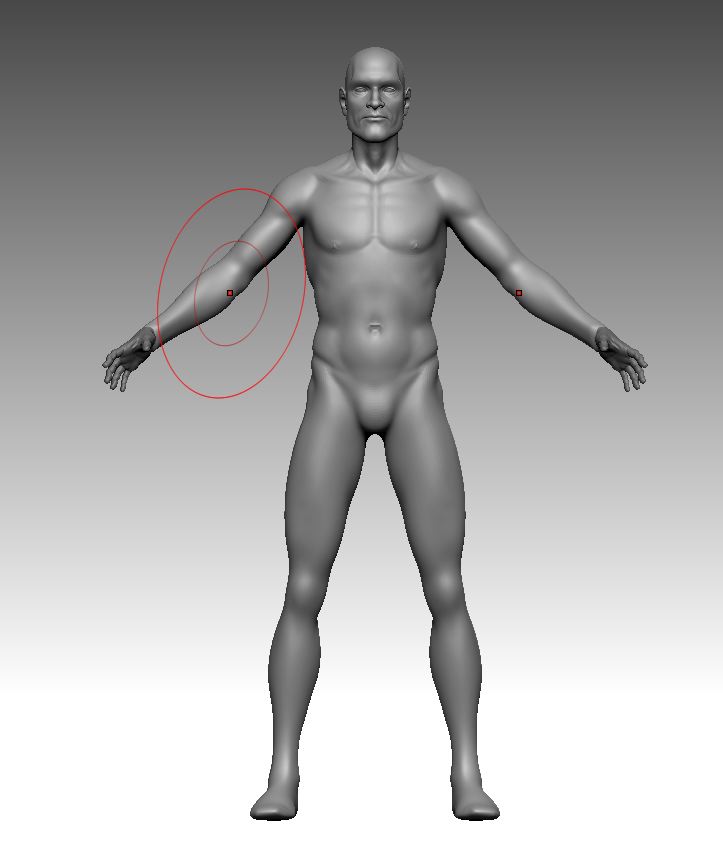
:large_orange_diamond: DPSubPix and Adaptive may be used together for higher quality maps.
:large_orange_diamond: Seam prevention enhancements
:large_orange_diamond: Added export controls for 16 and 32 bits maps in Displacement Map subpalette.
:large_orange_diamond: Added scale factor for 32 bits maps in Displacement Map subpalette.
:large_orange_diamond: Mid value is used when generating maps. Also allows for positive-only or negative-only maps to be created.

Normal Mapping Enhancements

:large_orange_diamond: Faster and more accurate maps generation
:large_orange_diamond: Seam prevention enhancements
:large_orange_diamond: Added Flip Controls. Flip V,Flip R,Flip G,Flip B and switch RG to Normal Map subpalette

Document Enhancements

:large_orange_diamond: Win Size feature matches canvas size to available screen space
:large_orange_diamond: Resize does not cause rendering artifacts

Tablet Enhancements

:large_orange_diamond: Several new ways to use pen pressure added to the Brush palette

UV Mapping Enhancements

:large_orange_diamond: Improved PUVTiles

Texture Enhancements

:large_orange_diamond: Import of JPG file format.

Interface Enhancements

:large_orange_diamond: Recorded macros are automatically placed in the Macros sub-palette
:large_orange_diamond: Hot-key setting has been addressed
:large_orange_diamond: Floor Grid opacity setting has been added to the Draw palette
:large_orange_diamond: Added Preferences option to turn off edit brush alignment to the surface normal

Sculpting Enhancements

:large_orange_diamond: Zsub respects backface masking, if active
:large_orange_diamond: Wrap Mode is available
:large_orange_diamond: Advanced Geometry features (such as Edge Loop) are available regardless of number of SubTools
:large_orange_diamond: TransPose action line does not lock if all three circles are at the same position
:large_orange_diamond: Extract produces clean edges
:large_orange_diamond: Extract thickness can now be given a negative value to extract inward instead of outward from the surface
:large_orange_diamond: Project All enhanced with a blur/smooth control feature
:large_orange_diamond: Brush intensities have been equalized when LazyMouse is on or off
:large_orange_diamond: Intensity control added to the masking-by-ambient-occlusion function.

ZSpheres and Rigging Enhancements

:large_orange_diamond: Skinning has been enhanced to more closely match the size of the ZSpheres – especially with xyz resolution set to 1
:large_orange_diamond: Rendering artifacts have been addressed
:large_orange_diamond: Posing the rigged mesh has been enhanced to also use ZSphere twisting/rotating

General Enhancements

:large_orange_diamond: Various code optimizations and update of existing functions.

Hello people, and Marcus Civis,
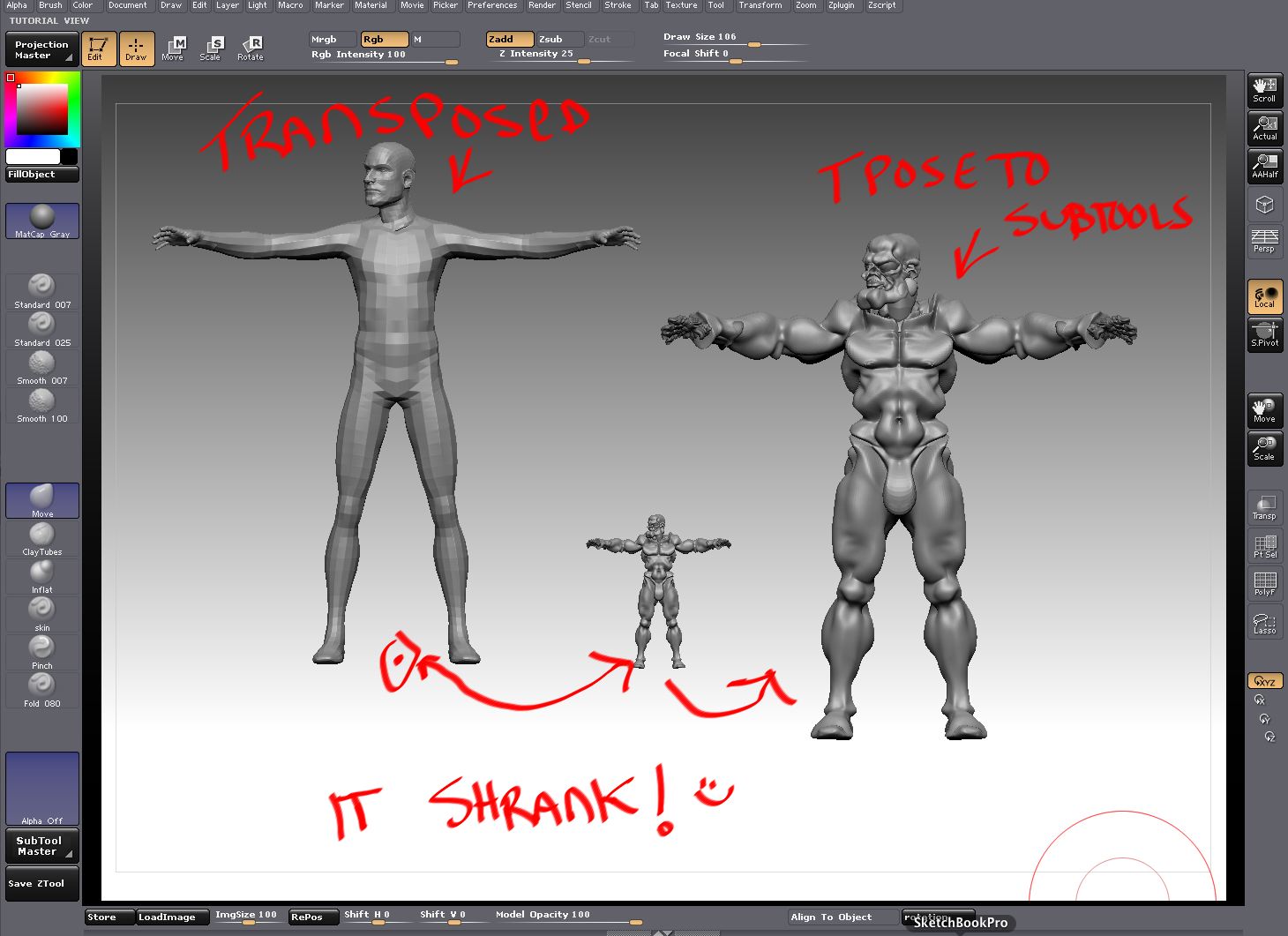
I gave up long ago on using the transpose master because I often run into the piling up/sizing problem.

But with 3.12b I was hoping that this issue might have been fixed. But I still have the problem. I did a search, found the transpose issues thread, and decided to try the Marcus solution (Marcus instructions pasted at the bottom of this post). That did not solve that problem. I can’t send screen shots because it’s for work, but it’s the same problem that others have had. Some subtools work, some change size/pile up.

Anything I can do to help let me know. Private message if you need to talk about my proprietary stuff.

(Your instructions for a possible solution)
If you have Subtool Master installed, perhaps you would try this:

  1. Save your ztool with subtools.

  2. Select the top subtool and press Tool>Clone.

  3. Select the clone and press Tool>Deformation>Unify.

  4. Save the clone with a suitable name.

  5. Close ZBrush.

  6. Restart ZBrush and load the clone you saved at (4).

  7. Press the Subtool Master button and select Multi Append. From the dialog choose the subtools ztl you saved at (1). Press Cancel when the dialog reappears.

  8. Save and test with Transpose Master.

  9. If (8) was successful, delete the top subtool which is a duplicate.

Still having trouble with the Transpose Master.
When I run through the process, I get the unified low-rez mesh, I pose that (Arms, legs, etc) and then back to High Rez mesh fine. BUT… only the left boot is transformed. I am obviously working on the Demo Soldier.ztl file

Here is an example of a generic male figure I sometimes use. I quickly tried transpose master and here are the results:

original ztool-
transpose master 01.jpg

Attachments

transpose master 02.jpg

A quick update on my crashing problems.

Mac Pro 2xDual core 2.66GHZ Intel
5GB RAM
11GB free on HD
OS10.5.6
Geforce 8800GT

ZB3.12b crashes on startup
ZB3.12 runs and is stable.
No plugins scripts etc installedZB3.12b is installed in the same folder as 3.12.
I’ve tried deleting the install downloading again and reinstalling
I have submitted the problem to support and included a crash report.

This morning I deactivated ZBrush and uninstalled both versions.

Then reinstalled and activated 3.12 then installed 3.12b and it still crashes on startup. I have updated my support ticket with this information.

I’ve just got the update and I’m still finding that I have seams in my render. Does anyone have some optimal settings to get the best render? Is it better to switch back to your morph target or export a new OBJ, should I use adaptive, smooth UV, DP subpix, etc? I’m using Cinema4D if that makes any difference.

What exactly are the “seam prevention enhancements”? Are there some new settings hidden somewhere that can help or are the enhancements happening automatically in the background?

just an observation, I believe that the export video has been forgotten yet :cry:

Sorry if my English is not good :confused:

Good question, I wondered that too. In the meantime you can try the UI presets (top right hand corner). The 4th or 5th UI preset has all the main modelling brushes laid out across the bottom which makes life easier.
Cheers
Sav

@paphowie I ran some more tests last night and it seems that switching back to the original morph target was what romoved the last of the seems for me. I saw in another post by Aurick that when you subdivide you get some changes in the UVs or points so if you use the level 1 of the divided mesh it is going to be off a bit. I ran a test using a simple sphere and I got pretty good results. I didn’t smooth UVs or use adapative. I have a character that I am working on and I am going to start at level one, re-sculpt and try it again. I will post my results.

Yes:) Here is how…

  1. CTRL+Click on standard brush, press the ‘1’ key
  2. CTRL+Click on the Move brush and press the ‘2’ key
    Now, when you press ‘1’ the standard will be selected and when you press ‘2’ the move brush will be selected.
    You can also assign hotkeys to other brushes and then press the PREFERENCES:Hotkeys:Store button to store your hotkeys, these will be loaded whenever you launch ZBrush:)

@ericfarris
USe the turntableplus plugin to export to singleframes, and then use a compositing software to make the movie as a work-around

How do I tell if a meshes multiple UV tiles are being recognised in Zbrush? I also tried displacing a multi UV tile mesh and got one single tile of pandemonium…the UVs are all clean.

tia

I can’t set up a custom hotkey.
When I press and hold control, then click on part of the UI, as soon as I lift my finger from control, or lift my stylus from the wacom tablet, I get “Hotkey Note: Operation cancelled”

OH nevermind this, I have to use a MOUSE when creating hotkeys, not a pen/stylus.

.

Please try the following…

  1. Press and hold the Control key, click on the ZBrush 3.12B icon and select open.

When you do that, ZBrush will display its initialization stages. In each stage you will be required to click the “OK” button. Please count how many messages are shown before ZBrush crushes. Repeat this process once or twice and if the results are consistent, post the number of times you pressed the “OK” button before ZBrush exists.

I am getting a lot of crashing using the Topology tool. In the last 2 hours I have had at least 5 or 6 crashes. To whom and how do I report this?

neilford

See http://www.zbrushcentral.com/zbc/showpost.php?p=561392&postcount=162

This upgrade was a complete disaster for me! :cry:
Now I can´t import any zbrush2 tool properly. They import as a huge cube with strange artifacts, or even crashes the program. Also I can´t generate any kind of displacement map or normal map, the buttons are allways greyed out. And the worst thing is now I have those issues in 3.12 also, althought before upgrading I´ve working with it without these problems.