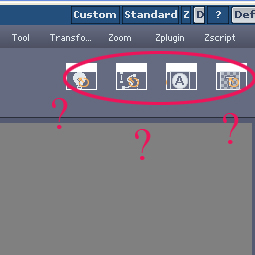
Whouuuaahhh Dr.JJwow
Marble’s buttons !
It’s very design 
As soon as the Demo release, I want fur’s Buttons  More confortable
Pilou
Hi,
I have been watching a few of Glen Southern’s free videos (I need the DVD) and I really like his layout. Is there a place that I can download the interface settings from?
Howdy all. I have been trying to figure this out for awhile and haven’t seen anyone do it yet. So I was just wondering if anyone knew of a way to hide the top panel
So if anyone knows how to get rid of this top bar please let me know
[attach=29208]fullscreen.jpg[/attach]
Attachments
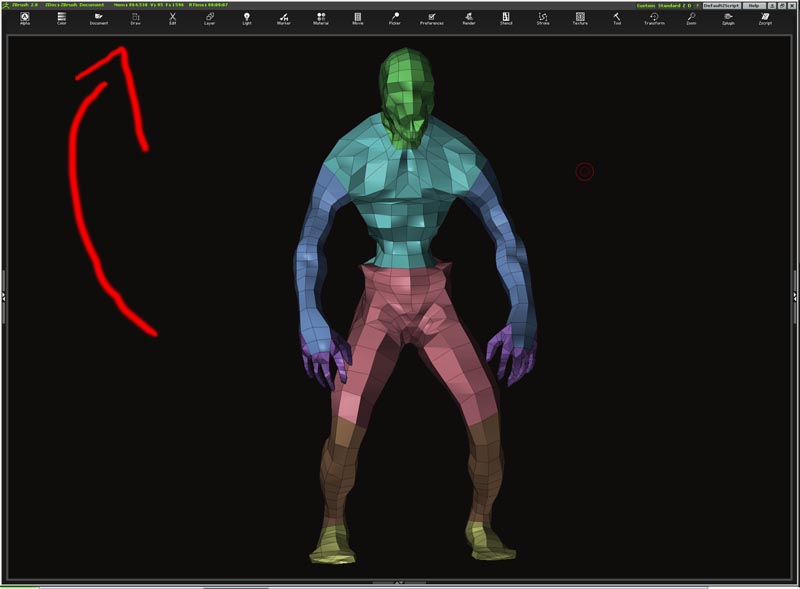
It can’t be removed, but you CAN change it from icons to text. Just turn off the Preferences>Interface>Iconized switch. The text uses probably 1/3 to 1/2 of the height that the icons take up.
SWEET! thank you aurick. That helps!
Hello,
Where I could find the original&unmodified interface for ZBrush 2.0? Could someone please be so nice and upload the original versio for a while?
There are two ways to get the unmodified interface:
-
In ZBrush 2, click the Standard button in the title bar.
-
In the ZBrush 2 folder, delete (or rename) the UICustom.cfg file.
Either of these methods will restore the interface to its default state.
this is what i found out, correct me if im wrong: zbrush doesn´t features a dualmonitor view, right?
This is what u can do, when ur using the right panel: drag the window on ur second screen, till ur right panel fits into the window of the right screen. (first ugot 2 push the button beside the close button (x))
greetingz ever
[attach=26005]bspdualmon.jpg[/attach]
Attachments
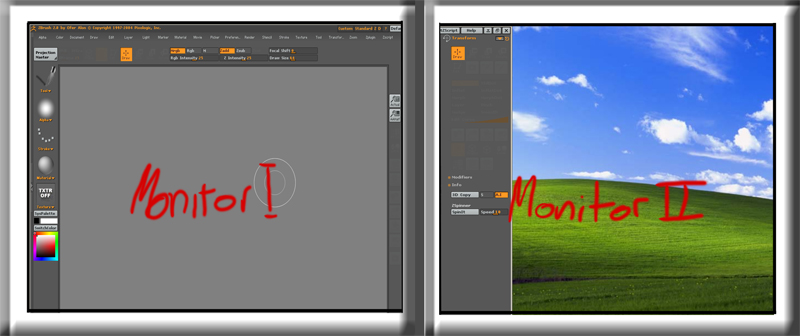
good idea Ever.
i usually reserve the second for ps or the other hundred things i have going on at the same time but it is nice once in a while to just have the old z being the only thing visible on both!!
I customized the rest of my interface, but I’d like the document background to fill the screen, as well as be a darker color.
I’d also like to change the light set up to use a warm / cool light color vs. the default white.
How do I make these changes and have them remain as my default startup ?
Thanks for the help !
once you set the document the way you like it, go to documents>save as>
and go to folder Zstartup and name the file StartupDocument.zbr
that should recall the document size that you’re like working at everytime you load Z.
Its on Zbrush documentation btw if you just read the manual and the help topics.
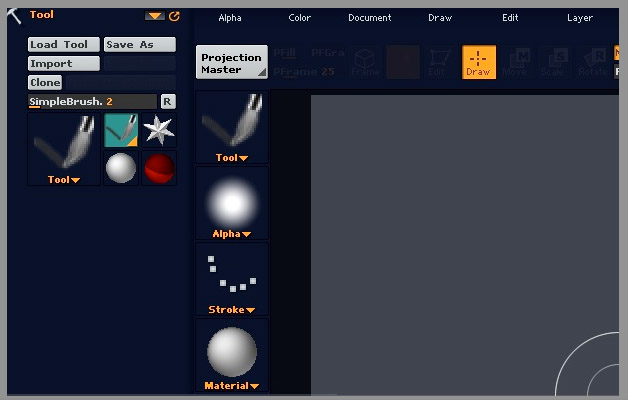
not much of a customization, but I thought I’d share it.
[attach=28924]Untitled-2.jpg[/attach]
Attachments
Hi all,
I must first say that it’s a really kool thread. In fact, before the discovering of this thread, I didn’t knew that “La Bruche” could be customized as far. So thanks much for “raising the point”.
Then, I spent some time playing around and as it might help … or at least interest in some ways, here is what I ended with.
This is a head modeling n texturing UI, much inspired by Aztec solja. I’ll maybe split later on with 3 interfaces via the interesting altview plugin. But for now, it should work very well. I’m also interesting in a dual view solution ( like Ever above), but with an extra large right toolbar (smthn like 1100px large) (there should be enough space to put in all the kool stuffs and free more the main view.
There are 2 working UI (the 1st with extended panels, and 2nd without) , autocollapse on the 2 panels, and the bnts I mostly use. Maybe some of U will find it “overcasted” but I’m fine with it knowing that my res is 1280x1024.
I have severals plugins in, as U can see on attached file but some minor changes will have to comeup, and maybe another color them … who knows …

Cheers and thanks again
Oooh, very nice Ni2ko. Any posibility of a config file? :qu:
Thanks for posting
. Fore sure there’s a possibility, here it is 
Necessary plugins :
-Alpha Loader and texture loader
-ZAPP LINK
-ZMAPPER
-ZSWATCH 3
-Image plane
-PowerOf2
-Ref image
I’ll probably incorpore some others plugins in a while, as I said earlier.
Additionnal infos :
. As U might not see cause some icons are the same for textures and alphas, I put alpha settings on the left, and texture settings on the right. (More globaly, modelisation layering (with “ref image”) on the right, texturing and rendering on the other side.)
[i]I just see that the is a mistake in the interface (“rotate” btn instead of “flip v” in the texture corner !)
[/i]
. Also, I agree with Mahwok about “a good interface is in constant tweaking”. I just had a few new important ideas on enhancing the workspace. This will be coming out really soon, but I just don’t have time right now. I’ll be posting the “v.beta”  of my interface too. For now, there is the alpha one
Thanks for feedback Acmepixel
Enjoy
Edit : I just tested the interface on a friend’s computer, and surprise : the colors aren’t applying ! Did I miss something, or the colors are in another config file ?
Attachments
Ni2ko_UICustom_alpha.zip (1.94 KB)
hey in order to get the color setup you have to put the configuration file in the main prgram files zbrush 2 folder and then your color scheme will load to i hope this helps!!!
This will hide the palettes menu bar. Unzip to your ZStartup\Zplugs folder. There will be a button MaxCanvas in the ZPlugin>MarcusTools subpalette.
Use the TAB key (or press the button) to toggle between full screen canvas and the float menu. For full screen the menu bar is hidden.
This wil load the colors along with your user interface. Unzip to your ZStartup\Zplugs folder. It will add a new button called Load colored UI to your Preferences>Config subpalette.
I was inspired by the logo of Zbrush 2.5 and I meet myself with this interface
[attach=37034]Zbrushh.jpg[/attach]
Attachments
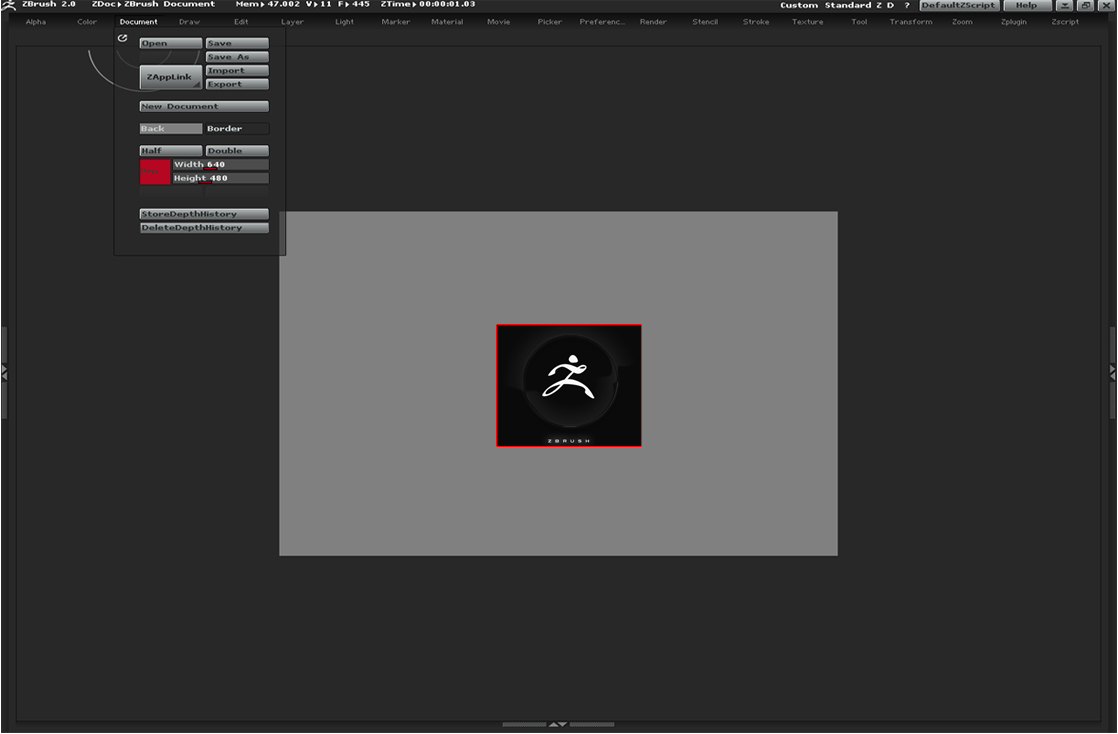
Dunno if its even possible, but is there a way to designate which monitor the program pops up in?
I have a dual monitor as well
– edit –
I figured out how to get it to load in the monitor i want, but I have now run into an issue with my UI. I drug/dragged menu items to the top margin area…
[attach=38302]UIhelp1.jpg[/attach]
but after I closed and reloaded ZBrush, bad things happened. The menu items turned to icons and stopped all function. I tried CTRL+LMB click to get rid of the menu item from the margin… but nothing happened. can someone explain what I did wrong?
Attachments