ZBrushCentral

Beginners Question

Hello community.

I’m new to this forum and to the world of ZBrush. So far, I only modelled in programmes like 3ds max.

Now that I got ZBrush I started working with ZSpheres and made a basic mesh. I saved the document and accidentally created another object making the one I was currently working on no longer editable.

I know this question might have been answered several times before, but is there any opportunity to edit the object and if not I wonder how you are supposed to work on it after closing and restarting the programme again?

Kind regards :slight_smile:

In my experience working with Zspheres, first of all remember to make an adaptive skin once your done (but thats not the issue)

It sounds like you’ve saved the Document and not the actual ztool. At the top of the subtool menu save any model your working on as a tool. Then whenever you start zbrush again you can simply “load” the tool from the same menu.

Likewise if you ever find your model wont move and any interactions only draws a new tool then you’ve occidentally dropped it to the canvas, press ctrl+N to clear the canvas and draw out the tool again and click on the EDIT icon at the top left.

I hope this helps, my knowledge is limited.

DM.

Yeah, I figured it out, thanks. May I use this as a thread for general questions? If yes, here’s another one.

I now about stuff like changing the UI. But I have still problems with default settings. For instance, what do I have to do to set a different stroke and Alpha type so I don’t have to do this manually each time I open up ZBrush?

http://www.zbrushcentral.com/showthread.php?181535-Answered-Changing-default-available-brushes

Thank you very much!

oNE more questions: When working with zSpheres how do I delete a connecting sphere?

I know these are very beginner questions but I try my best to find out everything on my own by watching videos and reading tuts :slight_smile:

In add mode alt click on sphere to delete.
http://docs.pixologic.com/user-guide/3d-modeling/modeling-basics/creating-meshes/zspheres/basic-humanoid/

1: When working with a reference can I add a transparent material to the zSpheres in order to get the proportion right?

2: Again about zSphere: I have a sphere and would like to add a perfectly horizontal sphere to it. Or I would like to have two spheres opposing each other. How would I do this?

http://docs.pixologic.com/user-guide/3d-modeling/reference-images/grids/
Symmetry

I know about symmetry. For instance if you had a cross, how do I make sure to have it perfectly symmetrical

Make it carefully…try different methods to find the one that works best for you. You can make half, then duplicate and weld(geometry palette) look for AxisPlug, very handy.
Also in the deformation palette is Resym and SmartResym, may or may not work for you.
The search feature works quite well on here…

What do you mean?

You could mask on Shadowbox, use zspheres>adaptive skin, extrude faces of a cube(constrained to an axis)…there’s hundreds of posts which may answer your questions if you would search for them.

The problem is that I don’t know what I’m supposed to search for

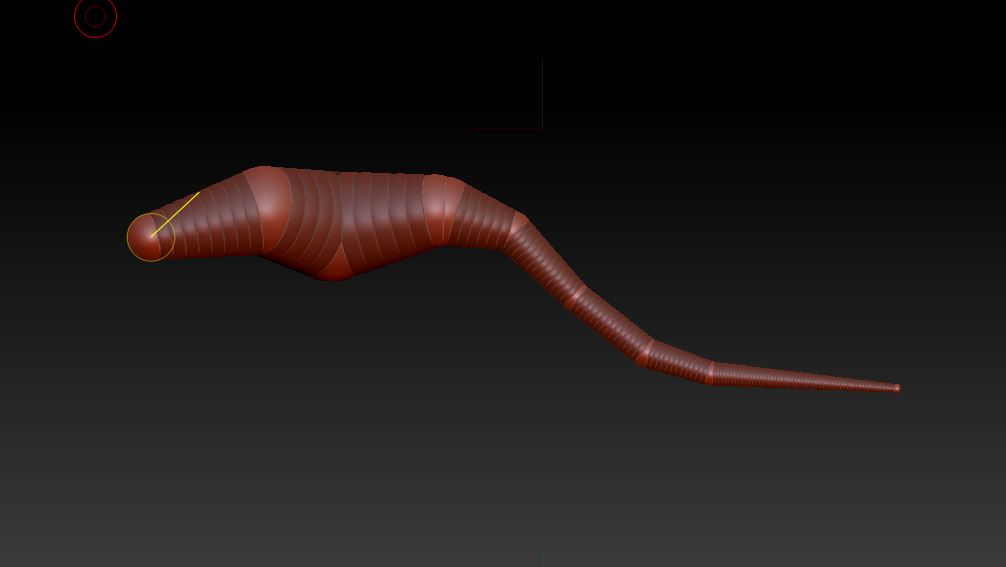
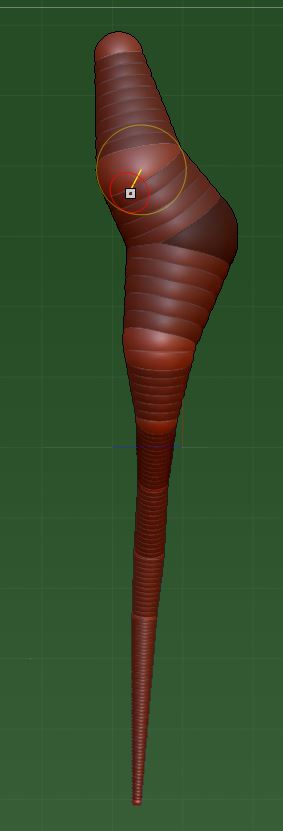
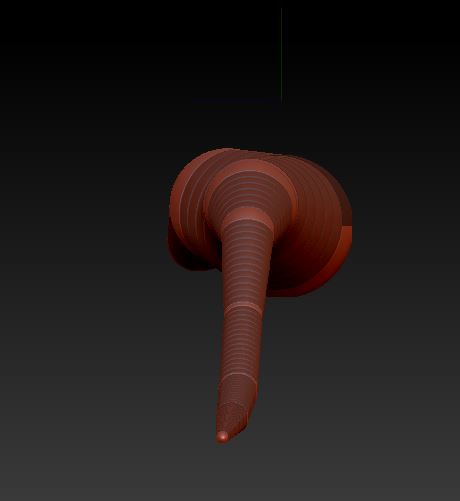
It’s looking fine in the front view

snap 3.JPG

But from other angles the proportions are completely wrong

snap 2.JPG

snap 1.JPG

Attachments

8f09a5903de8e071d4b8cd4ff8cbcac1.jpg

If you want perfectly symmetrical zspheres, turn on Transform: Activate Symmetry first (along with whatever axis you want).

Having symmetry activated will also prevent your spheres from sliding off symmetry when positioning them, which is what happened in your last images. When symmetry is turned on it will try to move the sphere equally in both directions across the active axis, cancelling itself out and keeping it centered where you want it.

If you have symmetry on when you add your zspheres it can help or hurt. Two points determine a line, you can add spheres into the chain. There is 1 ROOT ZSphere from which others are attached. I’m guessing it’s an animal of some sort, follow the instructions for a humanoid. If you haven’t got that Axis plug in>>http://www.zbrushcentral.com/showthread.php?161588-quot-Axis-quot-Plugin-for-ZBrush-4r2

Something else:

When I work with ZSpheres and move it around by holding ALT the symmetry is not using the center of the sphere as the axis. What am I doing wrong?

Enable transform move, where did you get the idea to hold the alt key? Browse to your documents and find the PDF files, spend a bit more time reading.

Sorry, but I don’t get it. When I watched naviagtion tuts it said to move around on the canvas pressing ALT and it worked fine. It’s just that the symmetry axis doesn’t appear to be in the center of the sphere.