hi been trying to follow the image planes skull building tutorial on 3.12 on the mac . have they moved the Active subtool Opacity slider i can seem to find it any where
any one know where it is
thanks in andvance
hi been trying to follow the image planes skull building tutorial on 3.12 on the mac . have they moved the Active subtool Opacity slider i can seem to find it any where
any one know where it is
thanks in andvance
should be in
preferences>draw>inactive opacity (it’s abbreviated though)
if not, then yes, they moved it.
PC user here, so I don’t know
I tried for 4 hours to figure this out it doesn’t work. Is this a bug ??? I simply want to use the x plane backdrop with a transparent foreground object. Mac user here. …
it wouldn’t work for me … i was wanting to use it with image planes too ( in fact the whole transp thing didn’t seem to work very well for me )
i take it its just another feature that doesn’t work or is not in the mac version yet
I haven’t done the tutorial, but there is a button right of the canvas between Polyframe and Lasso labeled Transparency that activates opacity for the subtool. Is that what you’re looking for?
this button only activates transparency for the X Plane object not the polysphere…
FWIW, I wasted more than a few hours following the tut as well. The opacity slider is not under the Draw menu (or anywhere else that I can find…and I’ve looked!!). I would like confirmation that this feature is not currently enabled in 3.12, or better yet, instructions on how to make it work. Sculpting with orthogonal references is something I was really looking forward to.
This will be changing in the next version, however here is an ImagePlane for your use.
I have set this up so the ImagePlaneX.psd file can still be used.
I have assigned polygroups to each plane so if you need to move one of the reference planes because it is clipping your model.
I would recommend using Deformation>Offset to move either of the planes
When you append your tool that you want to edit, fill that tool with a material of your choice (other then flat) then switch your material to flat and select the tool you wish to edit and click transparency.
Now the planes will have your reference images with flat material assigned and a transparency to your select tool that you will be editing.
If you need more info please ask.
Paul
Im having the same problem - thought it was just me:)
http://209.132.96.165/zbc/showthread.php?p=498827#post498827
http://209.132.96.165/zbc/showthread.php?p=498827#post498827
Stephen
Did you try the new ImageplaneX file I made that is in this thread?
Paul
still not working for me
Hi Gabo1991
I just tried the new imageplanex tool that you created but unfortunately im still having the same problem - Im thinking at this point that its a bug with the mac 3.12 version
I’m also experiencing this problem with selecting transparency for sub tools.
It seems that, only the layer adjacent to the one selected is allowed to be transparent. Transparency shifts to the unselected Sub tool, when selecting up and down the sub tool layers.
Has anyone reported this yet?
I havent reported this yet - im a new zbrush user so ive been assuming that the problem is on my end rather then a bug in the 3.12 software
Hey need more info
How transparency works is all unselected subtools become transparent and the select tool is solid. If you are to switch to a different subtool then the transparency will switch as well.
Stephen
The imageplane I made is working fine here. What we may need to do is do a GOTOMEETING or send me some screenshots so I can see the issues you are having so we can figure this out together.
Talk to you later
Paul
Cool - how do we do a gotomeeting?
i would have to set it up or would it be easier for me to make a video?
Why dont we try a video first and see if that solves the problem?
I am following the skull tutorial as well.
In the video the image planes are solid and when the sperical object (a tool) is selected the speaker there tells to activate transparency. The sphere, the active tool, then becomes transparent to show the image planes through. That way we are supposed to be able to model the sphere into the skull references.
However on the Mac when thesphee tool is selected (from the subtools menu) whatever it’s transparency status was before, it changes back to opaque, effectively blocking the reference planes from view.
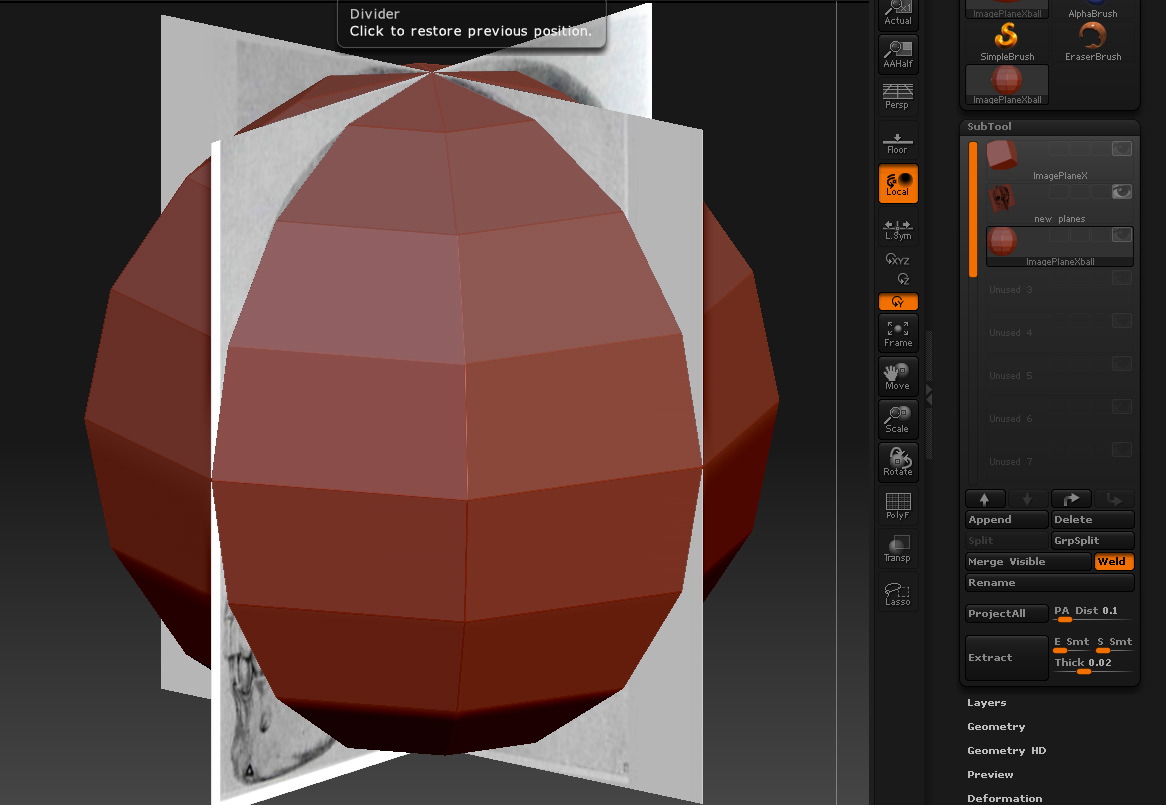
In fact it indeed seems that the active tool becomes opaque as soon as it is selected
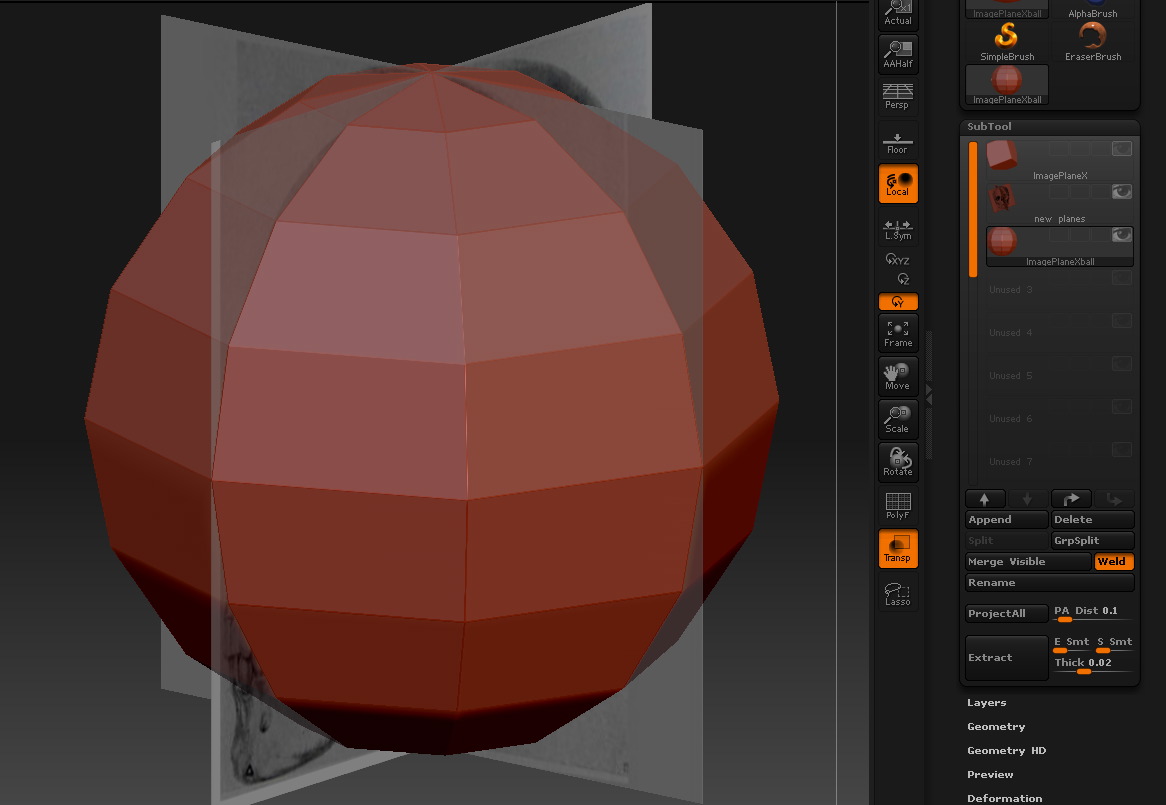
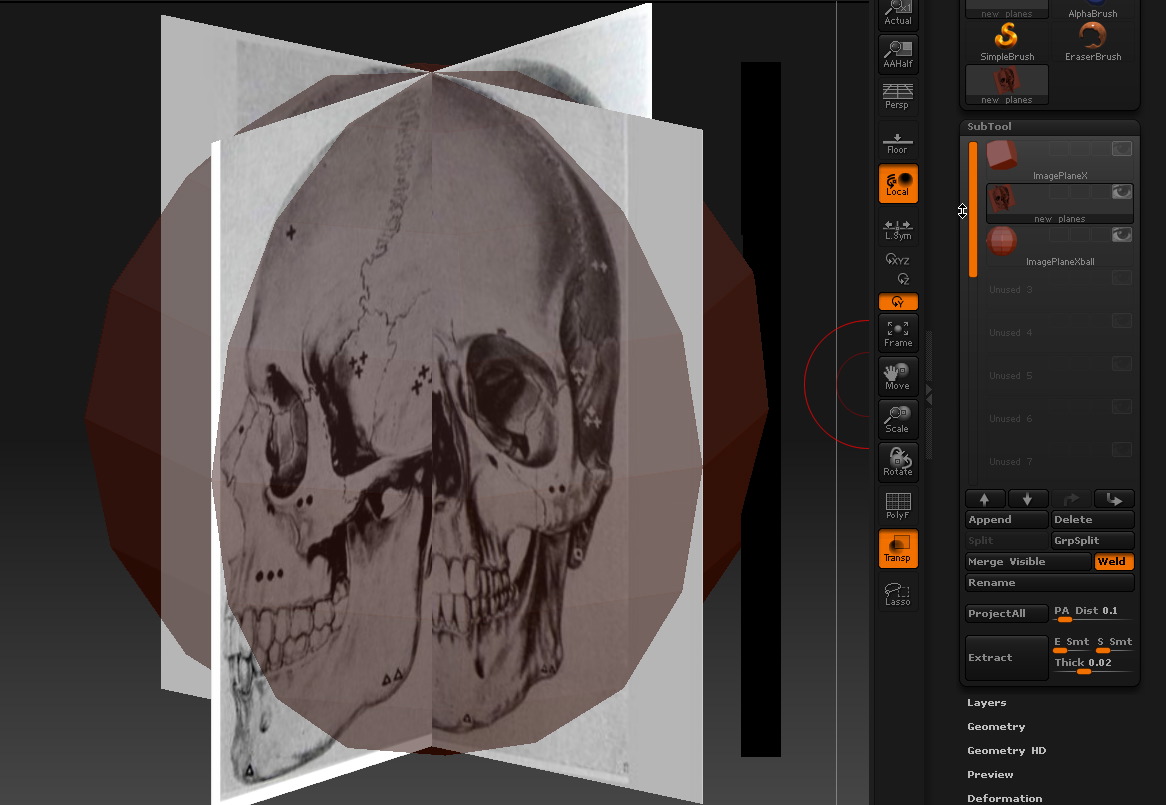
So perhaps its a glitch with the mac 3.12 release? Can aurrick comment?