Hello,
today I experimented with zspheres for the first time…
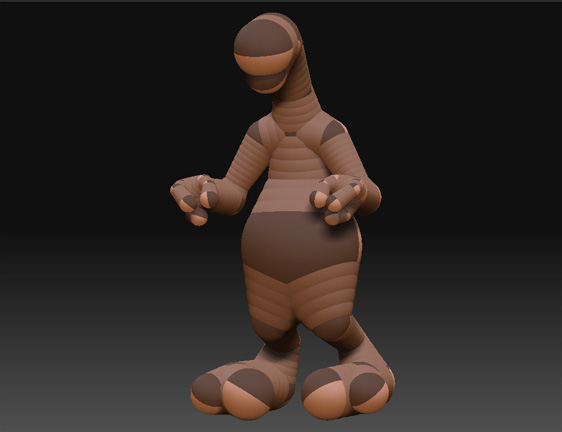
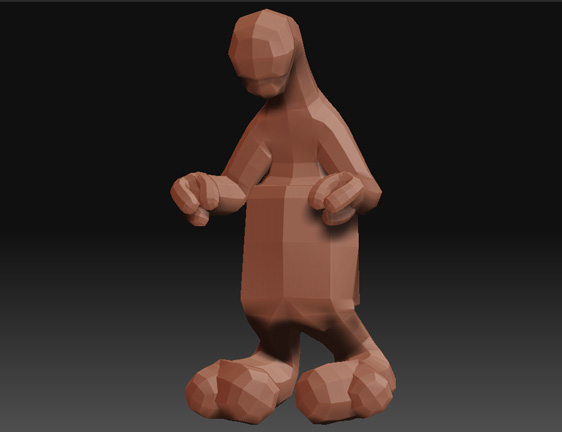
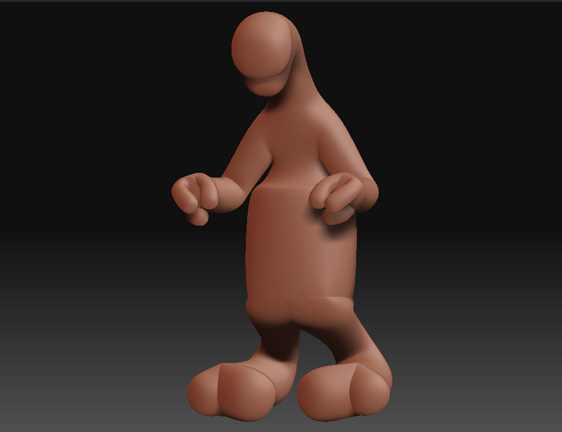
I made this cute zspheres creature:
[ ]
]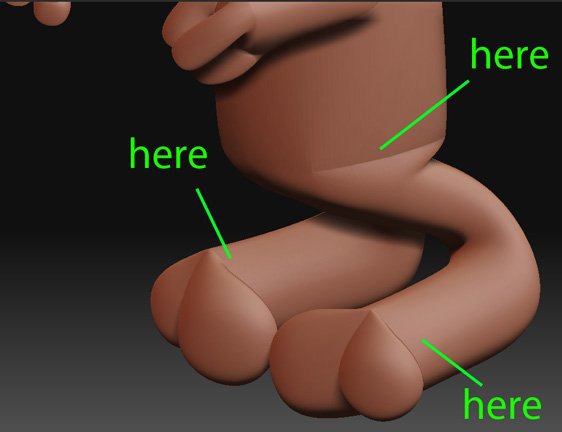
Any ideas?
I also don’t get why his belly turned out so boxy.
Thanks 
Attachments
Hello,
today I experimented with zspheres for the first time…
I made this cute zspheres creature:
[]
Any ideas?
I also don’t get why his belly turned out so boxy.
Thanks
you have intersecting geometry… think of a zsphere as a cube… you can extrude a face (add a zsphere). But you can’t extrude two branches from the same zsphere.
The hand’s topology is fine cuz there the zspheres ara aprox. 90° from each other… the legs issue, that should be a triangle… ¿are you using your root zsphere for the belly???
How would one go about creating a human foot with zspheres for instance if there’s no way to create the fingers?
There is a tutorial on the zbrush site to the making of a squid like character…
There are 8 tentacles made out of zpheres coming out of 1 zphere… if what you write is true then how is that possible? 
From the tutorial:
[ ](javascript:zb_insimg(‘153922’,‘squid.jpg’,1,0))
What do you mean by root zphere? the pics I uploaded are very straight forward, what you see is what there is  I can’t find a better place to pull out the legs from if not the belly.
Root zSphere is the first zSphere that appears when you select the zSphere tool… it you pull the legs out from it you’ll be in serios trouble 
The basic form of zspheres is that of the cubes… you can modify some settings from the adaptive skinning (Tool pallete, adaptive skin subpallete) to make the intersections a higher res zone… so that you can connect multiple zspheres in one zsphere… you’ll have to play a little with them… though I don’t like that method
There are lots of methods to do a foot or a hand… my favourite is the bingo-jackson method… (I describe a little from it in my personal thread)
Hey Amidar.
The trick for hands etc, is to change ZSphere resolution.
Like this:
http://www.zbrushcentral.com/zbc/showthread.php?t=23136
It’s an old tut’ but still applies.
There used to be a plugin that allowed you to change res AFTER
creating the ZSpheres, but I’ve lost track of it.
G.
What’s so special about the root zphere? I don’t remember which 1 it is… I’d like to know how to avoid problems with it in the future
I searched and found the script you mentioned just to find out it doesn’t work with 3.1, I looked further in the thread and found a more progressive version called Zsphere Tweaks, this plugin is fantastic !!
I fixed my zpheres model with it:
[ ](javascript:zb_insimg(‘153933’,‘fixed.jpg’,1,0))
Another question if you guys don’t mind…
I find that if I want to subdivide the zspheres model after pressing A to make a real mesh out of them I need to export to obj and import before I can do that… trying to subdivide it just like that doesn’t seem to work… I know I’m missing something…?
In the tool pallete , adaptive skin subpallete, press the “Make adaptive Skin” button… it will retain sub-d levels from the original zspheres
I can increase the subdivision level from the adaptive skin pallete but I can’t subdivie it the usual way (Ctrl+D), if I make modifications to the model and try to raise the subdivision level through the adaptive skin pallete I get distortions. 
Once you click ‘Make adaptive Skin’, you have to select the new tool
before you can divide it.
Look for Skin_{something} in the tools.
G.
Edit: ZSphere Tweaks … That’s it. Now you’ve reminded me what it’s
called, I find I have it here.
Thanks alot, that’s it !