ZBrushCentral

ZSpheres always come out rotated wrong, no way to fix

Argh… I’m having trouble with the most basic of operations.

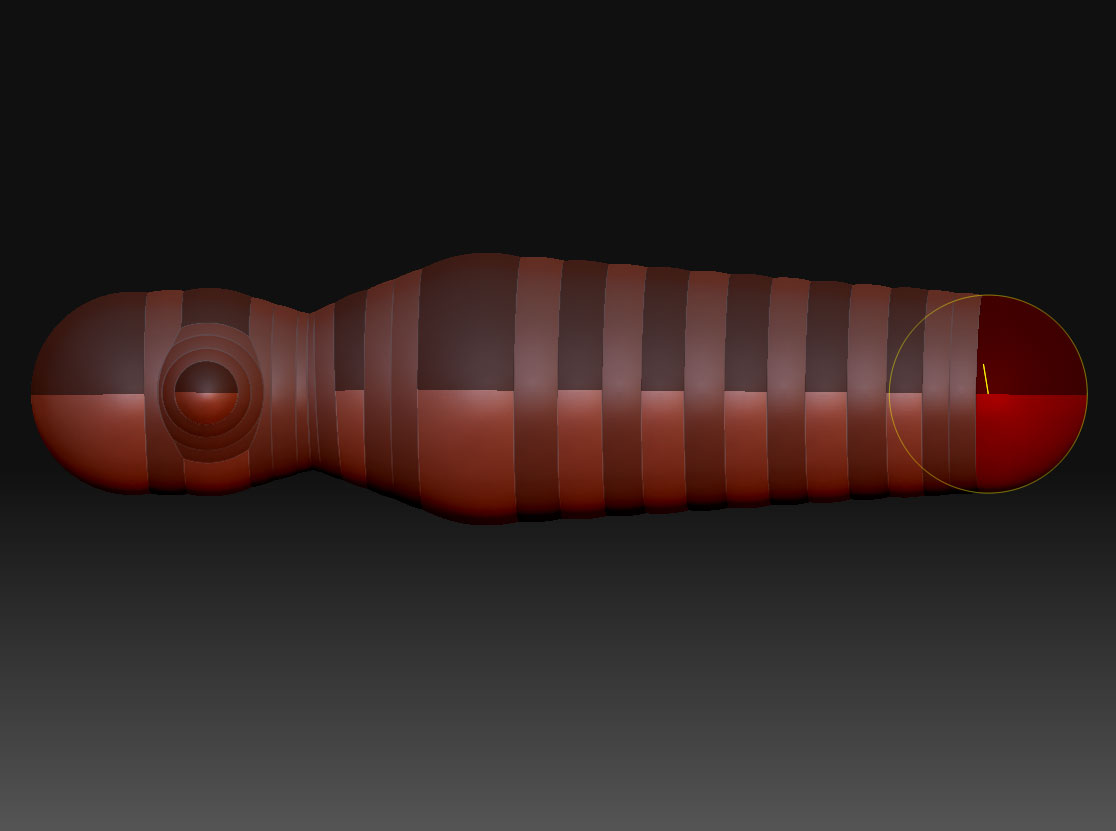
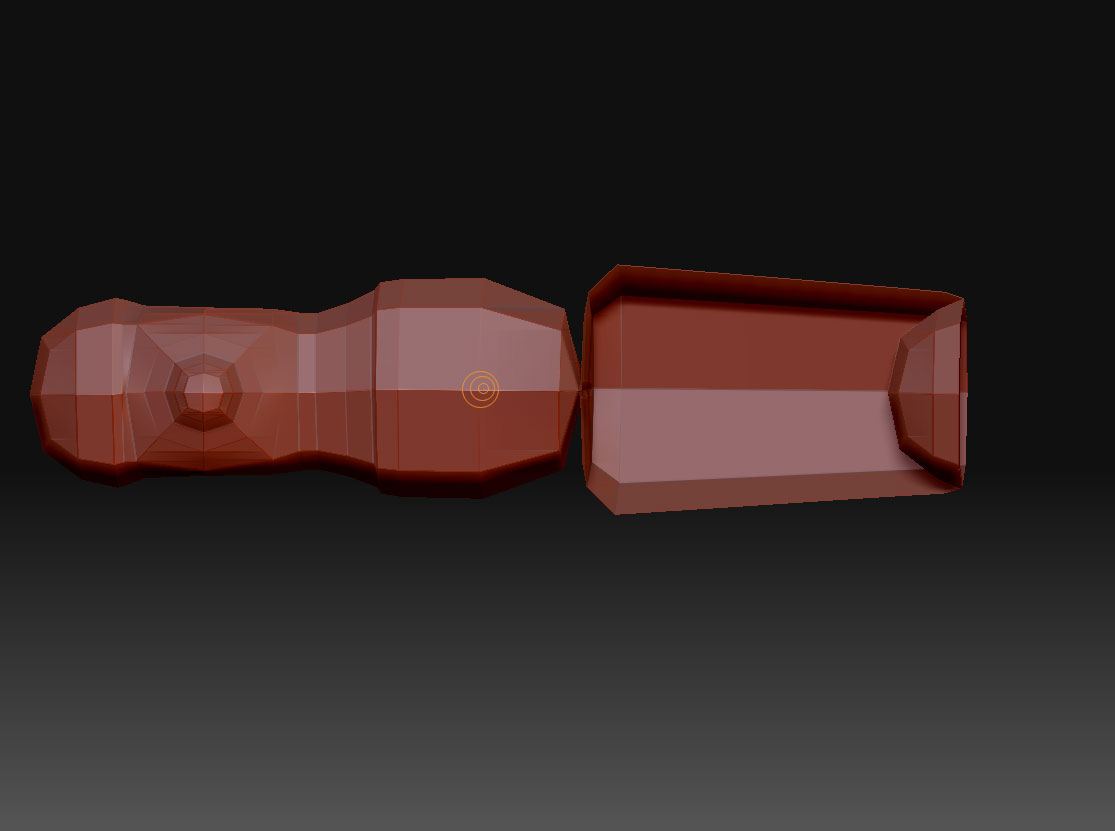
I create a zsphere, go to edit mode, add a new zsphere below the first one, and the rotation of the root zsphere is not only wrong, but the rotate tool doesn’t let me reorient the zspheres to untwist them.

There’s gotta be something fundamental I’m getting wrong, but I’ll be darned if I know what it is.

(first image is front view, second image is side view)

Attachments

Basic-ZSphere-Problem.jpg

Basic-ZSphere-Problem-Mesh.jpg

Oh yes, this is ZBrush 3.12 on Mac OS X Snow Leopard.

Hi, there are some icons (at the right of the visor) that enable the rotation in all, or some orientation. Check the one that allows you all. it happended to me as well.

hope is that…cheers.

After drawing the initial zsphere, the root ZSphere, do you enable symmetry and draw the child zsphere while the cursor is green (indicating you are adding a zsphere on the current symmetry axis) ?

Or perhaps ypu are talking about the open end of the root zsphere? The open end is closed as soon as you have added a third zsphere or used a zscript to change the XYZ resolution of the root zsphere (only possibly in Classical Skinning mode). Perhaps any perceived twisting will be gone once you close the hole by adding a third zsphere?

The root zsphere and it’s immediate children link zspheres do behave differently to resizing and rotating compared to zsphere children lower down the chain. But as you only have 2 zspheres I am guessing turning on symmetry and obeying the might of the green cursor will solve your problems;)

btw, are you using 3.1 or 3.5R3?

Yes, symmetry was on and I got the green circle. I added many more spheres and the surfacing and twisting was quite bad (even inverting entire regions, making unsightly holes). I’ll be hitting as many tutorials as I can, but you’d think such basic functionality would work a little better.

I just installed ZBrush 3.2 and it has the same issues.

Here’s another example, and no amount rotation seemed to fix it:

(edit: the root zsphere is in the center)

Attachments

Basic-ZSphere-Problem-2.jpg

Basic-ZSphere-Problem-2-Mesh.jpg

I was about to say “I am not sure what is going on as I never have this problem” … and then I experienced the same twist as you did :slight_smile: I can only remember that happening back in ZBrush 2.0. This time I was building the zsphere model along the Z and X axis where I normally build along the X and Y axis. Not sure if that is the problem but moving a twisted zsphere (and it’s children) around a bit can untwist the chain. But at some positions the adaptive skinning algorithm gets confused.

Manually untwisting a specific zsphere does not seem to help but using a script to force the twist angle back and forth does seem to fix it. Perhaps not indefinitely but at least it is a quick fix that retains the position and size. You can find ZSphere Tweaks [>> here <<](http://www.zbrushcentral.com/showpost.php?p=413028&postcount=109). Once installed load your Zsphere Tool and hold SHIFT while you click drag the zplugin's Twist slider. Any +/- value will do. Do the same one more time except set the value to 0.

Holding SHIFT applies the twist value to all unmasked zspheres. It does not seem to work if you manipulate the values of a single zsphere.

Let me know if it also worked for you.

Hi jrandom

I know this isn’t going to help much, but I thought it might make you feel a little better. I’m having the same issue.

I needed to create a pipe, so I thought the easiest way to go was by utilizing ZSpheres. So I appended a ZSPhere to my subtool and started adding new ZSphere’s to create my pipe. What a breeze, that was until I hit the A key to preview my pipe.

That was when I noticed a lump in the middle of my pipe, right where my parent ZSphere was. I eventually worked out that the ZSPhere’s were rotating, therefore my work around was simple, just rotate them so they all sit in the same orientation.

Unfortunately rotate doesn’t work. It just screws everything up (MAJOR BUG).

I eventually manged to get the finish I was looking for by burying the parent ZSphere deep in the body of the other Subtool.

And guess what, I’m using 3.12 on Mac OSX SL.

Did TVeyes work around fix your issue?

Does anyone know where you can report ZBrush bugs?
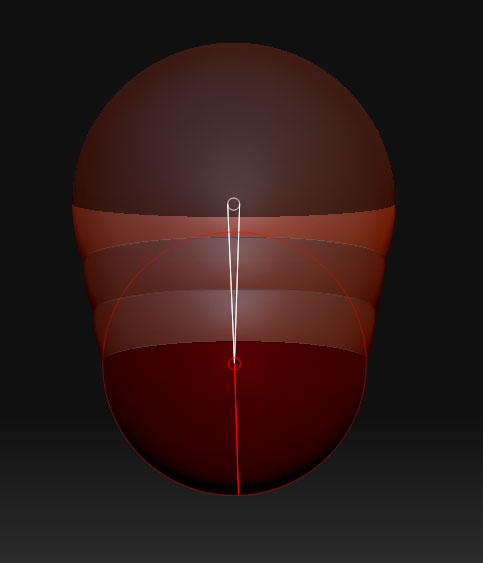
Ryan Kingslien has some good tips to ensure correct adaptive skinning of zSpheres. Might be worth picking up his introduction to ZBrush3 tutorial series over on the Gnomon Workshop website.
Anyway, the gist of his tip is along these lines:

After you’ve created your first zSphere, rotate to a 3/4’s top view, and with symmetry mode still disabled, draw another zSphere right on top of the first one, at more or less the same size.
Then rotate to a 3/4’s bottom view and draw a third zSphere. Again at the same size as the first.
This should be the best base to start a zSphere sculpt from.
It seems to work here without a hitch and I’m on 3.2 on OSX.

Hope this helps!