ZBrushCentral

ZSphere Symmetry Restoration

In 2004, avmics asked, “Is there a method of updating the symmetry of zspheres?” Aurick replied, “Use the ZSphere Symmetry Restoration ZScript.” I’ve been searching for that with no luck. Is that ZScript still around? Or is there some alternative method? My [noob] understanding is that ReSym procedures apply to meshes not to ZSpheres. My Activate Symmetry option is no longer working on my ZSphere model. I would like to restore that. Any assistance would be much appreciated.

Doc Pit

You can try this but note that it may not work or there may be unwanted results, so back up your model first. Unzip and then load the file through the Load button in the ZScript palette. The buttons will appear in the ZScript Window at the bottom of the UI - press ‘H’ on the keyboard to get them to appear. There’s a Help button which tells you how the script works.

Hi Marcus,

The ZScript did work – sort of. I’m attaching a file, Symmetry_1.jpg, which shows that, when I activate symmetry, the two red circles (I can’t get green circles) are positioned symmetrically at the base of the bull’s snout. Before executing the ZScript, one circle was positioned on the snout and one was positioned to the left of the snout. That’s all good.

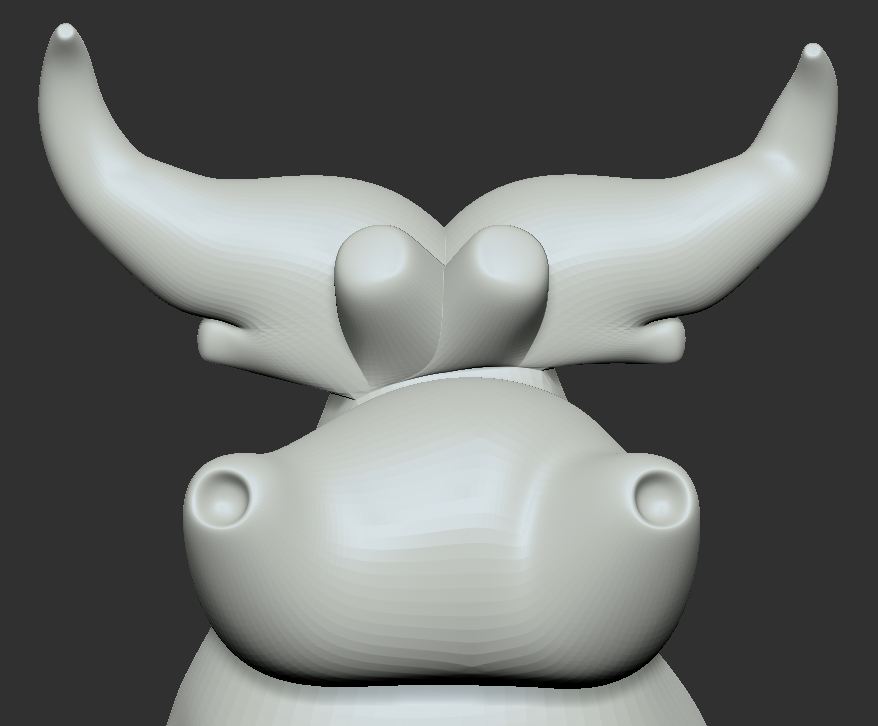
However, visually, the two sides of the snout do not project evenly from the base zsphere. (See also, Symmetry_2.jpg.) Activate Symmetry works properly, but the model does not look symmetrical. (I have perspective turned off, and I use <shift> to align my views.

So, ironically, I would have to change one side but not the other; i.e., I would have to make the model asymmetrical to make it look symmetrical!

In fact, I did that. The model looked symmetrical, but, once again, Activate Symmetry did not work properly. I ran the ZScript a second time. Now, Activate Symmetry runs properly, but the model looks asymmetrical. Is there an explanation for this?

I apologize for peppering you with questions. However, my view of ZBrush is that to use it with any degree of proficiency (even for basic operations) you have to really understand how it works. I’ve never worked with any software that was a bigger pain in the @$$ to learn, but I also have never worked with any software that is so compelling in terms of what it can do.

Thanks,
Doc Pit

Attachments
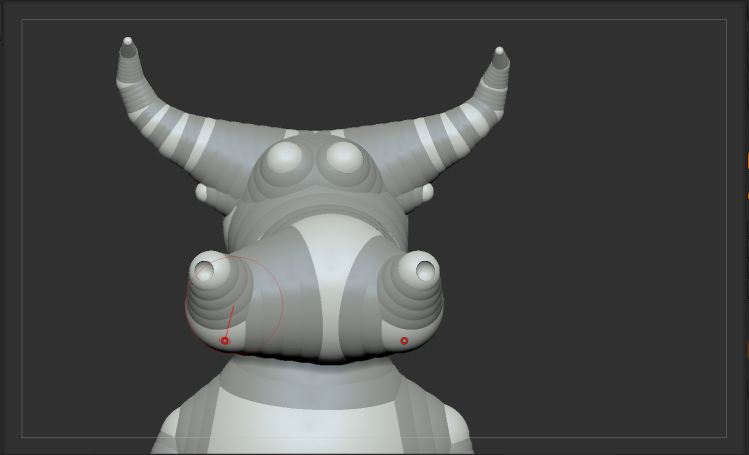
Symmetry_1.JPG

Symmetry_2.JPG

DocPit,

In order to work your ZSphere model must have been created with symmetry on from the start, and not turned off at any point. The reason for this is that each ZSphere has a time stamp of the time it was created. When there are two with the same stamp then they must have been created with symmetry on, so the plugin knows to re-align them.

But the script does have limitations. It will only work if the symmetry is off by a little bit. And currently it doesn’t touch any ZSpheres that were placed singly. I think this is the issue in your case - at some point you turned symmetry off and moved some of the central ZSpheres. Those don’t affect the symmetry for the script but makes your model look wonky.

I suggest you put this down to experience. ZSpheres can be quite daunting to start with and, as you observe, there’s a lot to learn.