ZBrushCentral

ZSphere rigging (emergency fix avilable... still unsolved tho)

well posted that in my sketchbook thread yet but i guess this here is a more appropriate place,

i am experiencing heavy problems with the rigging using ZSpheres, transpose works like usual but in no version since rigging was introduced in 3.5 i can seem to get somin posed at all using ZSpheres and transpose can only do so much

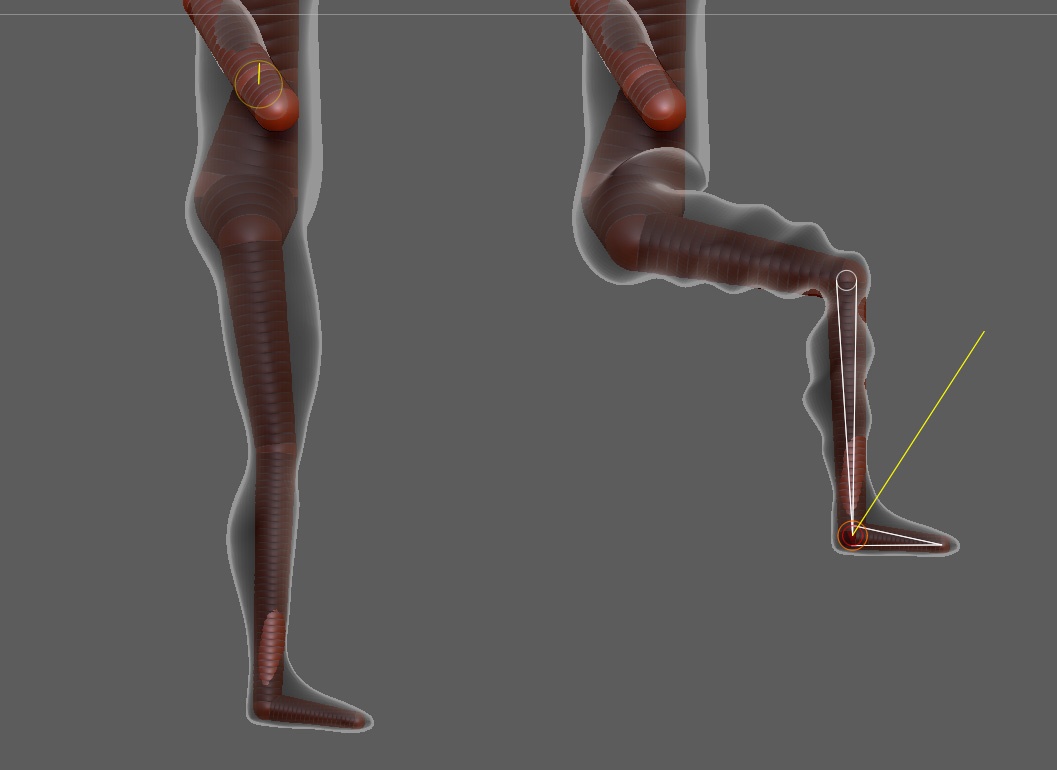
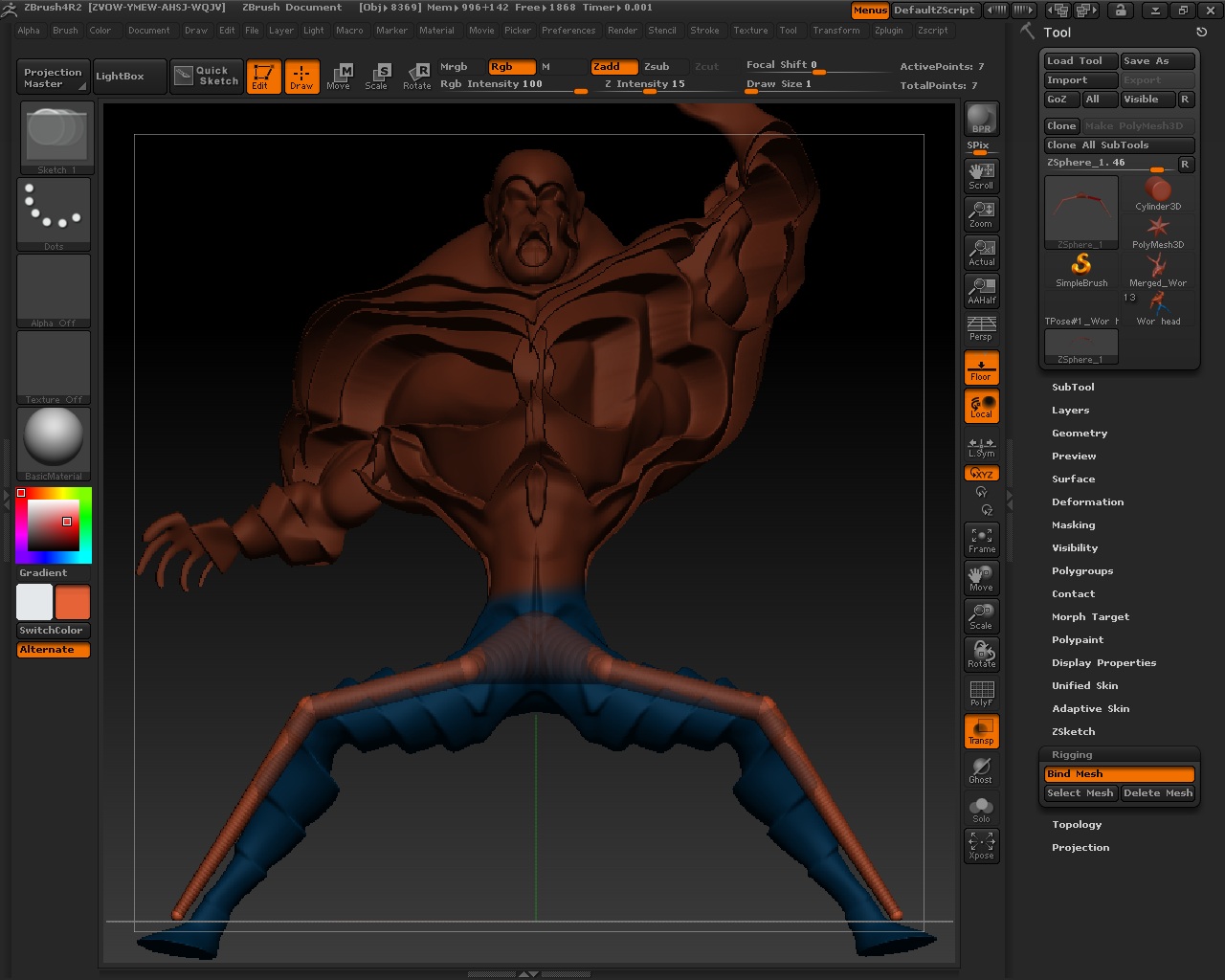
you can see the problem below, its kinda selfexplanatory i think lol

i tested it in 3.5R2, 4R1 and 4R2…
OS (not that i think it would matter): windows 7 64bit
workflow: that one: http://www.pixologic.com/docs/index.php/Rigging

i even tried to create a simple cylinder and pose that in a similiar fashion but whenever i move/rotate one end ZSphere or the connected “bone” the parent Zsphere “bone” will twist itself creating these weird waves

i honestly cant work with that lol, hence i would deeply appeciate any hints on why that happens or even better on how to prevent it… thanks in advance :slight_smile:

Attachments

rigginA01.jpg

ok, guess it has to do with the weird invisible weightpainting, adding control ZSpheres helped a little but there is still a bit of twist visible… honsetly i have not the slightest clue who thought it would be a good idea to have the parent bone twist if you move the child bone… since 3 versions!, might be realistic in regards to family matters but totally makes no sense in modelling to me
but maybe i just didnt find a use for that behavior yet, plz enlighten me lol

rigginA02.jpg

mind the two additional ZSpheres around the knee joint, they serve as blockers preventing the child bone from twisting the parent a lil itsy bit… wouldnt call that problem solved, just patched up with steroids…

Is the mesh quite dense? I’ve seen rippling like that on fairly dense low res meshes (for example, I’m not sure how well zsphere rigs would work with Dynamesh).

Also, when posing the rig, in Move mode click and drag on the link spheres, not the zspheres. This will give natural posing.

well that body up there is a dynamesh made out of a zsphere rig, the same one i then used as the rig (you can still toggle back to zsphere if you hit A after dynameshing which is awesome btw), but fairly low poly, maybe 200k, but that doesnt seem to be the problem, as i mentioned i tried it with a basic cylinder from a primitive and the same appears,
doesnt seem to matter where i grab or if i move or rotate, moving a child simply twists the parent :confused:

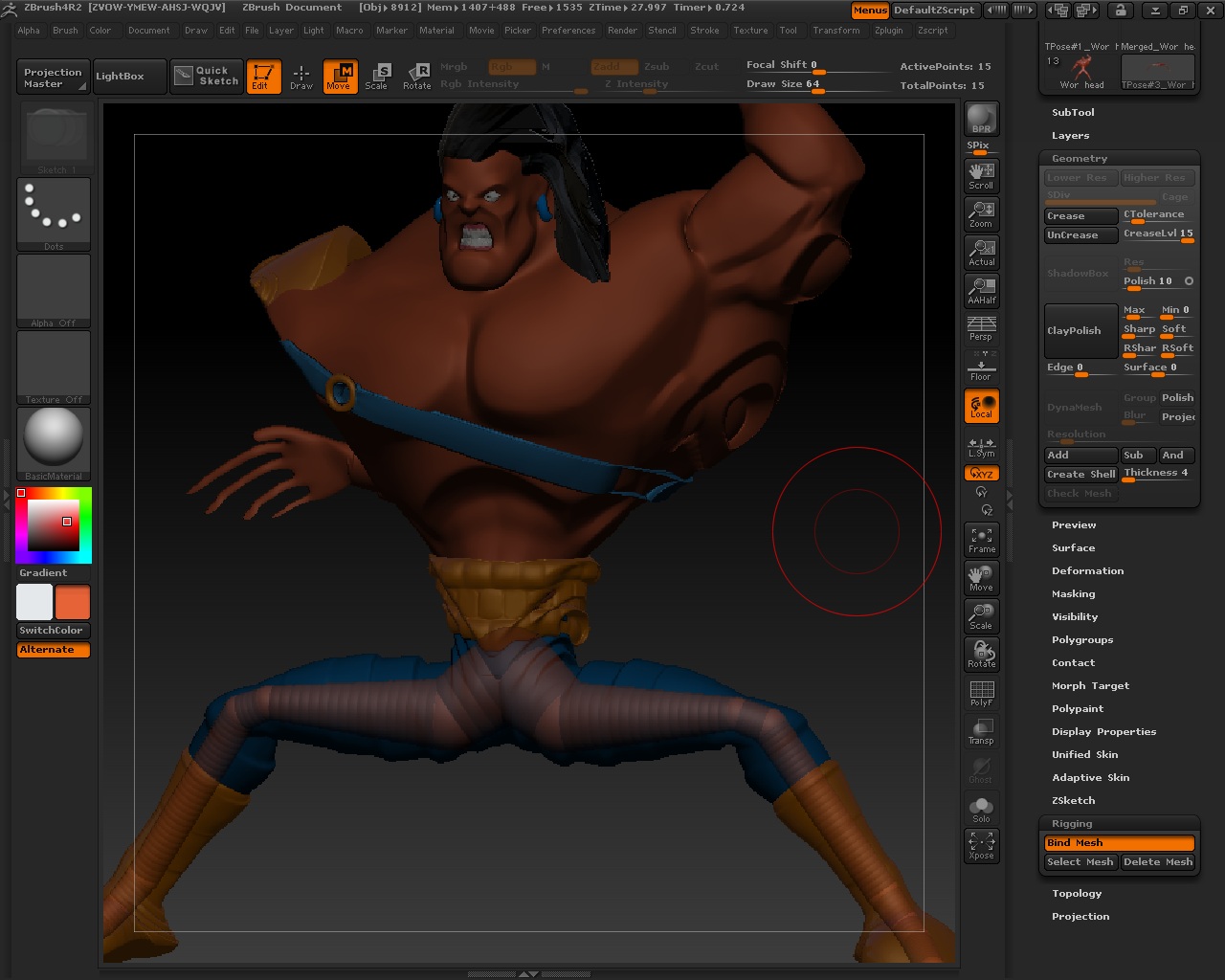
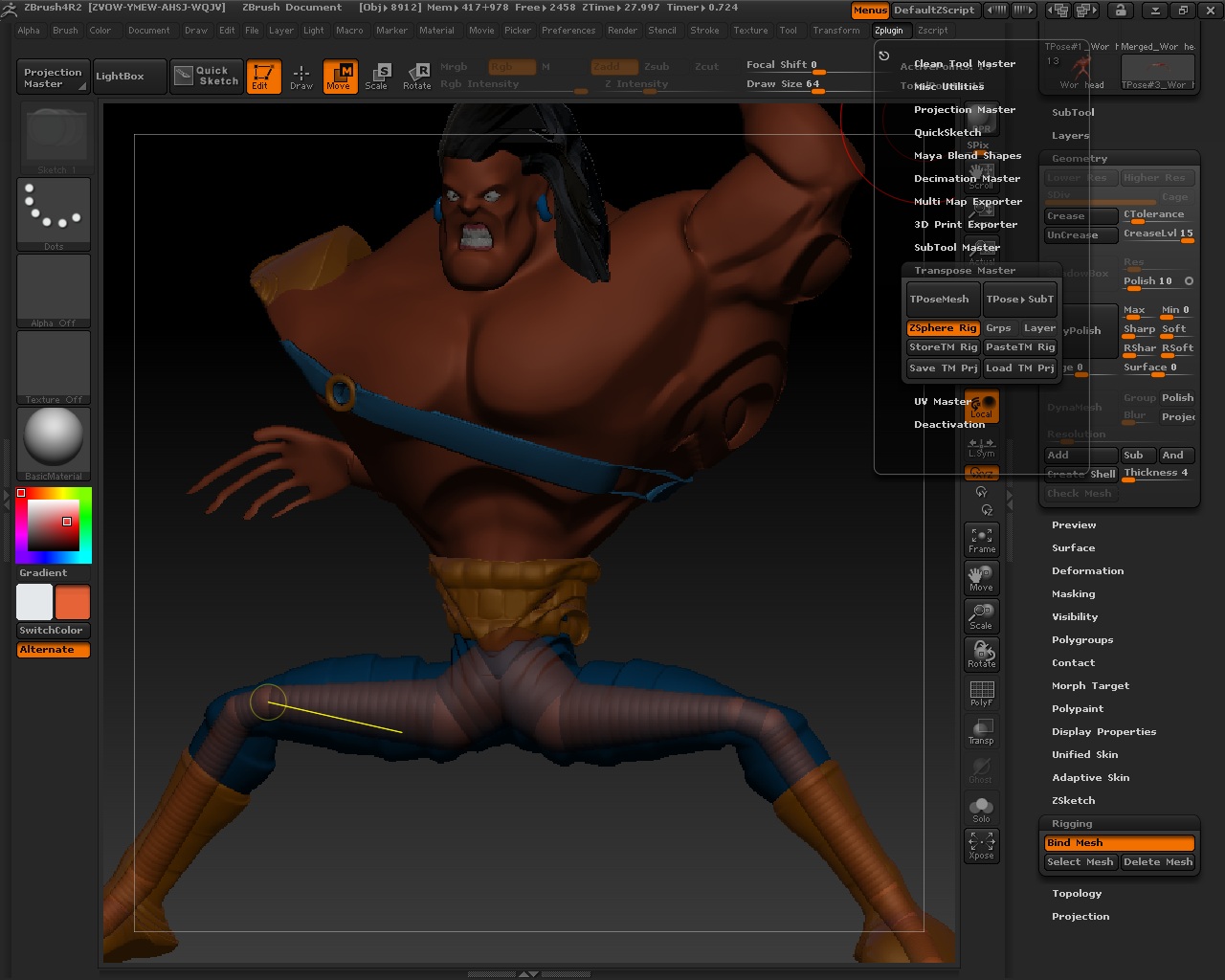
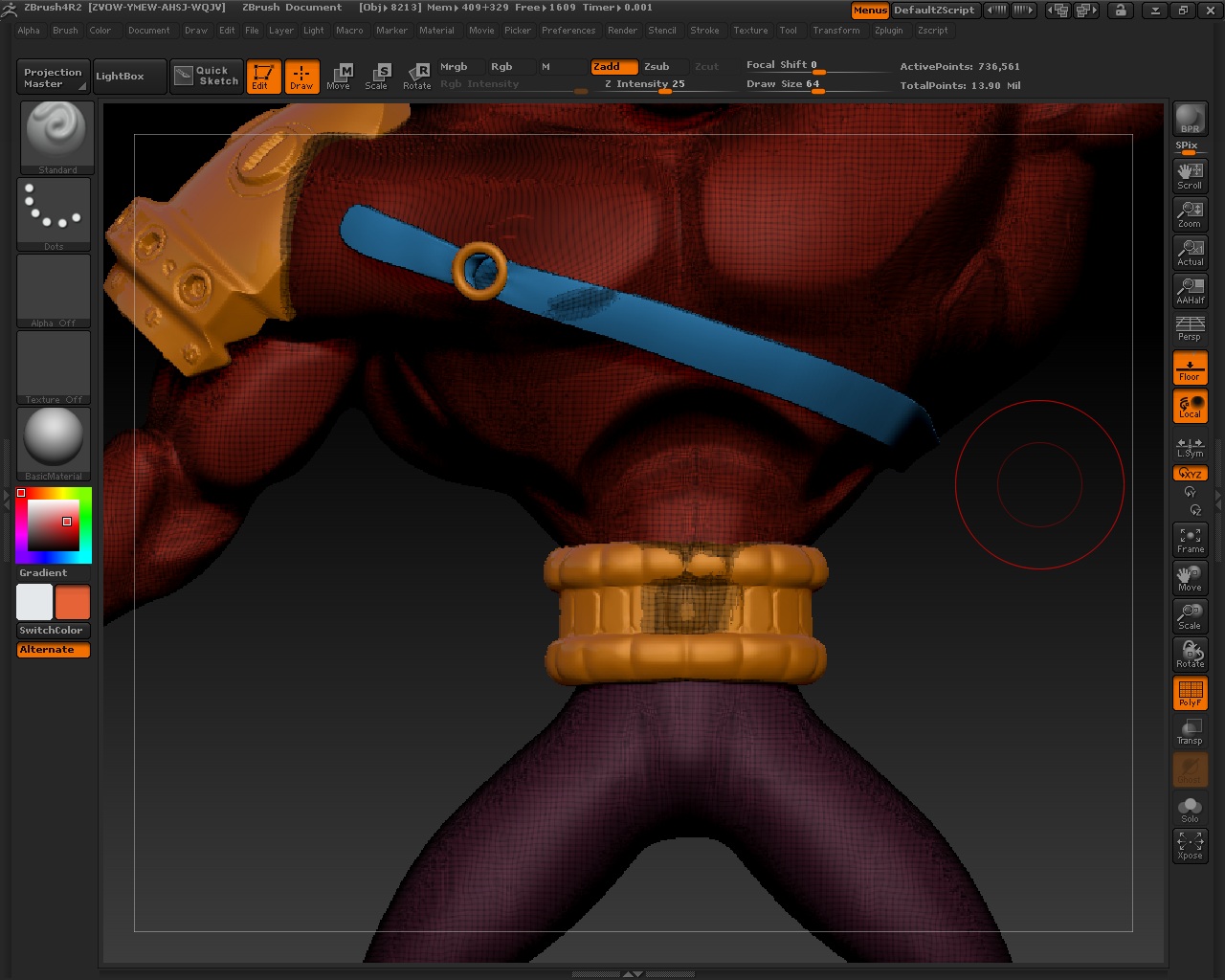
Hey Marcus_Civis and Jaysus… I think I may be running into the same issues. Please see the images below. Marcus, I did write Paul at Pixologic about this issue to see if know of this (have not received an answer yet, probably had heavy work or is on vacation… he is usually really good about getting back with me). Anywho, Marcus, I don’t know why, but I think it may have to do with Dynamesh?? You see, I have tried rigging with the soldier model that comes with ZBrush and, my own model ‘before’ I Dynameshed him and had NO PROBLEMS with the rigging/binding of the mesh when posing. And the ONLY thing I think I did was make my model (tool) into a Dynamesh. I did try testing by taking my model out of Dynamesh mode but, this did not help. ‘I THINK’ once Dynamesh is ran and you try to rig, things get screwy.
But, then, there is the issue of Jaysus using a primitive and having the same issue. Question for Jaysus though, did you Dynamesh the primitive then attempted to rig/bind the mesh and pose? Anywho, any answers would sure help.

Attachments

Wor 1 Transpose Master.jpg

Wor 2 Transpose Master.jpg

Wor Mesh Distribution.jpg

Wor Without Transpose Master.jpg

Dragon,

I’m afraid I don’t know what’s going on here. I can’t really think that it is related to Dynamesh as the mesh itself (after Dynameshing) is no different from any other mesh. Possibly it is to do with scale (I have seeen something similar on very large models). Is your model very large?

…the same problem, but without working with dynamesh, but with an normal mesh. The tool is deformed in silly wavy forms, as to be seen in the pictures above.

I also worked with the instructions of pixos video.

Working with the new 4b version.

Hope, there will be a solution?

Thanks,

Stephan