ZBrushCentral

Zsphere resoloution limits?

Is there a lower limit to how small I can make Zspheres?
For example, if I wanted to make jewelry or something on an existing mesh I keep winding up with huge blobs instead of the mesh I was expecting, I can post an image if this dosent make sense…

Thanks and Hi Zber!
GRIN!
Mealea

ok…
I sort of found something, not great but its more workable…
instead of hitting A to make a mesh out of my Zspheres I can use Unified Skin and turn up the resolution to its max, I still get bumpy mesh but at least its not a huge blob… images to follow, I think this is useful stuff.
(If I am doing it wrong please feel free to nuke this thread or what ever, I would rather see perfect mesh’s than what I’m getting and if that is possible YAY!).

nope
It removed ALLLL of my other subtools and destroyed a LOT of work…
Crap…
never mind…

----several seconds later…

I’m totally lost, why does doing some things remove all your subtools? I got them all back some how by clicking on another object in the tool menu but I have no clue why.
mumble… eyelid twitch… rubber room…

hehehe… ok more seconds later:

it looks like the unified skin thing is the same as hitting A, is that correct?

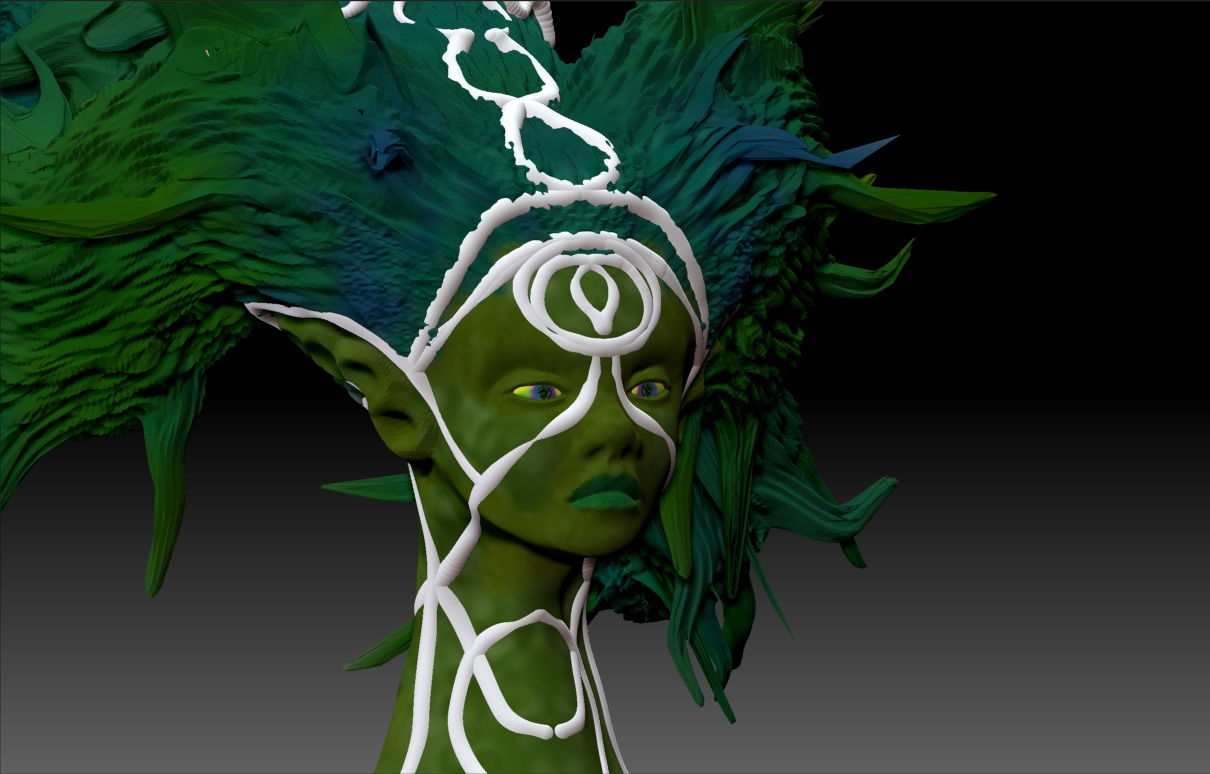
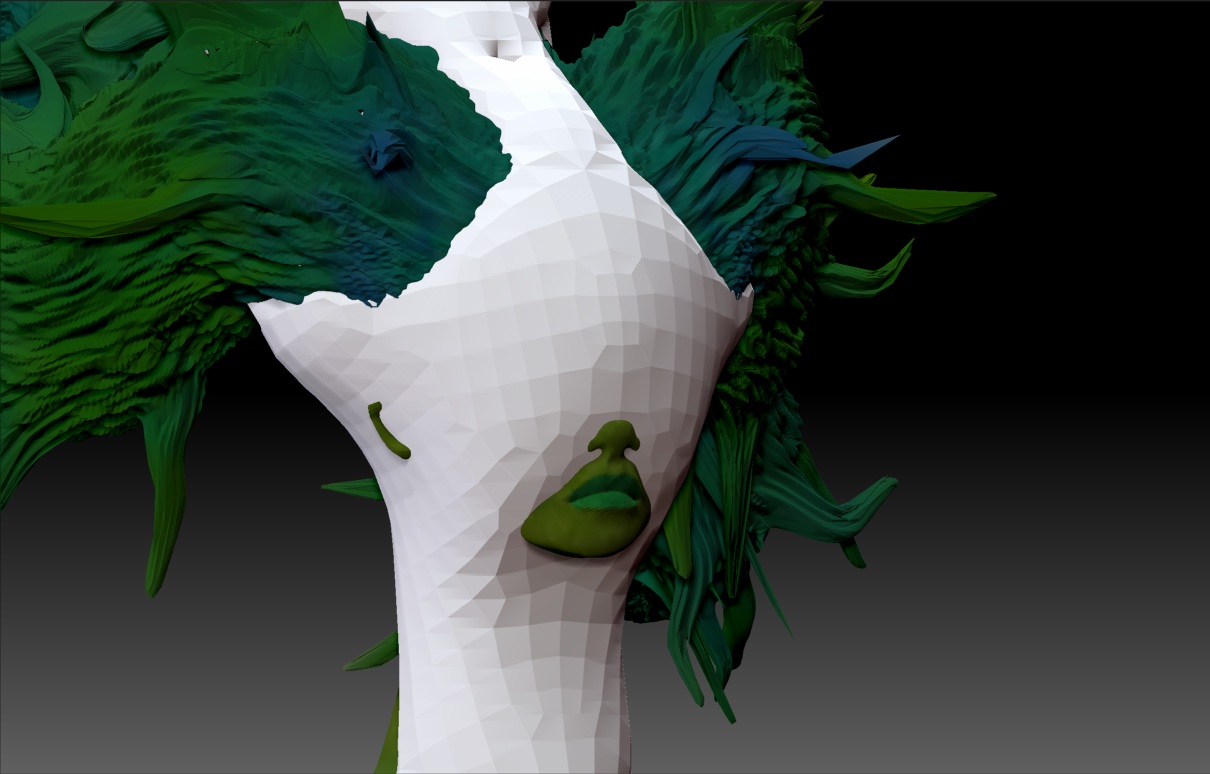
The white bit is what I’m adding on as a subtool…
The first is the Zspheres, the second is its resulting mesh, the mesh is horrible…

ZSpheres.jpg

So…
Now what?
Im at a bit of a loss, I tried Unified skin thing and lost everything again and this time dident get it back and had to start over.
This brings up other questions like:
Why do subtools vanish when I dident delete them?
Why when I change the materiel (or color) of one does it USUALLY change them all?
But wait!
There’s more!
Why when I slice does it dice and now with more dicing action?? Just kidding, sorry…

Cheers!
Mealea

Attachments

ZDammmedMesh.jpg

Hi Mealea

You do have your fair share of drawbacks, don’t you.:slight_smile:

Regarding your images, it looks like you are ZSketching on top of a mesh but when you go to preview it, it turns into a big blob. That would be a result of your ‘Tool > Unified Skin > Resolution’ slider being set too low. Increasing the resolution of the Unified Skin will give you a skin that more closely resembles your ZSketch. The drawback is, that the higher you set the resolution, the longer it will take to render your Skin preview. That maybe would also be why you are having problems with small spheres. ZSketching and the resulting Unifed Skin should be looked at as a rough-in and not something for doing fine detail.

Regarding Color and Material changing on all subtools. That’s normal for ZBrush to give you a live preview of any color or material change. If you want a subtool to maintain it’s color and material, then you will have to fill it. i.e. 1. Select your subtool that you want to fill. 2. Turn on ‘Mrgb’ button. 3. Select your color and material. 4. Go to ‘Color’ menu and click ‘FillObject’ button. Now that subtool will not change color or material when you select other colors or materials. Any subtool you fill can always be changed later by re-filling it with a different color and\or material. If you want to change just the color and not the material, then fill with the ‘Rgb’ button on. If you just want to fill with a different material, then fill with the "M’ button on.

As to why your subtools are disappearing, it would be hard to tell unless somebody is standing over your shoulder and watching what your doing. If they are, it’s probably because you did something to make them vanish. Tools will stay in your Tool palette until you Init or restart ZBrush. So if it looks like something has vanished, just click on the large Tool icon and check inside the Tool palette.
Something else you can try instead of ZSketching on your mesh is to use a ZSphere armature. Drawing ZSpheres on top of your mesh will follow the surface that you are drawing zspheres on. Using ZSpheres and a Adaptive Skin will give you a more precise skin as compared to ZSketching and Unified Skin. If you want a more flowing ZSphere Adaptive skin, then turn on ‘Use Classic Skinning’

zspheres.JPG

GRIN!!!
Thank you Zber, and yes I do, more than my share I suppose…

I do apologize for the number of questions I have. I have severe limits on bandwidth and so can only watch a couple of the tutorial videos a month, not fun but there you have it.

Anyhow, thank you VERY much again!
More and more and more questions soon!

Cheers!
Mealea

Hey you are really coming along there, it’s good to jump right in and run all the features through the works!:+1: