Hello, I started working with making a basic humanoid but, I pressed something lol, (not sure what) that made the Zsphere along with the links red. At a lost of how to make it select just the Zsphere on it’s own again. Any help would be appreciated. 
Single click in your empty workspace. Use smaller brush size (shortcut S on your keyboard) for more precise selecting/editing. The other importan shortcuts are (I’m sorry if you already know this  ) t - edit object (selecting object to begin work on), q - draw mode, w - move, e - scale, r - rotate.
Cheers
cr
Thanks for the help!
Seems like I’m running into the same problem again lol. I’m not sure what I do for it to do this but here’s a picture.
Attachments
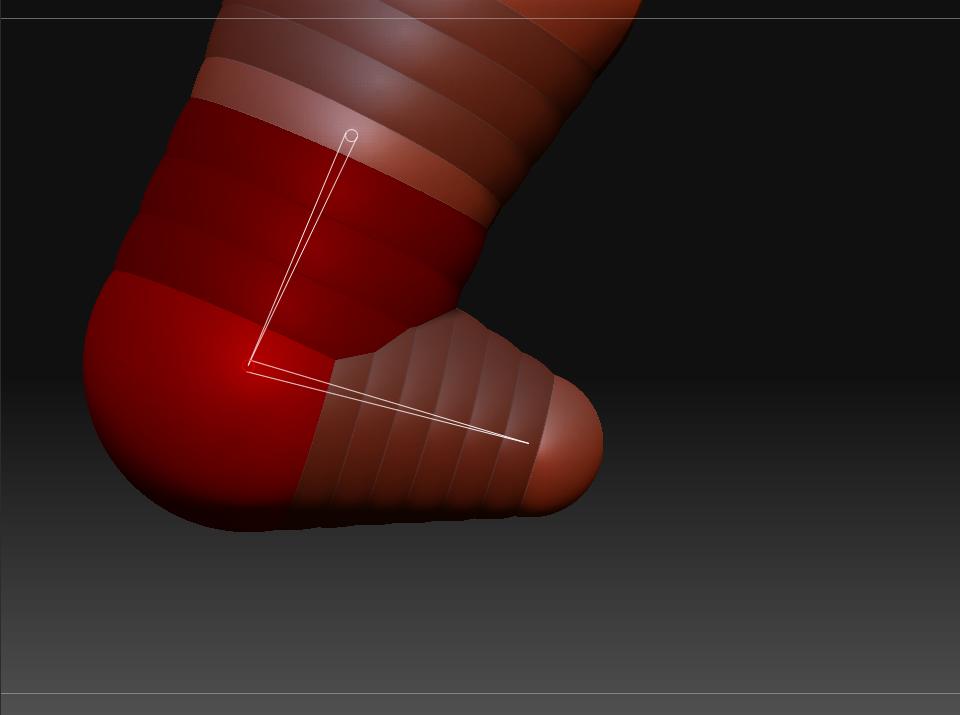
Hi again You could be pressing ctrl+left click (or click with a pen tip if you’0re youseing tablet/cintiq). I just press in the empty area again, it shouldn’t worry you really, it’s letting you work normally, right? So just ignore it 