ZBrushCentral

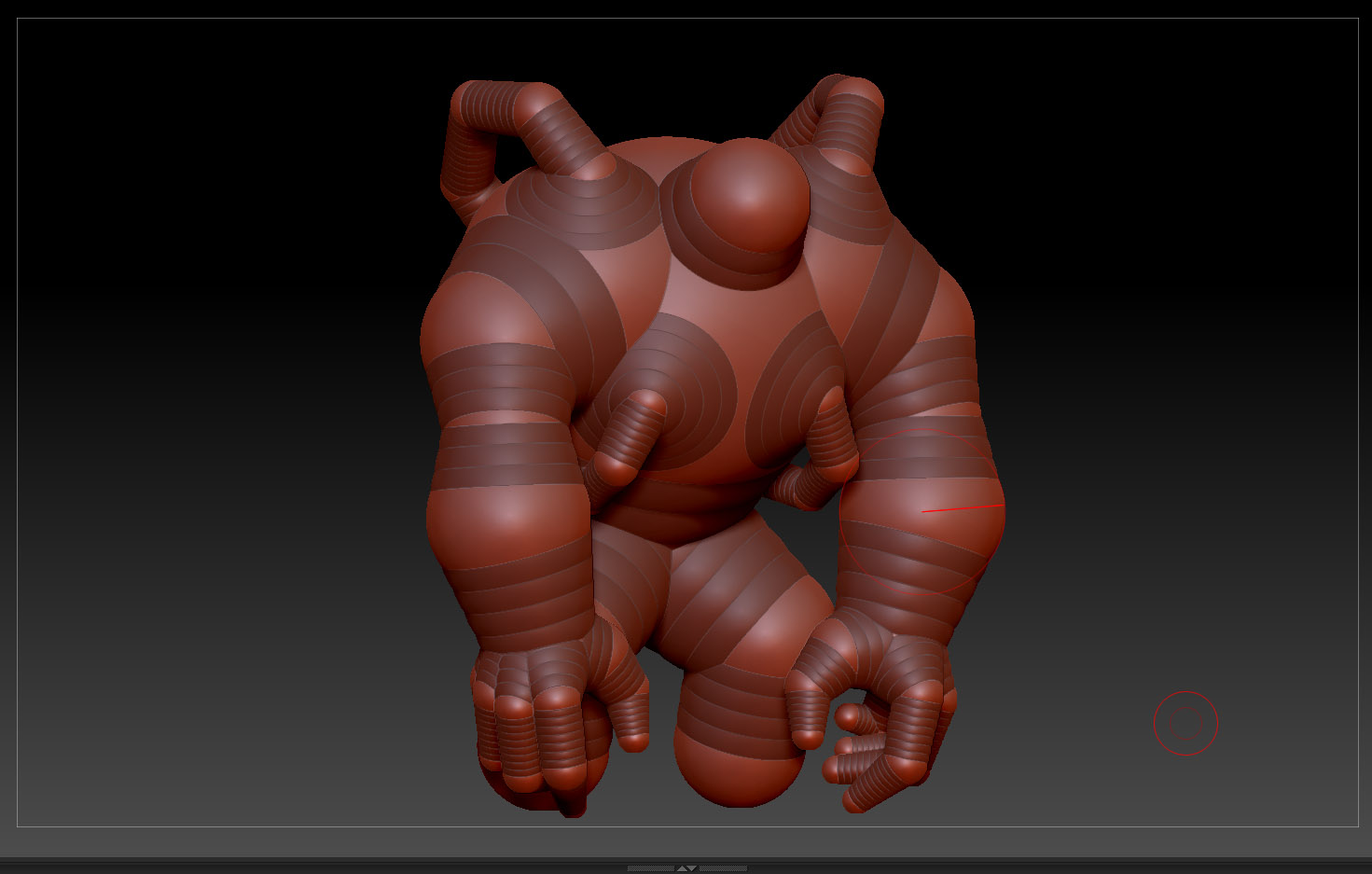
Zsphere/ Adaptive skin issue. Skin is VERY different from my zSpheres. Thanks!

Thanks for checking this post. Brand new to zBrush, made my zSpheres and want to get this over to a clean mesh to start pulling it about but the adaptive skin is very different from my zSphere shape. Have I made a big mistake and have to start over or are there settings I need to adjust? This is the preview with the “a” hotkey.

Thanks very much guys.

Attachments
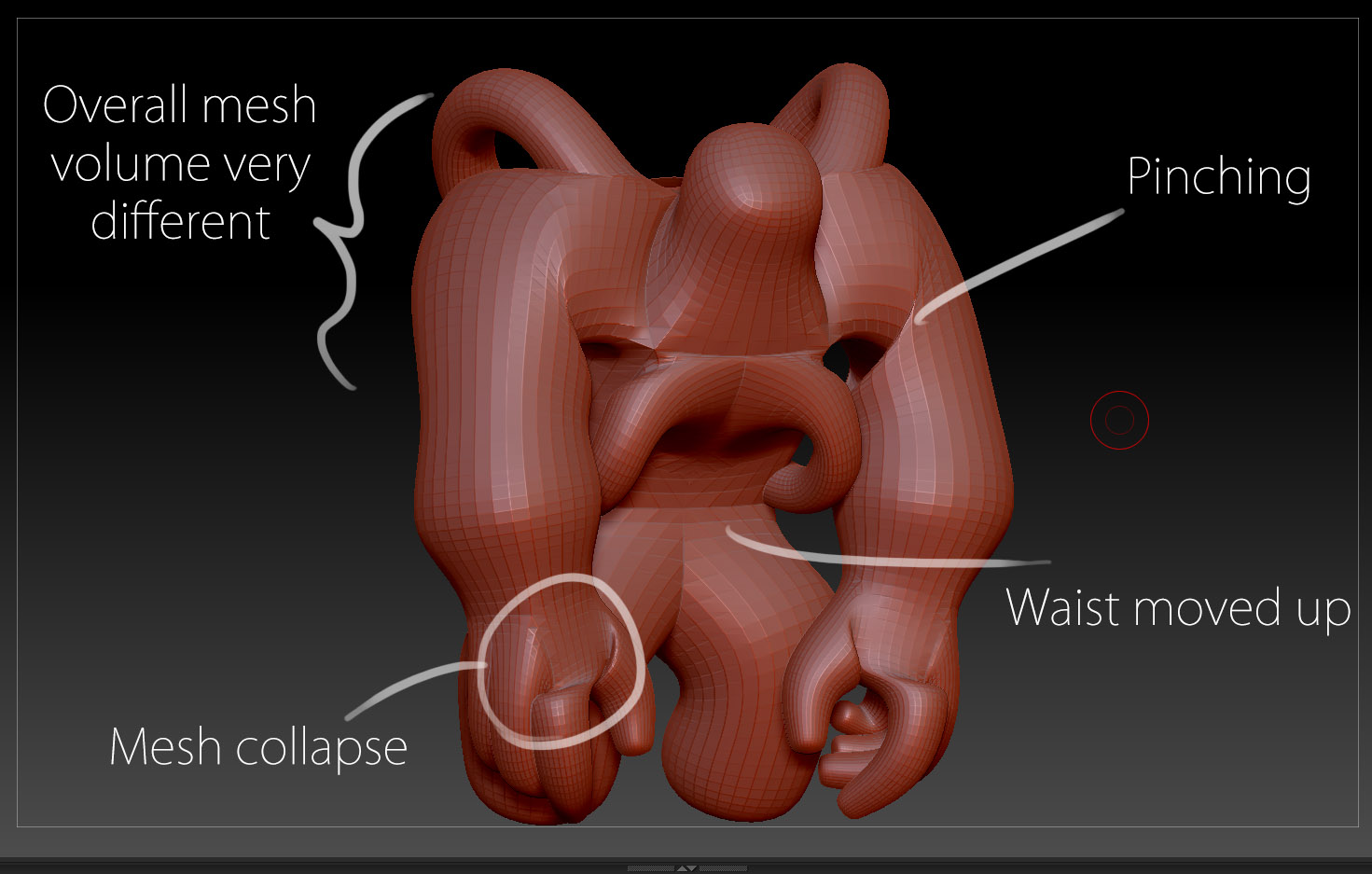
adaptiveMesh.jpg

zSpheres.jpg

try unified mesh instead of adaptive skin and see if that gets you more what you’re looking for.

Thanks for the reply, but how do I use Unified mesh instead? When i press “a” for the preview I think it just defaults to adaptive skin. On the unified Mesh tool the preview is greyed out and when I change the options it makes no difference. Whereas the adaptive preview is highlit and makes changes when I adjust the slider. Thanks again!
adaptive.jpgunified.jpg

You have to click “Make Unified Skin” which will put the skin in the Tool palette with the prefix “Skin_”.

Have at it. There’s Classic and Adaptive skinning. http://docs.pixologic.com/user-guide/3d-modeling/modeling-basics/creating-meshes/zspheres/basic-humanoid/

Thanks very much, I took a look at the rotations and scale of each sphere and I managed to find a overlapping sphere that was causing the issues. Fixed! Thanks for your help :slight_smile: