ZBrushCentral

Zsphere adaptive skin has hard edges between spheres

Hello ZBC!

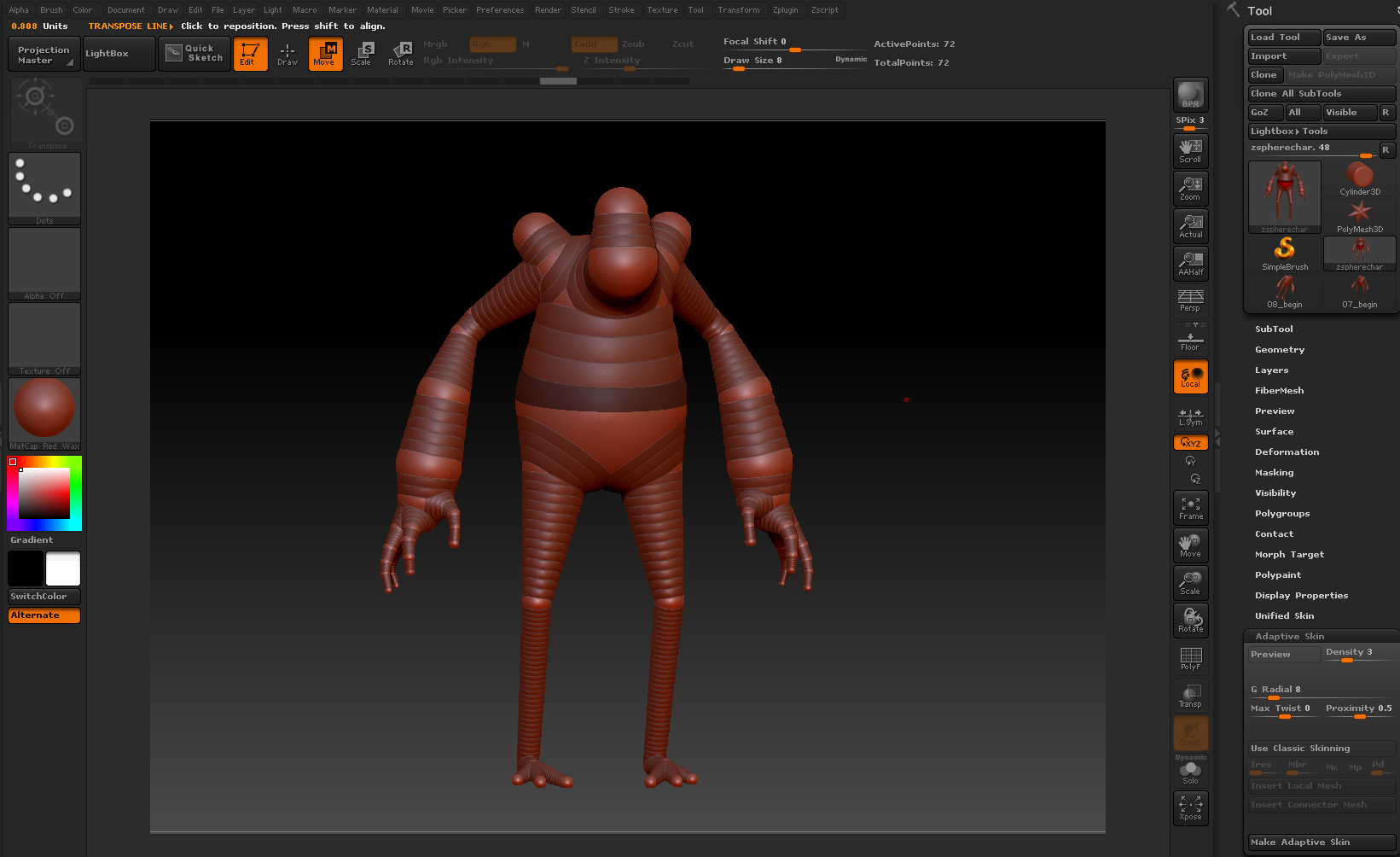
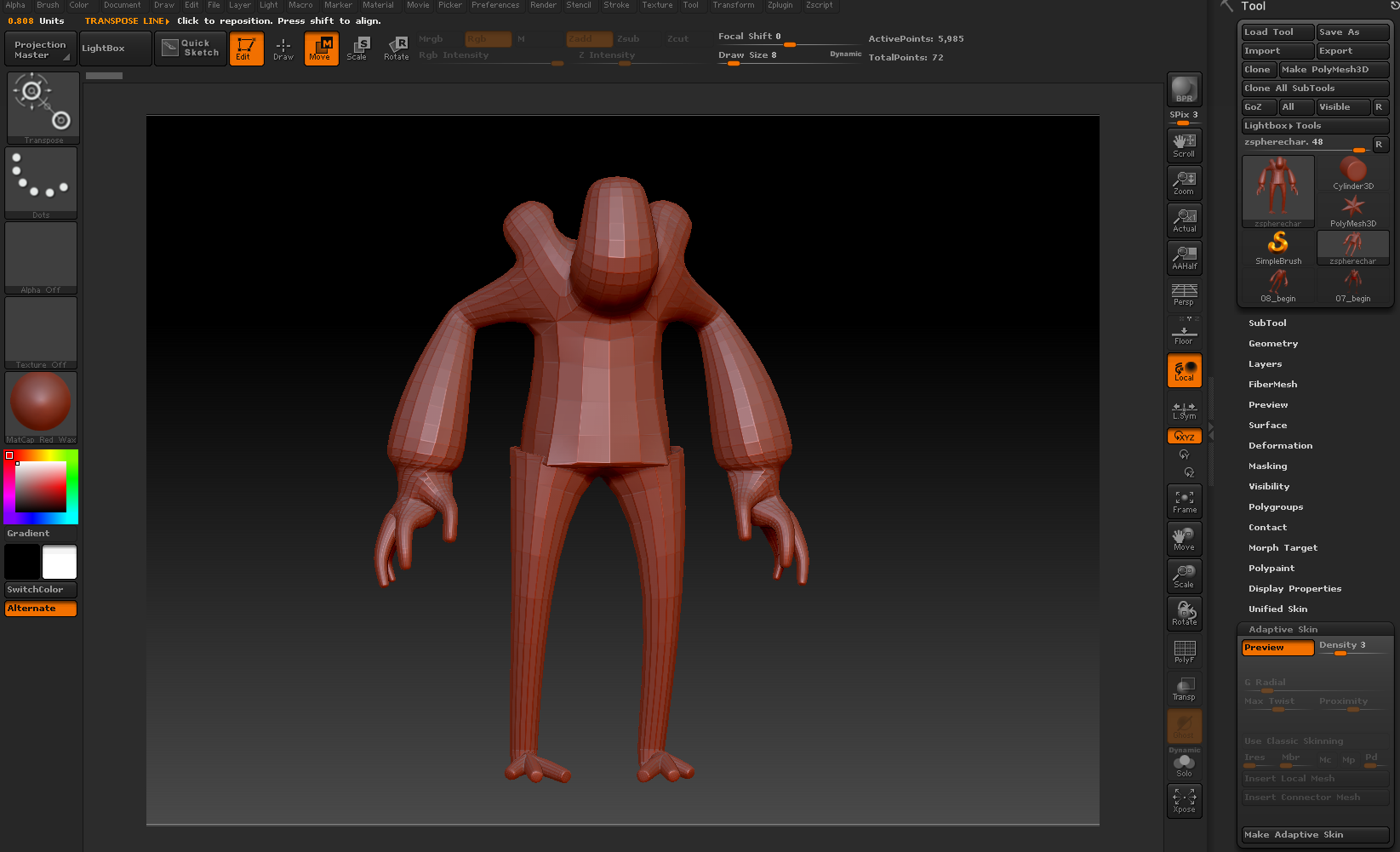
I’m working through some Digital Tutor tutorials and am currently in a zsphere module. Despite building what I think is a reasonable approximation of the character, when I go to generate the adaptive skin from the zspheres I’m getting some really harsh edges and corners at the intersections. I’m really not sure where these edges are coming from since it seems like it should be a fairly obvious and smooth transitions between the joints. My only assumption at the moment is that I’ve made some error in construction the character and that those spheres are somehow being processed differently.

Anyway, here is a before and after to try and highlight the problem that I’m having, I’m especially interested in figuring out why the hips are just so sharp and harsh. Any advice is welcome :slight_smile:

Attachments

FBeZUhZ.png

IA8uMcL.png

So my initial guess for this was that there were some spheres being included that I could not see and that these were messing with the mesh. After some help on another forum I went down that path. Eventually I figured out to follow the links between spheres and spotted a few errant links that were leading to spheres that I did not need. Still though the mesh was coming out with some hard edges.

Finally, after some more investigation and making all of the zspheres have an almost zero display size I was able to see that there was some stray sphere infront of the main one that appears to have been causing the issues. However I could never manage to delete the offending sphere.

JppOqM5.png

So in the interest of doing something I went ahead and just remade the whole thing from scratch. This time checking more often along the way if the adaptive skin was working as I expected. All seems to have turned out a little bit better this time around. So I guess there must have been something funky on a couple of the spheres that was causing them to try and include some funny points within the mesh that I wasn’t expecting.

Sorry that I wasn’t able to reach any more enlightened solutions!

3z6SCN3.png