ZBrushCentral

ZRemesher - Cannot get edge loops!!

Hi,

So I have been hammering away at this for a while now, and no matter what I try I can never get edge loops when I use ZRemesher. I have tried using both the zremesher brush and the creasecurve brush coupled with stroke: frame mesh. (see here https://www.youtube.com/watch?v=9HWIMtEtDwY&feature=youtu.be&t=14m37s )

Sometimes a section will have edges, yet another section set up identically will have a long spiral going up the arm. I can’t seem to get any consistency here to allow me to nail down what workflow I should be using.

I can see a lot of promise with this tool, but without edges its no good for my needs.

Let me give you some examples:

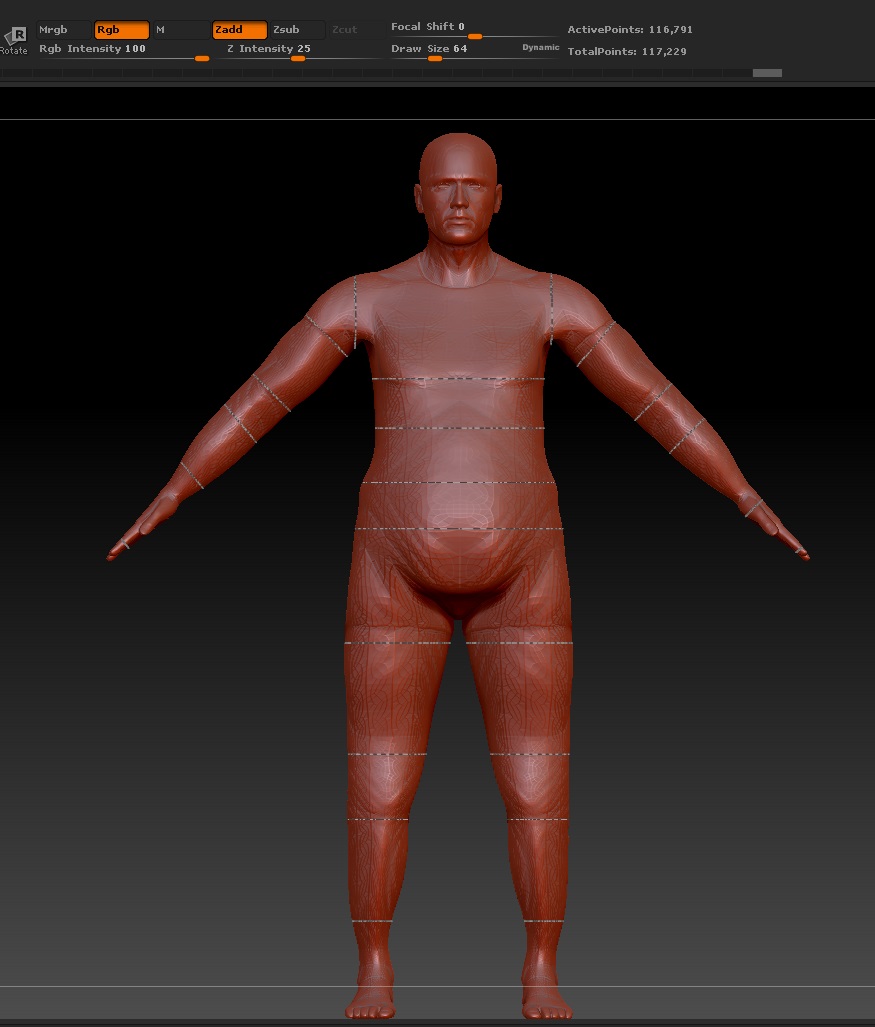
My character model:

I then send this into max using Goz, and select edges under edit poly:

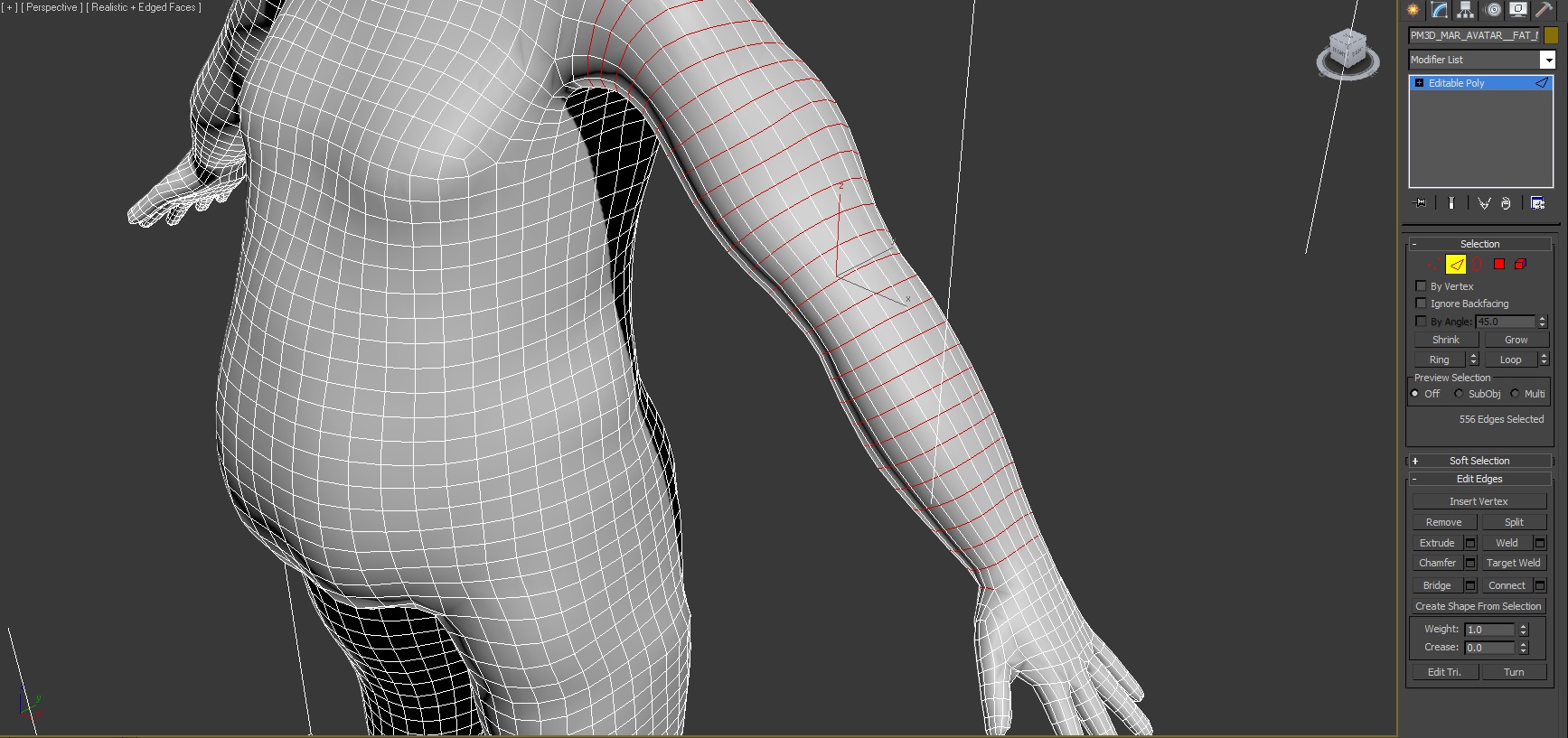
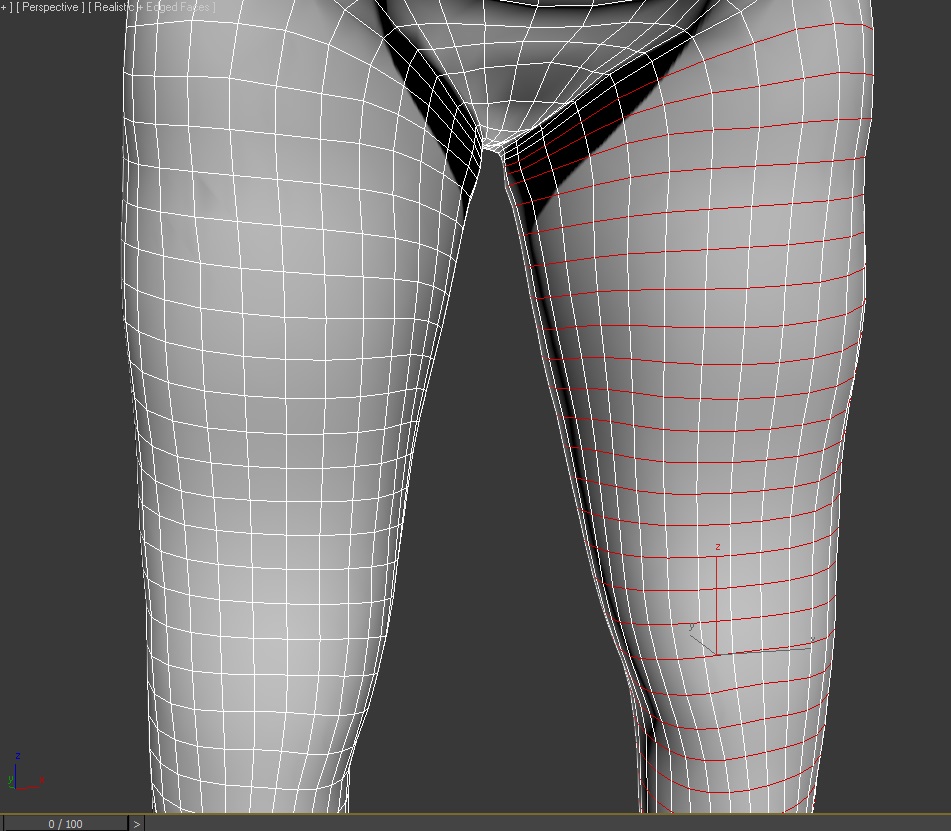
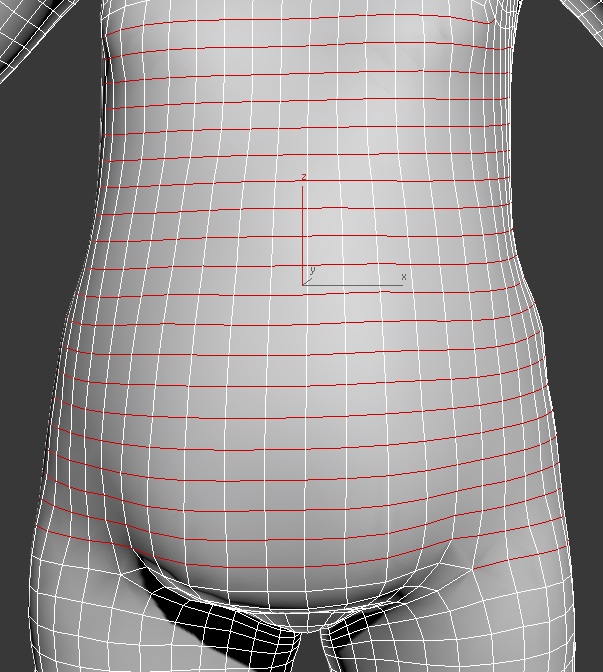
Select an edge on any limb, hit loop and this is the result (spirals and not an edge loop):

Its also the same using zremesher brush, very hit and miss and not much consistency to be found.

Am I missing something fundamental here?

Attachments
6KRo3.jpg

6KRs3.jpg

6KRvY.jpg

6KRDe.jpg

It’s not a perfect solution, there are a bunch of settings you can try to tweak. I believe it’s more for reducing your poly count than to set up to animate. Couple other posts on here about this. BTW, cropping off the panels of your UI makes it harder to tell what you’ve done and how you’re working :wink:

See this thread.

Hi Yeah, I found that thread when searching…do you mean the workaround suggested by this userI can follow that up until 'Project the details from the original mesh to the new one.’

You should update your copy of ZBrush.

Just updated, but no difference was made.

Its too inconsistent. I have it working a bit better now, by going back to the zremesher brush and trying to get that wild lasso loop around the limb (it never quite gives you the angle / control you need). Sometimes it will give you an edge, others not, but there seem to be no discernible reason and its more down to luck.