- retopo version
- high poly original made in zbrush that needs the new topology
- Tried using zProject brush (via zbrush)
- Get these funny business
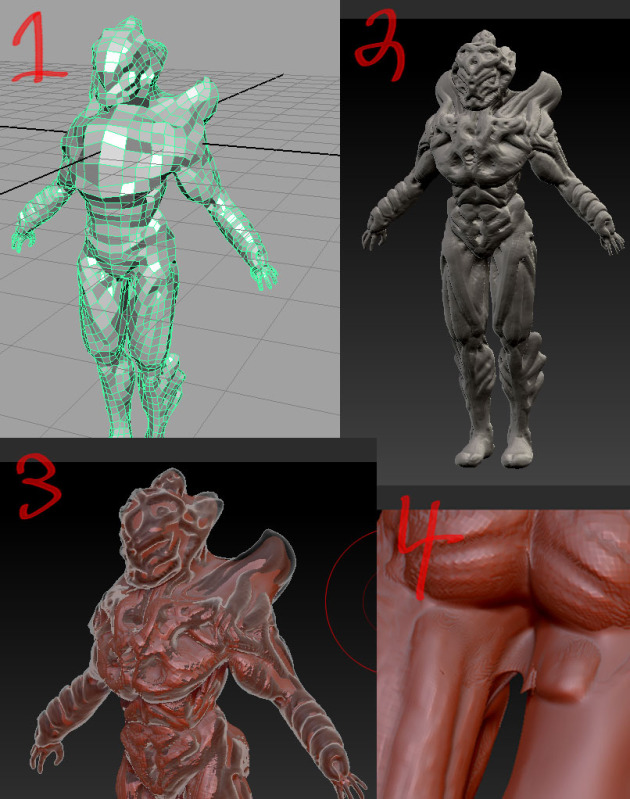
The intention is to have this imported into UDK (unreal engine) and play as that character. I don’t want to get to the higher detail until I work out the topology. Is there a better way to transfer my topology to my high poly?
When I followed zbrush tutorial on the use of the zProject I had a worse time then what you see now. It kept pulling the back of the model. Also I could not find the elevation setting it said to set up to 100. So I use backface culling and that helped somewhat. not so sure but x symmetry turned off worked better too. Love to hear people’s experience and advice on retopo methods with or without using the zProject.
I used 3d coat to do most of the retopo and the rest in maya (to mirror the retopo). 7000 tris after retopo.