ZBrushCentral

zproject isn't projecting my mesh properly?

i built a solid piece of geometry and now i’m projecting it over my previous mesh (several subtools) i did a project mesh to get to where i am now with the solid mesh but it created a lot of messed up parts.

I figured if i used the zproject brush i could fix those parts but when i try to do it, it pushes my mesh in all kinds of weird places. anyone know whats going on? how can i fix my solid mesh piece to match the subtools piece?

[2008-10-10_073507.jpg]
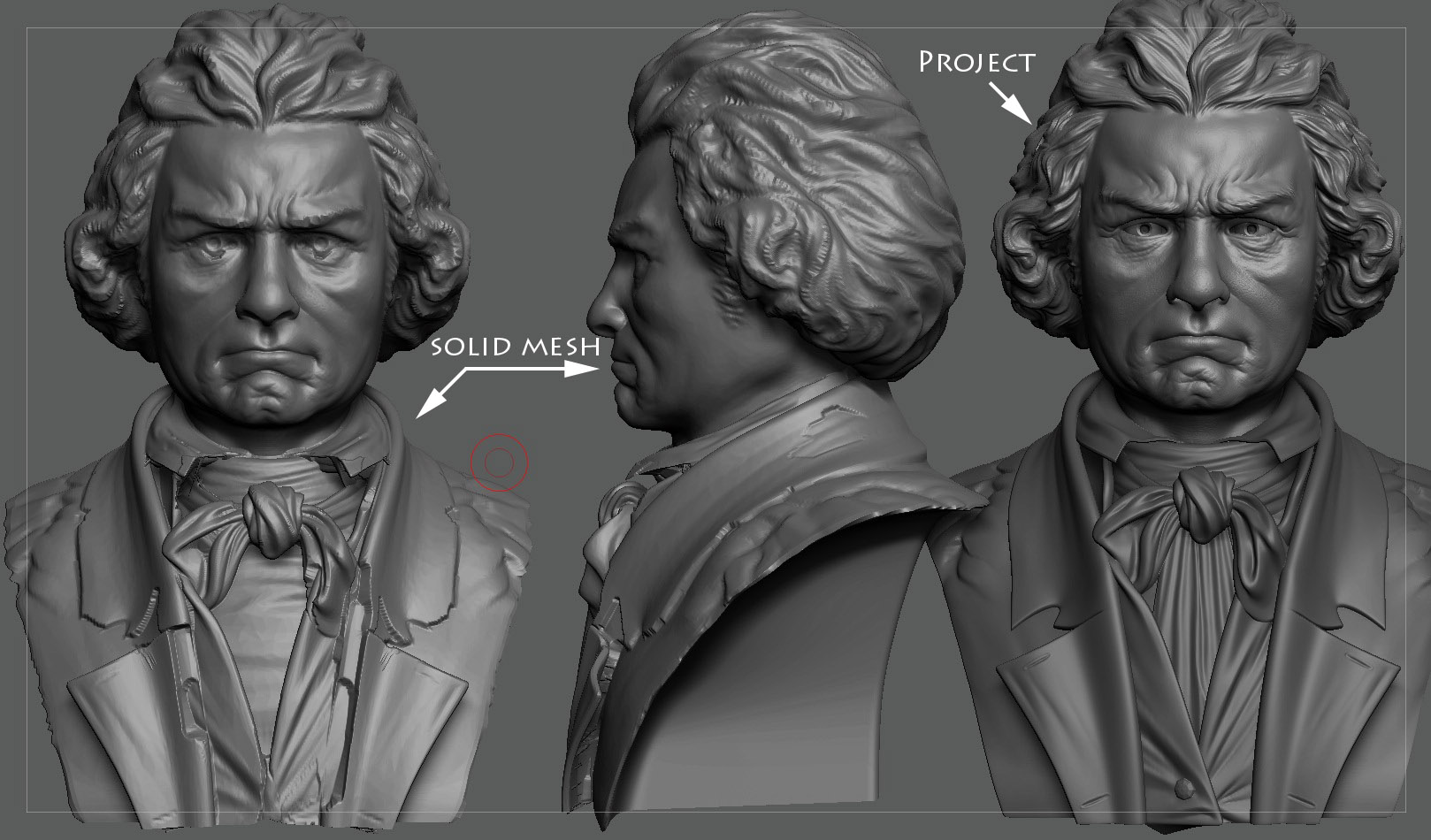
One thing to keep in mind is that the ZProject brush works relative to the camera. It always operates directly toward the camera. So you need to be careful to line your model up right for where you’re trying to work.

Also, your model is very complex. There are some places where you might not get good results with ZProject no matter what. If adjusting the brush modifiers (in the Brush palette) doesn’t help, you might consider using different brushes to massage the projection and clean it up.