ZBrushCentral

ZMapper and Sculpting

ZMapper

Creating normalmaps and also cavitymaps with Zmapper.
Looks like its totally random when it creates anything correctly.
Well actually it creates something allways correctly, but very rarely with good quality results. It can be seen, when u use that preset for confiqurations “3dsmax8modifiedE.zmp” and then “capture current mesh” and “create projected normalmap”. The prosessing times tells a lot. When normalmaps are coming out with seam errors, it takes less time to generate, than when ZMapper does good quality maps. With cavitymaps, when loading max presets, it doesnt generate anything. Solution for that is just initialize Zbrush. Unfortunately it doesnt work for normalmap generation.

Cant figure out, how its possible to create normalmaps without huge and paranoided battles with Zbrush. Sometimes swapping between different windowses shakes something in Zbrush and Zmapper creates good maps, or not. Also looks like nobody knows anything and lots of ppl have problems when Googling and looking help from ZBCentral. Computer should have enought power, 6 gig mem, Quad processor and Zbrush mem options is set to 4 gig. Could it be the NVidia Beta display driver, what was suggested when playing GTA4? Lots of time has been spent with normalmaps and Zmapper, often it has been fighting.

Sculpting.

Why rotation (Rotate Edited Object) and zoom (Scale Edited Object) sometimes gets stuck, often when working with high polycounts?
It would really help if you provided reference information:


  • Images showing the problem
  • Info concerning your system
  • The steps you’re following
  • The settings you’re using

Well,

System: 6gig ram, Intel Quad Q6600, NVidia 8800 GTS with Beta driver, Vista. ZBrush settings: Compact Mem setting set to 4gig. Worksteps can be like anything. Lets assume that we have created character with ZSpheres. We have retopologized it couple times and we continue sculpting. When the sculpting is finished, model can have 5-10 million polys and it is ready for generating NormalMaps. We take model to lowest subdiv level and we create AUV tiles and then we create texture sized 512x512, 4096x4096 or some power2 size. We open ZMapper and we are using "3dsmax8modifiedE.zmp" preset. Then we "Capture current mesh" and "Create projected NormalMap". This point, if we have like ~10 million polys, it causes randomly some QuadLink errors or similar types of. It gives a dialogbox where is a error type displayed. This far i have got 2 different types of errors and the another one i cant remember. Another is that "QuadLinks" -error. Its linked with mem usage, because if we set "mem options>Compact mem" to 4 gig, it reduces the random errors and really starts to create the NormalMap. If we have the "mem options Compact mem" se to like 215 kilo, it wont never create the NormalMap out of 10 million polys model. It allways gives error "QuadLinks...". But we have now like ~5 million polys and we have to create 512x512 sized NormalMap. We open Zmapper and use the presets, capture and create. It creates NormalMaps very fast and with low quality. There is just some seam errors in the texture (artifacts?), which can be said that its caused from ZMapper setup. But its not about the ZMapper properties, because sometimes it starts to really create the NormalMaps. It takes significantly longer to generate, than when it does low quality maps. And the seam artifacts can be seen in ZMapper right after the generation and not only in another 3d program. Well this was basically the same what was allready told in the previous post. And images, well i can take pictures about the artifacts, if it really helps somebody to figure out the problem. But the problem is described very detailed above. I tried to use very basic english to describe the problem, because i dont have skills to do it better anyways. Please say if the real pictures are required. Assumed that previous post was just blurred.

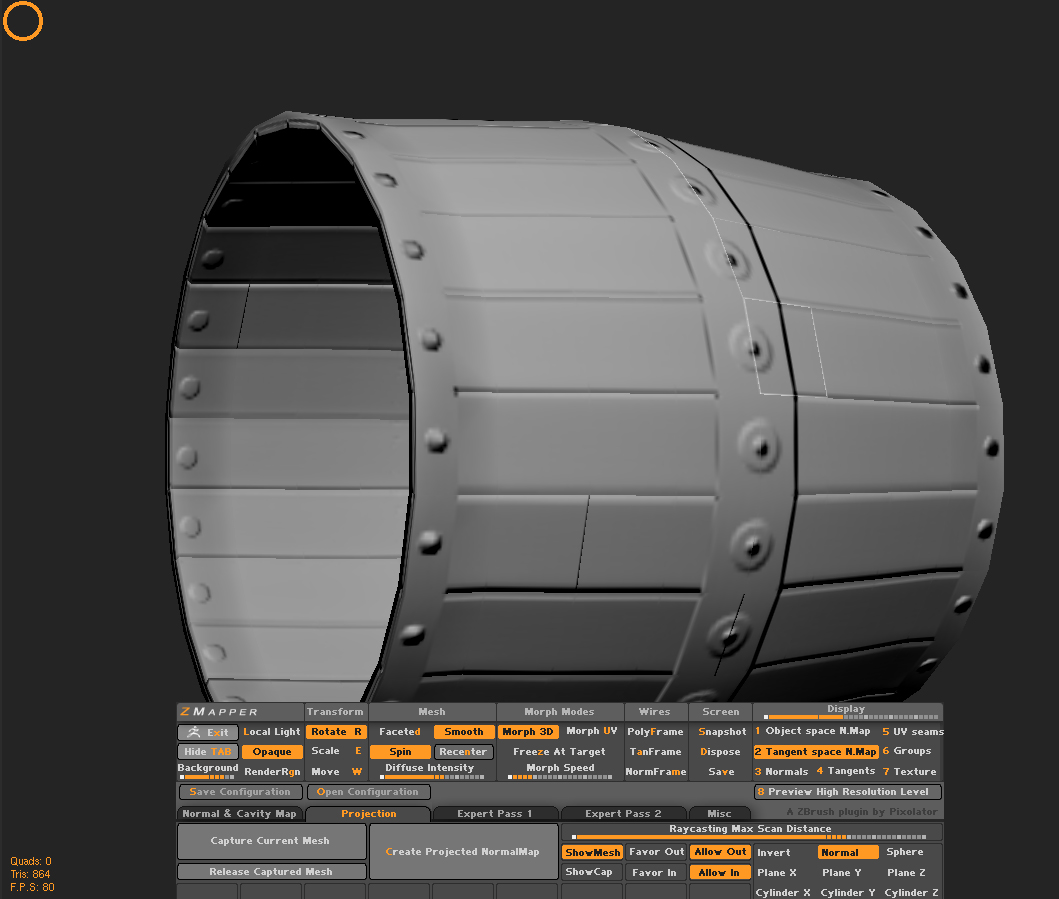
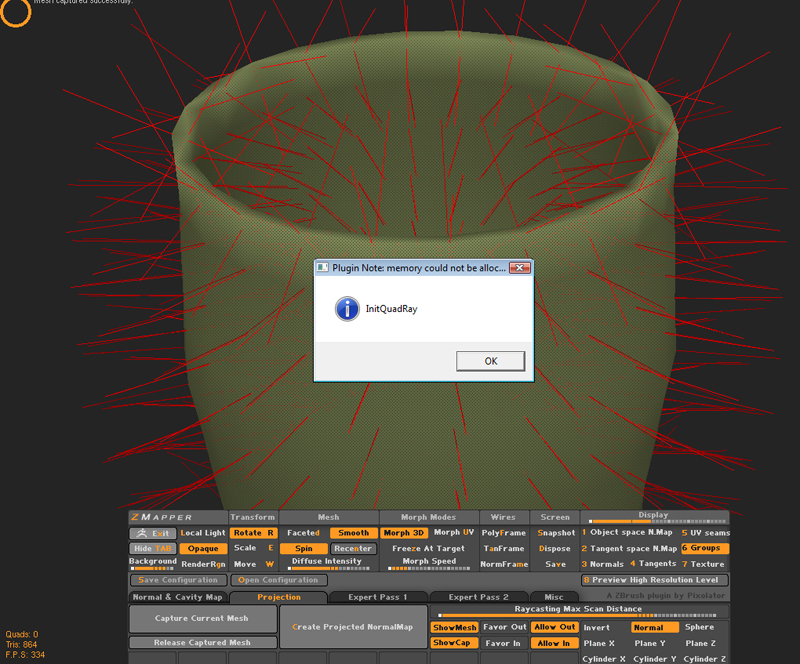
Here are some pictures.

It gives often this kind of error.

[InitQuadRays.jpg]BrokenNormals.jpg

Read previous post to understand the problem.

don’t store the mesh to project it. Actually divide the new mesh and project that onto the previous mesh. The problem is (from what I can tell) Zmapper is having trouble storing the high res mesh and projecting it onto the low res.

If you really really don’t want to do that step, i would suggest using xNormal to generate your normals the way you’re doing…because that is how xNormal works.

goast666:
I dont understand (anything) about the way where u are quiding. I tried to get some help from the references, but it didnt really helped to understand.

"don't store the mesh to project it." and ("Actually divide the new mesh and project that onto the previous mesh.")
  • U mean that its not good to “capture current mesh” from the same model where u are trying to generate the “Create Projected NormalMap”? I tried to do 2 different kinds of models. Model B contains 1 subDiv and is the basic low poly model. Model B is also a clone of the orginal model A. Model A is the sculpted, high poly mesh with super details. I tried to take the model A to the ZMapper with lowest subDiv level and “Capture current mesh”. There was also texture aboard. Then back to ZBrush root and taking model B to ZMapper with the same texture what was involved with model A. “Create Projected NormalMap” and it does the same lazy quality maps with some strange random seams. Im not sure did u mean this.

“Actually divide the new mesh and project that onto the previous mesh.”

Thats the part what i didnt understand at all. Maybe i should think it more than just couple hours ;B.

“The problem is (from what I can tell) Zmapper is having trouble storing the high res mesh and projecting it onto the low res.”

Agreed.

Problem could also be, well atleast in this barrel case, that i was trying to project 7 mega polys to 512x512 sized texure map. NormalMaps was working with higher resolution textures, but should it make those seam errors still, if i want to press some awesome amounts of polys to smaller size of texture? If i destroy those higher subDivs to match the texture dimension, the projection quality result isnt even close what was in the broken seam result.

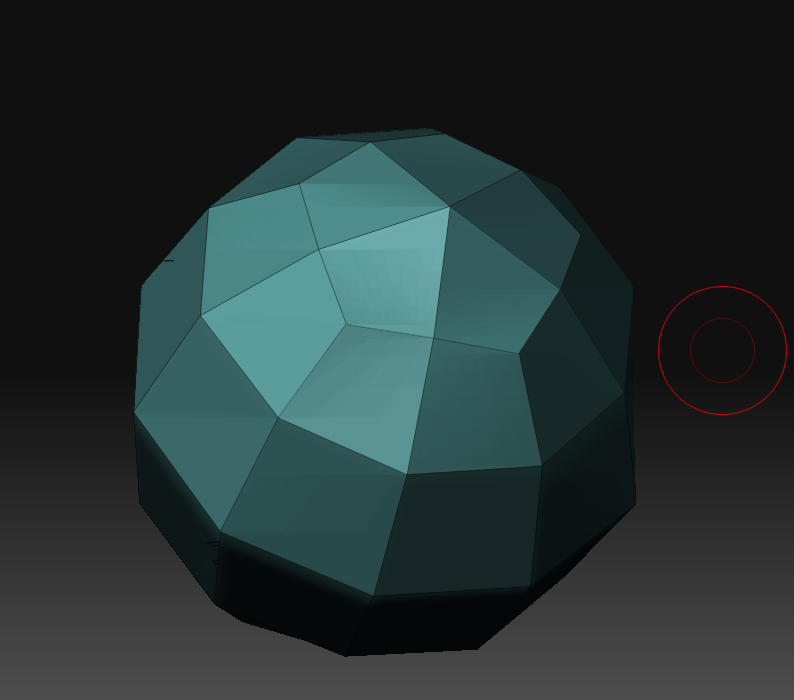
Some inspections with simple model.

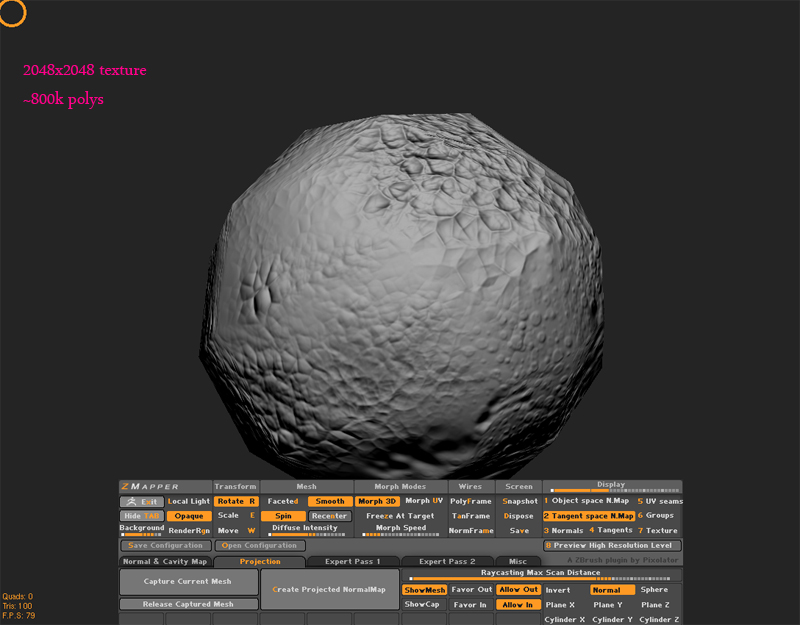
The basic stucture of the ball. It has a 8 subDiv levels with 800k polys.
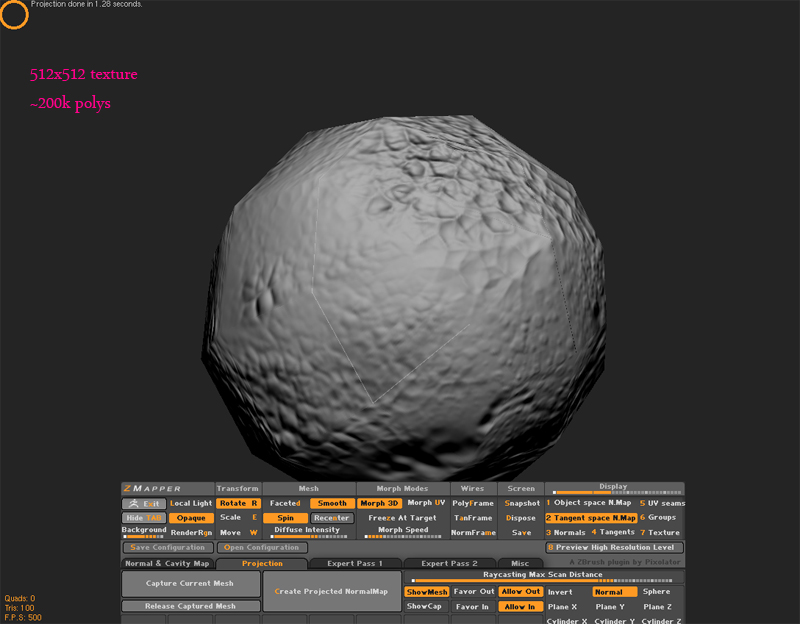
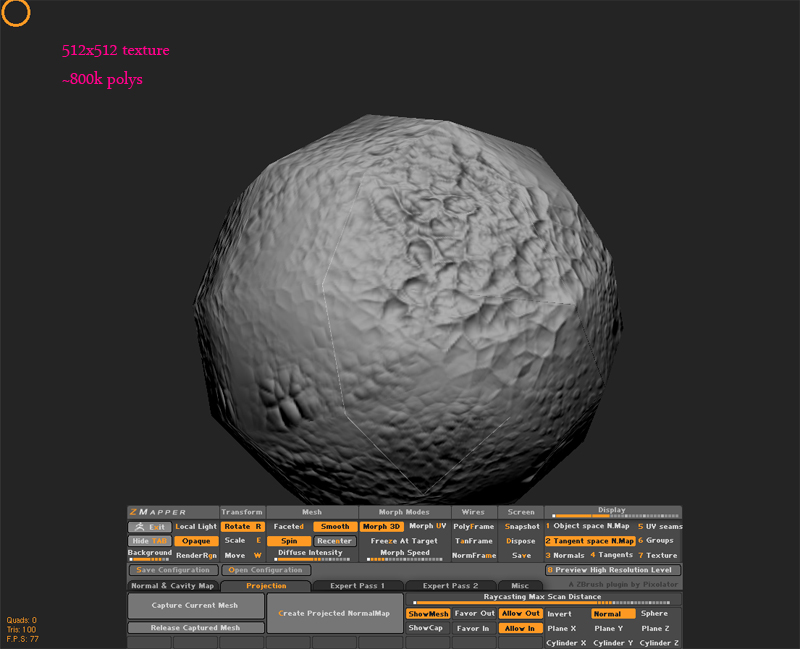
[NormalBallsStruct.jpg]NormalBalls512with200kPol.jpg

Last one should work because total polycount and texture dimension matches together.

If somebody knows tips 'n tricks with ZBrush, im ready to hear clear instructions. Clear instructions because im not experienced user. I thought the problem was random, but know it doesnt look like random. Sometime ago i managed to push more polys to smaller sized texture map with correct result, but now i cant.

Attachments

NormalBalls512.jpg

NormalBalls2048.jpg

What I mean about projecting the mesh onto the other one, is actually taking the new low poly, and subdividing it to match the poly count of the high, and then projecting the new mesh onto the high res finished version.

If you do a search for “project all” (in the subtool panel) you will see what I am talking about. You can probably find tutorials on NickZ’s site, and I believe cannedmushrooms has a video tutorial on this as well.

The AUV tiling isn’t going to help the normal map any either. That is probably where the seams are coming in. The size of the texture is also too small to transfer all of the data from the sculpt. Posting up your UV layout would help…but AUV tiles no one can read it.

Anyway, look into projecting meshes, that should help you out a ton.