Hello.
I wanted to ask you guys how do you create flawless sculpts of patterns (such as scales, bricks, bumps, etc).
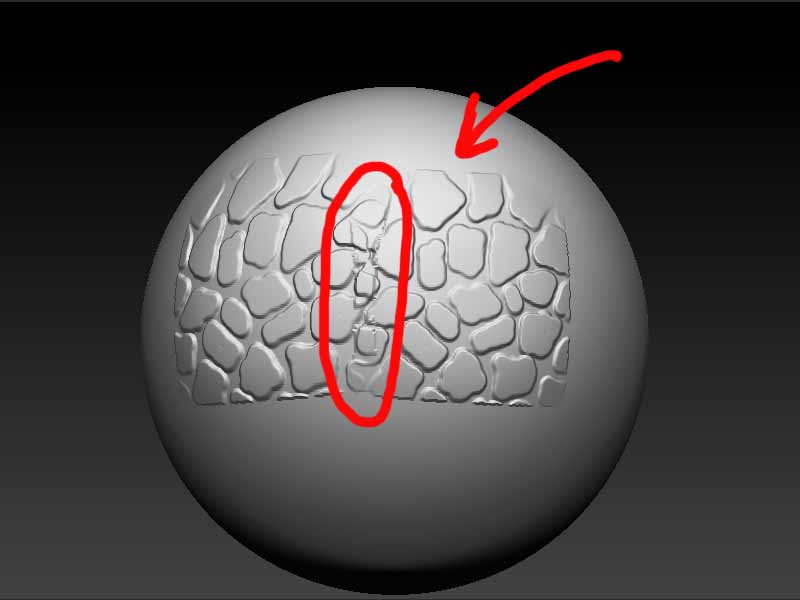
I’ve tried various methods, including the rectangle brush (even with soft edges), stencils, etc, but i always bump onto the same problem. Each stoke’s edges get over the already sculpted parts, thus creating areas where the pattern does not match correctly.
I tried softening the brush’s edges but then there are parts were the intesity of the pattern is lower.
I’ve attached an image that shows a problem.
I’ve seen sculps of scale patterns that were perfect (on dinosaurs, crocodiles, etc) and i really wondered how they were made.
Do you have any tips to share (or a good tutorial) on how to avoid such problems?
Thanks in advance
Attachments