ZClassroom>digitalsculpting>Transpose @6.52min
http://pixologic.com/zclassroom/homeroom/lesson/transpose/#transpose-modeling-part-1
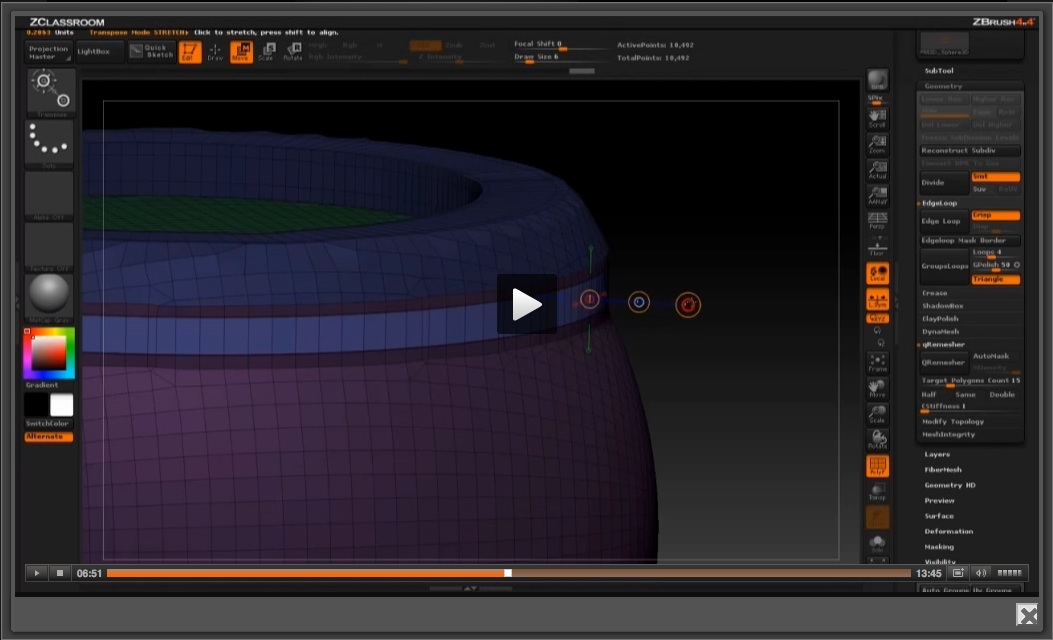
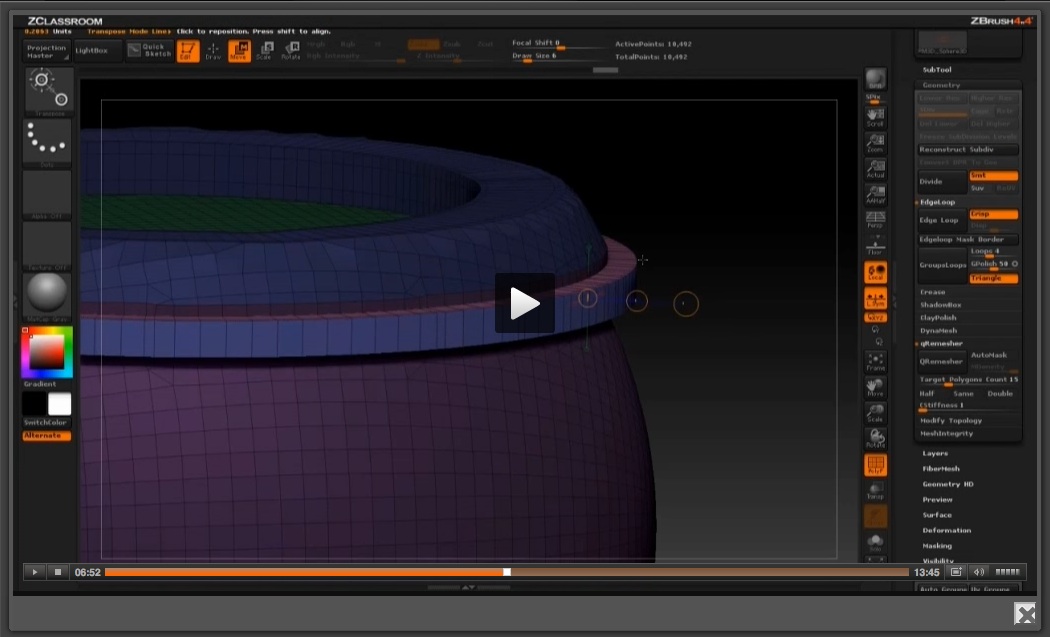
Michael Pavlovich Inflates the ring using the W move mode transpose line. (Tutorial at 6.5 minutes in)
He ctrl-shift clicks and drags on the third transpose circle. Creating a band around the model.
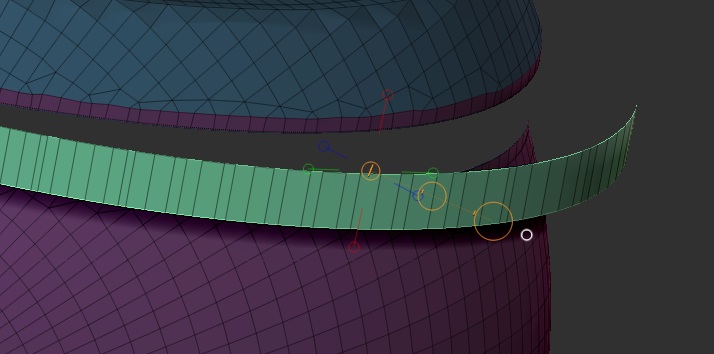
My ring does not do this.
IT DOES NOT INFLATE IT ALL THE WAY AROUND.
AND IT DIVIDES THE GEOMETRY.
Why is it not inflating an equal band of joined geometry like in the tutorial?
My model…
https://dl.dropboxusercontent.com/u/46176367/PavlovichRings.zip
At 6.5 into the tutorial Michael Pavlovich inflates the geometry ring with the Transpose line and W Move selected…
He ctrl-shift clicks the 3rd transpose line and inflates the entire ring outward in all directions…
Why is it not inflating an equal band of joined geometry like in the tutorial?
what am i missing?
This tutorial is basics and worth its weight in gold but its driving me crazy.
Can somebody please help?
if i test this by using E inflate, i do get geometry…
Why am i not inflating an equal band of joined geometry like in the tutorial?
as per Michaels instructions.
The transpose line is in line with the normals, so,
what is it? What am i missing?
https://dl.dropboxusercontent.com/u/46176367/PavlovichRings.zip
http://pixologic.com/zclassroom/homeroom/lesson/transpose/#transpose-modeling-part-1
Attachments