ZBrushCentral

Zbush sculpting spike

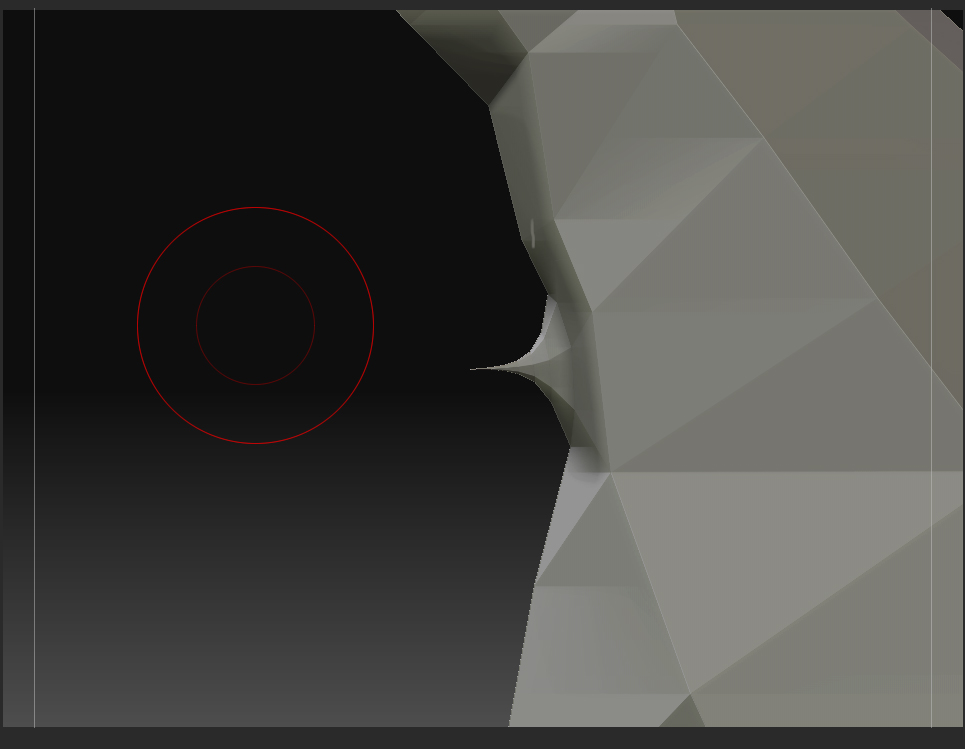
It’s happened a couple of times now, I’ve been sculpting away and then in trying to remove an unwanted area I end up with a polygon spike. However, no amount of smoothing or flattening would get rid of it. Can I ask, what’s the best way to deal with this sort of thing?

… and just for the record, I’ve not been using the snake hook brush! :smiley:

Attachments

zbrush_spike_error.jpg

The poly count is obviously denser in that area than the rest of your model. You could try the SmoothPeaks brush then ClayPolish (Lightbox -> Brush -> Clay). There are lots of ways to get rid of it.

If you’re not concerned about clean topology however, I recommend looking into Dynamesh:

http://docs.pixologic.com/user-guide/3d-modeling/modeling-basics/creating-meshes/dynamesh/
http://pixologic.com/zclassroom/homeroom/lesson/dynamesh/

Enable PolyFrame so you can see the wireframe of the mesh. You may just be able to use the move points brush.

Dynamesh got introduced in Z3.5 (i think); whereas I’m running the trial version of 3.1