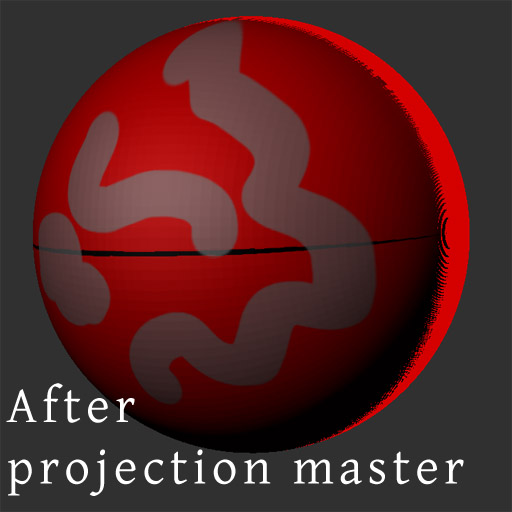
Heya, I just got my Zbrush4 upgrade and I thought I would try out all the basic steps for creating a new mesh and texture and I’m having issues with the polypaint-> texture option under the tools texture menu. These are the steps…
- Select sphere3d
- Initialise Sphere 3d to my desired h and v divide etc
- Press Make Polymesh3D
- Fill object with white colour
- Paint on a few swirly lines to test polypaint - texture
- press polypaint - texture button
- get undesired result as shown in the image below.
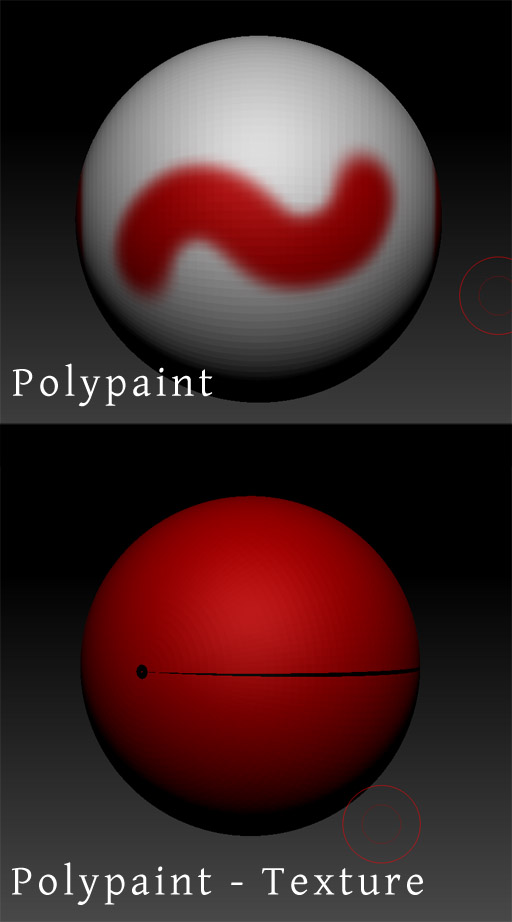
I hope someone can help me, I can’t live without my polypaint -> texture button! 
My PC specs are
Windows 7 64 bit,
8gm ddr3 ram
AMD Phenom quad core CPU
ATI Radeon HD 5800 GPU
Attachments