ZBrushCentral

Zbrush to Maya

Hi, after following few instructions about setting up the normals in maya, Im still not getting any good results. This is what i did, i did the base mesh on XSI, after that i Exported to Zbrush with UV already included, after that in Zbrush I modified the OBJ and set it back to level one, U did export the OBJ and did the Zmapper using MAYA TANGENT best quality preset, exported everything back to Maya and I apply the bump2d node in the Bump slot, using tangents, Im rendering with MR and still getting weird thing all over the mesh.
Thanks in advance

Attachments
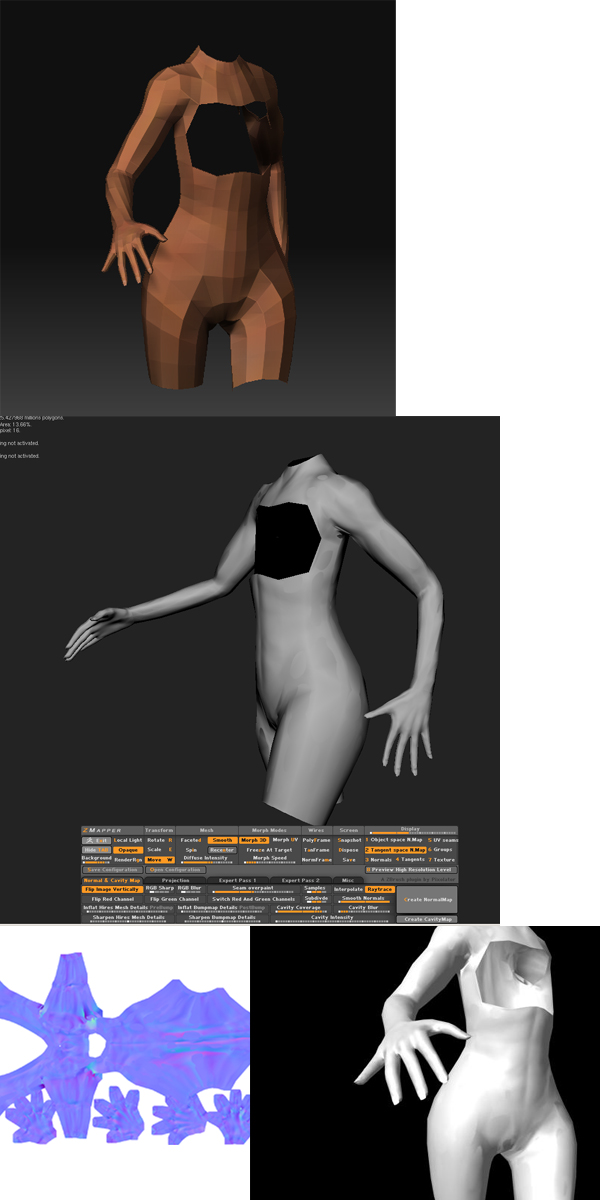
ZbrushtoMaya.jpg

Are you rendering in XSI or in Maya?
Also, you may want to unwrap the UVs on Subd level 1 exported from ZBrush and then render in MR.
If you are rendering in XSI ather are some settings that you have to change in the bump node. Also set the map to vertex (shadng or color) its been a while since I’ve used XSI.

If you are rendering in Maya make sure you set the bump node to tangent space normals.
good luck!

thanks,
Im rendering in Maya, I had set the bump node to tangent space normals, and about the Uv, i didnt touch them i sicen i model the whole thing in XSI, probably is that the problem, should I export again the level first into a 3d software and do the UV again just to make sure? sounds like a solution.:+1:

That may help.
Also you might want to try Roadkill. Its a free UV unwrapping plugin for maya.
It will cut your work time in half.
Let me know if that takes care of the issue.

I will try that software.
I used XSI to unwrap it again and once back to Zbrush i got a red zone in the UV like you said in your tutorial, that means an overlap right? the weird thing is that XSI is not showing any overlapping in the UV editor :frowning:

Move your UVS away from the border region a couple pixels. You can do this by selecting all the UVS and then scaling them.

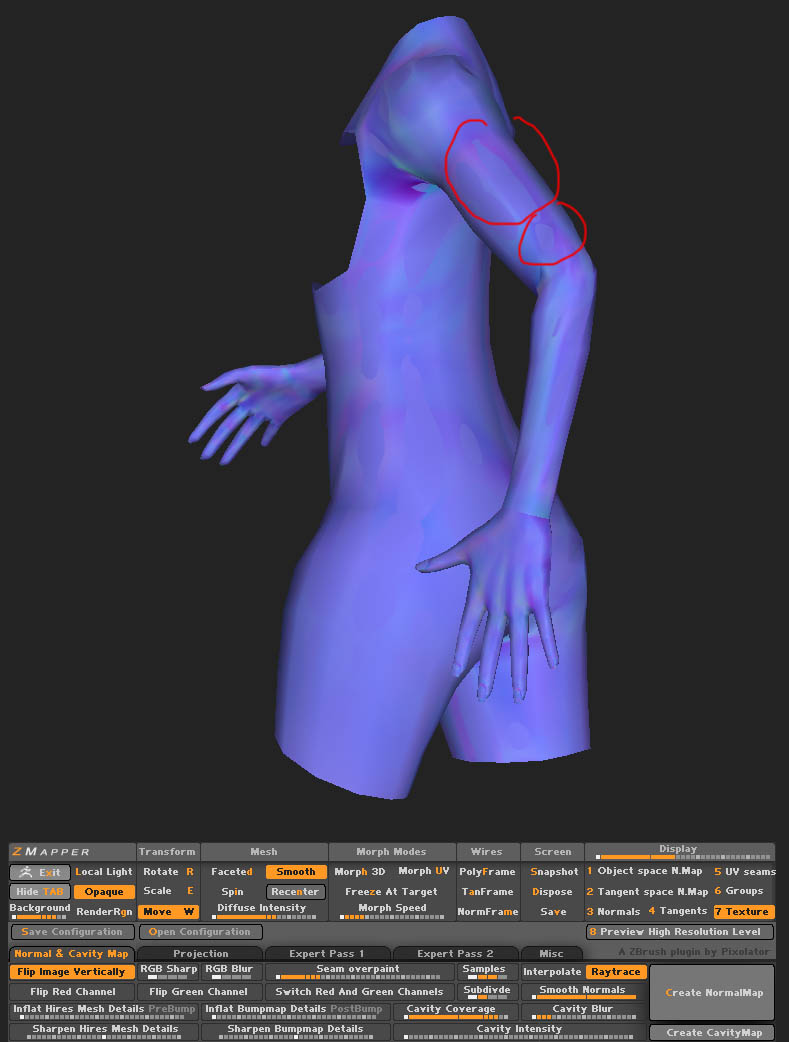
Hi again,Thanks for that, OK that worked nice, now zbrush in not showing any red zone or overlapping but I’m still getting those patches on the normal map even inside zbrush, obviously if getting them inside im getting them everywhere because is the same map, any solution for this :frowning:
thanks in advance and have a nice day!

Attachments

Patches.jpg

Try increasing the ray cast distance in Zmapper. Also, check to make sure your highest subdivision does not intersect with your lowest subdivision.

Thanks a lot, now is working much better, i only increased the ray cast as you said to the middle of the bar. Can you please explain what is that for?

each face on the mesh casts a ray ( a line) to find the difference between the other mesh (the high or low res mesh).The ray will only travel until it hits another face or until it has reached the maximum raycast distance. If it reaches its maximum distance before hitting a face then it stops and creates a flat surface on the normal map. By increasing the raycast distance it may slow down processing speed some because it has to calculate more distance, but if fixes the artifacts because the ray is now reaching the other mesh before it reaches its maximum distance. Hope that helped! there are lots of zmapper tutorials online if you seach that will explain things better, but that’s the general idea.

Got it!
Thanks a lot so what do i have to do from now on is have a balance between time and quality.