Hello - this is my first post. I have spent several days and searched over this forum and several other places to try to answer my question. I know everyone’s time is valuable and I don’t like to post unless I absolutely have to. I found a few posts related to this issue, but they were from a couple of years back at the earliest. I have also tried several of the suggestions I have read, and nothing seems to be working. One post suggested searching for keyword “restore” and “displacement” - and still didn’t get any related posts.
I am using Maya 2010 and Zbrush 4.0…
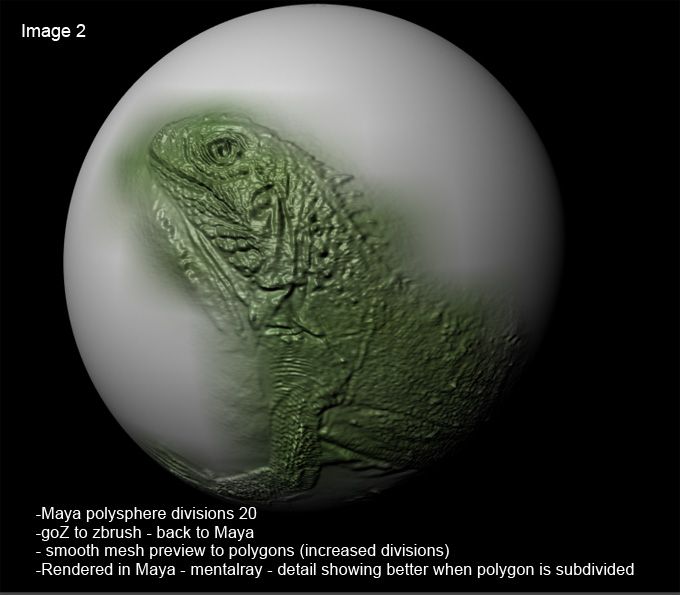
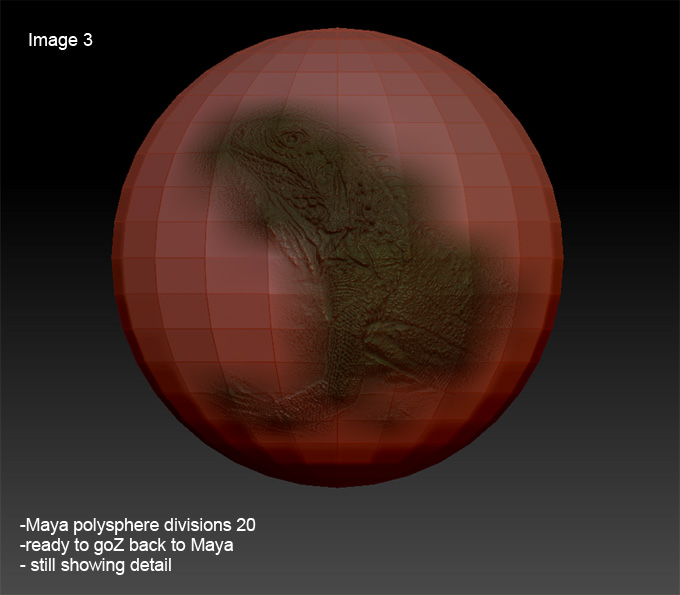
I have attached a few pics and labeled them. The issue is when I create, for example in this case, a sphere (20 divisions) in Maya and GoZ it over to Zbrush - then used an alpha and texture image of an iguana - that I put on the sphere - when I GoZ it back into Maya and render it with Mentalray I am losing all the great detail.
In Zbrush -
- place the tool (polysphere from Maya) onto the canvas
- subdivide it 5 times (1.5 million)
- draw the iguana on it
- bring it back down to sublevel 1 - delete the current UV - use PUVTile at 2048
- bring it back up to subdivision 5 - create a texture map “new from polypaint”
- bring it back down to subdivision 1 and create a displacement map (activating - smooth UV, Flip V, and 3 channels)
- then GoZ it back into Maya
Doing this is giving me the image I labeled “1” - no detail is showing. But if I take that mesh in Maya and click on “convert” and “Smooth mesh preview to polygons” - so essentially sub-divide it - it gives me image “2” - which has better detail.
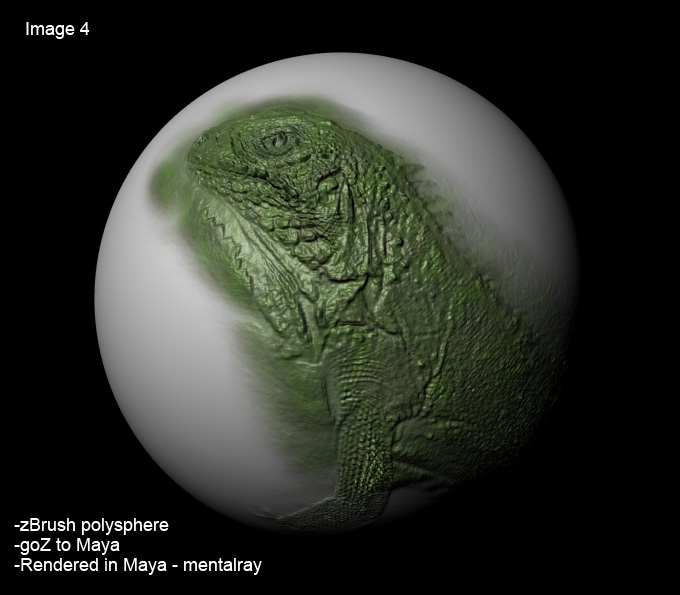
Also, I have image “3” - this is the iguana on the maya sphere in zBrush - before I click on “GoZ” - it is showing the detail nicely on the sphere at subdivision 1.
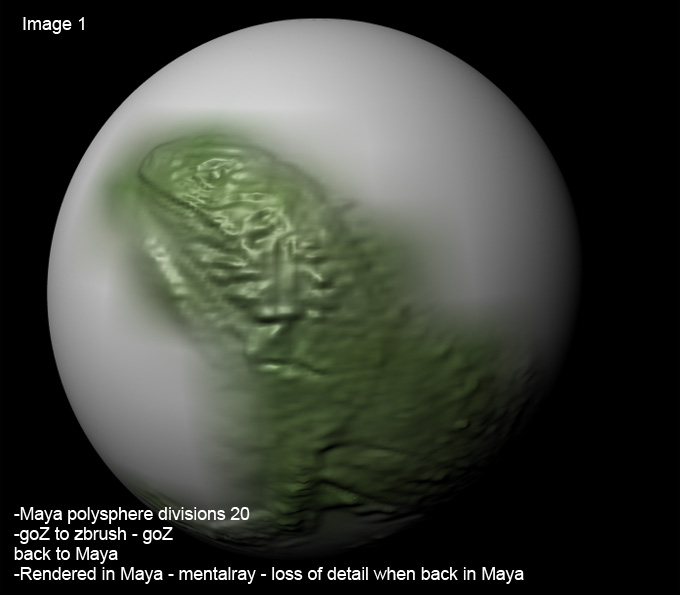
I also have image “4” - it has amazing detail - that was done using the tool polysphere.ztl and putting the iguana on it - and using GoZ to bring it into Maya - it is rendered with metalray. When I bring that mesh into Maya - it is a very dense mesh.
So the problem seems to be when I start with a mesh in Maya and GoZ it over to Zbrush.
When you bring a mesh back into Maya, do you need to make it more dense to keep the detail? I have seen sample models that people have created on this forum where they show the mesh next to the detailed model and it isn’t super dense - and still has great detail.
A couple of the things I tried was to convert the .tif maps to .map files - and used those, but that didn’t change anything. Also, I tried using the displacement map as a bitmap instead, but didn’t effect anything.
If anyone can please help me with any suggestions, on what I am doing wrong, your help would be greatly appreciated.
Thanks - Eric
Attachments