Hey guys,
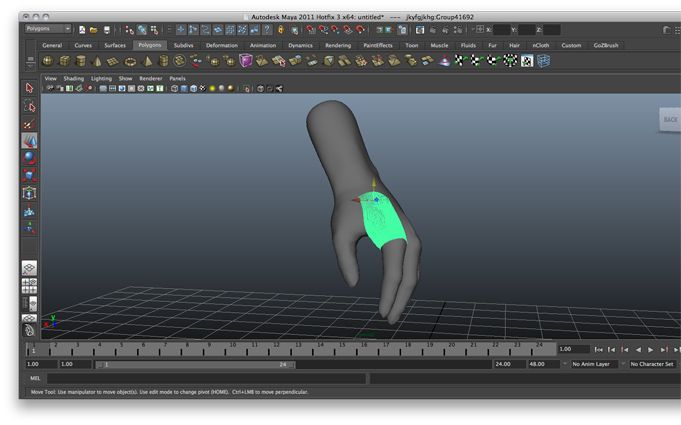
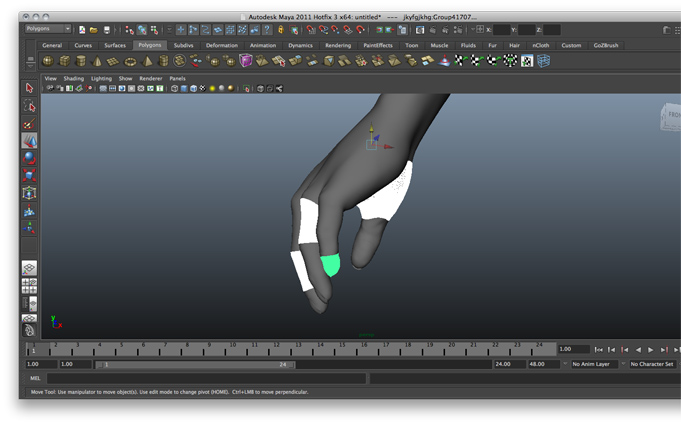
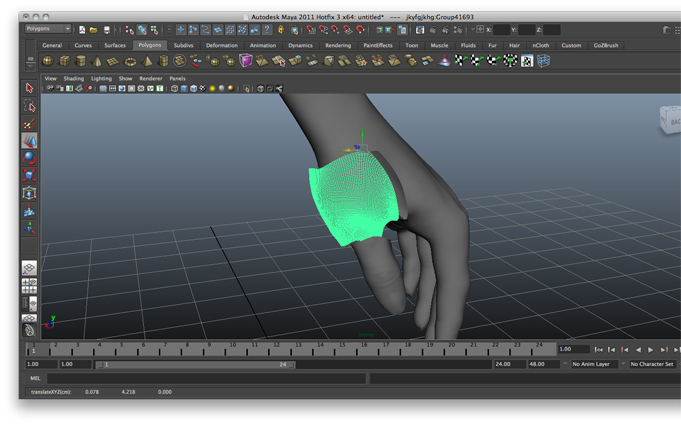
I’m new around here and i’ve searched through a few threads to find a similar problem with mine, but i didn’t come across any yet. I’ll try to explain it with several screenshots attached here, but basically the hand polymesh i’ve sculpted in Zbrush 4.0 using zspheres turned out to as a dissected mesh once exported in .obj and imported in Maya 2011. Noting it’s the first time i’ve used Zbrush, i hope that the problem is not with the topology but only the export. 
Once imported in maya, i’ve chosen all the separate mesh and merged them at once(haven’t dared to try merge vertex tool since i have a lot of them). The problem actually appeared when i built a basic skeleton for the hand; it was a disaster once i moved the fingers and the wrist since the meshes apparently never actually merged!
So i guess, or hope, that there’s some sort of an export option from Zbrush that would fix the problem. The problem involves some maya knowledge too, so excuse me for that.
Any help is welcomed. Thanks a lot!
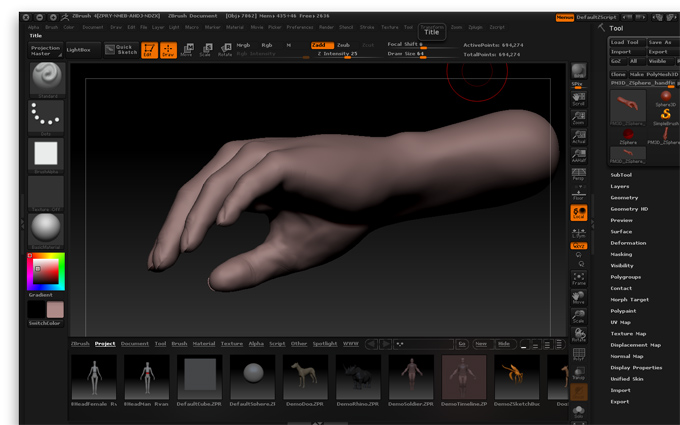
Attachments