ZBrushCentral

zbrush to maya (displacement map) [solved]

hello everybody,

i really need help on this, i don’t know what i am doing wrong. as you can see in the picture there are these black spots. i unwrapped a view times, with uv master and then with uv layout. i generated tons of displacement maps but it still happens, i think it has to do with the displacement map generated from zbrush. but i don’t know what it could be. i am really lost here, thanks in advance :- )

josh

Attachments
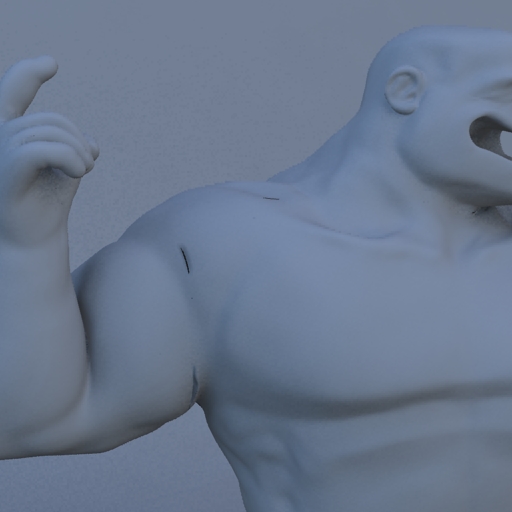
whyyyy.jpg

These are happening where your UV borders are right?

Try this script in Maya to see if this helps:
addAttr -ln “miExportCCMesh” -at bool mentalraySubdivApprox1;

(replace “mentalraySubdivApprox1” with the name of your subdiv approx node if it is different)

It will increase the render times greatly but this was the only way to get rid of the seams.

This guy has more info about the problem:
http://www.pixelcg.com/blog/?p=386

thanks so much, that did the trick!!

Hi I am having a nightmare with GoZ displacement maps not working at all in maya 2012. the meshes, subdivide and remain smooth as if the map is not applied to it.
I have checked all the shader network nodes, and the seem to connected upe ok. I have tried rebuilding the shaders. and manually reconnecting the displacement nodes. following the instructuions in the scott spencer article but I am still getting no displacement.
Any suggestions would be gratefully recieved
Regards
Dan