ZBrushCentral

Zbrush to Max desaturated colour

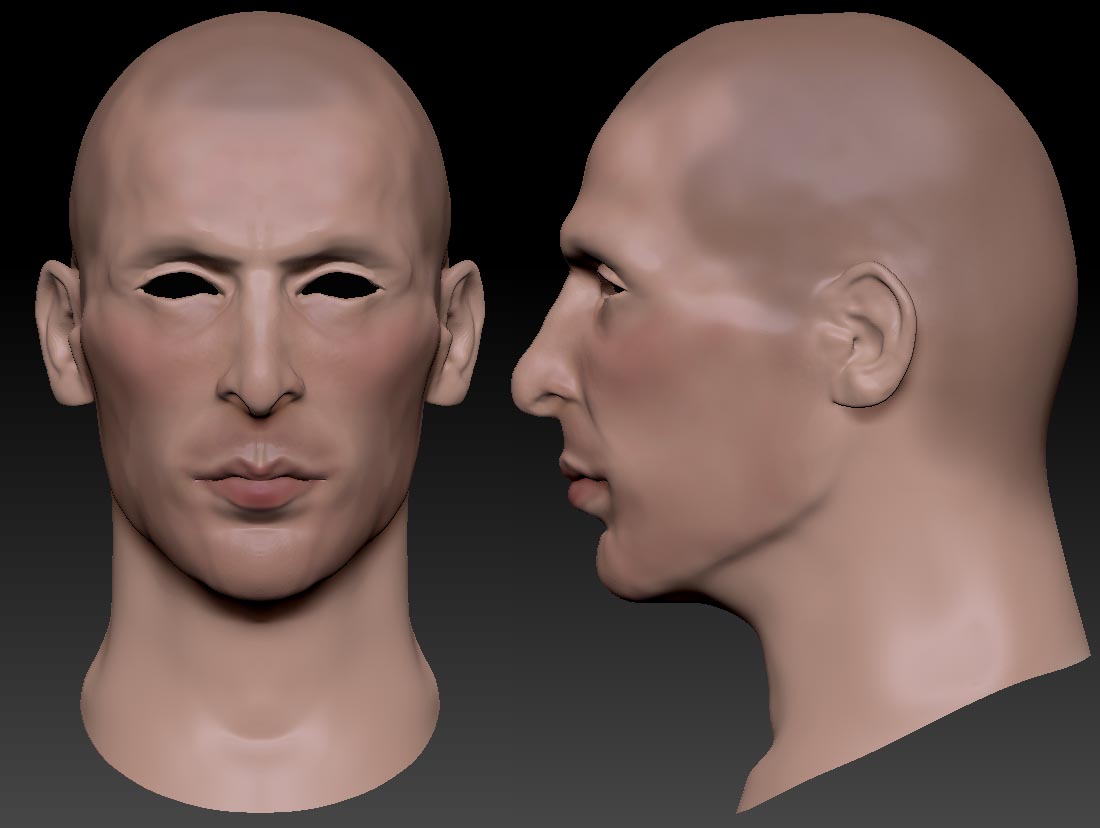
I have atatched an image I have painted and modelled in zbrush with a skin colour I like but when I take it into max the colours looks really faded and desaturated with mental ray lights… why? and how do I solve this?

Also I have modelled in Zbrush with perspective off but model doesnt look as good in max… is it better to model with perspective on? Its these kind of work flow issues I struggle with which I don’t bump into in much tutorials.

Cheers

M.

Attachments
broony.jpg

No one able to help? is it miy lighting sex up in max? should i use a different shader?

I’m not a Max User but had rhe same Issues with Modo and Maya. Reason for this are different color and/or gamma profiles of the incoming textures and the renderer. In most cases the textures from Apps like ZB have a gamma 1.0 while most 3d Apps are rendering with gamma 2.2. So all of your textures will look washed out in this case. Beside this different color profiles will do the rest…:lol:

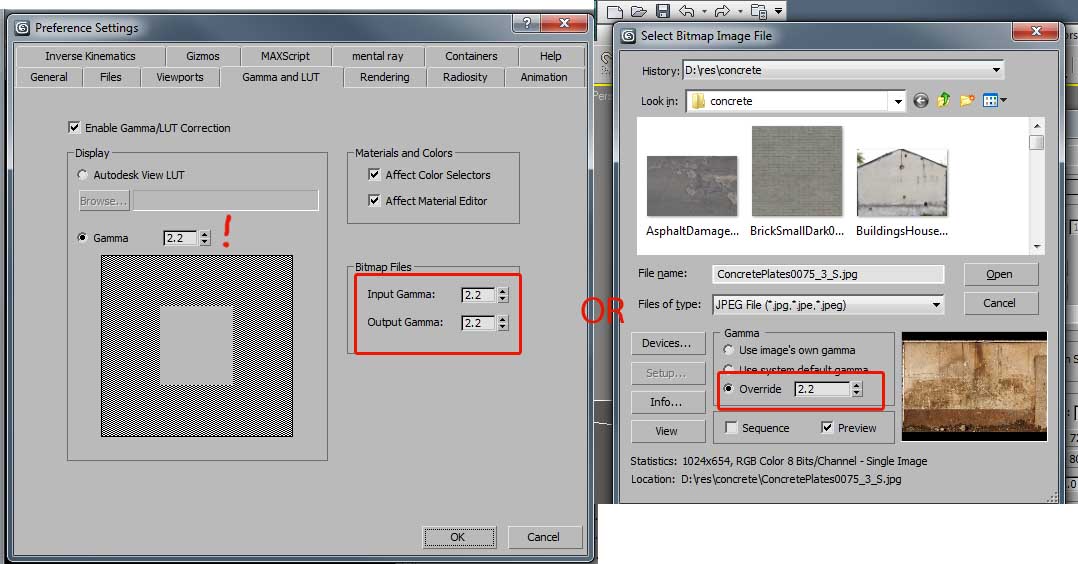
You have to switch on “Enable Color Management” in the Mental Ray Preferences (Common Tab - Color Management). Make sure the default input and output profile matches your saved textures color profile - sRGB normally. I dont’t know if the settings are the same im Max…but they should. For further Information about Color Management ask Google about linear Workflow rendering.

Hope this helps…René

Cheers mate will give that a try!

Hi, this is a gamma setup problem not color mapping. It is likely that you have gamma 2.2 enabled. You have to set also the input gamma either globally in the preference\gamma tab or manually in the file import dialog. Normal maps and HDRI do not need gamma 2.2 and that is why I prefer the second solution.

Attachments

gamma2.2.jpg