ZBrushCentral

Zbrush to 3ds max craziness

I have been using zbrush for a while now and I have posted about this issue about a while ago now but no one knew a satisfactory solution then, just checked and the problem still exists.

Problem:

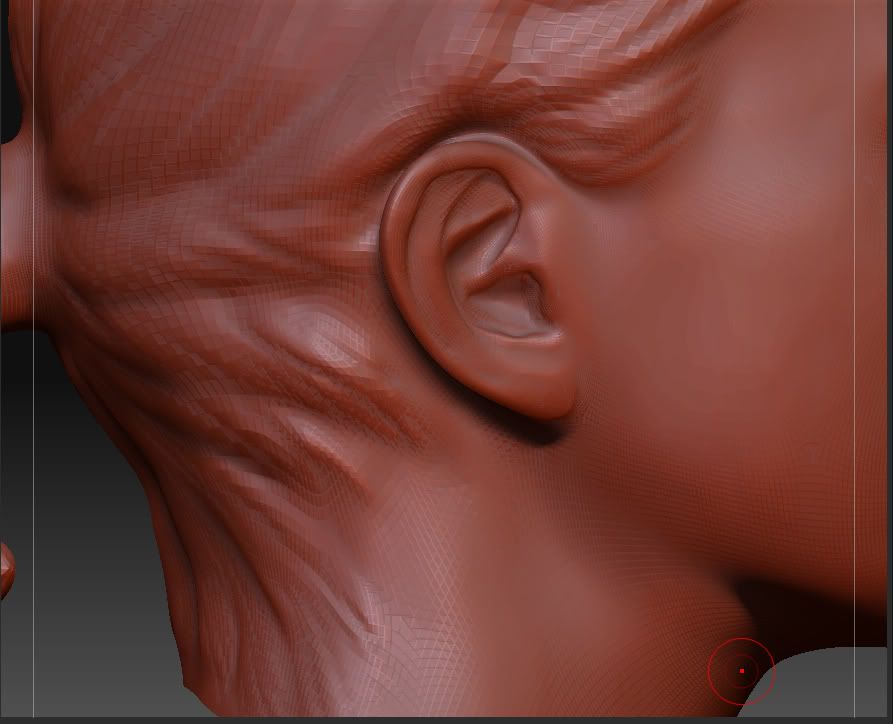
When I export my model in a low-ish resolution and bring it into 3ds max, then from max export back to zbrush, I get the weirdest problem when I go back up iterations, here are some pics:

Before IMPORT & EXPORT
After IMPORT & EXPORT
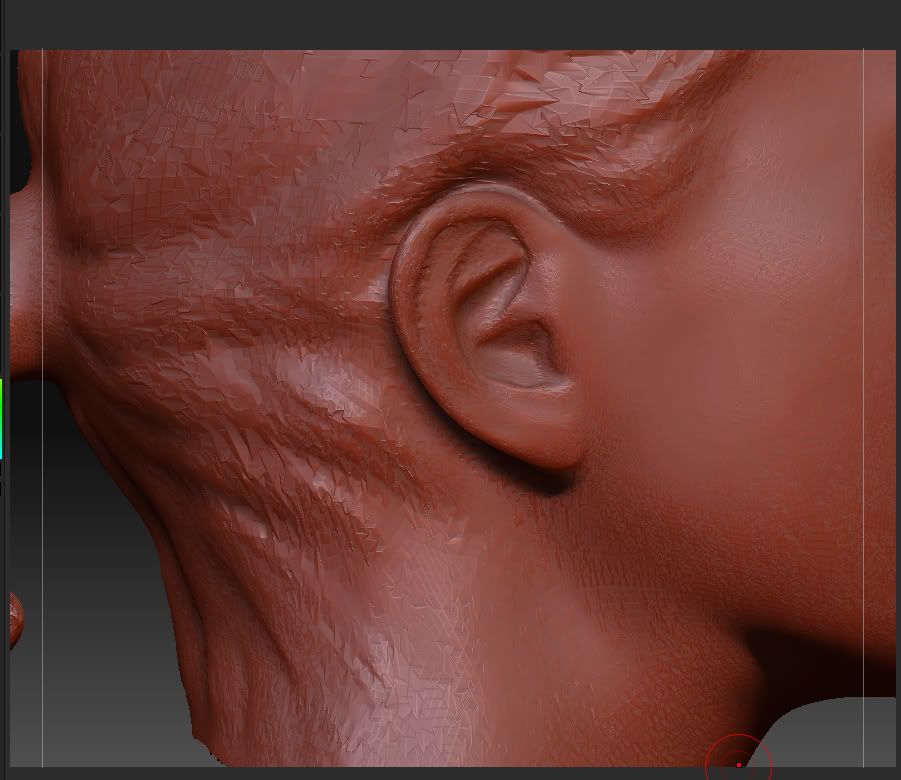
Must be something about the way max exports but I tried every setting in 3ds max OBJ exporter and the problem is always the same. Anyway any help whatsoever would be great, thanks

I’m having the same problem. Let me know if you find a solution. I’ll do the same.

-Dustin

Aye, not been able to fix this yet. Dont think I will be able too.

store a morph target before the import

tool>morphtarget>store MT
tool>import
tool>morphtarget>switch
tool>morphtarget>delete MT
tool>geometry>go up subD’s. That should fix the problem

TrackZ recommended I try switching off Optimize:Vertex in the 3ds max OBJ export options. That seems to have resolved the issue for me.

I turn off everything inside max’s export options except UV coords.

DAMN YOU AUTODESK…if they kill XSI I am going to start crying like a small child…

They’re not going to kill XSI, man. They didn’t buy it to kill it, they bought it because they felt it was a good investment. XSI is in good hands.

-Dustin