ZBrushCentral

Zbrush SSS BPR Wont Generate Image

Hi guys,

First time posting here. I’ve been using Zbrush for a while now but I cant ever seem to generate a BPR savable image of my models SSS.

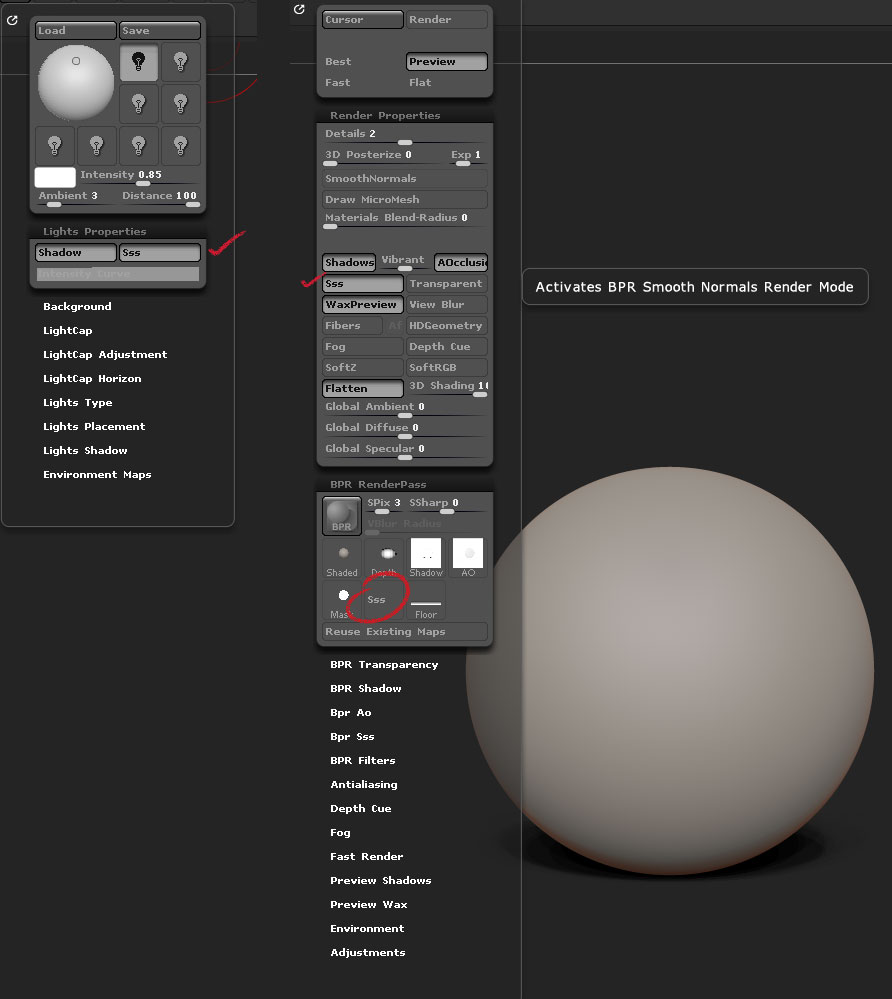
Ive tuned on SSS in the Render setting. I’ve also tuned it on in the light properties. Yet no image is created for the SSS. I can see the SSS on screen but it wont make it in the BPR tab.

All other BPR images are created though.

Am I missing something here?

Thanks in advance for your help.

Elijah
Try putting your SSS light coming from the back

Thanks for your response. I have tried that and it still hasn’t made a difference.

When I mean its not generating an image I mead the SSS output image option stays grayed out after a BPR render.

SSS.jpg

any ideas?

Thanks

1 Like

Turn off SSS for the first light in the Light palette and turn it on for a different light. You don’t actually need that second light turned on (in that it doesn’t need to add to shadows etc.), just have SSS turned on for it.

There needs to be something in the online docs about this; I’ll update them as soon as I can.

1 Like

It worked, THANK YOU!! Huge help mate.

Cheers