Hello everyone, I have trouble with rendering in Zbrush, I adjusted size of my document 1680*1050 and i get this white lines around my model. Can you tell me how to get rid of them?
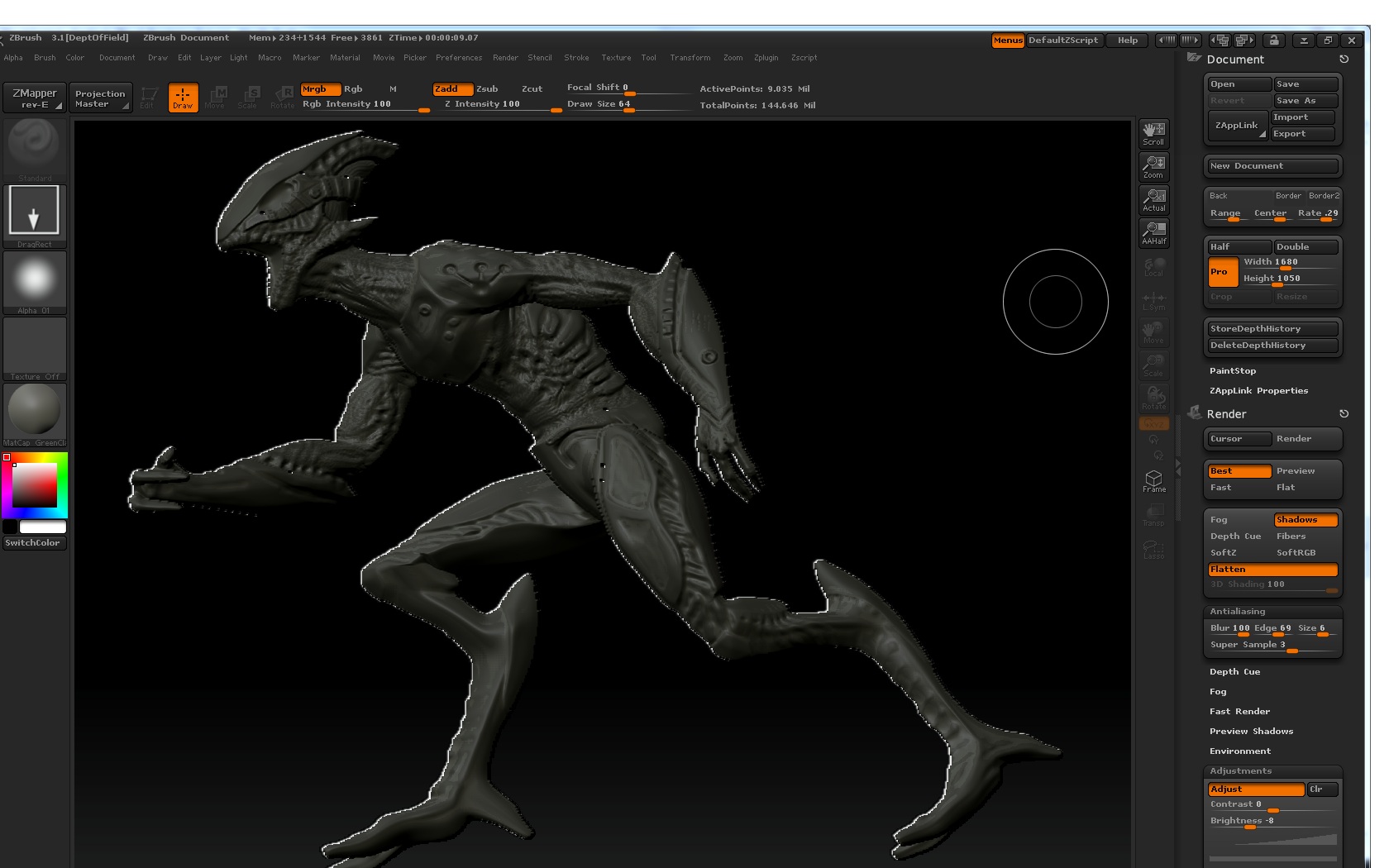
I believe it’s the particular material that you’re using.
Also, to avoid jagged edges you should create your document at twice the desired size. Do a Best Render and then turn on the AA Half option (in the Zoom palette and on the right shelf of the interface). This activates a special anti-aliased display mode, ready for export.
When you re-sized your document, did you remove the model and place it back on the scene? If not, that’s what caused those jagged white edges. Same thing happens to me with some materials and using the zoom function.
Since you already re-sized your document, try to clear the layer you’re currently working on and replace the model on that layer. My 2 cts the jagged white lines are gone then. 
Damn that was fast reply:D
Thank you both!