Does anybody know why I have this issue? Why my wireframe displays like this?
I tried resetting zbrush, restarting zbrush, exporting my file as obj and reimporting and it stays the same.
Also, its shows like this with any ztl I open.
Attachments
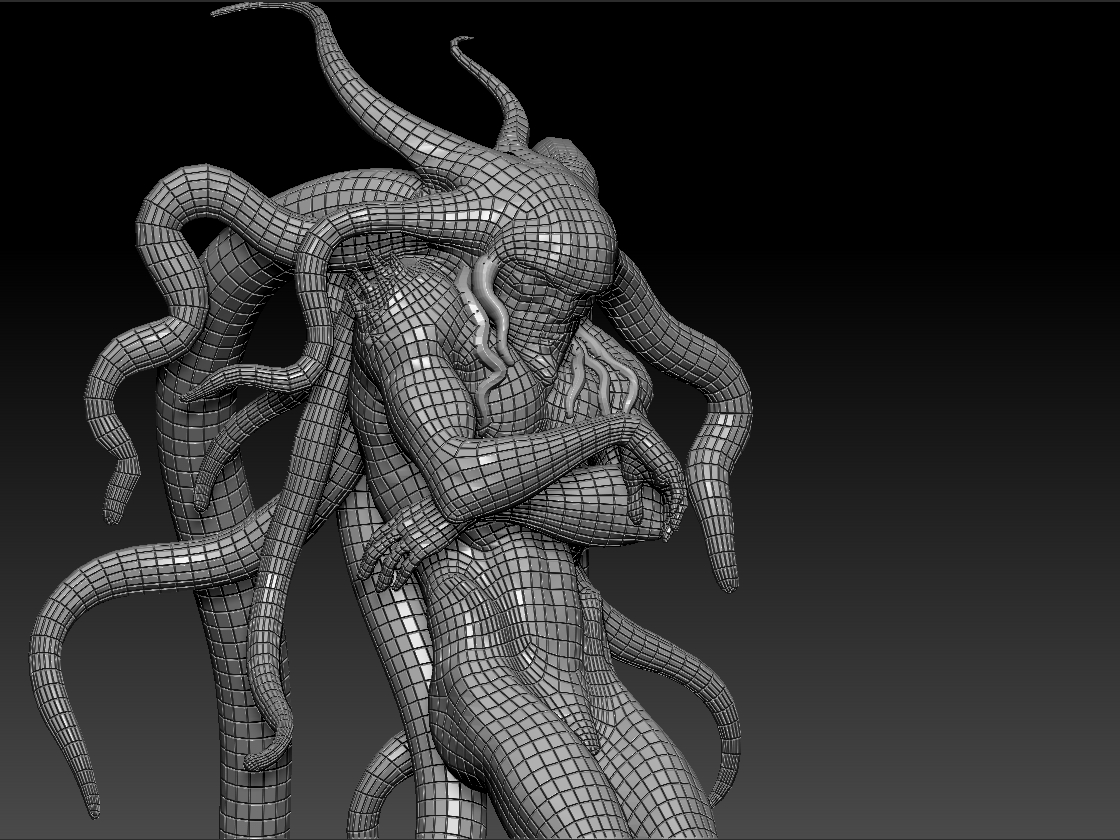
Does anybody know why I have this issue? Why my wireframe displays like this?
I tried resetting zbrush, restarting zbrush, exporting my file as obj and reimporting and it stays the same.
Also, its shows like this with any ztl I open.
Looks like it’s material related  Bet you have the bump viewer material selected/assigned.
It IS material related, you have one of the bump materials in Standard Shaders selected and Poly Frame is on.
My guess is you have Dots Oatmeal as your material.
That or you went digging a bit!
Its sort of cool looking isn’t it?
Oh…
Shaders with bump do this, nothing else that I am aware of does and it only does it when PolyFrame is on.
I’m betting it’s the bump viewer material as per my earlier post
Hya Doug!
When I posted that you hadn’t said anything yet!
And you are right, that is what it is.