ZBrushCentral

Zbrush Problem

Hello there (:

I am pretty new to Zbrush and I hope you can help me with my problem.
I created my basemesh with the Zspheres, but everytime when I press A to preview it, it’s totally deformed and I don’t know why or if I pushed a wrong key or something.
Do I have to start new? :confused:

I hope you understand my problem and sorry if my english is bad. I am already glad to hear your solutions and thankful for your help. (:

Attachments
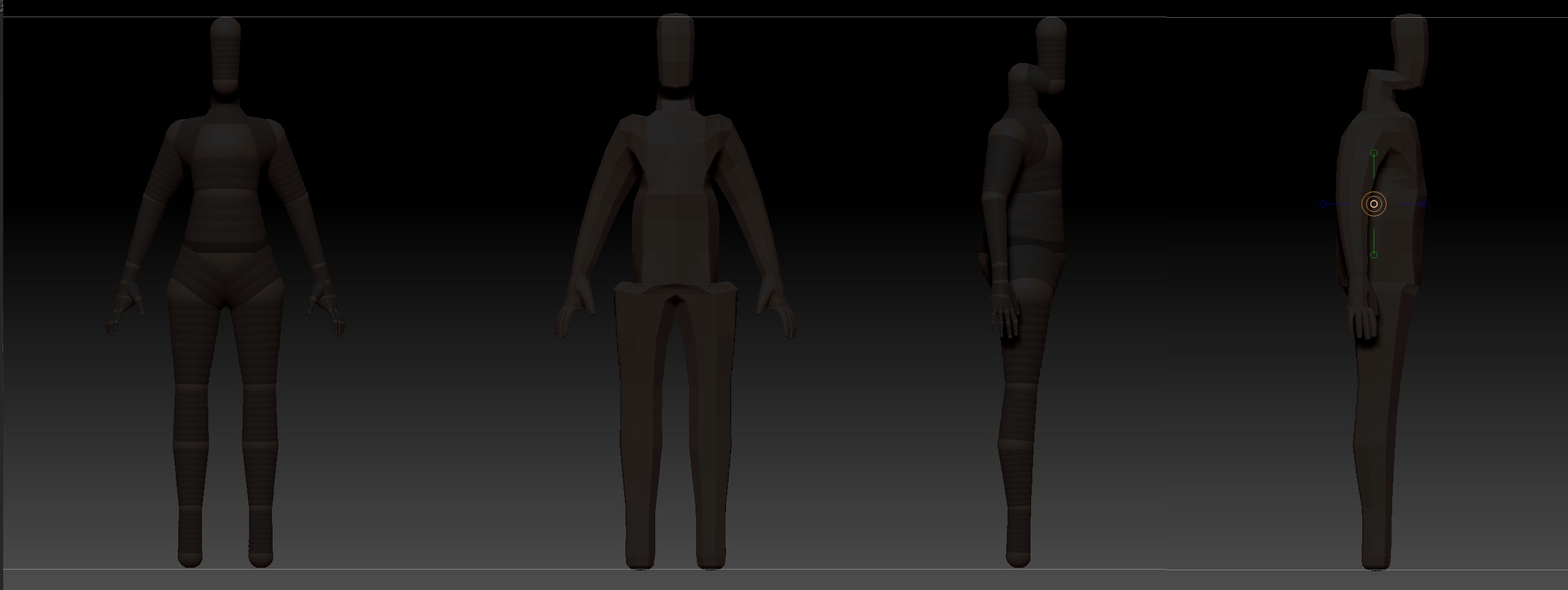
Help.jpg

In “Tool > Adaptive Skin”, turn off “Use Classic Skinning”.

Thank you for your answer, I looked after it, but It’s not activated.

The position, number of, etc. of the zspheres will determine the skinning. Move, rotate or scale stuff until it’s better. You may need to add some more zspheres. There are options that can be tweaked in the skinning panel.

I tried that already,too. Doesn’t work either, it still has these weird edges around the hips and neck.

http://docs.pixologic.com/reference-guide/tool/zsphere/adaptive-skin/
Don’t give up.

I know where this Option is, but it’s really not activated. :T I could upload the file, if it’s okay to you. (:

it looks like your mesh doesn’t have enough polys for a smoother skin. try increasing the density slider before making the skin.

Zspheres are used to make a base mesh to refine further and as an armature to pose your mesh(from the same one you had before creating adaptive skin, which must be selected once created to begin editing). As previously stated, you may need to add some more of them.

Upload the file, it’s the best way of letting us find what’s wrong.

Okay, thank you for all your answers again.
Here’s a link, where you can download the file to get a better look on it.
I saved it as a project in Zbrush6.
If there’s a problem with the link, just tell me and I’ll try to fix it as soon as possible.
Thank you again for your help (:

Az.ZPR

I checked your armature and found a couple of stray ZSpheres.

Here is the repaired armature…

What I did to fix it…

  1. Drew your armature on the canvas and enabled Edit. When you move the zsphere that is above the root zsphere, you can see two stray zspheres (see Image 1). The problem is, you can’t delete them until you do the following…(see Image 2)

  2. With armature drawn and in Edit mode, go to “ZPlugin > Transpose Master” and click “Store TM Rig”

  3. Select a new ZSphere from the Tool palette then, in Transpose Master, click “Paste TM Rig” (as soon as you do this you will see where the problem lies (see Image 2)). This will make the stray zspheres editable.

  4. You would then move the zsphere that is above the root zsphere to expose the strays. Hold down Alt and delete the two stray zspheres then put back the zsphere you moved.

image 2.jpg

Thanks zber2, a good tip! :slight_smile:

Don’t forget the 2 types of strokes involved with Zspheres. Armature rather than sketch is normally used to create a form such as yours and you may be less apt to get strays. Keep at it.

@Zbwer2

Wow amazing, Thank you so much for your solution and for fixxing my armature! ((:


And I thank all the others for helping me and taking time for my problem. You Guys are awesome!