ZBrushCentral

zbrush not giving normal map like 3dsmax baking

So I have this sci fi panel modeled out in max, i wanted to keep it hard edged so i added all the support edges to keep from getting gradients in my normal map. When i bring it into zbrush and export the normal map i dont get all the nice normal map colors on all the angled geometry, but when i bake it in 3ds max i do, why is zbrush not giving me the nice normal map colors for the angled geometry?

Attachments

maxzbrush.jpg

Is the end result a planar mesh?
If not, it’s possible Max is baking the normals purely as they are (if it works anything like Softimage’s rendermap, at least) while zbrush is trying to create a tangent-based map that works alongside the lowpoly mesh it was baked from (in which case it wouldn’t need to change the normals where the surface is slanted, but it would at the tips where they bevel).

If the low poly is supposed to be planar, you might want to use something like xnormal to do the bake, or the normalrgb matcap

the end result that i want the normal map to be on is a single plane mesh

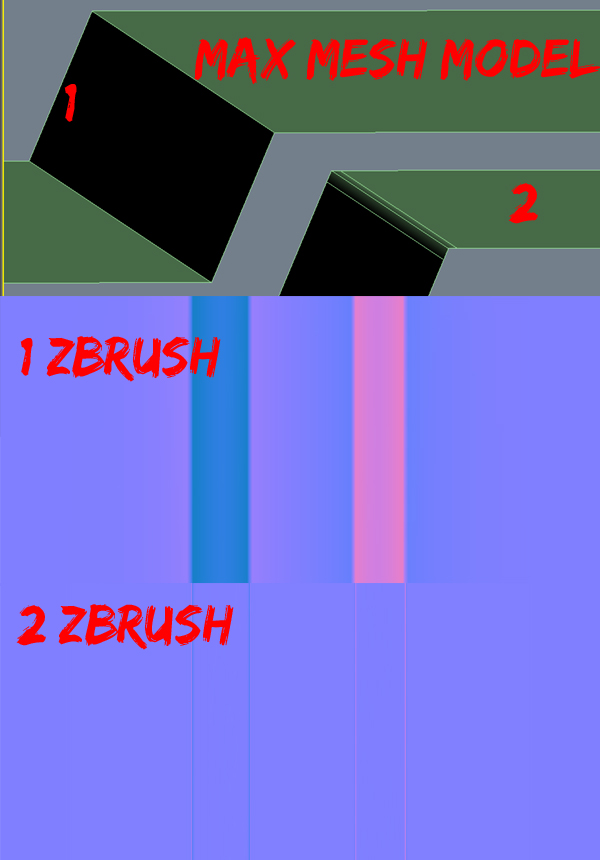
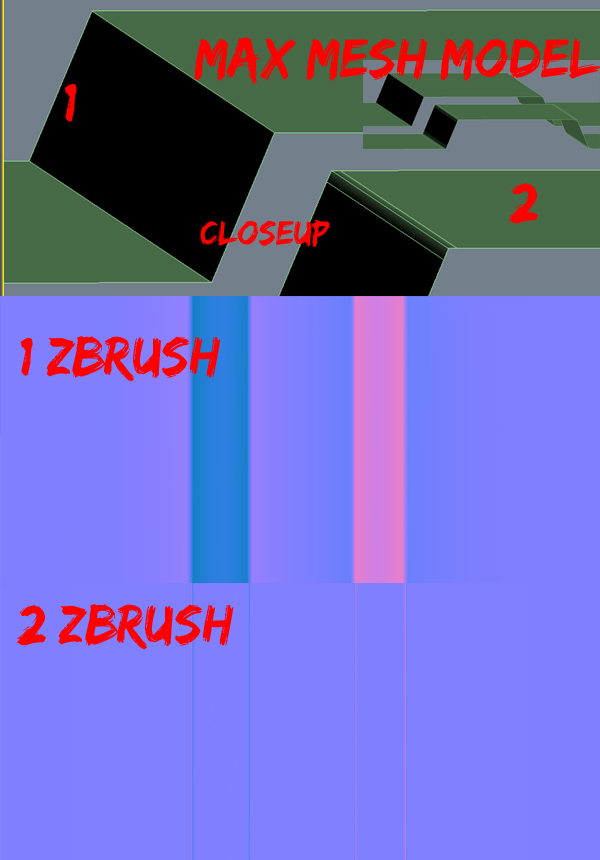
i did another test, i have model number 1 which is super basic, and model number 2 which has the extra edges on the basic model.
i took model 1 into zbrush and exported the normal map (1zbrush img), i get the correct colors for the different angled planes on the mesh (but i dont like the soft gradients that are happening, like the pink on both sides of the dark blue color, thats why i’m doing the extra edges)
i then took model 2 into zbrush and exported the normal map (2zbrush img), only the little planes made from the extra edges get a color other than purple, but the planes in the 95 degree angle on the mesh is the same purple color as the planes that are facing directly up

i’m basically just imported the mesh, subdividing it a couple times without Smt checked, then bringing back down to SDiv 1, then going to the normal map tab, clickig tangent and flipG and then Create NormalMap

hopefully i explained my problem correctly

am i missing something else i need to do in zbrush? or max for that matter once the extra edges are added?
test.jpg

Attachments

test.jpg

The results you’re getting actually resemble perfectly fine normal maps. You can’t really judge them just by looking at the color gradients, as it’s really a bunch of data that is supposed to work in tandem with the model’s existing tangents/binormals/normal information. The thing is, that means a baked normal map is going to be very dependent on the mesh it was created from (so in zbrush’s case, whatever the lowest subdivision level is, which isn’t a plane).

You could use a program like xnormal which would let you specify a different low poly mesh (plane) to bake to instead of subd1, or you could turn the document size into that of your desired texture resolution, frame the mesh (f), turn off perspective §, and switch to the NormalRGBMat matcap material. Grab/export the document.