ZBrushCentral

zbrush moves out some of my UV?

Hello everyone!

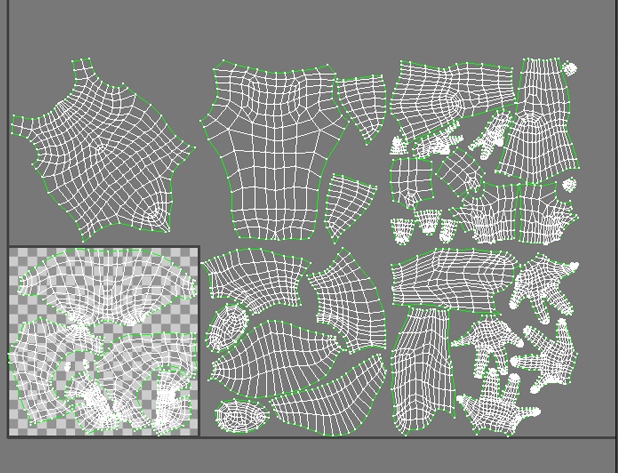
I have a mesh with multiple UV patches in 3ds max, see below:

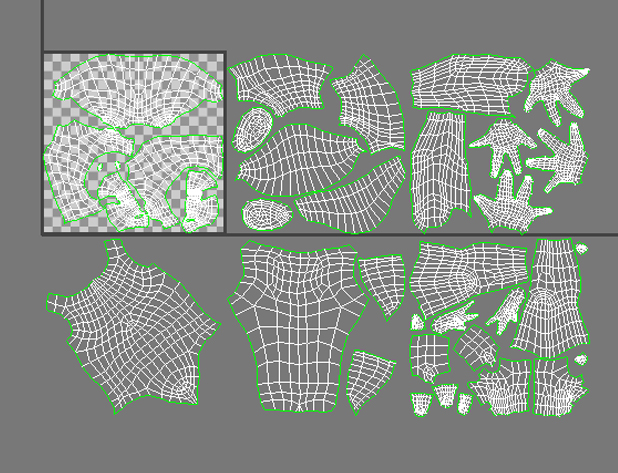
then I worked with zbrush and export its subdiv3 and here’s what I’ve got:

Zbrush moves out all my u*v1 patches… why? How to export an .obj with the correct UV?
thanks!

Attachments
1373202658-avant.jpg

1373202762-avant1.jpg

zbrush reads meshes with a -y for some reason. Move all of your UVs on U instead of V and you should be fine.

I already used the V on UV with zbrush and it didn’t do that (?), so it’s probably something I messed up with…

I flatten my UV with UV Master and my UVs are alright (at the correct position - just flipped V). So I exported an .obj, imported it to 3ds max and the UVs are moved out, but imported it back to zbrush the UVs are correct… what the heck… The problem would be 3ds max then?