ZBrushCentral

Zbrush messing up UVW once exported and Reimported back into zbrush

Im having an issue with the UVW getting messed up in Zbrush. I did a quick test, I sculpted some random crap, and then exported it to max 2010 adjusted the UVs and reimported it into ZB. you can sse the issues I am having. One is the normal map before exporting and the other faceted looking one is after the 3ds max export. I tried it in 3ds max 2009 and it still has the same issues. I have also tried simply exporting the file out of zbrush and immediately reimporting it into zbrush without going into max ata all and its still the same problem. So it definitely seems to be a zbrush problem. Any help is greatly appreciated.
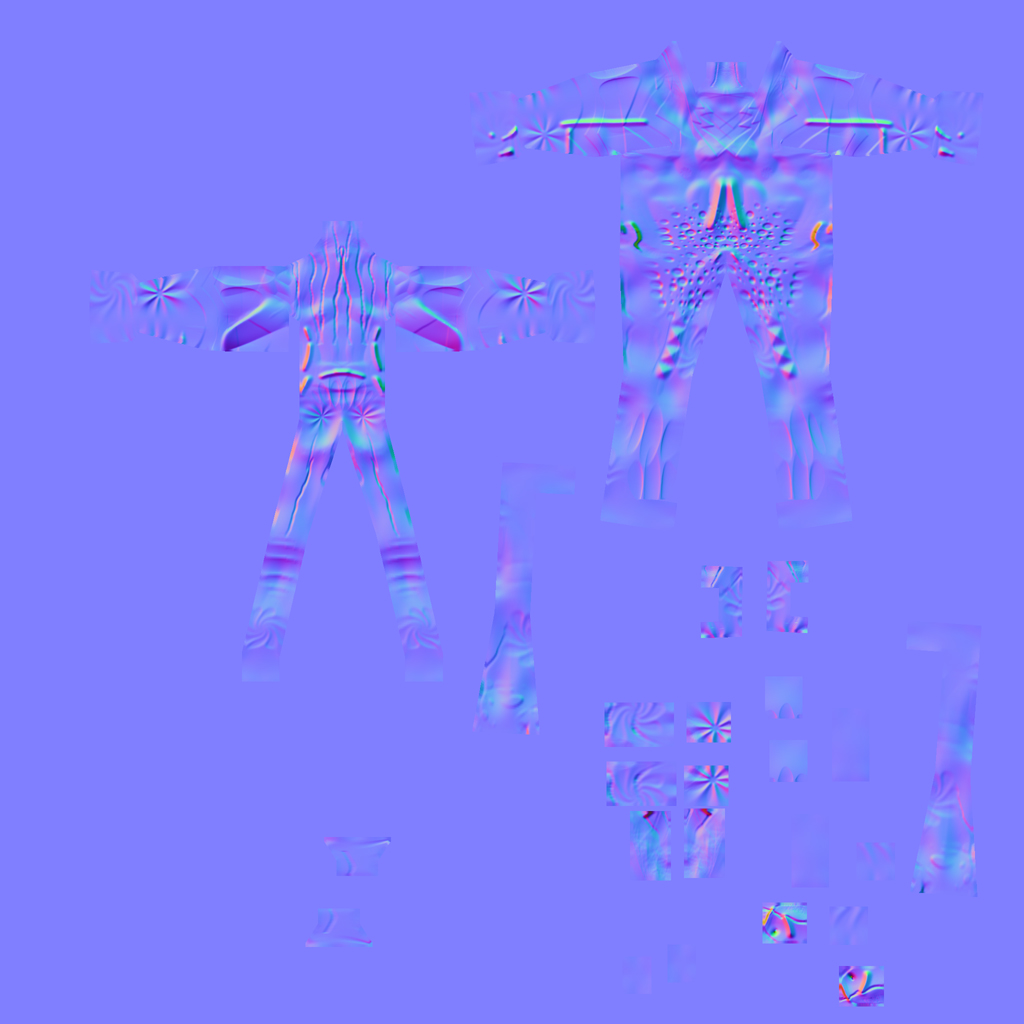
TestingFigure.jpg

My Specs
Windows 7
Dual Quad Core 2.6
16 gb ram
ZB 3.5 R3.

Attachments
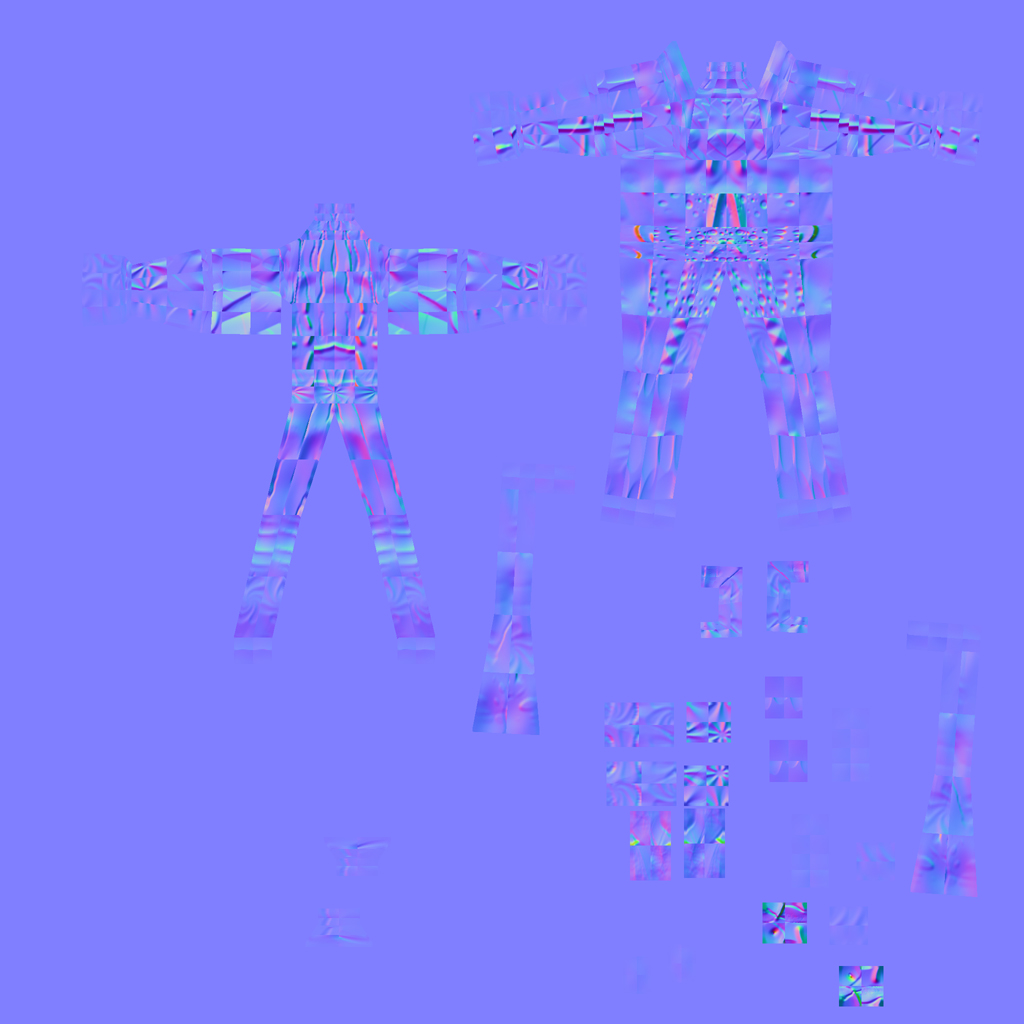
TestingFigure2.jpg

Try checking your export settings in ZB. Are you checking Flp and Grp or ?

Also what version of ZB are you in ?
I’ve also found Max works best with Zb when you keep the imported model in Max as an Editmesh rather than turning it into an EditPoly.

So my workflow now is to unwrap it as an editmesh in Max then export back to ZB.

Try checking your export settings in ZB. Are you checking Flp and Grp or ?

Also what version of ZB are you in ?
I’ve also found Max works best with Zb when you keep the imported model in Max as an Editmesh rather than turning it into an EditPoly.

So my workflow now is to unwrap it as an editmesh in Max then export back to ZB.

Thanks hotknife, but I dont think max is the problem. At the bottom of my original Post I have listed my specs, I am using ZB 3.5R3. The UVW are getting messed up when I import the obj even if I never import the obj into another program. Basically I export the model out of zb then I immediately reimport it back into ZB and the uvw are messed up. I also do not believe it has anything to do with the green channel. I really think this might be a zbrush bug. Aurick, are you out there? I could really use some help, I am trying to get zb 3.5 implemented into our studio pipeline over at Bethesda softworks, but I have to test everything to make sure it is usable first and at this point we cannot implement it due to a number of issues. This is the first of a couple, we are also having issues with some weird faceting showing up in the normals within the uv borders, and some significantly less powerful normal maps. Please help.:cry:

I am still waiting for a response from a moderator or Aurick. Ive been waiting for some time. I thought this was the support forum?

I’ve counted at least 6 or 7 people with this problem so far, and it seems there’s no solution at the moment… or at least we haven’t got an answer yet… Still trying lots of things but no success…

OK now… as CowboyBunny pointed in this post http://www.zbrushcentral.com/showthread.php?t=79050

The problem seems to be in exporting the mesh to different programs in a row… that is, zbrush --> uv program --> 3d suite --> zbrush

So… to solve this issue (I already tried it, and worked flawlessly), do what he says. First, export from ZBrush, do UVs in your favorite software, then reimport to zbrush without going to max or maya or whatever you use. Afterwards you can export it again and use it in the 3D suite of your choice.

Problem solved… at least for me! So Thanks go to CowboyBunny, not me.

(I’ll duplicate this in the other thread, sorry if it causes any inconvenience. The people who replied my post would be thankful I guess…)

Tough luck, because I go ZBrush - Max - Zbrush and that’s it…

hmm strange… I just tried it and works also ZB–>Max 2010–>ZB

iflip and eflip turned on, imported as editable mesh, unwrap modifier and exported it without collapsing. Imported in ZB and the changes I made in the unwrap are there, and the rest of the UV’s intact

edit: Vsions says he has troubles exporting and importing the obj even without going into other 3D software, that is not my case as I can do that with no problems for now

I use 2010 :confused:
The onl workaround I found was to reproject all the details but that’s not a solution, that’s a workaround.

If you want to, you could upload somewhere your ztool so I can give it a try. The Project All workaround is ****ty though, because you lose the 3D layers, and possibly some fine details…

the workaround I found is: convert the freshly imported Zbrush obj to an editable poly and then back to editable mesh, OR if you imported it as an editable poly (Max2010), then convert it to an editable mesh and back again to an editable poly.
either way converting it 2 times before exporting back to Zbrush again does for some weird reason solve the problem.
hope that helps for now.