ZBrushCentral

Zbrush for architet

hello every one
for years i was jealous from every one using Zbrush
so i decide to give it a shot
after month of watching endless tutorial i learn the basics
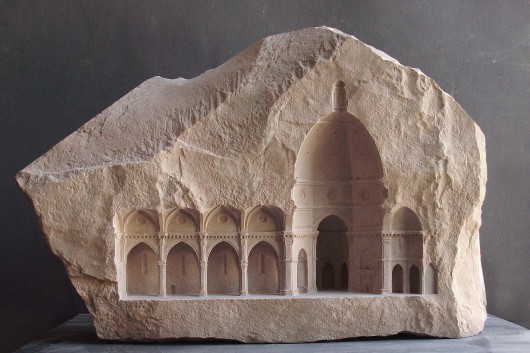
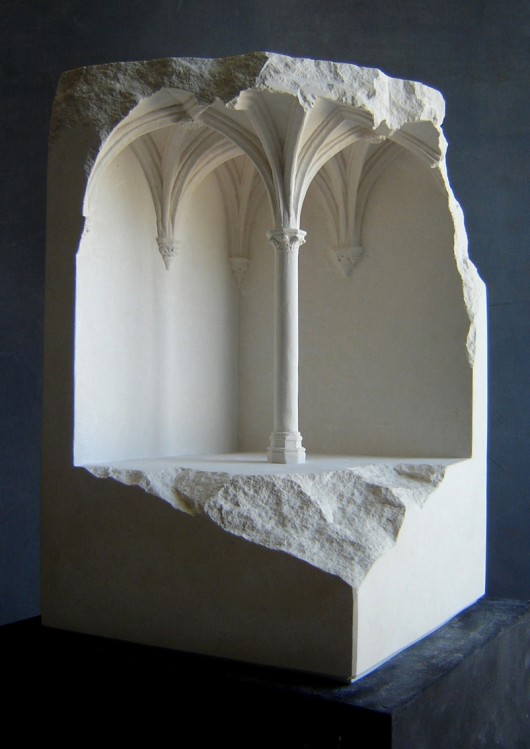
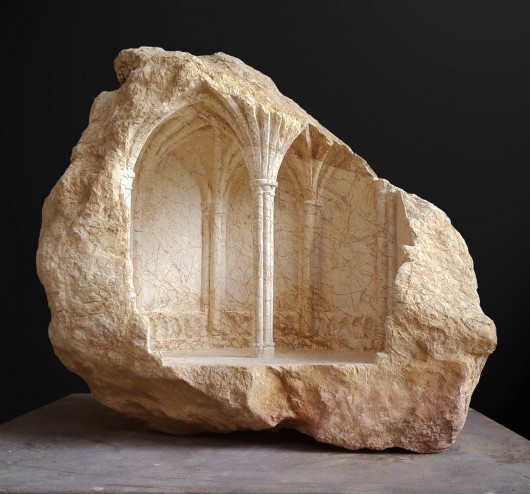
now i found this carved rock pictures i like to do
i start with the simplest one

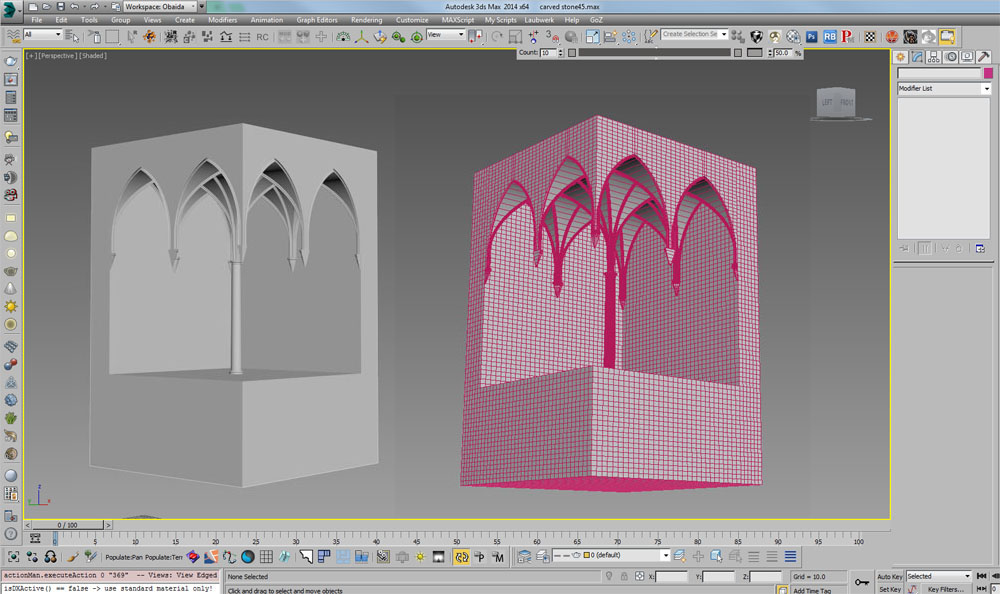
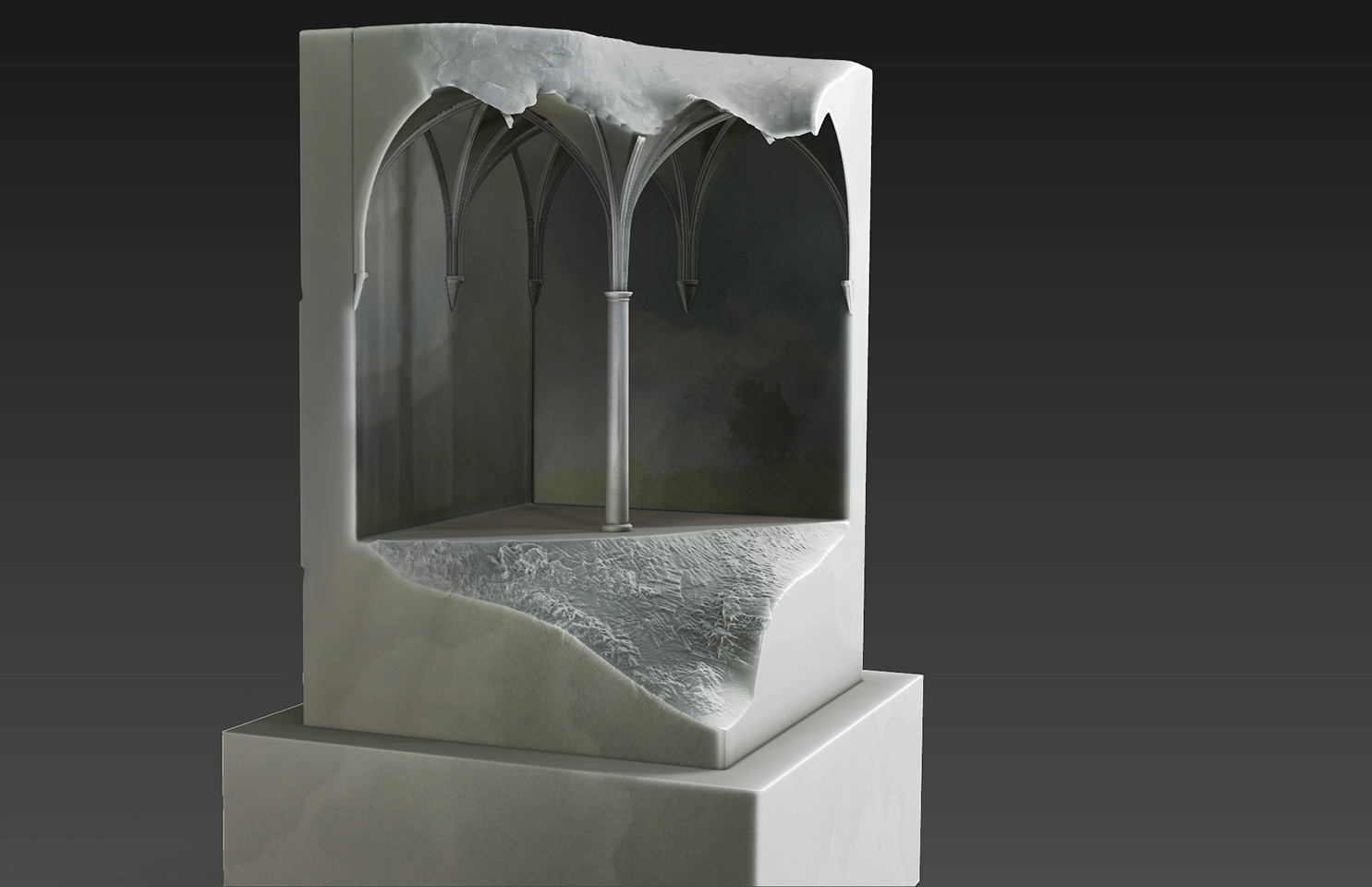
so i start in 3ds max the basic shape of the model and give it a decent amount of edge

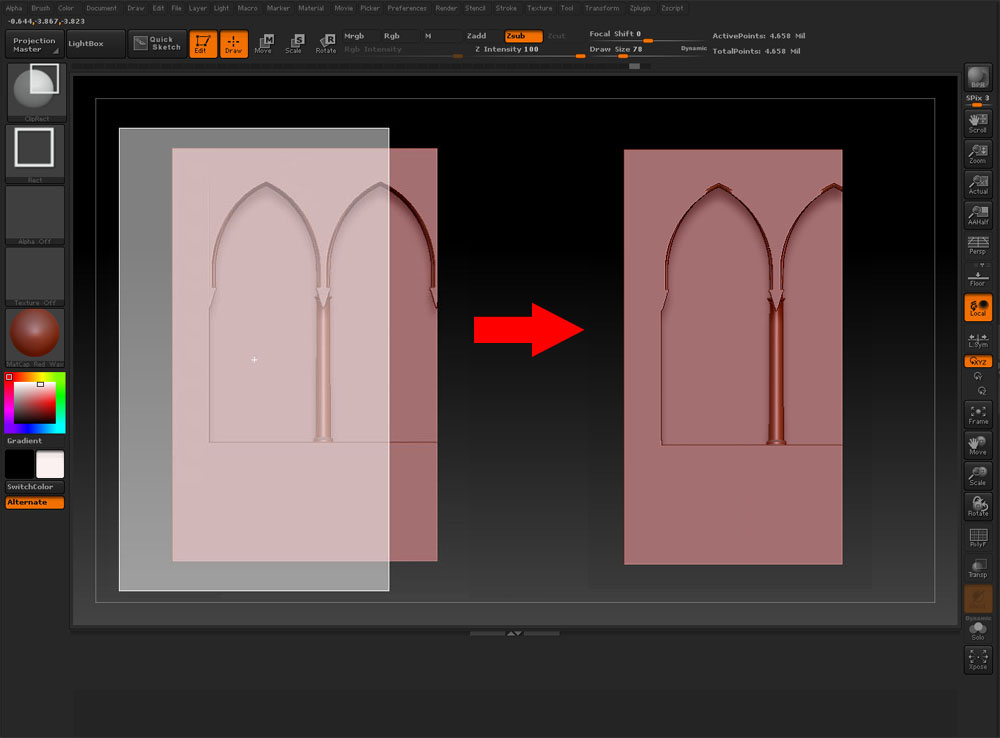
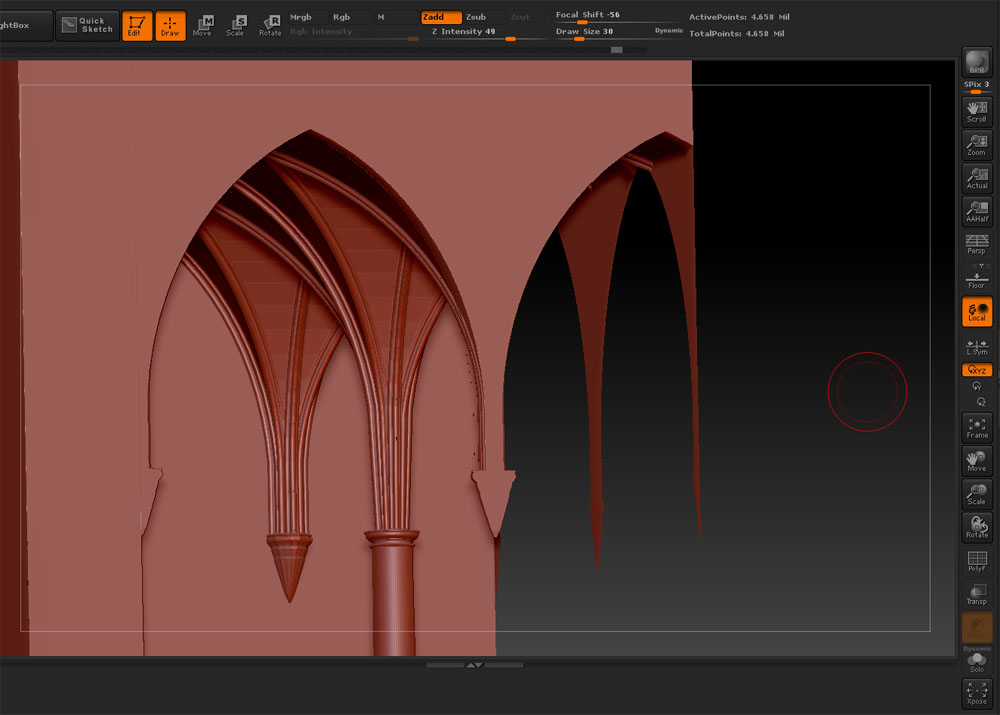
and then in zbrush i began slice the rock by using cliprec brush to slice the half of the arch and got this

but when take close look it look like this

so what i am doing wrong
please help
and little instruction for the best steps to begin such project

Attachments
53be42b0c07a80ad37000099_miniature-spaces-carved-from-stone_.jpg

53be42d4c07a803812000089_miniature-spaces-carved-from-stone_.jpg

53be432fc07a80ad3700009b_miniature-spaces-carved-from-stone_.jpg

2014-08-20 000000 2.jpg

2014-08-20 000002.jpg

2014-08-20 000008.jpg

Clip curve simply pushes the geometry back on a plane, which is what you’re seeing.

You want to use Trim Curve to lop that off.

thanks for the reply
after using the Trim Curve and Trim Rec brushes mostly Zbrush crush
but when it does not crush I Got even stranger look

2014-08-20 000010.jpg

i upload the model if u want to take a look

https://www.mediafire.com/?0622bnh8ob4epjt

For something like this, you probably want to get rid of the interior geometry.
I don’t know anything about 3DSMax, but in zBrush, I extracted your model so I could work with just a good shell.
This way, I could mask and group and close holes.

Then you could dynamesh it for sculpting.

Attachments

carved-stone.jpg

big thanks for yr effort

do u mean i have to extract the model as shell in zbrush ( which i tried a lot with the same result for me ) unless there is some tricks here i don not know

or re-model the rock in 3ds max in way it have no interior geometry

do u mean i have to extract the model as shell in zbrush ( which i tried a lot with the same result for me ) unless there is some tricks here i don not know

The problem (I think) with the slicing/trimming operation on your current .obj file is in the “close holes” part of it, and some of the curved surfaces on your model.

Slice curve:
arch-000.jpg

Delete sliced geo:
(You can see the interior geometry)
arch-001.jpg

Close holes:
(Problems)
arch-002.jpg

Using an extracted outer “skin”… after slicing and closing holes - :
(better - I only selected the outer polygroup of the extract)
arch-003.jpg

I’m sure there’s a much better way to do this… there must be a way in Max to get a clean .obj export (without polygroups and interior geo)

thank u again
i did what u say and it work like charm
i export the model from max as clean as possible and

but some times i got the same result so i do ctrl +z and slice again by millimeter aside and it works
strange for me but i am still beginner , I’m sure there is good explanation for that
and here is an example
2014-08-23 000001.jpg

by the way i did not use close hole , it closed by itself