ZBrushCentral

ZBrush Discplacement to 3dsmax + VRay

Hello fellow ZBrushers,

I am getting some errors when rendering a model in 3dsmax 2010 with VRay 2.0 and a 16 Bit displacement map (tiff).
These are the steps I used to produce the displacement map:

  1. Selected the appropriate Subtool in ZBrush
  2. Went down to the lowest subdivision
  3. In the Displacement Map rollout I tried the settings
    both Adaptive ON and OFF,
    both Smooth UV ON and OFF,
    DPSubPix all from 0 up to 4
  4. Pressed Create And Export Map
  5. I even tried to export a 32 Bit 3-channel tiff file that I turned into an OpenEXR via Photoshop

The last step didn’t give any results in 3dsmax 2010.
But after step 4) the displacement texture seemed to do its job in 3dsmax - until I came up close to the model with the camera.
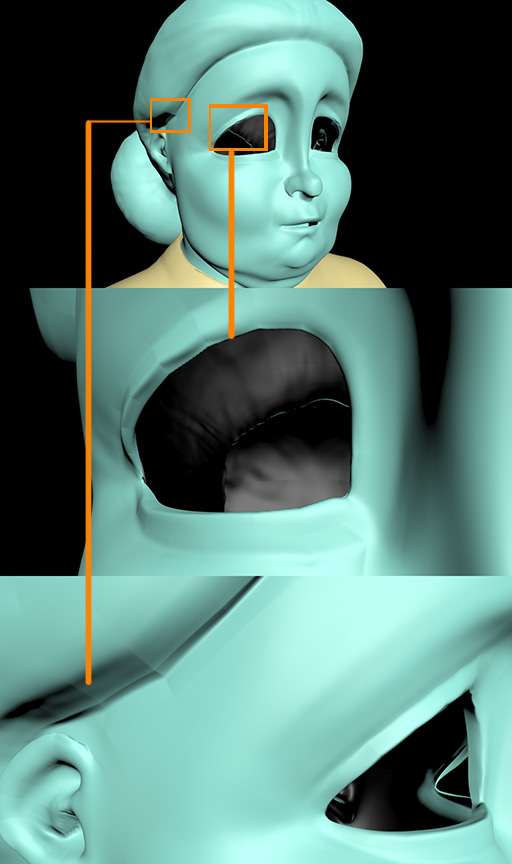
Hard edges started to appear that do not exist in the actual HiRes sculpt.
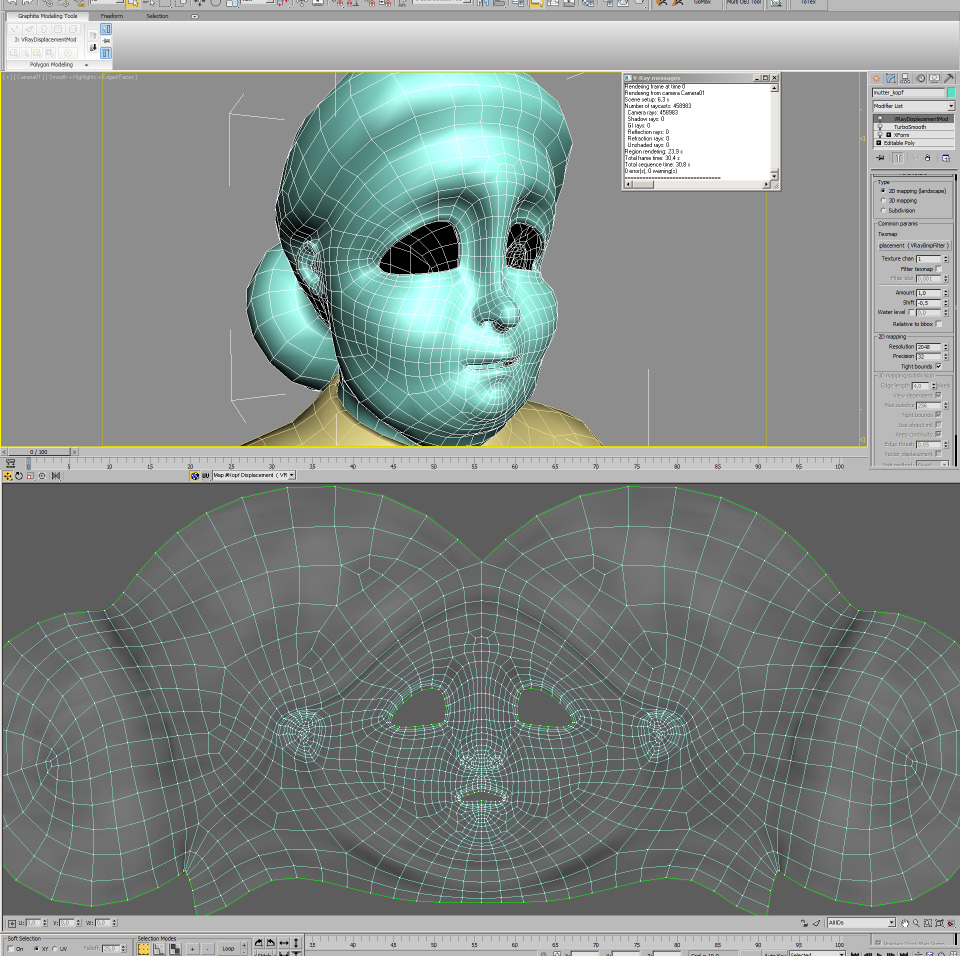
So I wanted to smooth things out before applying the displacement and added a Turbosmooth modifier to the mesh beneath the VRayDisplacementMod which helped to smooth some of the edges - but the hard edges seen on the screenshots kept appearing in the renders.

Anybody got any suggestions or tutorials on creating and rendering displacement maps meant for VRay in 3dsmax 2010? displacement_issue_3dsmax_vray_turbosmooth_settings.jpg
Attachments

displacement_issue_3dsmax_vray_turbosmooth.jpg

Hate to say it but I am banking the problem is the angle of the model it self. Try moving your rings in the problem area to create a more gradual slope instead of having such a steep angle. The close your approach a 90 degree angle the more problems you will find with a displacement map. I started in my process to do Displacement map tests before even texturing a model.

After I am done unwrapping my UVW I will generate a displacement map at my chosen lvl 1 then port it into Max 2011 and do some render tests to make sure there are no large artifacts. If there are any then I will highlight the spots and save the render out then go back into zbrush and smooth out the trouble spot on my 2nd to top layer preserving the detail on my highest layer.

Hi, in Zbrush try to use “adaptive” instead of DPsubpix.

Also dont use 2D displacement on the model

Try 3D displacement first. If the problem still exist, try Subdivision displacement, but before hitting render, remember to change the maxium subdiv below from 256 to 7 or 8 (depending on your max subdiv in Zbrush) otherwise your PC will hang.

Try ticking keep continuity too.

I hope this helps

@Deo85:
I’ll try this. Guess I’ll have to relax the UVs after smoothing the lower subdivisions as well to preserve a reasonable polygon to texture ratio.

@reanimated:
I already tried 3D Displacement and the Subdivision Displacement methods prior to your posting with no acceptable result.
But that may be due to my freshness to this whole VRay Displacement topic. I’ll give it another try (though I’ve seen two or three video tutorials out there that made good use of the 2D Displacement with fairly good results).

Thanks to both of you for taking the time to answer my question. I’ll report back (both failure and/or success).

check out the “Smooth UVs” option when creating the disp map, that may help