ZBrushCentral

ZBrush and Decimation Master scale/position problem

Does anyone have any experience with Decimation Master and this problem? If I just export the obj of my object out of ZBrush it comes back in to Maya scaled correctly and positioned correctly. As soon as I run decimate on it and export the obj afterwards, it comes in to Maya scaled up about 2x the size and it’s positioned at 0,0,0. I have tried many things and still get the same result.

Any help is appreciated.

Thanks!
Decimation Master for PC or Macintosh?

PC

thanks

Can you download again Decimation Master at the Download Center? It has been updated 5 days ago and this bug should have been fixed.
Don’t forget to delet the previous installed plugin and restart ZBrush.

That was it, thank you!!!

i’m having this problem with decimation master 1.1 (pc/windows) and 3dsmax 2009… without decimating, the mesh goes to and from max without any scale/position changes. after decimation, the OBJ out of zbrush comes into max at roughly 1/4 the scale and at position 0,0,0.

(i’ve downloaded the latest as of an hour ago).

I had same problem, with decimation master 1.1

I just downloaded it again from the Download Center, where it is still listed as 1.1, re installed, and now problem is solved.

Just get the current version and it should solve your problem, probably pixologic who fixed problem and didnt update the version numbers properly:)

I had this problem. Even with the latest version. What I did to solve the problem was to clone the subtool, decimate it, then append it back to the original tool, it then exported at the correct scale. Hope this helps

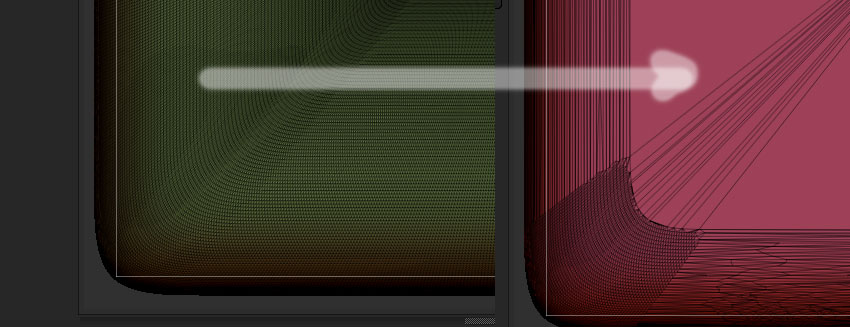
digi.jpg

before and after.? This cubes face problematic.
Is there any solutions ???

Attachments

digi.jpg

imagecube

Attachments

digi.jpg