ZBrushCentral

Zbrush 4R7 lag while sculpting after loading tool

Hi guys,
Yesterday I made a simple bust out of a sphere3D which I turned into a dynamesh.
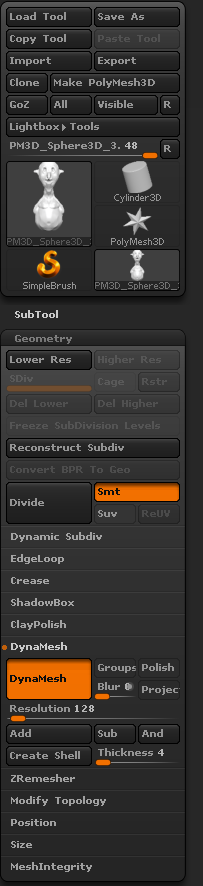
I had no problem sculpting on the bust last night and saved my tool. Today when I loaded up tool and entered the edit mode, im having problem sculpting on my model as the brush seems laggy. the poly count is 90,000 same as it was yesterday. Can anyone tell me why is this happening and how do I resolve this issue?
Thanks. :slight_smile:

adasdasdsad.png

P.S: I tried turning off Dynamesh , didnt resolve the problem.

Check to see if Tool > Geometry> Dynamic Subdivision is active for whatever reason.

Yes it is active. I tried turning it off but still getting the laggy brush.

Let’s be clear. You said you turned off “Dynamesh” in your original post. I wanted you to check “dynamic subdivision”. These are two different things.

Dynamic subdivision can inadvertently become active on a high resolution mesh, essentially subdividing it past the practical performance limit of your system, causing tool lag. It was a common issue in R7. In R8 a warning dialogue has been added to prevent it from happening as easily.

Are you certain “Dynamic Subdivision” is off?